LogoRRR


- No match
Machine translation — the English original is authoritative.
The Story
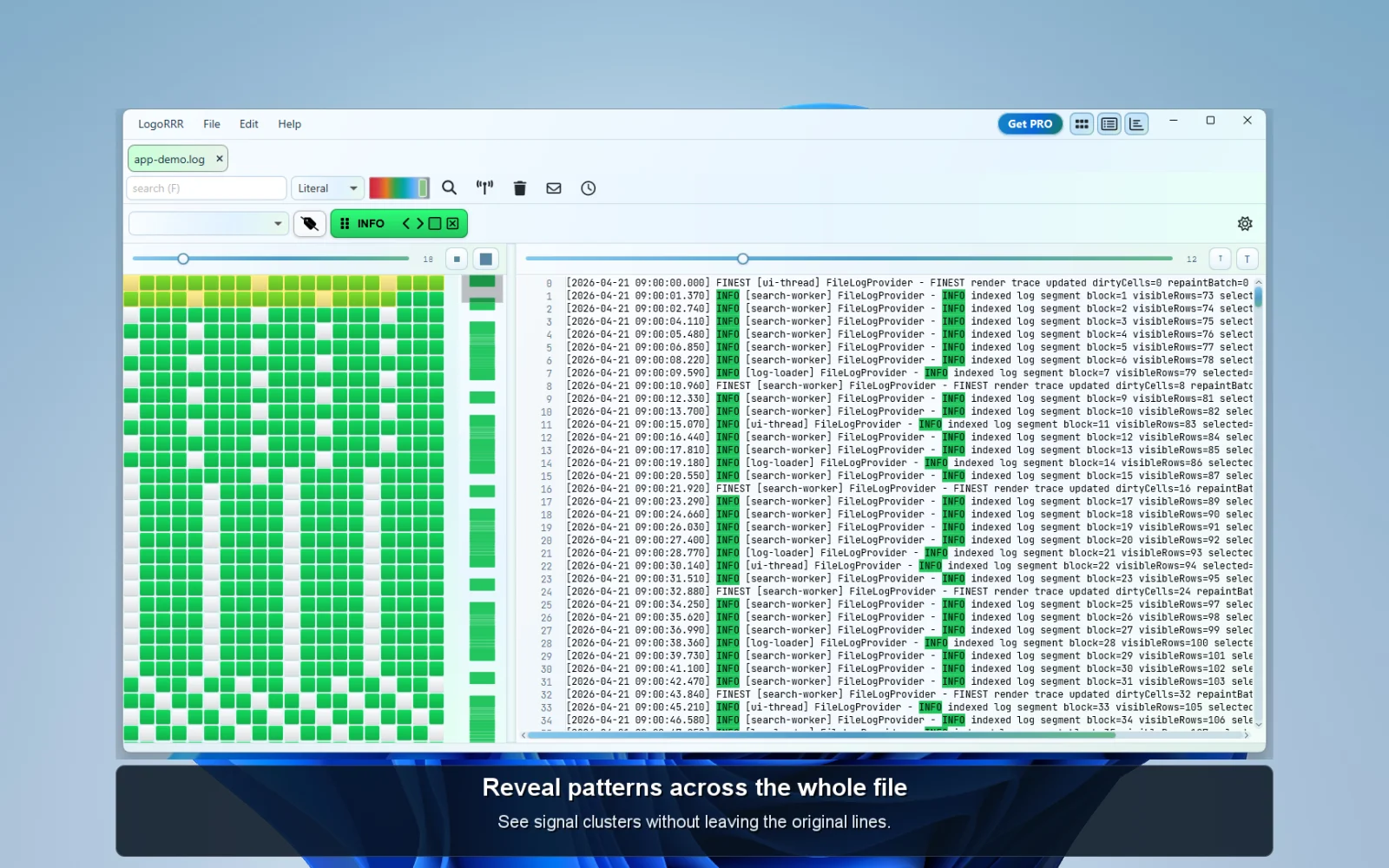
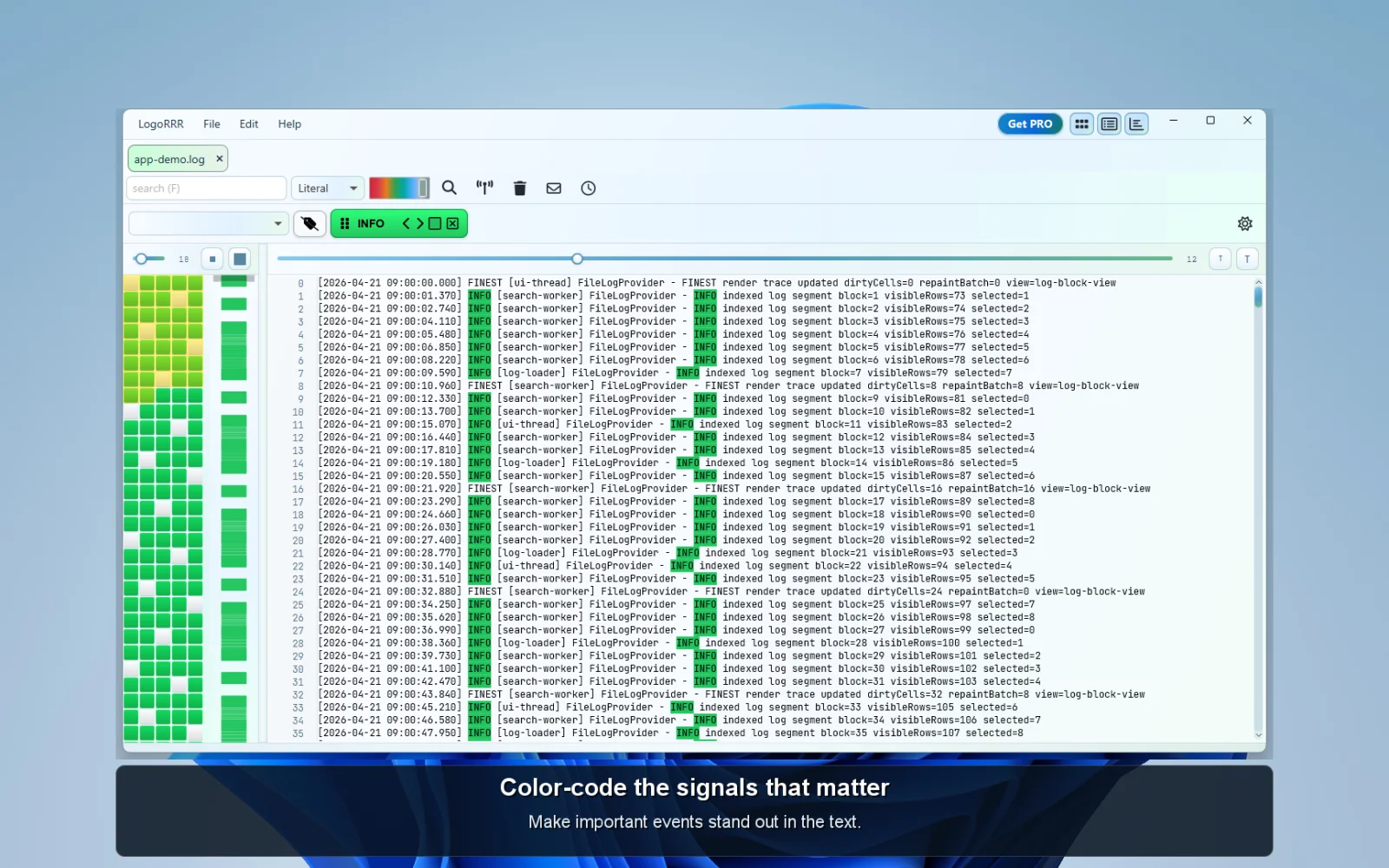
The clue is in your logs. LogoRRR helps you find it with a color-coded heatmap, linked text and timeline views, and reusable literal or regular-expression searches. Keep the investigation in view, then move straight to the lines that matter. Normal log analysis stays on your computer.
Open multiple log files and compressed bundles, follow growing files, and investigate across tabs or detached windows. LogoRRR is a desktop app for macOS, Windows and Linux.
Use the full app for 30 days, then make an optional one-time purchase for permanent access. No credit card is required to start the trial, there is no automatic charge and no subscription. After the trial, opening files and starting new analysis require a purchase; loaded work remains available to read and copy.
AI Overview
AI-generatedLogoRRR is a desktop log viewer and visual log analyzer for macOS, Windows and Linux. Its linked heatmap, text and timeline views help developers and support engineers find patterns, narrow an incident and inspect the original log lines. Literal and regular-expression searches can be reused and assigned colors.
Open multiple logs and supported compressed bundles, follow growing files and work across tabs or detached windows. Normal log analysis stays on the device; log contents are not uploaded for analysis. License activation, verification and user-initiated restore can use the network.
The full app has a 30-day trial without a credit card or automatic charge. After the trial, opening files and starting new analysis require a one-time purchase for permanent access. Loaded work remains available to read and copy. There is no subscription.
Founder Diary
DevlogThe maker hasn't posted a diary entry yet.
Key Features
Interactive Block View
Color-codes log entries by severity or search terms to spot patterns across millions of lines
Multiple log files
Open related files and compare their entries in context.
Time-based Activity Views
Provides time-based visualization for tracking log activity and trends
Filter-driven Narrowing
Isolates relevant events through searchable filters to focus investigation
Desktop log analysis
Investigate large local files with visual navigation and filters.
Local-first Privacy
Keeps all log files on the user's machine with no cloud uploads or external accounts required
Use Cases
-
1
Enterprise security teams
Handle sensitive data that cannot be uploaded to cloud services
-
2
Support engineers
Trace incidents in local production logs without centralized observability platforms
-
3
Developers in restricted networks
Analyze logs in environments where cloud uploads are prohibited
-
4
Field investigators
Investigate logs in disconnected settings without server dependencies
FAQ
Can I use LogoRRR offline? ▾
Where are my log files stored? ▾
Which platforms does LogoRRR support? ▾
Can I analyze multiple log files together? ▾
Tech Stack & Tags
Discussion
No comments yet — be the first!
Join the conversation — sign up to comment.
Sign up freeCommunity Support
Boost this project on Sell With boost
Meet the Founder

"I build desktop and mobile apps in Graz, Austria. My projects include LogoRRR for log analysis, Simp..."