
MakerPrintTools
- No match
Machine translation — the English original is authoritative.
The Story
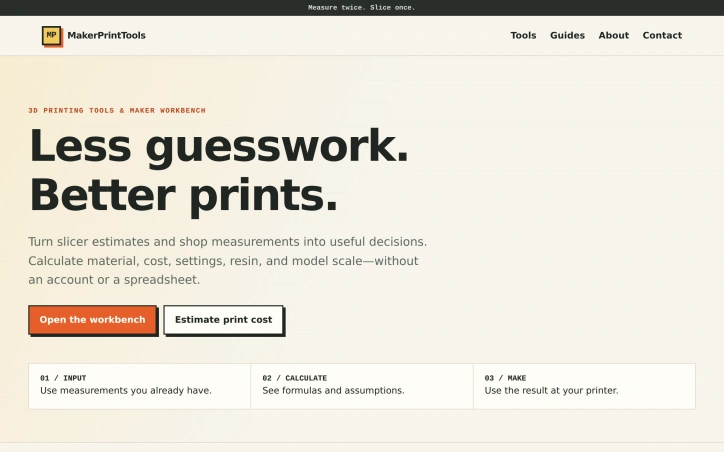
We built MakerPrintTools to eliminate guesswork from 3D printing. Makers constantly need to calculate costs, material usage, and settings, but doing this with spreadsheets or trial-and-error is inefficient. Our calculators turn slicer estimates and shop measurements into confident, practical decisions.
AI Overview
AI-generatedMakers and 3D printing shops waste time converting slicer estimates into real-world decisions through spreadsheets or trial-and-error. MakerPrintTools replaces that friction with a collection of specialized calculators designed for shop-floor problems, each combining measurements you already have into actionable results.
The platform targets anyone running a 3D printing operation—whether a one-person hobby shop or small production facility—who needs to calculate costs before quoting jobs, verify that a printer can actually achieve a design's settings, or estimate material waste. No account is required, so users can jump directly from measuring part geometry to making confident decisions.
What distinguishes the product is its deliberate scope. Rather than a generic calculator, each tool solves a specific question: How much does this print actually cost? How many grams of filament does a particular length represent? Will my hotend flow capacity handle these settings? This focused design makes each calculator faster and more useful than generic spreadsheets. The platform also explains its math—showing formulas and assumptions—so users understand the reasoning behind every result.
The toolkit spans the full production cycle. Cost calculators combine filament consumption, electricity usage, labor time, machine wear, and failure allowance into practical job pricing. Filament converters switch between meters and grams using actual material density. A volumetric flow checker validates that hotend capacity matches intended print parameters. Geometry tools handle model scaling and build volume constraints. Planning tools look beyond individual prints to estimate total material use, support requirements, and the production volume needed to break even on setup work.
The product positioning emphasizes transparency over convenience. There's no cloud storage, no project management, no growth features—just clear math applied to shop measurements. The design assumes makers already know what they're measuring and what they'll do with the results; the calculators simply eliminate error and guessing from the conversion.
This approach creates a practical, single-purpose tool that integrates into existing workflows rather than requiring process change. For small and mid-scale 3D printing operations, that efficiency compounds across hundreds of decisions. The frictionless entry point—no login, no free trial cutoff, no marketing emails—removes barriers to trying calculators that genuinely answer shop questions.
Founder Diary
DevlogThe maker hasn't posted a diary entry yet.
Key Features
Cost Calculators
Combine filament consumption, electricity usage, labor time, machine wear, and failure allowance into practical job pricing
Filament Converters
Switch between meters and grams using actual material density
Volumetric Flow Checker
Validate that hotend capacity matches intended print parameters
Geometry Tools
Handle model scaling and build volume constraints
Planning Tools
Estimate total material use, support requirements, and production break-even volume
Formula Transparency
Explains math, formulas, and assumptions so users understand every result
Use Cases
-
1
Hobby Shop Owners
Calculate accurate costs before quoting jobs without trial-and-error guessing
-
2
Production Facilities
Verify printer capabilities match design requirements and estimate material waste
-
3
Shop Floor Decisions
Convert slicer estimates into confident real-world production decisions
-
4
Cost Estimation
Break down job pricing including filament, electricity, labor, and machine wear
FAQ
Do I need an account to use MakerPrintTools? ▾
How do I calculate 3D printing costs accurately? ▾
Can I convert filament meters to grams? ▾
How do I know if my printer can handle my design settings? ▾
Tech Stack & Tags
Discussion
No comments yet — be the first!
Join the conversation — sign up to comment.
Sign up freeCommunity Support
Boost this project on Sell With boost
Meet the Founder

More by canghun13




More in 3D & Animation
Text3D Generator
I built Text3D Generator because content creator...

Img3D
Img3D is an AI 3D workspace built around referen...

ARView
We built ARView to make AR accessible to everyon...
Arnis
I created Arnis to generate Minecraft world maps...

STLRepair
STLRepair helps makers and 3D printing users che...

3dfileconverter.online
3dfileconverter.online is a free browser workspa...