MindiMap

- No match
Machine translation — the English original is authoritative.
The Story
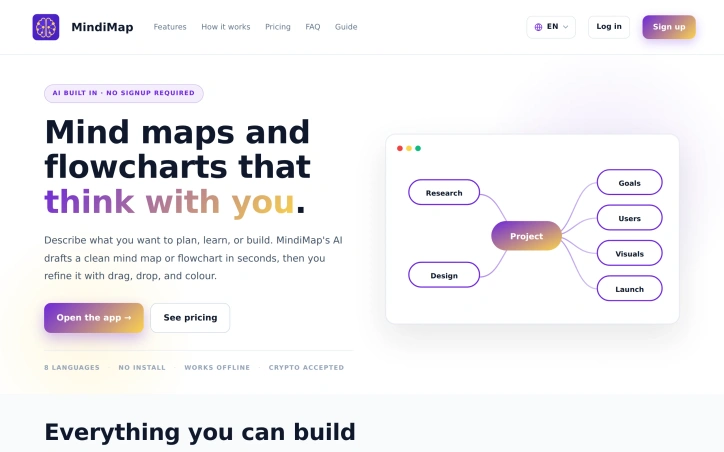
We saw people struggling to organize their ideas visually, so we built MindiMap to bridge the gap between thought and structure. Describe your project or idea, and our AI instantly creates a clean mind map or flowchart—then collaborate with your team to refine it. We're making visual planning fast and frictionless for everyone.
AI Overview
AI-generatedVisual organization tools have long required choosing between simplicity and capability. This all-in-one editor targets the friction point where ideas need structure—whether for project planning, team collaboration, or classroom instruction—by letting users describe what they want built and having AI generate the full layout in seconds.
The platform combines six core capabilities within a single interface: mind mapping, flowcharting, task management, templates, collaborative features, and export options. Users input a description of their project or idea, and the system generates a structured visualization including nodes, branches, and hierarchy. From there, refinement is immediate; additional AI prompts can restructure, add, remove, or rename elements while preserving user-applied notes, icons, and colors. Eleven prebuilt templates cover common scenarios: project plans, study guides, SWOT analyses, product roadmaps, sprint planning, blog outlines, OKRs, and client onboarding flows.
What distinguishes this offering is its self-contained architecture. The AI runs on the company's own servers rather than depending on third-party services like ChatGPT, Claude, or Gemini. Users need no API keys, no external accounts, and no browser extensions—the entire experience happens in the browser across desktop, tablet, and phone. This eliminates friction common to competing tools and means the service is private by default.
The flowcharting capability includes a full shape library: ovals for start and end points, diamonds for decisions, parallelograms for input/output, plus document, hexagon, and cylinder shapes. Task tracking layers the same tree layout onto checkpoint management, with checkboxes, side-panel lists, filters, and a live completion bar to track remaining work.
Collaboration happens two ways. Read-only sharing generates a single URL or QR code for viewers requiring no account or install. Editable sharing lets collaborators make changes directly in the browser while the original owner retains control; each save is versioned, stale tabs refresh cleanly, and the sharing link can be revoked at any time. The system prevents collisions by restricting simultaneous editing to one user at a time.
Export flexibility covers PNG, JPEG, PDF, SVG, JSON, and Markdown formats, with watermarks absent from paid plans. JSON export integrates with an Android app, enabling seamless cross-device transfers.
The product accepts cryptocurrency as payment, a signal of positioning toward digitally native users. Free and paid tiers exist, though specific pricing is not publicly detailed.
Founder Diary
DevlogThe maker hasn't posted a diary entry yet.
Key Features
AI-Powered Generation
Describe your idea and instantly generate structured visualizations with nodes, branches, and hierarchy
Mind Mapping and Flowcharting
Full shape library including ovals, diamonds, parallelograms, documents, hexagons, and cylinders
Task Management
Tree layout with checkboxes, filters, side-panel lists, and live completion tracking
Collaborative Editing
Real-time sharing with version control, collision prevention, and one-user-at-a-time simultaneous editing protection
Multi-Format Export
Supports PNG, JPEG, PDF, SVG, JSON, and Markdown with watermarks absent on paid plans
Prebuilt Templates
Eleven templates for project plans, study guides, SWOT analyses, roadmaps, sprints, blogs, OKRs, and onboarding
Use Cases
-
1
Project Planning
Teams can organize complex projects visually with task checkpoints and hierarchy without external tools
-
2
Team Collaboration
Groups can work together in the browser with read-only and editable sharing, no external accounts required
-
3
Classroom Instruction
Teachers and students can structure course content and study materials using visual organization and templates
-
4
Strategic Planning
Businesses can create SWOT analyses, product roadmaps, OKRs, and client onboarding flows with AI assistance
FAQ
Do I need ChatGPT or Claude to use this? ▾
Can multiple people edit the same diagram at once? ▾
What formats can I export in? ▾
Does this work on mobile devices? ▾
Pricing
Free and paid tiers available; specific pricing not publicly detailed. Cryptocurrency payments accepted.
Tech Stack & Tags
Discussion
No comments yet — be the first!
Join the conversation — sign up to comment.
Sign up freeCommunity Support
Boost this project on Sell With boost
