
NativeCode
- No match
Machine translation — the English original is authoritative.
The Story
NativeCode is a free, local-first AI coding IDE for macOS and Windows. It pairs a VS Code-inspired workspace built on Monaco with your own models running in Ollama, LM Studio or any OpenAI-compatible server, so your code never leaves your machine.
I built it because the AI coding tools I wanted to use either shipped their own copy of Chromium or sent my projects to somebody else’s cloud. NativeCode does neither. The interface runs in the WebView your operating system already ships — WKWebView on macOS, WebView2 on Windows — so the macOS download is 7.11 MB instead of the ~150 MB a typical Electron IDE costs.
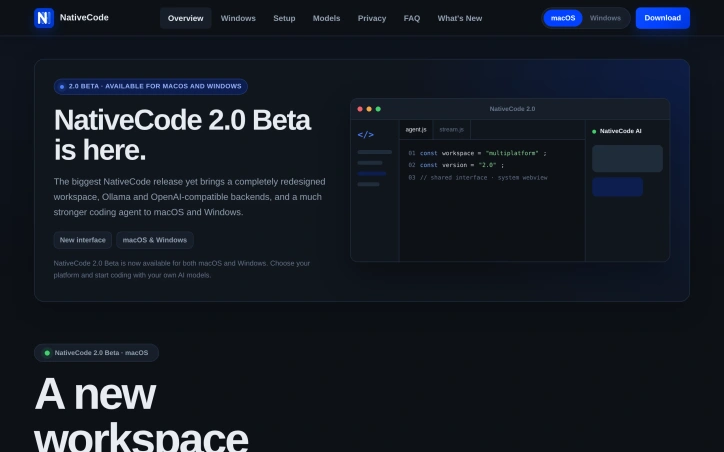
Version 2.0 Beta brings a completely redesigned workspace and a much stronger agent: plan mode, project memory, skills, pinned context, self-review, automatic context compaction, web access and guarded file and shell tools. You can use every model your backend reports, stream reasoning separately, adjust thinking effort and attach screenshots to vision-capable models.
No account, no subscription, no telemetry — just your editor, your models and your code.
AI Overview
AI-generatedPrivacy-conscious developers have few good options when it comes to AI-assisted coding tools. Most either bundle Chromium into their downloads, inflating file sizes to 150 MB or more, or require uploading projects to cloud servers. NativeCode addresses both issues by offering a compact, local-first alternative that keeps code on your machine while maintaining a minimal footprint.
The product pairs a VS Code-inspired interface built on Monaco with your choice of local models running in Ollama, LM Studio, or any OpenAI-compatible server. The macOS download weighs just 7.11 MB because it leverages the system WebView built into modern operating systems — WKWebView on macOS, WebView2 on Windows — rather than shipping its own copy of Chromium. This design decision translates to meaningful storage savings without sacrificing functionality.
Version 2.0 Beta, the latest release, significantly strengthens the core agent. It introduces plan mode for safe refactoring, project memory, reusable skills, pinned context, and self-review capabilities. The agent handles automatic context compaction and can access the web when needed. File and shell tool access is explicitly guarded, revealing a commitment to security over convenience.
The tool supports every model its backend reports, with the ability to stream reasoning separately for models that provide it. Users can adjust thinking effort, switch backends or models without restarting conversations, and attach screenshots directly to vision-capable models. This flexibility removes friction when experimenting with different approaches or scaling up to more capable models.
The business model is straightforward. NativeCode is free with no subscription requirement, no account creation, and no telemetry. The founder built this specifically because existing options either shipped unnecessary bloat or invaded privacy — frustrations many developers share.
What emerges from these choices is a product designed around developer autonomy. It assumes users want control over their models, their data, and their tools, without paying for that privilege through subscriptions or data harvesting. For developers already running local LLM infrastructure or willing to set it up, NativeCode removes a major friction point: the need to choose between privacy, cost, and capability. Whether this approach catches on depends partly on whether developers embrace local inference as a default rather than a niche preference.
Founder Diary
DevlogThe maker hasn't posted a diary entry yet.
Key Features
Local-First Architecture
Keeps all code on your machine without uploading to cloud servers
Minimal Footprint
Weighs just 7.11 MB on macOS by leveraging system WebView instead of bundling Chromium
Flexible Model Support
Works with any local model through Ollama, LM Studio, or OpenAI-compatible servers
Plan Mode
Enables safe refactoring with project memory, reusable skills, and pinned context
Self-Review Capabilities
Agent automatically compacts context and performs self-review
Use Cases
-
1
Privacy-Focused Developers
Want to avoid uploading code to cloud infrastructure
-
2
Local LLM Users
Already running or willing to set up local inference infrastructure
-
3
Cost-Conscious Teams
Need AI coding assistance without subscription fees
-
4
Storage-Limited Devices
Require lightweight alternative to Chromium-bundled tools
FAQ
Is NativeCode free? ▾
What models can I use? ▾
How large is the download? ▾
Does NativeCode upload my code to the cloud? ▾
Pricing
Completely free with no subscription, account creation, or telemetry.
Tech Stack & Tags
Discussion
No comments yet — be the first!
Join the conversation — sign up to comment.
Sign up freeCommunity Support
Boost this project on Sell With boost
Meet the Founder

More by Jakub Hecht
More in AI Code Editors

RightNow AI Code Editor
RightNow AI is the first CUDA-native code editor...
Nexion - For Windows & Open Source
🎉 Big news! Windows version + Open-source relea...

Strix
Strix is an open-source AI hacking agent that fi...

shadcn CLI 3.0 and MCP Server
shadcn/ui is the foundation for your design syst...

Merge Agent Handler
Securely connect AI agents to enterprise-ready t...

Jam SQL Studio
We built Jam SQL Studio because Microsoft retire...