KyttoMCP
- No match
Machine translation — the English original is authoritative.
The Story
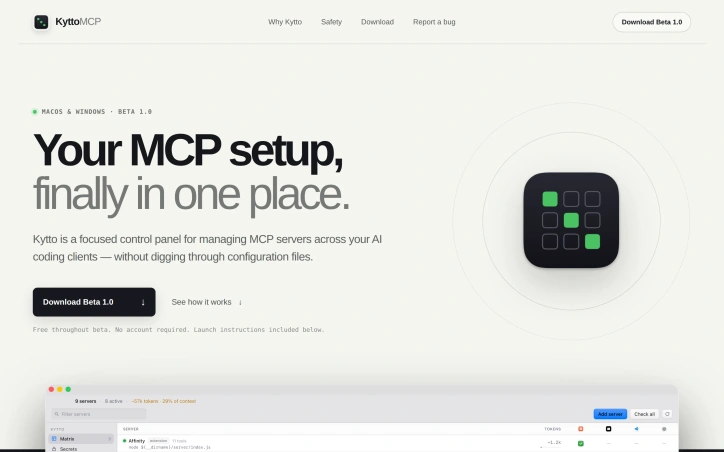
We built Kytto because managing MCP servers across multiple AI coding clients had become a nightmare—configuration scattered across JSON and TOML files with no way to see the full picture. Kytto is a focused control panel that reads your existing configurations and gives you one clear view to manage everything without touching code. It's built for people who'd rather work than maintain tool plumbing.
AI Overview
AI-generatedManaging multiple Model Context Protocol servers across different AI coding tools creates a fragmented configuration nightmare. Developers end up with scattered settings across JSON and TOML files, unable to see the complete picture of what's active where. KyttoMCP directly addresses this coordination problem with a focused control panel designed around the specific workflows of teams using Claude, Cursor, VS Code, and other compatible clients.
The product's core strength is its unified matrix view. Rather than hunting through configuration files, users can see at a glance which MCP servers are enabled across each client and toggle them from one interface. This single source of truth eliminates the most immediate friction point in managing multi-server setups.
Beyond visibility, KyttoMCP includes practical operational safeguards. It estimates the context window cost of each server's tool definitions, letting users optimize their configuration without accidentally bloating context usage. Before any configuration change, the tool creates timestamped backups. Changes themselves are written atomically, preventing the corrupted or truncated files that plague JSON editing. These design choices reflect a philosophy of "built for trust"—the application prioritizes data safety and user confidence over aggressive feature expansion.
The local-first architecture reinforces this positioning. Configuration files remain on the user's computer; there's no cloud account, no sync service, no third-party intermediary between the user and their settings. This stands out against the industry trend toward cloud-hosted management tools and appeals directly to users who value control and privacy.
The pricing model is equally straightforward. KyttoMCP is free throughout its beta phase with no account required. Installation is platform-specific: a DMG file for macOS and a Windows installer, with documented launch procedures including handling for unsigned-developer warnings.
The product targets a specific segment: developers and teams managing MCP complexity across multiple tools. It doesn't attempt to abstract away MCP servers themselves or add entirely new functionality. Instead, it solves a genuine coordination problem that emerges as MCP adoption grows. For teams already juggling multiple AI clients and MCP server configurations, KyttoMCP eliminates a category of repetitive maintenance work. Its strength lies in this focused scope and its commitment to safety and transparency.
Founder Diary
DevlogThe maker hasn't posted a diary entry yet.
Key Features
Unified Matrix View
See at a glance which MCP servers are enabled across each client and toggle them from one interface
Context Window Optimizer
Estimates the context window cost of each server's tool definitions to help optimize configuration
Atomic Configuration Changes
Writes changes atomically to prevent corrupted or truncated configuration files
Timestamped Backups
Creates backups before any configuration change for data safety
Local-First Architecture
Keeps configuration files on the user's computer with no cloud sync or third-party intermediary
Use Cases
-
1
Development teams managing MCP complexity
Eliminates repetitive maintenance work of coordinating multiple MCP server configurations across different tools
-
2
Claude, Cursor, and VS Code users
Provides unified visibility and control over scattered settings across multiple AI coding clients
-
3
Privacy-conscious developers
Offers local-first configuration management that keeps all settings on the user's computer
FAQ
Does KyttoMCP require a cloud account? ▾
What platforms does KyttoMCP support? ▾
Is KyttoMCP free? ▾
How does KyttoMCP prevent configuration errors? ▾
Pricing
Free throughout beta phase with no account required
Tech Stack & Tags
Discussion
No comments yet — be the first!
Join the conversation — sign up to comment.
Sign up freeCommunity Support
Boost this project on Sell With boost
Meet the Founder

More by Jakub Hecht

More in Automation tools
CMDragon Tools
I built CMDragon Tools to eliminate the friction...

ListFlow – Crosslist to Poshmark, eBay, Mercari & More
I built ListFlow because resellers were wasting...

Infrabase.ai
I was evaluating AI infrastructure products for...
QRSnap | Free Online QR Code Generator
QRSnap is a free online QR code generator that m...

HVAC Tools Hub
I built HVAC Tools Hub because I saw professiona...
Hackpack-CLI
What is Hackpack CLI? Hackpack CLI is a lightwei...