Orylo
- No match
Machine translation — the English original is authoritative.
The Story
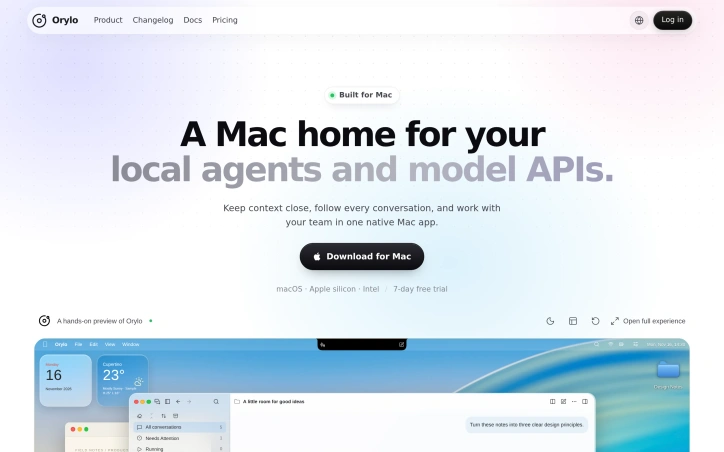
I built Orylo because my AI agents lived in scattered terminals and browser tabs, and I kept losing track of context. Orylo is a native Mac app that brings your local agents and model APIs together, so you can run multiple conversations side by side, review file changes, and build custom assistants with skills and tools.
AI Overview
AI-generatedFor developers and power users who juggle several AI coding assistants at once, the daily friction is real. Conversations scatter across terminal windows and browser tabs, and context slips away. Orylo positions itself as a native Mac home for that workflow, gathering local agents and model APIs into one application so that work stays organized in one place.
What stands out first is breadth. The product lists more than forty supported local agents, including Claude Code, Codex, Gemini CLI, Cursor, GitHub Copilot CLI, and OpenCode, alongside a long roster of model providers such as Ollama, LM Studio, vLLM, OpenAI, Anthropic, Google Gemini, DeepSeek, and OpenRouter. Users are not locked into a single vendor's ecosystem, and local and cloud models sit side by side.
The product also separates two kinds of assistants. An Agent Assistant runs on a local agent and inherits that agent's tools, files, and session capabilities, while a Chat Assistant talks through a model API with no workspace access. The distinction is stated plainly, which helps users understand what each option can actually do.
Workspace features handle much of the practical work. Users can run several conversations in parallel panes and review text, Markdown, images, and file differences in a sidebar without leaving the conversation. Git actions cover staging, committing, fetching, pushing, and pulling, but they apply to the entire repository containing the workspace, a detail worth knowing before using them. Custom assistants are built by choosing an agent, defining a persona, adding skills, and connecting the MCP tools they need, and an existing assistant can help create new ones. A Composer panel can sit beside a browser, editor, or document to send context to an assistant without rewriting the prompt each time.
On pricing, the page is brief. The app is offered for macOS on both Apple silicon and Intel, with a seven-day free trial. It does not list paid tiers or prices, so prospective buyers should check the terms before committing.
Founder Diary
DevlogThe maker hasn't posted a diary entry yet.
Key Features
Multi-Agent Support
Gathers more than forty local agents, including Claude Code, Codex, Gemini CLI, Cursor, GitHub Copilot CLI, and OpenCode, in one application.
Broad Model Provider Access
Connects to local and cloud model providers such as Ollama, LM Studio, vLLM, OpenAI, Anthropic, Google Gemini, DeepSeek, and OpenRouter.
Agent and Chat Assistants
Separates Agent Assistants, which inherit a local agent's tools, files, and sessions, from Chat Assistants that use a model API without workspace access.
Parallel Conversation Panes
Runs several conversations side by side and reviews text, Markdown, images, and file differences in a sidebar.
Repository Git Actions
Supports staging, committing, fetching, pushing, and pulling, applied to the entire repository containing the workspace.
Custom Assistant Builder
Creates assistants by choosing an agent, defining a persona, adding skills, and connecting MCP tools, with existing assistants able to help build new ones.
Use Cases
-
1
Developers using multiple AI coding assistants
Keeps conversations from Claude Code, Codex, Cursor, and other agents organized in one native Mac app instead of scattered across terminal windows and browser tabs.
-
2
Power users mixing local and cloud models
Lets them run Ollama or LM Studio models alongside OpenAI, Anthropic, or OpenRouter models without being locked into one vendor's ecosystem.
-
3
Users sending context to assistants from other apps
Uses the Composer panel beside a browser, editor, or document to send context to an assistant without rewriting the prompt each time.
-
4
Teams building specialized AI helpers
Creates custom assistants with defined personas, skills, and MCP tools for recurring tasks.
FAQ
Is Orylo available for Windows or Linux? ▾
Does Orylo have a free trial? ▾
Which AI coding assistants does Orylo support? ▾
What is the difference between an Agent Assistant and a Chat Assistant in Orylo? ▾
Tech Stack & Tags
Discussion
No comments yet — be the first!
Join the conversation — sign up to comment.
Sign up freeCommunity Support
Boost this project on Sell With boost
Meet the Founder

More in AI Coding Agents

Eden Stack
We built Eden Stack to solve the problem of star...

Archlint
We built Archlint because AI agents can introduc...

Durabl
Durabl is the only foundation built for develope...
ADing
ADing brings your AI coding agents into one shar...
Limitcode Pro: Lightweight AI Coding Agent for Sublime Text
I was tired of AI coding tools forcing me out of...