
PasteGuard
- No match
Machine translation — the English original is authoritative.
The Story
PasteGuard started after a real security incident.
A sensitive credential was accidentally copied and pasted into the wrong place. The secret was not exposed because someone deliberately shared it—it happened through a normal developer workflow: copy, switch applications, paste. That incident highlighted a gap.
We already have tools that scan repositories, pipelines, logs, and cloud environments for leaked secrets. But most of those tools detect the problem after the secret has already left the developer's hands. The clipboard sits before all of them.
That became the idea behind PasteGuard: protect sensitive information at the moment of paste, before an accidental action becomes a security incident. PasteGuard runs locally on Windows and checks clipboard content for passwords, API keys, access tokens, cloud credentials, connection strings, private keys, and other sensitive values. When a secret is detected, PasteGuard can sanitize or block it before it reaches the destination application.
The most important design decision was privacy. Clipboard content should not need to be uploaded somewhere else just to protect it. PasteGuard performs secret detection locally on the device. No cloud AI service is required to inspect your clipboard.
What started as a solution to one practical security problem has grown into 101 secret detectors covering cloud platforms, databases, source control, DevOps tools, authentication systems, SaaS products, AI services, and more. PasteGuard also has a permanent Free plan because basic protection against accidental secret leakage should be useful without a trial countdown. The product is built around one simple idea:
A leaked secret is much easier to prevent than to rotate, investigate, and clean up afterward.
PasteGuard — Stop secrets before they leak. No secret leaves your computer.
AI Overview
AI-generatedClipboard interception represents an often-overlooked attack surface in developer workflows. Most security tools catch secrets after they've leaked—in logs, repositories, or cloud environments. PasteGuard addresses a gap in that defensive chain by protecting sensitive data at the moment of paste, before an accidental action becomes a security incident.
The product targets individual developers, professionals, and organizations who want to prevent credential exposure during normal copy-paste operations across Windows applications. It detects passwords, API keys, access tokens, cloud credentials, connection strings, and private keys using local detection rather than cloud services.
What distinguishes PasteGuard is its commitment to local-first processing. The detection engine runs on the device itself without uploading clipboard content to external services. This privacy-by-design approach acknowledges that clipboard content is inherently sensitive and warrants protection at the source. The product ships with 101 secret detectors covering cloud platforms, databases, source control, DevOps tools, SaaS products, and AI services.
The workflow is straightforward. PasteGuard monitors clipboard changes in the background without disrupting normal copy behavior. When sensitive content is detected, it applies protection based on user configuration: warning the user, sanitizing the content, or allowing the paste if the destination application is whitelisted as trusted. A local activity history lets users review what the protection layer has intercepted.
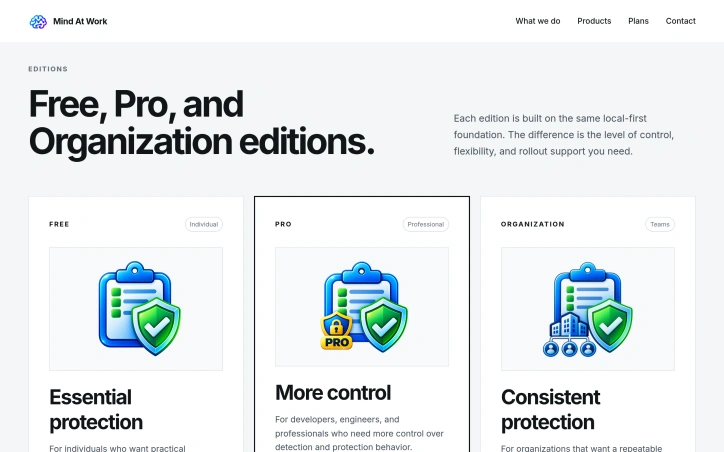
The product strategy reflects pragmatism about adoption barriers. Rather than forcing trial periods on users, the free tier offers permanent access to core secret detection, safe paste workflows, and multiple protection modes. The paid Pro edition adds advanced rule control and workflow customization for professionals who need fine-grained configuration. Organizations can deploy consistent PasteGuard setup across managed devices.
The product emerged from a real security incident where a credential was accidentally pasted into the wrong destination during routine developer work. Rather than solving credential leakage after exposure, the founder recognized that prevention at the clipboard level was more practical than rotation and incident response.
PasteGuard fills a specific but meaningful security gap. It solves a problem that occurs frequently in developer workflows and shields against the easiest mistakes. The local-first architecture removes friction that might otherwise prevent adoption. For teams where accidental secret exposure represents a genuine risk, PasteGuard provides direct defense at a leverage point in the copy-paste chain.
Founder Diary
DevlogThe maker hasn't posted a diary entry yet.
Key Features
Clipboard Protection
Detects and prevents sensitive data exposure during paste operations
Local Secret Detection
Monitors 101 secret detectors across cloud platforms, databases, DevOps tools, and SaaS products
Local-First Processing
Detection engine runs entirely on device without uploading clipboard content to external services
Configurable Protection Modes
Warns users, sanitizes content, or allows paste to whitelisted applications
Activity History
Local record of intercepted clipboard content for user review
Use Cases
-
1
Individual Developers
Prevents accidental credential exposure during routine copy-paste operations
-
2
Professional Teams
Protects against the most common security mistakes in developer workflows
-
3
Organizations
Deploys consistent clipboard protection setup across managed devices
-
4
DevOps Engineers
Safeguards access tokens and cloud credentials during daily operations
FAQ
What secrets does PasteGuard detect? ▾
Does PasteGuard upload my clipboard to the cloud? ▾
What happens when sensitive data is detected? ▾
How much does PasteGuard cost? ▾
Pricing
Free tier with permanent core features; Pro edition available for advanced rule control and customization.
Discussion
No comments yet — be the first!
Join the conversation — sign up to comment.
Sign up freeCommunity Support
Boost this project on Sell With boost
Meet the Founder

More in Security software

Locksy - Tab Locker & Password Protection
Your browser tabs are a security disaster. Pr...

GeoPatrol
GeoPatrol is a cloud-based SaaS platform that de...

FixMyMacNow
We built FixMyMacNow because Mac users face cons...

Fraudly
We built Fraudly because too many people lose mo...

VeilDB
We built VeilDB because teams need production-li...

Sentinel High-performance surveillance System
Turn webcams and IP cameras into real-time, AI-d...