
Sentinel High-performance surveillance System

- No match
Machine translation — the English original is authoritative.
The Story
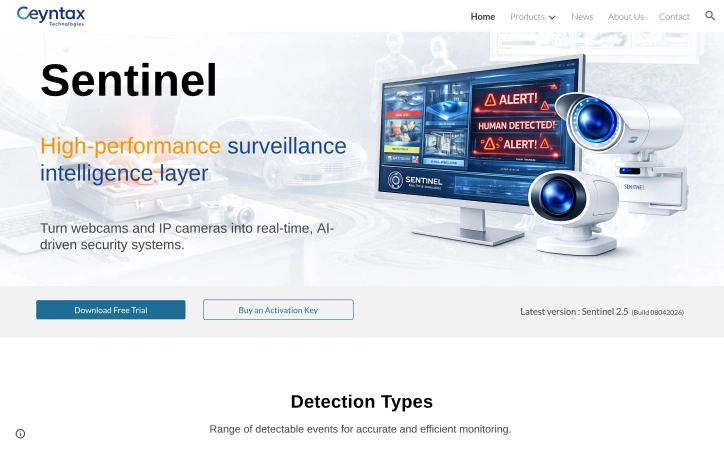
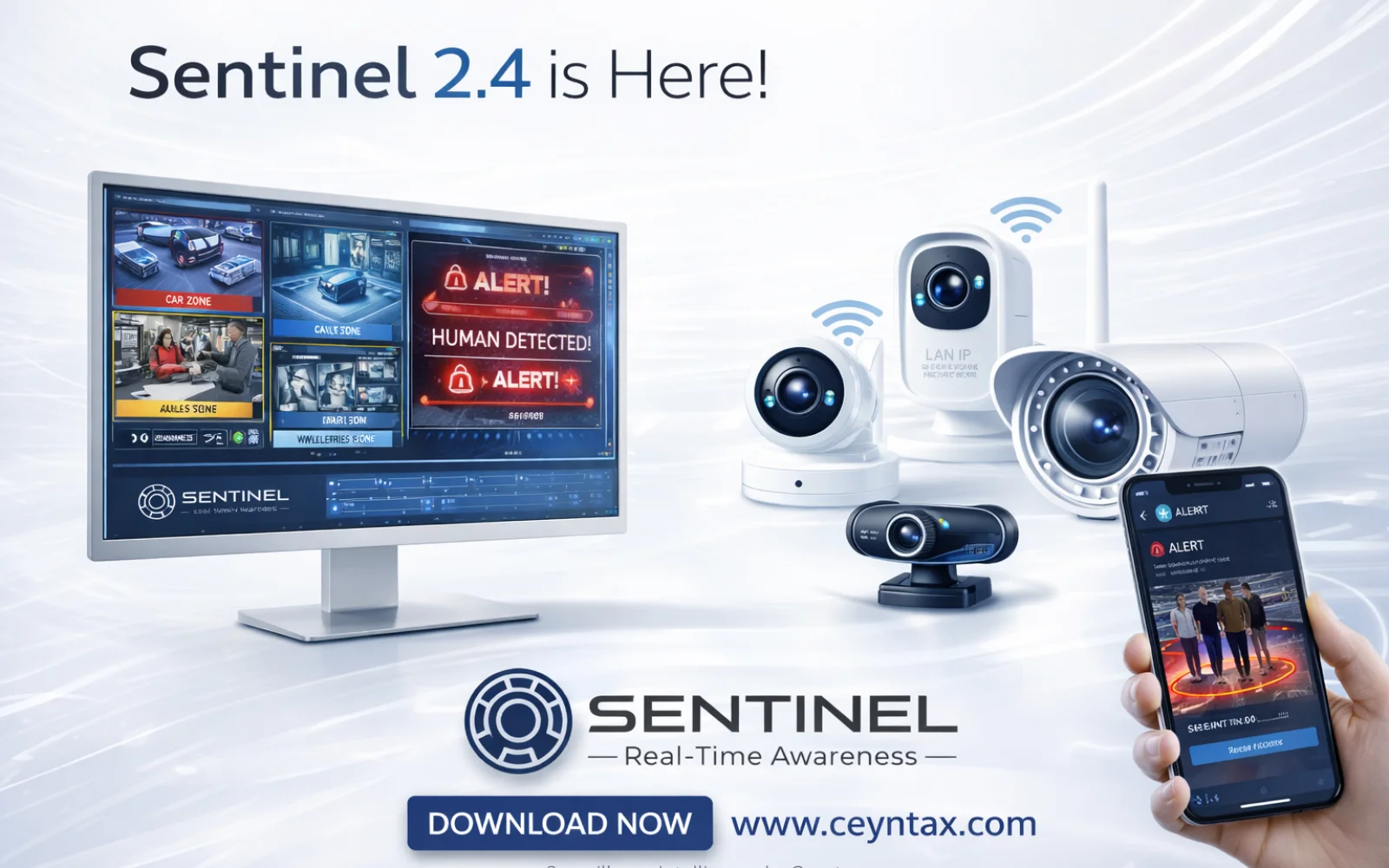
Turn webcams and IP cameras into real-time, AI-driven security systems. Sentinel is a high-performance Windows surveillance system that transforms standard webcams into intelligent security cameras with smart detection, instant alerts, and built-in care assistance.
AI Overview
AI-generatedThe headaches of outfitting a home or small business with enterprise-grade surveillance come down to cost, complexity, and false alarms. Sentinel neutralises all three by turning cheap webcams and IP cameras you already own into rule-based AI sentinels—no bloated NVR hardware, no recurring cloud fees, just a downloadable application that runs locally on Windows PCs. The sweet spot sits with residential caregivers, solo security managers, and lean startups that need hospital-grade vigilance without hospital-grade budgets.
Where competing products flood users with generic motion bursts, Sentinel narrows the signal to highly specific events—falls, head slumps, motionless stretches, waving gestures, and even questionable neck angles—then issues instant desktop or phone alerts. Layer on top a zone painter and a human-count gate, and the software becomes context-aware, ignoring pets, rustling trees, and passing cars unless they step into a delineated area or violate a crowd count you set.
Stand-out depth shows in the Care Assistance module. Fall detection and neck posture tracking are surgical counters to the two biggest risks in aged or desk-bound populations: sudden drop and long-term ergonomic injury. Add posture classification—standing, sitting, leaning, lying—and automated inactivity timers, and you have a system that doubles as a remote wellbeing nurse. These rules coexist with standard perimeter functions such as vehicle, animal, fire, face, and licence-plate recognition, each toggleable so a nursery play area can watch only for toppled toddlers while the loading dock next door worries exclusively about forklifts and tailgate thefts.
Version 2.5 released April 2026 refines speed; early builds handle multiple 1080p streams without the GPU load associated with most AI diagnostics. Download the trial gratis straight from Ceynax’s site. When you decide to keep it, a one-time activation key ends the nagging—no subscriptions, no hidden camera limits, just an honest perpetual licence.
Founder Diary
DevlogThe maker hasn't posted a diary entry yet.
Key Features
Local AI Surveillance
Runs on Windows PCs without NVR hardware or cloud fees, converting existing webcams and IP cameras into intelligent monitors
Intelligent Event Detection
Identifies falls, head slumps, motionless stretches, waving gestures, and neck angles with instant desktop and phone alerts
Zone-Based Filtering
Zone painter and human-count gates ignore pets, trees, and passing vehicles unless they enter delineated areas or exceed crowd thresholds
Care Assistance Module
Classifies posture (standing, sitting, leaning, lying) and detects inactivity to support aged and desk-bound worker wellbeing
Multi-Type Recognition
Detects vehicles, animals, fire, faces, and license plates with toggleable rules for each monitored area
GPU-Efficient Processing
Handles multiple 1080p streams without the heavy GPU load typical of enterprise AI surveillance systems
Use Cases
-
1
Aged care facilities
Monitor residents for falls and long-term posture changes to enable remote wellbeing oversight without staff presence
-
2
Small business security
Protect retail and warehouses affordably without recurring cloud subscriptions or expensive NVR hardware installation
-
3
Home surveillance
Repurpose existing IP cameras and webcams into intelligent motion detection without monthly fees
-
4
Workplace ergonomics
Track desk-bound employees for posture risks and inactivity to prevent long-term occupational injury
FAQ
Do I need to pay a monthly subscription? ▾
Can I use cameras I already own? ▾
What types of events can Sentinel detect? ▾
How powerful does my computer need to be? ▾
Pricing
Free trial available; one-time activation key unlocks perpetual license with no subscriptions, hidden fees, or camera limits.
Tech Stack & Tags
Discussion
No comments yet — be the first!
Join the conversation — sign up to comment.
Sign up freeCommunity Support
Boost this project on Sell With boost
Meet the Founder

"Founder @ Ceyntax Technologies. Building trading engines, AI surveillance, Smart media players &..."
More by Dushshantha R.


More in Security software

Locksy - Tab Locker & Password Protection
Your browser tabs are a security disaster. Pr...
GeoPatrol
GeoPatrol is a cloud-based SaaS platform that de...

Fraudly
We built Fraudly because too many people lose mo...

VeilDB
We built VeilDB because teams need production-li...

CryptonQR
The Problem: > In an era of constant data breach...
WraithWall
We realized detection alone isn't defense—most s...