
RatPDF

- No match
Machine translation — the English original is authoritative.
The Story
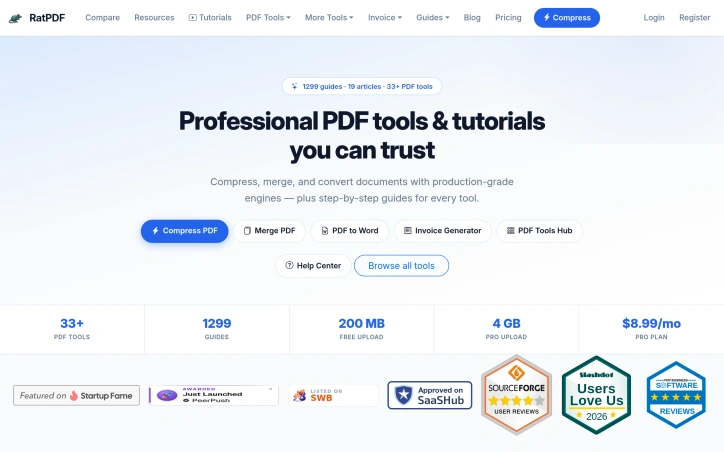
I built RatPDF to simplify document productivity by providing free and accessible PDF tools, solving the problem of complicated and costly PDF editing software.
AI Overview
AI-generatedDocument productivity is a common pain point for many individuals and businesses, with complicated and costly PDF editing software often being a major obstacle. RatPDF addresses this issue by providing a browser-based platform that offers a range of free and accessible PDF tools. The platform is designed to simplify document productivity, making it an ideal solution for freelancers, small businesses, and anyone looking for an easy-to-use PDF editing solution.
What stands out about RatPDF is its comprehensive suite of PDF tools, which includes compression, merging, splitting, conversion to Word or Excel, OCR, signing, watermarking, and invoice generation. The platform utilizes production-grade engines such as Ghostscript, LibreOffice, pdf2docx, and iText, ensuring high-quality output. The inclusion of step-by-step guides for each tool is also a notable feature, making it easy for users to navigate and utilize the various tools.
The platform offers a range of key features, including the ability to compress PDF files without losing quality, merge multiple documents into one file, and convert PDFs to editable Word documents. The invoice generator tool is also a useful feature, allowing users to create GST, VAT, and business invoices as PDF files. Additionally, the platform provides a secure PDF workflow, enabling users to watermark, sign, password-protect, and unlock their documents.
RatPDF offers a mix of free and paid features, with users able to upload files up to 200 MB for free. For users requiring more capacity, the Pro plan offers 4 GB uploads for $8.99 per month. Overall, RatPDF is a versatile and user-friendly platform that provides a valuable solution for individuals and businesses looking to simplify their document productivity.
Founder Diary
DevlogThe maker hasn't posted a diary entry yet.
Key Features
PDF Compression
compress PDF files without losing quality
Document Merging
merge multiple documents into one file
PDF Conversion
convert PDFs to editable Word documents
Invoice Generation
create GST, VAT, and business invoices as PDF files
Secure Workflow
watermark, sign, password-protect, and unlock documents
Use Cases
-
1
Freelancers
simplify document productivity with accessible PDF tools
-
2
Small Businesses
utilize a range of PDF tools for various tasks
-
3
Individuals
easily edit and manage PDF documents without costly software
FAQ
Is RatPDF free to use? ▾
What is the maximum file size for free uploads? ▾
Does RatPDF offer PDF editing tools? ▾
Pricing
Pro plan offers 4 GB uploads
Tech Stack & Tags
Discussion
No comments yet — be the first!
Join the conversation — sign up to comment.
Sign up freeCommunity Support
Boost this project on Sell With boost
Meet the Founder

More in PDF Editor
CropItFast
I built CropItFast because I was tired of clunky...
PDF Redaction
We built this because companies were sending sen...

SimpliConvert
We built SimpliConvert to solve the frustration...

HEICPDF.TO
I built HEICPDF.TO to solve the problem of incom...
QuickDocs
One Suite for All Your Document Conversions. 🛡...

Toolmatic
We built Toolmatic to give professionals and dev...