ChangeMyFile
- No match
Machine translation — the English original is authoritative.
The Story
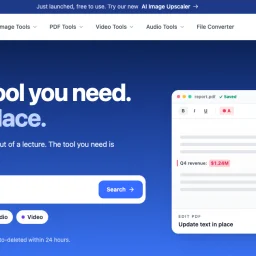
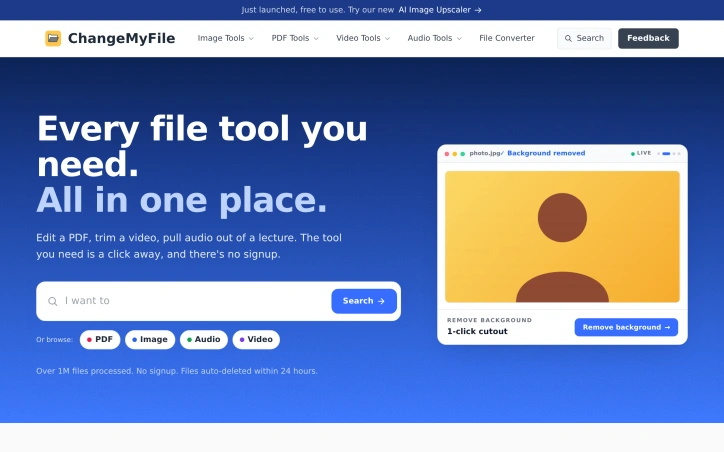
ChangeMyFile is a free, no-signup toolbox for everyday file tasks: editing, merging, splitting, and compressing PDFs, converting images, trimming and converting video, and pulling audio out of files. Many tools run entirely in the browser so files never leave your device, and server-side jobs (like video conversion) run through FFmpeg in isolated containers. Since launching in 2022, it has processed over 1 million files across 700+ format pairs. It's ad-supported, requires no account, and automatically deletes uploaded files and download links within 24 hours.
AI Overview
AI-generatedFor anyone tired of juggling multiple services to handle everyday file work, a free, no-account toolkit offers a surprisingly complete alternative. Launched in 2022, ChangeMyFile consolidates PDF editing, image manipulation, video trimming, and audio extraction into one interface—eliminating the friction of installing software or managing login credentials.
The platform's core appeal centers on simplicity and privacy. Many operations run directly in the browser, keeping files on your device rather than uploading to servers. When server-side processing is necessary—particularly for video conversion—the work runs through FFmpeg in isolated containers, limiting exposure. Files automatically delete within 24 hours, and download links expire after an hour. This architecture reflects a deliberate privacy stance that distinguishes it from competitors baked into subscription models.
The toolset spans 16 PDF capabilities (editing, merging, splitting, compression, format conversion, password protection, signing, and redaction), 8 image tools (AI-powered background removal and restoration, resizing, cropping), 7 video functions (cutting, compression, audio extraction, merging), and 5 audio tools (cutting, merging, compression, transcription, and voice recording). A separate converter module handles transformations across more than 700 format pairs. Coverage is broad enough for routine tasks without requiring power-user knowledge.
The approach to monetization is refreshingly direct: ads fund operations, no account is required, and no watermarks are added to processed files. This model inverts the typical SaaS pattern where users grant personal data in exchange for free tools. Here, the trade is exposure to advertising in exchange for functionality.
Since its launch, the service has processed over one million files, suggesting the model resonates with users seeking straightforward, temporary file processing without account overhead. The integration of AI tools like image upscaling indicates responsiveness to emerging capabilities.
Gaps exist. The reliance on advertising creates a user experience tension—fast, simple workflows interrupted by ad placements. Offline functionality is absent; internet access is required for all server-side work. The 24-hour deletion policy, while privacy-protective, offers no recourse for users who miscalculate download timing. For routine, casual file work with privacy as a priority, though, the tradeoffs register as reasonable.
Founder Diary
DevlogThe maker hasn't posted a diary entry yet.
Key Features
PDF Editing
Consolidates 16 capabilities including merging, splitting, compression, password protection, signing, and redaction.
Image Manipulation
Provides AI-powered background removal and restoration, resizing, and cropping.
Video Trimming
Supports cutting, compression, audio extraction, and merging.
Audio Extraction
Includes cutting, merging, compression, transcription, and voice recording.
Format Conversion
Handles transformations across more than 700 format pairs.
Browser Processing
Runs operations directly in the browser to keep files on your device.
Use Cases
-
1
Users avoiding software installation
The platform consolidates multiple file-handling services into one browser-based interface without requiring downloads.
-
2
Privacy-conscious users
Operations run in the browser and files automatically delete within 24 hours, keeping data off remote servers.
-
3
Casual file processors
Anyone needing quick, temporary file handling without creating an account or managing login credentials.
-
4
Multi-format converters
Users handling diverse file types can access transformations across more than 700 format pairs.
FAQ
Is it safe to upload files to ChangeMyFile? ▾
Do I need to create an account? ▾
How much does ChangeMyFile cost? ▾
What file types can I work with? ▾
Pricing
Free service funded by advertising; no account or payment required.
Tech Stack & Tags
Discussion
No comments yet — be the first!
Join the conversation — sign up to comment.
Sign up freeCommunity Support
Boost this project on Sell With boost
Meet the Founder

More in PDF Editor
CropItFast
I built CropItFast because I was tired of clunky...
PDF Redaction
We built this because companies were sending sen...

SimpliConvert
We built SimpliConvert to solve the frustration...

HEICPDF.TO
I built HEICPDF.TO to solve the problem of incom...

QuickDocs
One Suite for All Your Document Conversions. 🛡...

Toolmatic
We built Toolmatic to give professionals and dev...