#file conversion Startups & Tools
Discover the best file conversion startups, tools, and products on SellWithBoost.
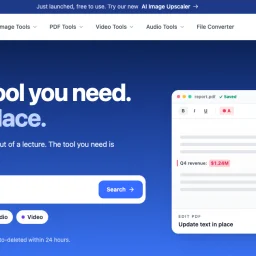
For anyone tired of juggling multiple services to handle everyday file work, a free, no-account toolkit offers a surprisingly complete alternative. Launched in 2022, ChangeMyFile consolidates PDF editing, image manipulation, video trimming, and audio extraction into one interface—eliminating the friction of installing software or managing login credentials. The platform's core appeal centers on simplicity and privacy. Many operations run directly in the browser, keeping files on your device rather than uploading to servers. When server-side processing is necessary—particularly for video conversion—the work runs through FFmpeg in isolated containers, limiting exposure. Files automatically delete within 24 hours, and download links expire after an hour. This architecture reflects a deliberate privacy stance that distinguishes it from competitors baked into subscription models. The toolset spans 16 PDF capabilities (editing, merging, splitting, compression, format conversion, password protection, signing, and redaction), 8 image tools (AI-powered background removal and restoration, resizing, cropping), 7 video functions (cutting, compression, audio extraction, merging), and 5 audio tools (cutting, merging, compression, transcription, and voice recording). A separate converter module handles transformations across more than 700 format pairs. Coverage is broad enough for routine tasks without requiring power-user knowledge. The approach to monetization is refreshingly direct: ads fund operations, no account is required, and no watermarks are added to processed files. This model inverts the typical SaaS pattern where users grant personal data in exchange for free tools. Here, the trade is exposure to advertising in exchange for functionality. Since its launch, the service has processed over one million files, suggesting the model resonates with users seeking straightforward, temporary file processing without account overhead. The integration of AI tools like image upscaling indicates responsiveness to emerging capabilities. Gaps exist. The reliance on advertising creates a user experience tension—fast, simple workflows interrupted by ad placements. Offline functionality is absent; internet access is required for all server-side work. The 24-hour deletion policy, while privacy-protective, offers no recourse for users who miscalculate download timing. For routine, casual file work with privacy as a priority, though, the tradeoffs register as reasonable.
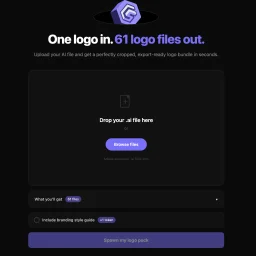
The repetitive work of logo exporting represents genuine friction in the design workflow. LogoSpawn addresses this directly, automating the moment after a logo design is finalized, when the designer must deliver variants across dozens of sizes and formats to meet client requirements. The product's mechanism is straightforward: upload an Adobe Illustrator file and receive 61 export-ready logo files in seconds. This breadth is the genuine differentiator. Rather than manually adjusting crop points, scaling, and exporting file by file—a process that consumes significant time—designers get a complete, production-ready asset bundle instantly. The founder's quarter-century of design experience lends immediate credibility. The pain of handling logo exports is ubiquitous across the profession. Every finalized logo requires delivery in standard sizes (favicon, app icon, social media, web headers) across multiple formats (PNG, SVG, PDF). This is necessary but low-value work that regularly consumes time in every project cycle. LogoSpawn's constraints reveal intentional design. It accepts only Adobe Illustrator files, keeping the product focused rather than attempting universal file conversion. The interface is minimal—a drag-and-drop zone, file browser, and single action button. This simplicity indicates the team understands that designers prioritize speed over configuration options. The bundle includes a branding style guide alongside the files, hinting at additional functionality beyond raw exports. This suggests an attempt to produce structured, client-ready deliverables rather than just isolated assets. Pricing operates on a token system, with specific costs undisclosed in the public-facing copy. Token-based models typically suit variable usage patterns—designers might export logos monthly or only several times annually. This approach accommodates both light and heavy users without forcing fixed monthly commitments. LogoSpawn occupies a deliberate niche. It solves one specific, repeated problem without attempting to replace logo design tools or offer comprehensive branding services. Its value centers on accelerating the final export phase of the design workflow. For independent designers, design agencies, or in-house teams that regularly finalize logos, the tool offers straightforward utility. The calculation for potential users comes down to whether the speed gains and export consistency justify recurring token expenditure.
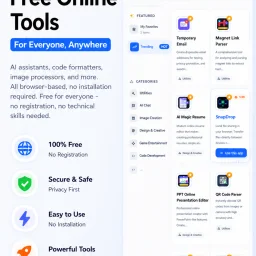
In today's digital landscape, productivity is often hindered by the need to install and manage multiple applications, each serving a specific purpose. CMDragon Tools addresses this issue by offering a comprehensive suite of online utilities that cater to diverse needs, from code formatting and image editing to file conversion and barcode scanning. The platform is designed for anyone seeking to streamline their workflow without the hassle of downloading and installing separate applications. What stands out about CMDragon Tools is its commitment to providing a seamless, browser-based experience that prioritizes user convenience and data privacy. The tools are carefully crafted to operate entirely within the user's browser, eliminating the need for server transmission and ensuring that sensitive data remains confidential. This approach is evident in tools like the EPUB Reader, which stores imported files locally and offers features such as customizable reading preferences, bookmarking, and full-text search. The platform boasts an impressive array of tools, including a Touch Screen Detection utility that performs comprehensive diagnostics and an advanced Barcode Scanner that supports a wide range of formats. These tools are not only feature-rich but also demonstrate a clear understanding of user needs, with functionalities such as live camera scanning, adjustable scan regions, and batch image decoding. By bringing essential utilities directly into the browser, CMDragon Tools simplifies workflows and enhances productivity. The absence of installation requirements, sign-ups, and server transmission aligns with the founder's vision of providing instant, no-download productivity. While pricing details are not explicitly mentioned, the platform's value proposition lies in its convenience, versatility, and commitment to user privacy, making it an attractive solution for individuals and professionals seeking to optimize their digital workflows.

The widespread adoption of HEIC image format by iPhone users has created a compatibility issue when sharing photos with others using different devices or operating systems. HEICPDF.TO addresses this problem by providing a straightforward solution to convert HEIC files to PDFs, a widely accepted and compatible format. The site is particularly useful for iPhone users who frequently share photos with others using Windows or Android devices. What stands out about HEICPDF.TO is its simplicity and ease of use. The conversion process is entirely browser-based, ensuring that users' files are processed locally and remain private. The site allows users to drag and drop HEIC files, reorder them, and customize the output PDF's layout before exporting it. The live preview feature gives users full control over the final output. The site's capabilities are worth noting, particularly its support for batch uploads of up to 20 images, with a maximum file size of 50MB. Users can also import files directly from cloud storage services like Dropbox or Google Drive. The conversion process is quick, and users can download the resulting PDF or save it directly to cloud storage. The fact that HEICPDF.TO does not require registration or installation makes it an attractive solution for occasional users. The site's business model is not explicitly stated, but the lack of any mention of pricing or subscription suggests that it is free to use. Overall, HEICPDF.TO is a convenient and user-friendly solution for iPhone users to share their photos with others without worrying about compatibility issues. Its browser-based approach and robust feature set make it an effective tool for converting HEIC files to PDFs.