Remove Noise
- No match
Machine translation — the English original is authoritative.
The Story
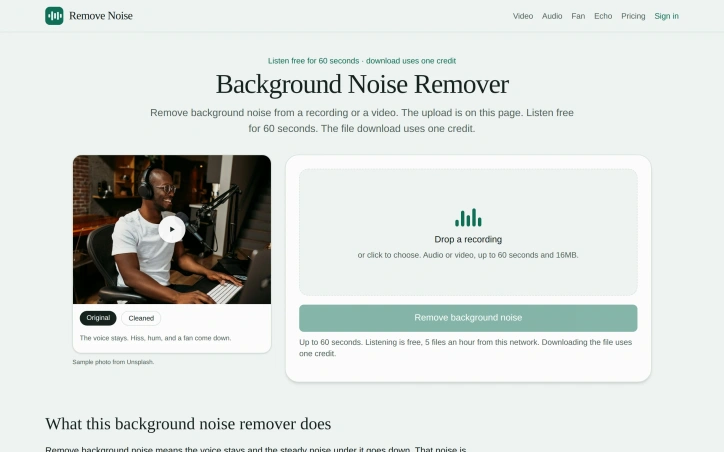
Upload up to 60 seconds of audio or video. Background noise under the voice comes down, and both waveforms stay on the page. Clean steady background noise from a recording or a video.
AI Overview
AI-generatedAnyone who has recorded a voice memo in a kitchen or a car knows the problem: the speech is usable, but a hiss, electrical hum, or fan rumble sits underneath it the whole time. Remove Noise is a web-based background noise remover built for that kind of steady noise, and it aims to leave the voice intact. It suits people who need a quick cleanup without opening an editor, including podcasters with a hissy take, creators filming talking-head videos with room noise on the microphone, and anyone whose meeting export is buried under air conditioning.
The scope is what stands out. The same workflow handles audio and video. Uploading a video keeps the picture and replaces only the soundtrack, which saves creators from separating the audio, cleaning it elsewhere, and merging it back. The site also makes the result easy to check. The original and cleaned versions sit side by side on the same page, each with its own waveform, so a listener can compare them before deciding whether the processing has gone too far.
The process is short. Users upload a file in a common format, including MP3, WAV, M4A, FLAC, MP4, MOV, or WebM. A speech denoiser processes the soundtrack, and the site says a 60-second file usually finishes in a few seconds. The upload form sits at the top of the page, so the tool is usable before the explanatory text is read.
The limits are clear. Files must be 60 seconds or less and no larger than 16MB. The site is also direct about what the tool handles best: steady fan, air conditioner, and room tone come down well, while a hard slap echo is only partly reduced. Echo has its own dedicated page, which shows the product is scoped to one job rather than offered as a catch-all audio suite.
On the business model, the site offers free listening with no account, up to five files per hour from the same network. Downloading a cleaned file uses one credit, and users sign in with Google to download. Credits can be purchased and stay tied to that account. The page does not list specific prices.
Overall, Remove Noise is a focused, low-friction option for short clips. Its strengths are the side-by-side comparison and the handling of both audio and video, while its constraints of 60 seconds and steady-noise focus make it a fit for quick cleanups rather than long recordings or complex audio work.
Founder Diary
DevlogThe maker hasn't posted a diary entry yet.
Key Features
Speech Denoising
A speech denoiser removes steady background hiss, electrical hum, and fan rumble while aiming to leave the voice intact.
Audio And Video Support
Uploading a video keeps the picture and replaces only the soundtrack, so creators skip separating and merging audio.
Side-by-Side Comparison
The original and cleaned versions appear on the same page, each with its own waveform, for direct checking.
Wide Format Support
Files in MP3, WAV, M4A, FLAC, MP4, MOV, or WebM formats can be uploaded.
Fast Processing
The site says a 60-second file usually finishes in a few seconds.
Upfront Upload Form
The upload form sits at the top of the page so the tool is usable before reading the explanatory text.
Use Cases
-
1
Podcasters
Cleaning up a podcast take with hiss underneath the voice.
-
2
Talking-Head Creators
Removing room noise picked up by the microphone in talking-head videos.
-
3
Remote Workers
Cleaning a meeting export buried under air conditioning noise.
-
4
Voice Memo Recorders
Quickly cleaning up voice memos recorded in a kitchen or car where steady hum or fan rumble is present.
FAQ
What file types can Remove Noise process? ▾
Does Remove Noise remove echo? ▾
Do I need an account to use Remove Noise? ▾
Can Remove Noise clean the audio in a video file? ▾
Pricing
Listening is free with no account, up to five files per hour from the same network, while downloads use credits that can be purchased, though the page does not list specific prices.
Discussion
No comments yet — be the first!
Join the conversation — sign up to comment.
Sign up freeCommunity Support
Boost this project on Sell With boost