ScreenMake
- No match
Machine translation — the English original is authoritative.
The Story
Hey, I'm Mustapha 👋
I make apps, and I care a lot about how they look, right down to the App Store page.
The hardest part of every launch, for me, was the ideas. Every screenshot needing its own concept to stand out, and me staring at an empty canvas with a tired head 😮💨
And I couldn't cut corners. Screenshots now have a bigger impact on ASO, and they're the first impression anyone gets before they tap Get.
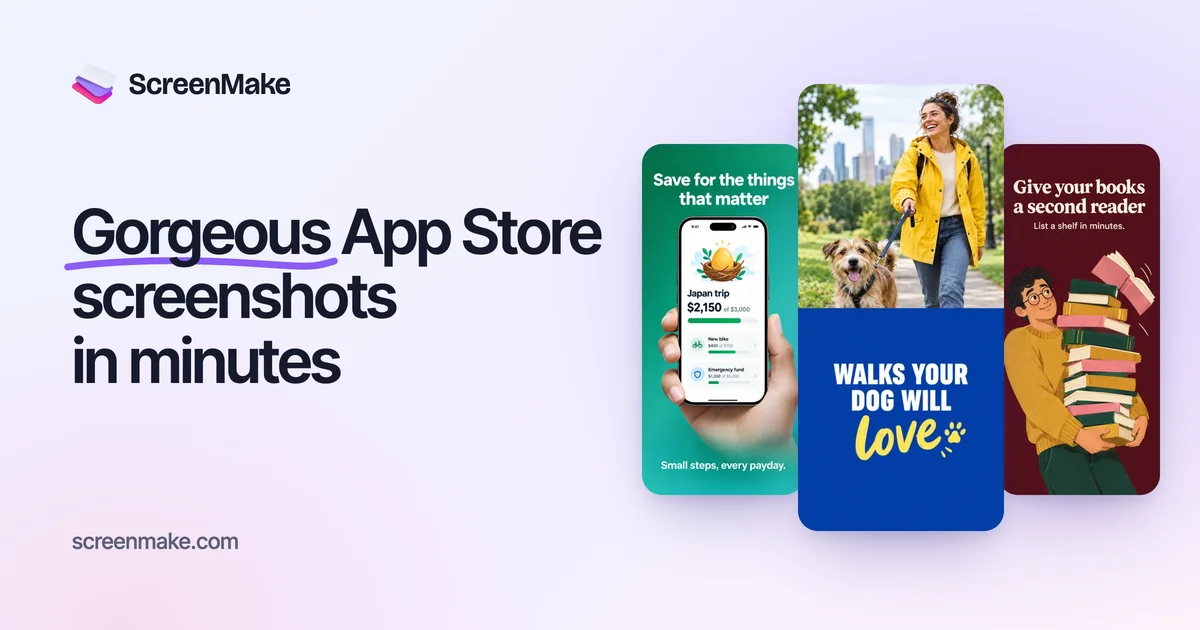
So I built ScreenMake to bring the ideas for me: drop in your screens, and each one comes back with a fresh design and a clear headline you can keep, or change just by describing it. It's still young, so tell me what's missing ❤️
AI Overview
AI-generatedScreenMake takes a job that most indie developers dread and turns it into a short, mostly hands-off workflow. Anyone who has launched an app knows the App Store and Google Play screenshot set is a repetitive grind: find a device frame, cut the screen into it, lay out a headline, resize for every store size, rewrite the copy for each language, then export and upload each file. ScreenMake positions itself as the answer for solo founders and small teams who want a polished listing without hiring a designer or spending a day in a general design tool. Its stated audience is clearly app makers, and its emphasis on App Store Connect publishing and Google Play sizes confirms that focus.
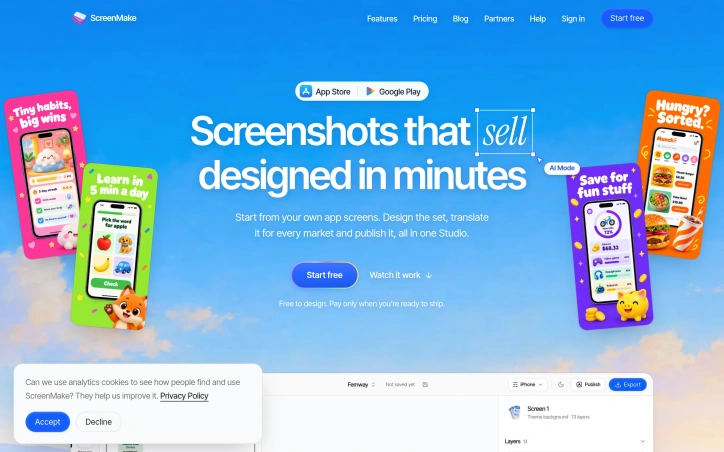
The product's most distinctive idea is its prompt-driven approach. Rather than starting from a blank canvas, users describe the screen they want in plain language, such as a bold promotional layout with a deep green background and a big white headline, and an AI mode builds the design on the canvas in about a minute. The output stays fully editable, so the AI draft is a starting point rather than a locked result. Another notable choice is the template library of 34 ready-made sets, which covers a range of moods from bold and playful to calm and minimal, so users can begin from a style that suits their category.
The feature set is broad. The built-in library includes around 34,000 elements such as icons, 3D objects, stickers and device mockups for phones, tablets and watches, along with stock photo search and gradients. Localization is handled in a single click per language across 39 App Store languages, with right-to-left layouts for Arabic and Hebrew mirrored automatically. The product also redraws the app screen itself in the target language, a detail that goes beyond simply translating headlines.
On pricing, the site states that designing is free and that a paid plan is needed to remove the watermark, export every size and publish directly. Monthly and yearly billing are offered, with yearly plans saving up to 14 percent. Exact plan prices are not listed in the scraped content.
Founder Diary
DevlogThe maker hasn't posted a diary entry yet.
Key Features
Prompt-Driven Design
Users describe the desired screen in plain language and an AI mode builds the design on the canvas in about a minute, with the output remaining fully editable.
Template Library
A library of 34 ready-made sets spans moods from bold and playful to calm and minimal, so users can start from a style that suits their category.
Asset Library
Around 34,000 elements such as icons, 3D objects, stickers and device mockups for phones, tablets and watches are available, along with stock photo search and gradients.
One-Click Localization
Users can localize with a single click per language across 39 App Store languages, with right-to-left layouts for Arabic and Hebrew mirrored automatically.
App Screen Redrawing
The app screen itself is redrawn in the target language, going beyond simply translating headlines.
Store Publishing
Designs can be published directly to App Store Connect and exported in Google Play sizes.
Use Cases
-
1
Solo founders
Need a polished App Store or Google Play listing without hiring a designer or spending a day in a general design tool.
-
2
Small app teams
Want to produce screenshot sets quickly and consistently across multiple store sizes.
-
3
Indie developers launching in multiple markets
Need localized screenshots for many App Store languages, including right-to-left languages like Arabic and Hebrew, without rewriting copy for each one.
-
4
App makers updating listings
Want to avoid the repetitive work of framing screens, resizing for every store, and uploading each file.
FAQ
Is ScreenMake free to use? ▾
Does ScreenMake support App Store Connect and Google Play screenshot sizes? ▾
How many languages can ScreenMake localize screenshots into? ▾
Does ScreenMake offer yearly billing? ▾
Pricing
Designing is free, while a paid plan with monthly or yearly billing is required to remove the watermark, export every size, and publish directly, though exact prices are not listed.
Tech Stack & Tags
Discussion
No comments yet — be the first!
Join the conversation — sign up to comment.
Sign up freeCommunity Support
Boost this project on Sell With boost
Meet the Founder

More in Graphic design tools
Zoviz
Zoviz is a complete AI branding and marketing pl...

InkSoul
I got my first tattoo at 28 — spent three weeks...
Shademix
I built Shademix to solve the frustration of col...
TypeScript
Cardzy is a web-based design and invitation plat...
Tier List Maker
We created Tier List Maker because people love r...
Cardify
I write notes and READMEs in Markdown all day, b...