
TrySchedule
- No match
Machine translation — the English original is authoritative.
The Story
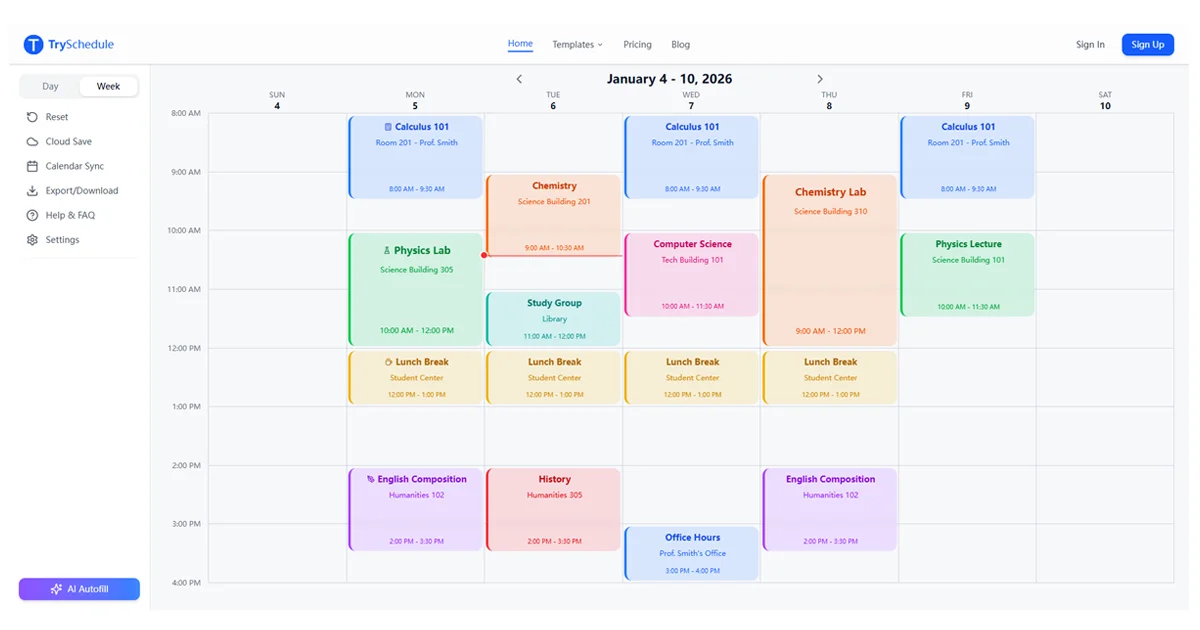
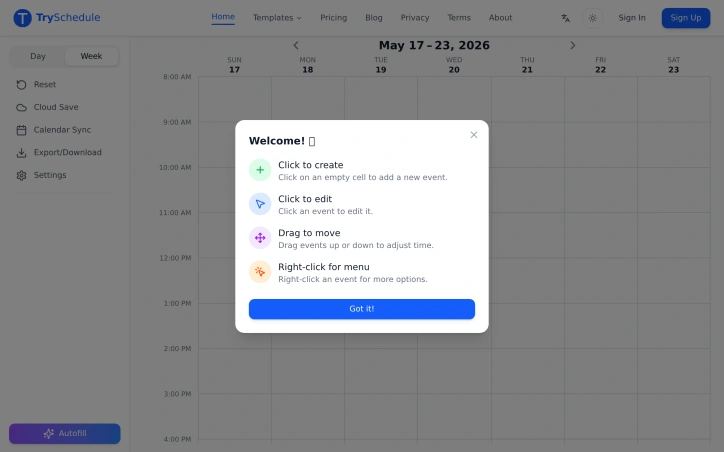
I built TrySchedule to simplify weekly planning with a drag-and-drop interface, solving the problem of cumbersome scheduling tools that require manual formatting or subscriptions.
AI Overview
AI-generatedWeekly planning just got a lot simpler thanks to a free online schedule builder that eliminates the hassle of cumbersome scheduling tools. The creator of this tool identified a problem with existing solutions that require manual formatting or subscriptions, and set out to solve it with a drag-and-drop interface. The result is a user-friendly platform ideal for students, shift managers, fitness enthusiasts, and freelancers who need to organize their time effectively.
What stands out about this schedule builder is its ease of use and flexibility. Users can create professional-looking weekly schedules in minutes without needing to sign up or worry about hidden fees. The drag-and-drop functionality allows for easy adjustments, and the ability to add colors and labels helps to organize the schedule. The tool also adapts to various needs, from class timetables to workout plans, making it a versatile solution.
Key features worth noting include the ability to export schedules as high-resolution images or PDFs, ready to print or share, and the option to switch between day and week views. The schedule builder also outperforms other planning tools like Excel, calendar apps, and paper planners in terms of ease of use, weekly structure, and flexibility.
Notably, this schedule builder is completely free, with no signup required and no limits on its features. Unlike premium tools that cost between $10 to $30 a month, this solution provides a full drag-and-drop experience at zero cost. With over 500 verified users rating it 4.7 out of 5, it's clear that this tool has hit the mark for those seeking a simple and effective weekly planning solution.
Founder Diary
DevlogThe maker hasn't posted a diary entry yet.
Key Features
Drag-and-Drop Interface
allows for easy adjustments to the schedule
Color and Label Options
helps to organize the schedule
Export Options
allows schedules to be exported as high-resolution images or PDFs
View Switching
allows users to switch between day and week views
Use Cases
-
1
Students
need to organize class timetables
-
2
Shift Managers
require effective time organization
-
3
Fitness Enthusiasts
can create workout plans
-
4
Freelancers
need to organize their time effectively
FAQ
Is TrySchedule free to use? ▾
Do I need to sign up to use TrySchedule? ▾
Can I export my schedule from TrySchedule? ▾
Pricing
No hidden fees or subscriptions required.
Tech Stack & Tags
Discussion
No comments yet — be the first!
Join the conversation — sign up to comment.
Sign up freeCommunity Support
Boost this project on Sell With boost
Meet the Founder

More by 杨肃观



More in Scheduling software

Car File
CarFile is the UK's DVLA-connected vehicle manag...
Schedio Smart Audio Player
Enjoy your music with features that go beyond a...

FlowReserve
We built FlowReserve because service professiona...

MotorManage
MotorManage solves the headache of motorcycle ma...

Staff Scheduling
We built Staff Scheduling because managing team...

Tentare Pilates Software
Tentare was created to help Pilates studios repl...