#sales Startups & Tools
Discover the best sales startups, tools, and products on SellWithBoost.

A reverse engineering approach to lead generation, this free resource helps service providers and agencies identify local business prospects with specific gaps: missing websites, unclaimed Google Business profiles, or insufficient review counts. The tool targets three audiences clearly. Agencies and independent contractors use it to build qualified prospect lists for the services they already offer. Businesses selling to other local companies leverage it as a research and prospecting tool. Marketing teams integrate the results into their CRM workflows as CSV exports. Researchers and entrepreneurs use it to gauge demand and competition before entering or investing in a local market. What distinguishes Before You Build from generic lead databases is its transparency about data sources and specificity about why each business qualifies as a prospect. Every metric carries its collection date and source attribution, primarily DataForSEO. The founder, who manages his own lead-generation agency with five years in marketing, built this as a reproducible version of the analysis he already performs—making the process visible rather than opaque. The core workflow is deliberately minimal. Users select a city and service category from dropdown menus with autocomplete suggestions, then receive three data outputs: market indicators including monthly search volume, cost per click, and business count on Google Maps; a prioritized list of local businesses meeting the prospect criteria; and contact information including phone numbers and Google Maps links. Filtering options let users narrow results further. The interface demands minimal input and returns results immediately without requiring account creation for the initial check. Pricing follows a freemium model. The first search returns three complete business profiles at no cost and with no login required. Accessing the full business list for a market requires signing in via Google. The tool integrates with downstream tools through CSV export, enabling seamless migration into CRM systems. The simplicity feels intentional rather than limiting. The tool does one job thoroughly rather than attempting to bundle discovery, outreach, and analytics into a sprawling platform. For service providers and agencies accustomed to manual prospecting or expensive lead databases, this positions itself as a transparent, self-service alternative that shows its work and keeps the barrier to entry low.
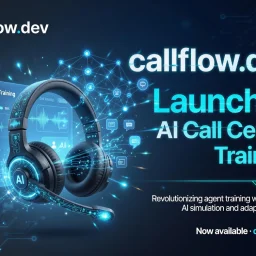
Training new call center agents has historically been one of the most painful bottlenecks in customer service operations. Faced with high turnover, lengthy onboarding periods, and real damage to customer satisfaction metrics, supervisors and training managers have long needed a way to prepare agents safely before they ever touch a live call. Call Flow addresses this fundamental gap. The product is built on a founding insight grounded in eight years of hands-on call center experience. The platform creates a simulated environment where agents can practice realistic scenarios with AI-powered counterparts before facing actual customers, moving beyond script-based training alone. This addresses a critical training blind spot: most programs lack any mechanism for agents to safely fail and learn from mistakes. The founder's frustration watching talented people crumble under the pressure of their first difficult call resonates with the core pain point that the product solves. What distinguishes Call Flow is its focus on the psychological and conversational dimensions of call center work, not just product knowledge. The platform evaluates agents across empathy, clarity, objection handling, de-escalation, and compliance—dimensions that are difficult to assess in traditional training programs but critical to customer retention and reputation. This suggests the platform understands that customer service failures often stem from how something is communicated, not just what is communicated. The product also addresses the supervisor's pain in the current system. Rather than spending hours reviewing recordings after calls have already damaged relationships, managers gain visibility into agent readiness before it matters. Custom scenario building means training can be tailored to specific product lines, customer segments, or known pain points rather than relying on generic curricula. This directly bridges the gap between simulation and operational reality. The founding motivation reveals a clear market opportunity: the call center industry continues to operate training methods that lag behind other high-stakes professions. Pilots train in simulators. Surgeons practice on virtual patients. Yet the role that often determines customer lifetime value—the frontline agent—has historically remained immune to this kind of realistic, safe practice environment. Call Flow fills that void by bringing simulation-based training to an industry where the cost of learning on the job has long been accepted as inevitable.

Meeting notes and transcription have long been a tedious task for teams, devouring precious time that could be better spent on actual work. Grain Desktop Capture seeks to alleviate this burden by automating note-taking and transcription with AI. Grain Desktop Capture appears well-suited for businesses, particularly sales teams, customer success, and product teams, which often require meticulous documentation of meetings and conversations. What stands out about the product is its ability to transcribe audio from a Mac without requiring any third-party bots or integrations. This feature makes it an attractive option for teams that conduct frequent ad-hoc calls, in-person conversations, or Slack Huddles. Key features worth noting include automatic transcription of meetings in over 100 languages, customizable meeting templates, and a live notepad for annotating notes during the meeting. The platform also integrates with popular CRM systems, allowing users to sync notes and properties directly into their existing workflow. Furthermore, Grain's AI-powered follow-up emails aim to streamline communication by generating concise and coherent messages. Pricing details are explicitly mentioned: at $29 per user per month for an annual plan, which may be considered reasonable for teams that can reap the productivity benefits of automated note-taking. While specific pricing tiers or custom plans are not detailed, the company's commitment to being cost-effective is evident. Grain Desktop Capture shows promise as a tool for simplifying meeting notes and transcription, but its effectiveness will ultimately depend on how well it integrates with existing workflows and tools.