
Best Testing and QA software Startups & Tools

End-to-end tools to verify code quality: tests, monitoring, triage, API testing, and simulations.

Recently Listed

3 launches

Sort
Screen Issues

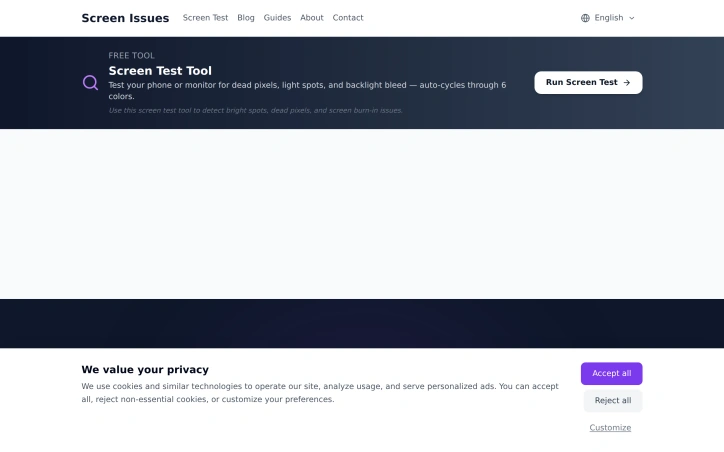
Detecting display problems without installing software addresses a real pain point for users who prefer quick diagnostics without commitment. Screen Issues tackles this by offering a browser-based utility that requires nothing beyond opening a web page. The tool targets a specific user segment: anyone experiencing monitor or screen irregularities. Whether a user suspects a hardware defect before a purchase, wants to verify warranty claims, or simply needs to confirm their display is functioning properly, this addresses that need directly. The platform's core offering centers on identifying common display faults through multiple diagnostic modes. Dead pixels, which appear as permanent dark spots on screens, represent one category of defect. Color anomalies and unusual lines constitute another. Screen flickering, where displays flash or flicker rather than displaying a stable image, rounds out the primary detection capabilities. The availability of multiple test modes suggests users can run different diagnostics depending on their suspected issue, rather than relying on a single generic test. What distinguishes Screen Issues in a crowded space of display testing utilities is its friction-free approach. Removing the download requirement lowers the barrier to entry significantly. Users can test a device immediately through any browser, making it useful for quick checks while shopping, evaluating a used monitor, or troubleshooting an unexpected display problem. This web-based architecture also suggests the tool works across platforms and devices without platform-specific builds. The business model centers on free access to the core testing functionality, though the website footer includes standard privacy and cookie consent language typical of ad-supported or data-collection models. No premium tier, subscription, or purchase options are mentioned in the available materials, suggesting the company relies on other revenue streams rather than direct user payments. For consumers dealing with display issues, the tool offers immediate value without requiring trust in unfamiliar software or system access permissions. For those evaluating secondhand monitors or troubleshooting potential hardware failures, the multiple test modes provide targeted diagnostics. The accessibility of the approach positions it as a practical resource for a problem most computer users encounter at some point.

Testing-and-qa-software
�
曾锋

Detecting display problems without installing software addresses a real pain point for users who prefer quick diagnostics without commitment. Screen Issues tackles this by offering a browser-based utility that requires nothing beyond opening a web page. The tool targets a specific user segment: anyone experiencing monitor or screen irregularities. Whether a user suspects a hardware defect before a purchase, wants to verify warranty claims, or simply needs to confirm their display is functioning properly, this addresses that need directly. The platform's core offering centers on identifying common display faults through multiple diagnostic modes. Dead pixels, which appear as permanent dark spots on screens, represent one category of defect. Color anomalies and unusual lines constitute another. Screen flickering, where displays flash or flicker rather than displaying a stable image, rounds out the primary detection capabilities. The availability of multiple test modes suggests users can run different diagnostics depending on their suspected issue, rather than relying on a single generic test. What distinguishes Screen Issues in a crowded space of display testing utilities is its friction-free approach. Removing the download requirement lowers the barrier to entry significantly. Users can test a device immediately through any browser, making it useful for quick checks while shopping, evaluating a used monitor, or troubleshooting an unexpected display problem. This web-based architecture also suggests the tool works across platforms and devices without platform-specific builds. The business model centers on free access to the core testing functionality, though the website footer includes standard privacy and cookie consent language typical of ad-supported or data-collection models. No premium tier, subscription, or purchase options are mentioned in the available materials, suggesting the company relies on other revenue streams rather than direct user payments. For consumers dealing with display issues, the tool offers immediate value without requiring trust in unfamiliar software or system access permissions. For those evaluating secondhand monitors or troubleshooting potential hardware failures, the multiple test modes provide targeted diagnostics. The accessibility of the approach positions it as a practical resource for a problem most computer users encounter at some point.

Screen Issues preview

Key features

  • No Installation Required: Browser-based utility that works immediately without downloading or installing software
  • Dead Pixel Detection: Identifies permanent dark spots on screens
See full listing
AppBanana

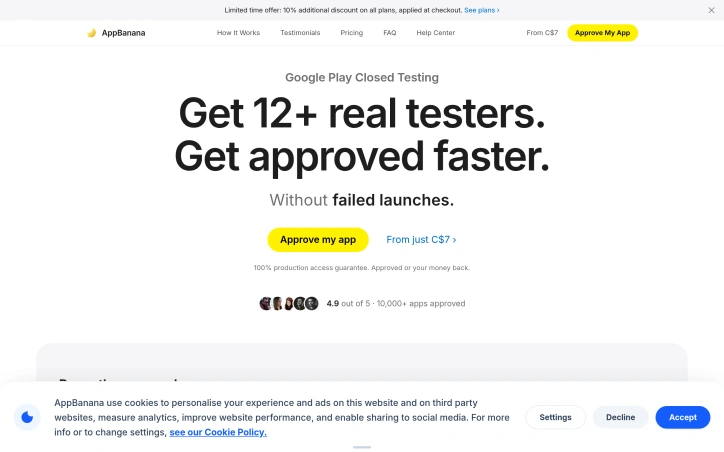
Launching an Android app on Google Play requires navigating a confusing closed testing phase—one where developers must provide real human testers on actual devices before Google will grant production access. Many indie developers lack the network to assemble such testers, leading to rejections that can delay launches by weeks or months. AppBanana addresses this gap by matching app developers with verified testers and guaranteeing approval within fourteen days. The platform's core value proposition is straightforward and compelling. Rather than leaving developers to coordinate friends and acquaintances—a process that often fails to meet Google's quality standards—AppBanana supplies between twelve and twenty-five real Android users who interact with the app on physical devices. The company positions this against cheaper alternatives that rely on emulators or bot accounts, which Google's algorithms quickly flag as inauthentic. All testing happens on verified physical hardware from active users, addressing Google Play's core requirement. What sets AppBanana apart is its guarantee structure. If an app fails to gain approval after the testing cycle, the developer receives a full refund and unlimited free retesting until the app passes. This zero-risk model inverts the typical dynamic—developers only pay when they succeed. Setup is rapid, with onboarding completed in under an hour and tester recruitment happening immediately. The platform adds practical support features beyond raw tester supply. Developers receive step-by-step guidance through Google's questionnaire process, templates for compliant submissions, and access to human specialists via WhatsApp around the clock. The company cites a median response time of under five minutes, suggesting responsive support infrastructure. The testimonial evidence shows real developer wins—apps that were previously rejected twice, or where competitors failed, gaining approval through AppBanana's testers. Pricing begins at roughly seven Canadian dollars, though the full cost structure isn't detailed in available materials. The "pay only on success" model means actual expenses depend on whether the initial approval attempt succeeds. With over ten thousand apps reportedly approved through the platform, AppBanana has scaled beyond a novelty solution. The service fills a genuine friction point in Android development: the gap between having a finished app and meeting Google Play's human-testing requirements. For developers frustrated by rejections or unable to assemble an adequate testing cohort, the combination of real testers, guarantees, and support offers measurable value.

Testing-and-qa-software
A
Appbanana Io

Launching an Android app on Google Play requires navigating a confusing closed testing phase—one where developers must provide real human testers on actual devices before Google will grant production access. Many indie developers lack the network to assemble such testers, leading to rejections that can delay launches by weeks or months. AppBanana addresses this gap by matching app developers with verified testers and guaranteeing approval within fourteen days. The platform's core value proposition is straightforward and compelling. Rather than leaving developers to coordinate friends and acquaintances—a process that often fails to meet Google's quality standards—AppBanana supplies between twelve and twenty-five real Android users who interact with the app on physical devices. The company positions this against cheaper alternatives that rely on emulators or bot accounts, which Google's algorithms quickly flag as inauthentic. All testing happens on verified physical hardware from active users, addressing Google Play's core requirement. What sets AppBanana apart is its guarantee structure. If an app fails to gain approval after the testing cycle, the developer receives a full refund and unlimited free retesting until the app passes. This zero-risk model inverts the typical dynamic—developers only pay when they succeed. Setup is rapid, with onboarding completed in under an hour and tester recruitment happening immediately. The platform adds practical support features beyond raw tester supply. Developers receive step-by-step guidance through Google's questionnaire process, templates for compliant submissions, and access to human specialists via WhatsApp around the clock. The company cites a median response time of under five minutes, suggesting responsive support infrastructure. The testimonial evidence shows real developer wins—apps that were previously rejected twice, or where competitors failed, gaining approval through AppBanana's testers. Pricing begins at roughly seven Canadian dollars, though the full cost structure isn't detailed in available materials. The "pay only on success" model means actual expenses depend on whether the initial approval attempt succeeds. With over ten thousand apps reportedly approved through the platform, AppBanana has scaled beyond a novelty solution. The service fills a genuine friction point in Android development: the gap between having a finished app and meeting Google Play's human-testing requirements. For developers frustrated by rejections or unable to assemble an adequate testing cohort, the combination of real testers, guarantees, and support offers measurable value.

AppBanana preview

Key features

  • Verified Real Testers: Supplies 12-25 real Android users who test on physical devices.
  • Approval Guarantee: Full refund and unlimited free retesting if approval isn't achieved within 14 days.
See full listing
Agentiqa — AI QA Testing Agent

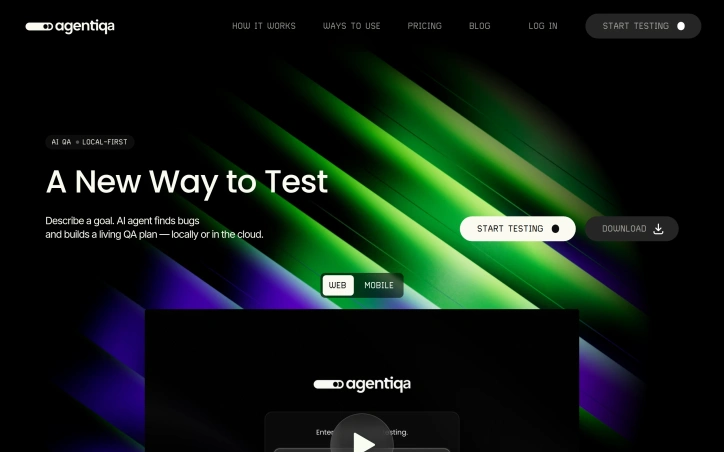
Teams shipping web or mobile apps with limited QA headcount end up choosing between slow manual testing and brittle scripted automation. Agentiqa eliminates that compromise by letting product managers or engineers paste a URL and have an autonomous AI act as a tireless human tester. The tool starts where most cloud services stop: it runs directly on the developer’s machine so localhost and internal staging environments are covered without any CI setup. That fact alone makes it indispensable for startups that push nightly builds to feature branches hidden behind firewalls. Beyond local support, the agent examines the rendered interface as a user would, relying on computer vision instead of brittle DOM selectors. Once it discovers a bug—visual glitches, broken states, or purely frustrating UX—it records a video, writes concise reproduction steps, and folds the new insight into a reusable QA plan. Each iteration refines the plan, making the test suite self-healing and continuously more valuable over time. Privacy concerns have been addressed head-on: source code never leaves the developer’s workstation, and credentials are encrypted so the AI can type a password without ever learning its value. Companies bound by GDPR, HIPAA, or internal compliance rules can therefore invite the agent onto sensitive apps without opening a proverbial back door. The product is offered as a downloadable desktop client, complemented by Agentiqa Web for cloud runs that can be triggered from any browser. Pricing or usage tiers are not yet disclosed, yet “no per-run cloud overhead” signals an approachable model for smaller teams, while local-first execution removes the queueing penalty that often sabotages fast iterations.
Testing-and-qa-software
R
Radik Zagirov

Teams shipping web or mobile apps with limited QA headcount end up choosing between slow manual testing and brittle scripted automation. Agentiqa eliminates that compromise by letting product managers or engineers paste a URL and have an autonomous AI act as a tireless human tester. The tool starts where most cloud services stop: it runs directly on the developer’s machine so localhost and internal staging environments are covered without any CI setup. That fact alone makes it indispensable for startups that push nightly builds to feature branches hidden behind firewalls. Beyond local support, the agent examines the rendered interface as a user would, relying on computer vision instead of brittle DOM selectors. Once it discovers a bug—visual glitches, broken states, or purely frustrating UX—it records a video, writes concise reproduction steps, and folds the new insight into a reusable QA plan. Each iteration refines the plan, making the test suite self-healing and continuously more valuable over time. Privacy concerns have been addressed head-on: source code never leaves the developer’s workstation, and credentials are encrypted so the AI can type a password without ever learning its value. Companies bound by GDPR, HIPAA, or internal compliance rules can therefore invite the agent onto sensitive apps without opening a proverbial back door. The product is offered as a downloadable desktop client, complemented by Agentiqa Web for cloud runs that can be triggered from any browser. Pricing or usage tiers are not yet disclosed, yet “no per-run cloud overhead” signals an approachable model for smaller teams, while local-first execution removes the queueing penalty that often sabotages fast iterations.

Agentiqa — AI QA Testing Agent preview

Key features

  • Autonomous AI Testing: Paste a URL and have an autonomous AI act as a tireless human tester for web and mobile apps
  • Local Machine Execution: Runs directly on the developer's machine to cover localhost and internal staging environments without CI setup
See full listing