
Balane NetMute
- No match
Machine translation — the English original is authoritative.
The Story
NetMute started with a simple frustration.
On trains, in airports, in hotels, or anywhere with slow internet, I kept wondering why my connection felt so congested. It wasn't just the limited bandwidth—it was the countless background connections my Mac was making without me even noticing.
I asked myself: What if I could make the most of the bandwidth I already have by silencing everything I don't need?
That question became NetMute.
Today, NetMute shows every connection your Mac makes and lets you block unnecessary traffic—giving you more privacy, less background noise, and often a faster, more efficient connection.
AI Overview
AI-generatedPrivacy-conscious Mac users have gained a powerful ally in network management. NetMute addresses a growing frustration among computer users: the invisible background traffic that apps generate constantly, consuming bandwidth and exposing personal data without explicit permission.
The core problem is straightforward but often overlooked. Most applications connect to dozens of external services—tracking pixels, analytics platforms, and advertising networks—silently transmitting data throughout your computing session. Users rarely understand the full scope of these connections or how to control them. NetMute surfaces this activity and puts the user in charge.
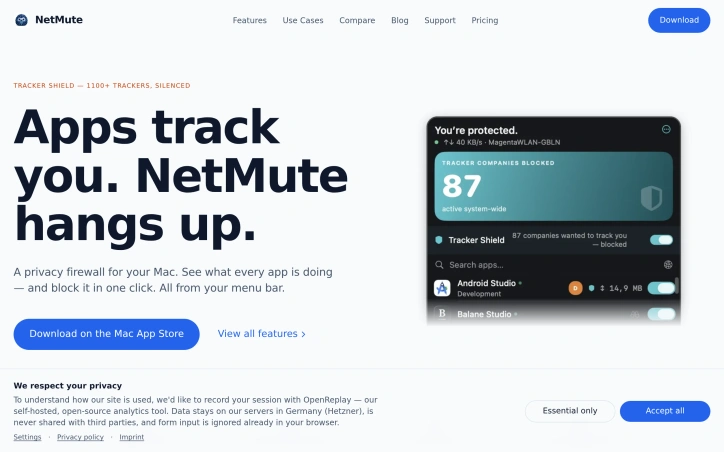
The product offers more than simple blocking. Its Tracker Shield feature silences over 1,100 known tracking services at the network level, from advertising and analytics platforms to social media trackers and fingerprinting services. Rather than requiring users to manually identify and block individual tracking domains, a single toggle activates system-wide protection. The approach extends beyond individual tracker URLs; blocking Facebook's tracking infrastructure blocks all its subdomains automatically.
Beyond tracker shielding, NetMute provides granular per-app firewall control. Users can block apps entirely from the internet or surgically disable specific endpoints while keeping others active. The application includes a privacy scoring system that rates each app based on its network behavior, helping users identify particularly intrusive software. Real-time traffic monitoring shows exactly what data flows between apps and external servers, with 90 days of searchable history stored locally on the Mac.
Context-aware networking features round out the capability set. Network profiles adapt security settings based on location—stricter rules for untrusted networks like hotel Wi-Fi, looser restrictions for home networks. The software integrates with macOS Focus modes, automatically disconnecting certain apps when focus settings activate.
The business model stands out for simplicity: a one-time purchase with no ongoing subscription fees. The app operates locally without requiring cloud services, meaning traffic analysis never leaves your Mac.
NetMute targets privacy-focused Mac users who want transparency into app behavior and direct control over network access. It appeals to those frustrated by invisible tracking, users on limited bandwidth connections, and anyone seeking to reclaim network resources currently consumed by background activity. For this audience, NetMute transforms network management from a mysterious background process into an understandable, controllable system.
Founder Diary
DevlogThe maker hasn't posted a diary entry yet.
Key Features
Tracker Shield
silences over 1,100 known tracking services at the network level including advertising, analytics, and social media trackers
Per-App Firewall
block apps entirely from the internet or surgically disable specific endpoints while keeping others active
Privacy Scoring
rates each app based on its network behavior to help identify particularly intrusive software
Real-Time Monitoring
shows exactly what data flows between apps and external servers with 90 days of searchable history stored locally
Network Profiles
adapt security settings based on location with stricter rules for untrusted networks and looser restrictions for home networks
Focus Mode Integration
automatically disconnects certain apps when macOS Focus modes activate
Use Cases
-
1
Privacy-Focused Mac Users
want transparency into app behavior and direct control over network access without hidden tracking
-
2
Users on Limited Bandwidth
need to eliminate invisible background traffic that consumes bandwidth through tracking and analytics
-
3
Anti-Tracking Advocates
frustrated by invisible app connections and want to reclaim network resources currently consumed by background activity
FAQ
How many tracking services does NetMute block? ▾
Can I control which apps access the internet? ▾
Does NetMute require internet or cloud services? ▾
What does NetMute cost? ▾
Pricing
One-time purchase with no subscription fees or recurring costs.
Tech Stack & Tags
Discussion
No comments yet — be the first!
Join the conversation — sign up to comment.
Sign up freeCommunity Support
Boost this project on Sell With boost
Meet the Founder

More in Security software

Locksy - Tab Locker & Password Protection
Your browser tabs are a security disaster. Pr...

GeoPatrol
GeoPatrol is a cloud-based SaaS platform that de...

FixMyMacNow
We built FixMyMacNow because Mac users face cons...

Fraudly
We built Fraudly because too many people lose mo...

VeilDB
We built VeilDB because teams need production-li...

Sentinel High-performance surveillance System
Turn webcams and IP cameras into real-time, AI-d...