Clean Image
- No match
Machine translation — the English original is authoritative.
The Story
I built Clean Image because I was frustrated with photo editing tools that require uploading images to the cloud. With AI models now running in browsers, I realized we could provide powerful image cleanup entirely locally. Today, thousands use Clean Image to remove text, logos, and objects without compromising privacy.
AI Overview
AI-generatedPrivacy concerns about cloud-based photo editing have driven innovation in browser-based alternatives, and Clean Image addresses this directly by processing images entirely on the user's device. The tool targets anyone who needs to remove unwanted elements from photos—text overlays, logos, timestamps, blemishes, and stray objects—without uploading their files to external servers.
The standout feature is the privacy-first architecture. All processing runs locally through ONNX Runtime and WebAssembly, meaning images never leave the browser. The application uses the OpenCV LaMa neural network to reconstruct areas where users paint over unwanted content, relying on surrounding pixels to generate replacements. This approach works particularly well on clean backgrounds and straightforward removal tasks like text or logos.
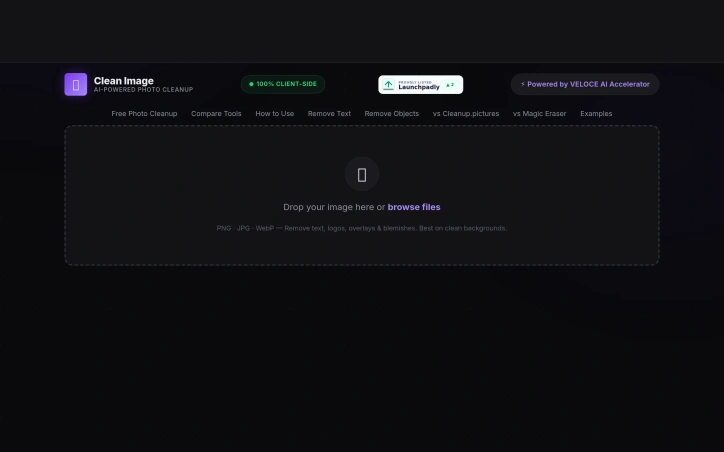
The user experience emphasizes simplicity. The interface follows an intuitive brush-and-paint metaphor: users tap to aim and paint over elements they want removed, then trigger the erasure. Undo and clear options let them refine before downloading the result.
Performance addresses one of the common friction points with local AI tools. The neural network model requires a one-time download of approximately 89 megabytes, which caches in the browser. After this initial load, subsequent uses deliver instant processing with zero data usage, removing the bandwidth burden of repeated cloud uploads.
Clean Image supports common image formats including PNG, JPG, and WebP, accommodating most typical photo libraries. The before-and-after comparison feature lets users validate results before saving.
The primary limitation stems from its design strength: effectiveness depends heavily on background consistency. Complex, busy backgrounds present challenges for the reconstruction algorithm, which is typical of inpainting-based approaches. Users seeking to remove unwanted content from highly textured or diverse backgrounds would encounter diminishing returns.
Clean Image fills a genuine gap for privacy-conscious users who previously had to choose between convenience and data protection. For straightforward removal tasks on suitable images, the local processing approach delivers practical value without sacrificing privacy. The tool serves professionals and casual users alike who prioritize keeping their photos local while leveraging modern AI capabilities.
Founder Diary
DevlogThe maker hasn't posted a diary entry yet.
Key Features
Local Image Processing
All processing runs directly in your browser using ONNX Runtime and WebAssembly, keeping images on your device
Privacy-First Architecture
Complete client-side processing ensures your images never leave the browser
Neural Network Inpainting
Uses OpenCV LaMa neural network to reconstruct and remove unwanted elements based on surrounding pixels
Offline Performance
After a one-time 89MB model download, subsequent edits require zero data usage with instant processing
Before-and-After Comparison
Validate results side-by-side before saving your final image
Use Cases
-
1
Privacy-conscious professionals
Remove unwanted content from photos without uploading to cloud services
-
2
Casual photo editing
Delete text overlays, logos, timestamps, blemishes, and stray objects from personal photos
-
3
Users with clean backgrounds
Leverage the algorithm's strength on consistent backgrounds for straightforward element removal
FAQ
Will my images be uploaded to the cloud? ▾
How much data does the initial setup use? ▾
What image formats are supported? ▾
Does this work on all types of images? ▾
Tech Stack & Tags
Discussion
No comments yet — be the first!
Join the conversation — sign up to comment.
Sign up freeCommunity Support
Boost this project on Sell With boost
Meet the Founder

More in Photo editing

MetaScope
As a professional photographer, I needed a tool...

Banana AI - Free AI Image Generator
Banana AI is a free AI image and video generatio...

AImageResize
I built AImageResize to simplify image resizing...

TurboConvert - Image Converter
As a solo web dev I was constantly juggling PNG...

ImgKit
I built ImgKit because uploading photos to rando...

PixelBoost AI
I built PixelBoost AI to eliminate the complexit...