
TurboConvert - Image Converter
- No match
Machine translation — the English original is authoritative.
The Story
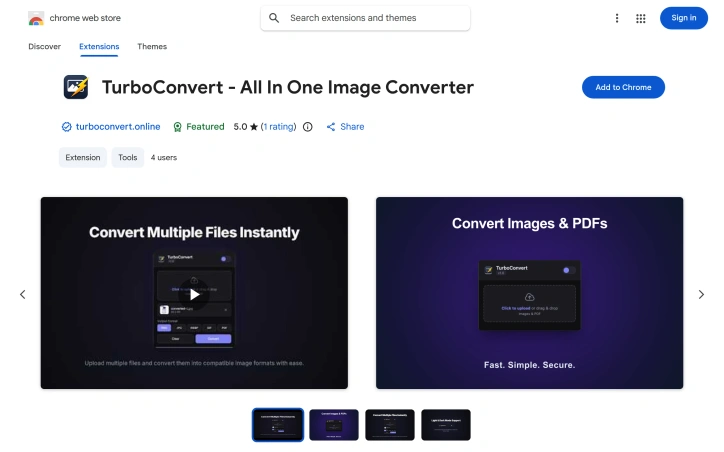
As a solo web dev I was constantly juggling PNG icons, client JPEGs and upload-compressed webp files. I built TurboConvert to kill the repetitive open-browser-tab routine hit a hotkey, choose PDF or keep transparent PNG, done, 100 % local, no servers involved.
AI Overview
AI-generatedWeb designers, marketers, and casual users who routinely bounce between image formats finally have an option that skips the predictable ritual of opening another tab, waiting for uploads, and hoping their files don’t land on a random server. TurboConvert is a lightweight Chrome extension engineered to squash that workflow friction by letting every conversion happen inside the browser, on the user’s own machine.
The product emerges from one developer’s frustration with the day-to-day chore of producing client-ready assets—icons in PNG, hero images in WebP, print hand-offs in PDF—without ever touching a backend. TurboConvert re-creates this pipeline as a single popup: drag files or right-click any image already on the page, pick an output format, and receive a download within seconds. Formats supported span PNG, JPG, WebP, GIF, and SVG, while PDF handling goes both ways—burst a multi-page document into crisp images or compile a stack of photos into a single PDF. Quality sliders prevent the usual blurred-down exports that plague one-click converters, and every operation is executed inside the browser sandbox, so no data ever crosses the internet.
Operationally, the extension adds native hooks to the right-click context menu, eliminating the need to save images elsewhere before converting them. A compact 817 KB footprint keeps Chrome’s RAM diet intact, and the interface defaults to plain English (with German, Spanish, French, Russian, Chinese, and Japanese translations shipping in the same package). The developer formalizes privacy with an explicit statement that user activity data—nothing more granular than location and interaction logs—is not sold, repurposed, or used for credit scoring, a move that clarifies expectations in a space where “no upload” often isn’t enough.
Pricing is refreshingly absent from the pitch; TurboConvert as listed is free, and no upsell or subscription gate appears in the Web Store copy. That stance, plus the one-person authorship, frames the extension as a focused utility rather than a venture-scale product. Any user who prefers immediacy over features sheets will find TurboConvert the fastest detour around the clunky web-based converters it seeks to displace.
Founder Diary
DevlogThe maker hasn't posted a diary entry yet.
Key Features
In-Browser Conversion
All image conversions happen locally on your machine with no uploads to external servers.
Context Menu Integration
Right-click any image on a webpage to convert it directly without saving files separately.
Multi-Format Support
Converts between PNG, JPG, WebP, GIF, SVG, and handles PDFs in both directions.
Quality Control Sliders
Maintain output quality with granular control instead of typical blurred-down one-click conversions.
Lightweight Footprint
Compact 817 KB installation that minimizes Chrome memory usage.
Privacy-Focused
No data is sold or repurposed, with explicit privacy commitments protecting user activity.
Use Cases
-
1
Web designers
Convert client-ready assets across formats (PNG icons, WebP heroes, PDF print files) without workflow friction.
-
2
Marketers
Quickly prepare campaign images in multiple formats for different platform requirements.
-
3
Casual users
Convert personal photos and screenshots to shareable formats without trusting third-party upload services.
-
4
PDF workflows
Burst multi-page documents into images or compile multiple photos into a single PDF.
FAQ
Does TurboConvert upload my images to the internet? ▾
What image formats can I convert? ▾
How much does TurboConvert cost? ▾
What languages does it support? ▾
Pricing
Completely free Chrome extension with no premium tiers or subscription gates.
Tech Stack & Tags
Discussion
No comments yet — be the first!
Join the conversation — sign up to comment.
Sign up freeCommunity Support
Boost this project on Sell With boost
Meet the Founder

More by Artem K.



More in Photo editing

MetaScope
As a professional photographer, I needed a tool...

Banana AI - Free AI Image Generator
Banana AI is a free AI image and video generatio...

AImageResize
I built AImageResize to simplify image resizing...

throwback: same you. another lifetime.
We built Throwback to help people reconnect with...

PixelBoost AI
I built PixelBoost AI to eliminate the complexit...

TitleHero
Title. Your. Hero. Turn a photo into a cinematic...