
How Much Does It Cost? - Know what things really cost. in dollars and lattes
- No match
Machine translation — the English original is authoritative.
The Story
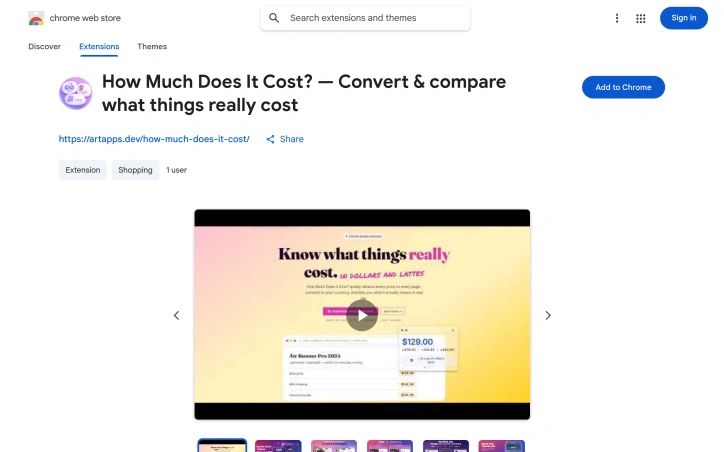
How Much Does It Cost? — The Chrome extension that makes every price finally make sense.
Convert any price on any website into your currencies, your local cost of living, and hours of your own work — all in one hover.
We've all been there. You're browsing an online store, see a price in USD or EUR, and have absolutely no gut feeling whether it's expensive or cheap.
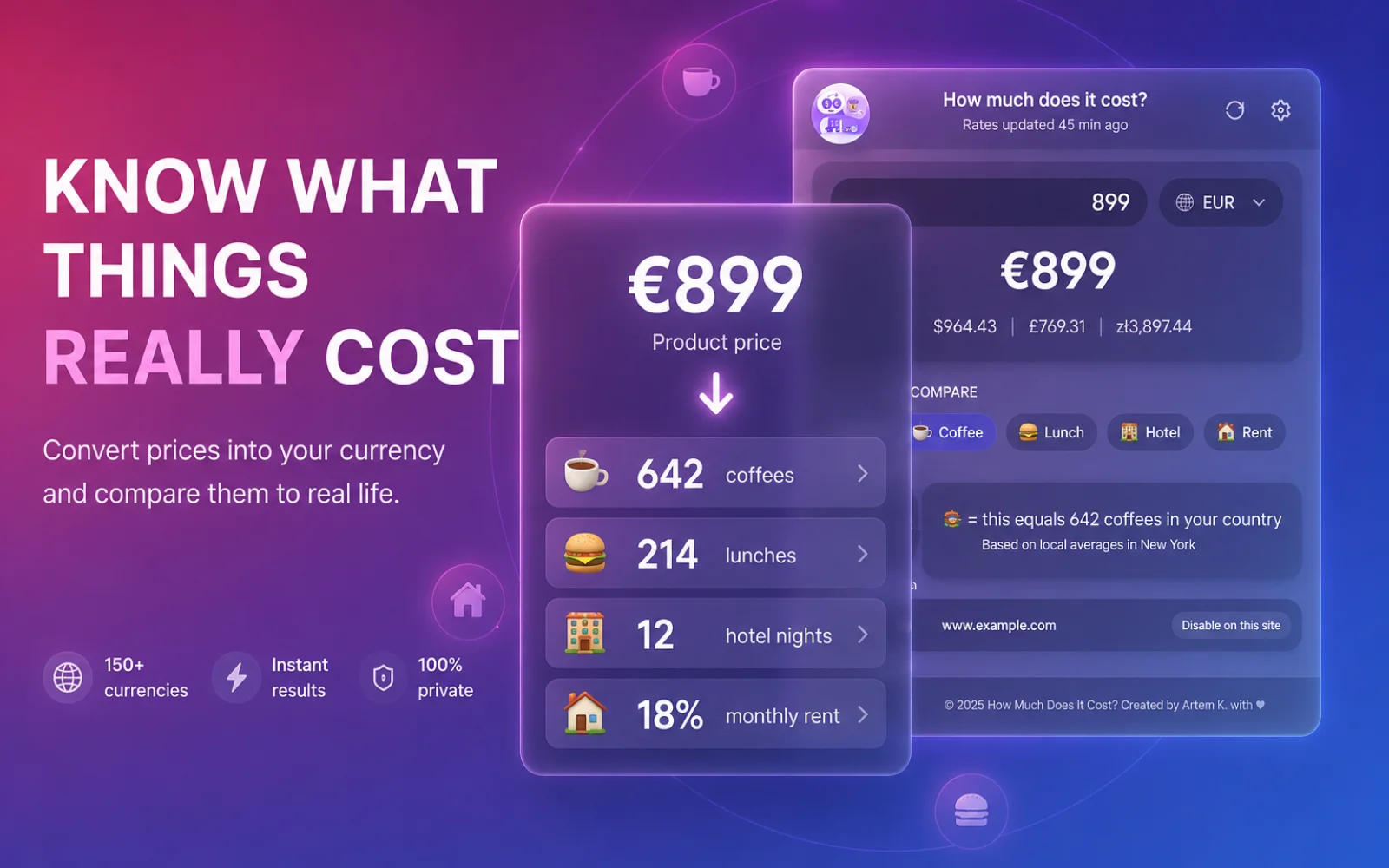
How Much Does It Cost? is a Chrome extension that fixes that. It automatically detects prices on any webpage and instantly shows you what they actually mean — converted into your home currency, compared to local coffee/lunch/hotel/rent, and even expressed in hours of your work.
The core idea: A price is just a number until you can relate it to your life. This extension builds that bridge.
Features
- Auto-detection — scans every page you visit for prices ($50, 100€, 5000¥, you name it) and makes them hoverable
- Instant multi-currency conversion — see the price in all your preferred currencies at once
- Relatable context — that $200 jacket? ≈ 15 coffees, 3 lunches, or 0.2 months of rent in your city
- Hours of work — enter your hourly rate and see any purchase in "hours of your life" (because $50 hits different when you see "≈ 2h of work")
- Glassmorphism tooltip — a beautiful, draggable, light/dark theme tooltip that appears on hover or click
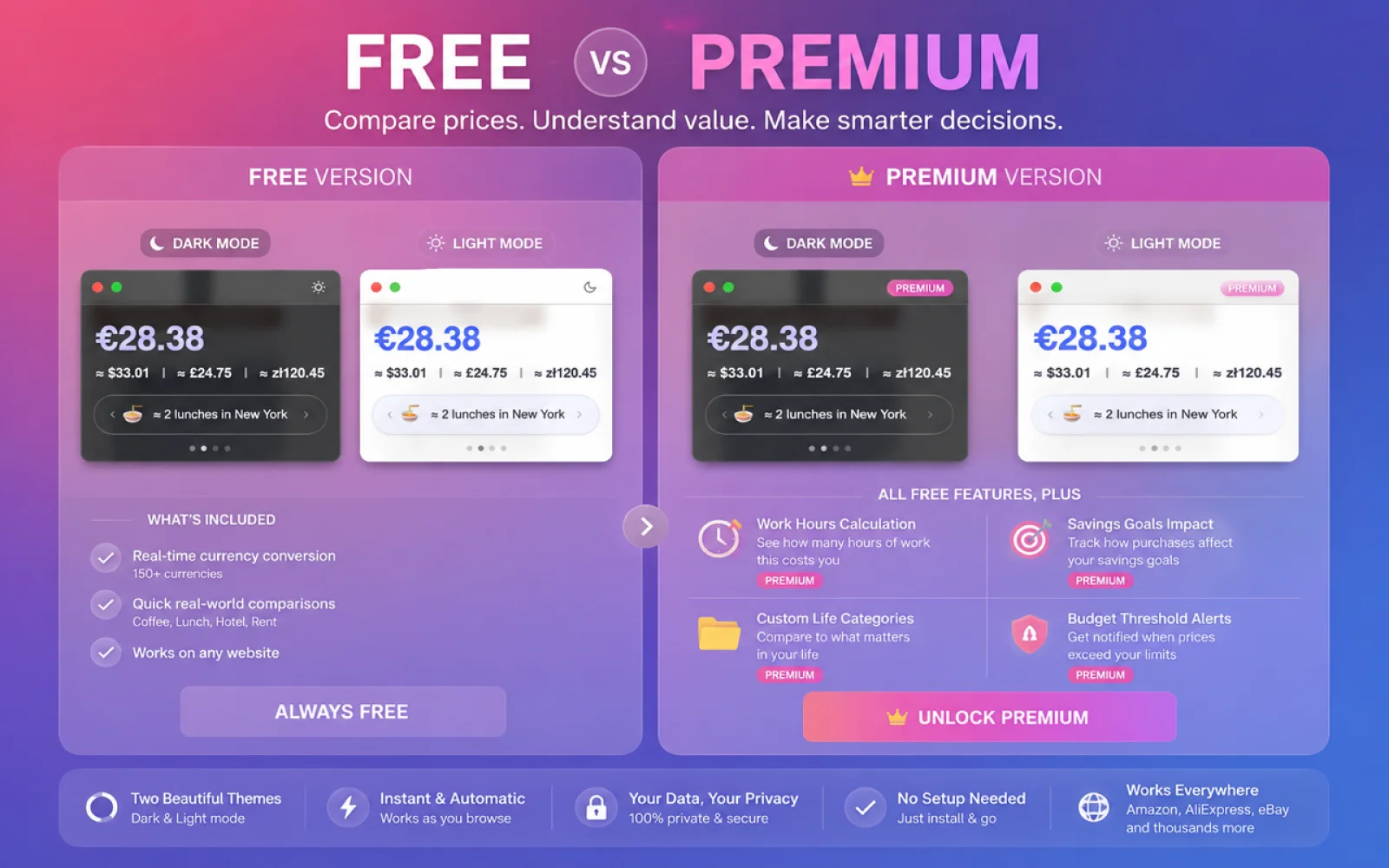
- Premium features (one-time payment): savings goals tracking, custom comparison categories, budget alerts
- 8 languages — English, Russian, German, Spanish, French, Japanese, Chinese, Korean
- Privacy-first — your data stays on your device, no tracking
Why I built this
I travel a lot and constantly found myself mentally converting prices and comparing them to my home country. I wanted a tool that not only converts currency but also answers the real question: "Is this a good deal for where I am right now?" The "hours of work" feature turned out to be the most eye-opening — it completely changes how you think about impulse purchases.
AI Overview
AI-generatedConverting foreign prices while shopping online creates friction. A jacket listed at $200 might mean nothing to someone in Brazil, Thailand, or Poland without mental math—and that's where this Chrome extension steps in. Built for global shoppers, travelers, and anyone who regularly encounters prices across multiple currencies, the tool bridges the gap between what something costs and what it actually means in your daily life.
The extension automatically highlights prices as you browse any webpage, making them interactive through hover or click. It instantly converts to your home currency using real-time exchange rates, then goes further: it contextualizes the amount against local costs of living. That $50 hotel becomes "2 days of rent" in Thailand. A $1,200 iPhone surfaces as "546 lunches" in Turkey. This relatable framework—comparing purchases to everyday expenses like coffee, lunch, hotel stays, and rent—transforms abstract numbers into meaningful data points.
What distinguishes this from basic currency converters is the inclusion of personal work hours. Users can input their hourly rate and see any price translated into how many hours of their life it represents. This perspective shift alone reframes impulse purchases from financial abstraction into real opportunity cost, which the founder credits as the most compelling insight the tool offers.
The product covers 193 cities across 95 countries and supports eight languages, suggesting thoughtful internationalization. It operates entirely client-side with no data collection—a genuine privacy advantage that deserves emphasis in an era of pervasive tracking. The interface employs a glassmorphism design for the tooltip, ensuring aesthetic appeal rather than the utilitarian gray boxes typical of browser extensions.
The free tier delivers core functionality: price detection, currency conversion, and contextual comparisons. The premium tier, available as a one-time $9.99 purchase, unlocks savings goals tracking, custom comparison categories beyond the standard offerings, and smart budget alerts. This pricing model—one-time rather than subscription—avoids recurring friction while subsidizing the free experience.
The tool fills a genuine gap for international commerce, especially appealing to remote workers earning in one currency while spending in another, frequent travelers, and anyone who finds currency conversion mentally taxing. For its target audience, particularly in emerging markets where local purchasing power differs dramatically from international pricing, the extension transforms window shopping from guesswork into informed browsing.
Founder Diary
DevlogThe maker hasn't posted a diary entry yet.
Key Features
Price Detection
automatically highlights prices on any webpage
Currency Conversion
instantly converts prices to user's home currency using real-time exchange rates
Contextual Comparison
compares purchases to everyday expenses like coffee, lunch, and rent
Personal Work Hours
translates prices into hours of user's life based on their hourly rate
Multi-Language Support
supports eight languages
Client-Side Operation
operates entirely client-side with no data collection
Use Cases
-
1
Global Shoppers
helps understand foreign prices in familiar terms
-
2
Remote Workers
useful for those earning in one currency while spending in another
-
3
Frequent Travelers
simplifies currency conversion and contextualizes expenses
-
4
Users with Mental Math Challenges
assists those who find currency conversion mentally taxing
FAQ
How does the extension handle currency conversion? ▾
Is my personal data collected by the extension? ▾
What is the pricing model for the premium features? ▾
Pricing
Premium tier available as a one-time $9.99 purchase
Tech Stack & Tags
Discussion
No comments yet — be the first!
Join the conversation — sign up to comment.
Sign up freeCommunity Support
Boost this project on Sell With boost
Meet the Founder

More by Artem K.


More in Chrome Extensions

Page Walker
Read with Ease, Browse with Comfort. Page Wa...

SFM - Surface Filter Mode
Our Surface Filter Mode (SFM) plugin enhances we...
Tabme
I'm Oleg, the creator of Tabme. A few years ago...

LexiLint
LexiLint started from a simple frustration: ever...

Sidenote
I kept catching AI summaries that were confident...

ChatCache
I built ChatCache to simplify exporting ChatGPT...