
subtitle.im
- No match
Machine translation — the English original is authoritative.
The Story
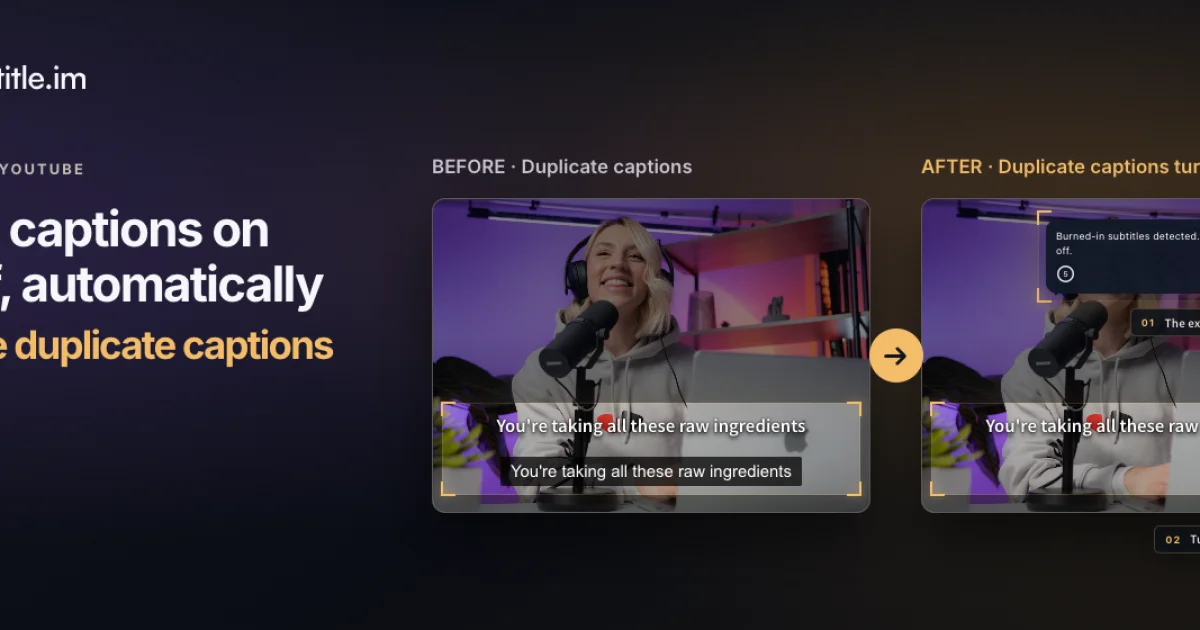
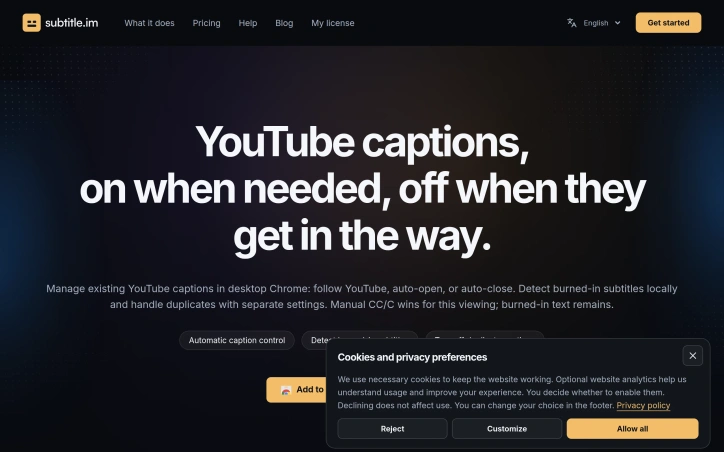
subtitle.im manages existing YouTube captions in Chrome. Choose follow YouTube, automatically on or automatically off across videos. Local OCR detects burned-in subtitles to help handle duplicate soft captions according to your settings. Restore captions anytime. Try 10 successfully handled videos without signup; optional Pro supports continued handling, channel rules, video exceptions and memory of confirmed closures. It does not generate, translate, download or remove burned-in subtitles.
AI Overview
AI-generatedDuplicate captions plague the modern YouTube viewing experience. When burned-in subtitles appear alongside YouTube's soft captions, the result is distracting clutter that degrades video comprehension. Subtitle.im tackles this precise friction point with a Chrome extension designed for viewers who want sophisticated caption control without the complexity of toggling settings repeatedly across dozens of videos.
The extension's core strength lies in its local detection of burned-in subtitles through on-device OCR processing, which eliminates the need to send video frames to external servers. When the extension identifies overlapping captions, it can automatically suppress YouTube's captions while preserving burned-in text, or apply the inverse logic depending on user preference. This happens silently in the background unless the algorithm detects burned-in subtitles in a different language than YouTube's available captions, triggering a decision point rather than an automatic action.
Beyond basic toggle functionality, subtitle.im offers granular control across three hierarchical levels. Users establish global preferences for automatic caption behavior, then layer channel-specific rules and video-specific exceptions on top. This nested approach prevents repetitive configuration while allowing edge cases to be handled individually. A video watched once can override its channel's rules without affecting other content from the same creator.
The product's design decisions reveal thoughtful attention to user workflows. Manual caption toggling during a single viewing session always takes priority, acknowledging that automated rules serve as scaffolding rather than iron-fisted controls. Channel and video-level customization sits behind a Pro paywall, while core functionality including ten successful caption handlings remains available to free users without requiring signup or account creation.
The language-aware duplicate detection represents the extension's most sophisticated feature. Rather than applying a single rule globally, it recognizes when burned-in subtitles and soft captions use different languages and offers distinct handling strategies: automatic closure, explicit prompts, or preservation.
Subtitle.im addresses a narrowly defined but genuine problem affecting subtitle-dependent viewers. Its technical implementation prioritizes user privacy through local processing while its interface design respects the reality that caption preferences shift based on video content, channel, and even individual viewing context. The product does not attempt to rewrite or remove burned-in subtitles, positioning itself as a management layer rather than a transformation tool.
Founder Diary
DevlogThe maker hasn't posted a diary entry yet.
Key Features
Local OCR Detection
On-device optical character recognition identifies burned-in subtitles without sending video frames to external servers.
Automatic Caption Management
Suppresses YouTube captions while preserving burned-in text based on user preference.
Hierarchical Customization
Global preferences layered with channel-specific and video-specific rules prevent repetitive configuration.
Language-Aware Handling
Recognizes when burned-in and soft captions use different languages to trigger appropriate strategies.
Manual Override Priority
User manual toggles during viewing always take precedence over automated rules.
Use Cases
-
1
Subtitle-dependent viewers
Eliminates distracting caption clutter when videos display both burned-in and soft subtitles simultaneously.
-
2
Multi-language content watchers
Handles cases where burned-in subtitles and YouTube captions are in different languages.
-
3
Frequent YouTube users
Saves time through hierarchical rules that avoid repetitive caption toggling across dozens of videos.
-
4
Privacy-conscious viewers
All subtitle detection happens locally on-device without external server processing.
FAQ
Does subtitle.im require account signup? ▾
How does it detect burned-in subtitles? ▾
What happens when I manually toggle captions? ▾
Which features require payment? ▾
Pricing
Basic functionality free; channel and video-level customization features require Pro subscription.
Discussion
No comments yet — be the first!
Join the conversation — sign up to comment.
Sign up freeCommunity Support
Boost this project on Sell With boost
Meet the Founder

More in Chrome Extensions

Page Walker
Read with Ease, Browse with Comfort. Page Wa...

SFM - Surface Filter Mode
Our Surface Filter Mode (SFM) plugin enhances we...

LexiLint
LexiLint started from a simple frustration: ever...

How Much Does It Cost? - Know what things really cost. in dollars and lattes
How Much Does It Cost? — The Chrome extension th...
Tabme
I'm Oleg, the creator of Tabme. A few years ago...

Sidenote
I kept catching AI summaries that were confident...