Tabme
- No match
Machine translation — the English original is authoritative.
The Story
I'm Oleg, the creator of Tabme.
A few years ago, as a manager juggling multiple teams and projects, my browser was a mess. Between Miro boards, Jira epics, Confluence pages, and Google Docs, keeping track of essential links was a nightmare.
Built-in browser bookmarks felt like a relic from the 90s—too many folders, too many clicks, and too much cognitive load. I tried alternatives like Toby, but found them cluttered and laggy. I need a single screen where I could find everything with just my eyes or a simple scroll. That’s how Tabme was born. It started as a pet project, but quickly became my ultimate productivity booster.
Here is what makes Tabme special:
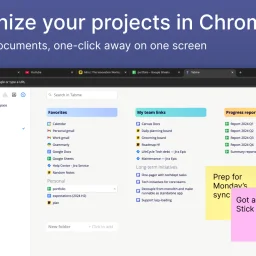
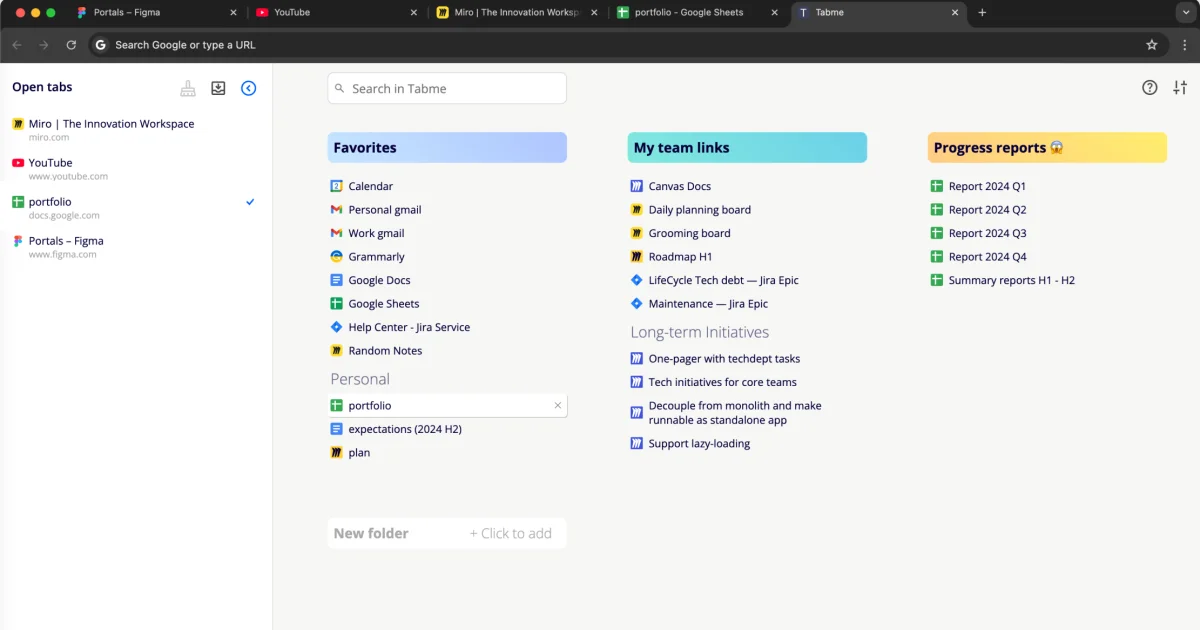
👁️ Visual Simplicity: See all your active projects at a glance without unnecessary clicks.
🔍 Omni-Search: Search across your bookmarks, currently open tabs, and browser history all at once.
🧹 Tab Management: Automatically find and close duplicate tabs.
📱 Sync Across Devices (Pro) Access your saved tabs from any device. No extension needed — use https://gettabme.com/app/
🌙 Dark Mode: Because we all love a good dark UI!
🚀 Fast Performance Handles hundreds of saved tabs without slowing down.
I’m thrilled to finally share it with the community. Try it out (we have both a New Tab version and a Mini extension) and let me know what you think.
AI Overview
AI-generatedOrganizing browser tabs has long been a point of friction for users who accumulate dozens of open pages and bookmarks scattered across multiple locations. Tabme, a Chrome extension, addresses this by consolidating tab management, bookmarking, and note-taking into a single interface with straightforward drag-and-drop controls.
The extension handles several common browser headaches. Users can save individual tabs or entire sessions into folders with a single drag-and-drop action, reducing friction compared to manual bookmarking. Duplicate tab detection removes redundant pages with one click, directly addressing browser memory bloat that slows performance. Search functionality spans across open tabs, saved bookmarks, and recently closed tabs, eliminating the need to manually scroll through dozens of entries. A sticky notes feature lets users attach quick annotations directly to projects or collections.
The product operates on a straightforward freemium model. The free tier maintains all data locally on the device, preserving privacy for users who prefer to avoid cloud dependencies. The Pro plan enables cross-device cloud synchronization and includes a web application for accessing bookmarks from any browser or phone. This structure caters to both casual users managing tabs on a single device and power users working across multiple machines. The "Mini" variant offers all features without overriding the new tab page, giving users control over how prominently the extension integrates with their workflow.
User reviews emphasize simplicity and effectiveness. Comments praise the ease of organization, clean interface design, and productivity improvements. Reddit mentions suggest organic adoption and word-of-mouth traction. The extension maintains a top rating in the Chrome Store, reflecting consistent positive reception.
Dark mode support and web-based access round out the feature set. Tabme serves both light organizers managing a handful of bookmarks and power users juggling dozens of projects across multiple devices.
Founder Diary
DevlogThe maker hasn't posted a diary entry yet.
Key Features
Tab Management
Consolidates tab management, bookmarking, and note-taking into a single interface with drag-and-drop controls
Duplicate Detection
Removes redundant pages with one click to reduce browser memory bloat
Cross-Search
Search spans open tabs, saved bookmarks, and recently closed tabs
Sticky Notes
Attach quick annotations directly to projects or collections
Cloud Sync
Pro plan enables cross-device synchronization with web app access
Use Cases
-
1
Users accumulating dozens of open pages
Consolidates scattered tabs and bookmarks into organized collections
-
2
Power users on multiple machines
Cross-device sync and web access manage projects across devices
-
3
Privacy-conscious users
Free tier keeps all data locally on the device without cloud dependencies
FAQ
How do I organize browser tabs with Tabme? ▾
Does Tabme sync across multiple devices? ▾
How does Tabme handle duplicate tabs? ▾
Is my data private with Tabme? ▾
Pricing
Free tier stores data locally; Pro plan adds cloud sync and web access
Tech Stack & Tags
Discussion
No comments yet — be the first!
Join the conversation — sign up to comment.
Sign up freeCommunity Support
Boost this project on Sell With boost
Meet the Founder

More in Chrome Extensions

Page Walker
Read with Ease, Browse with Comfort. Page Wa...
SFM - Surface Filter Mode
Our Surface Filter Mode (SFM) plugin enhances we...

How Much Does It Cost? - Know what things really cost. in dollars and lattes
How Much Does It Cost? — The Chrome extension th...

LexiLint
LexiLint started from a simple frustration: ever...

Sidenote
I kept catching AI summaries that were confident...
WDTM: Explain Texts and Images
WDTM's main goal is to break language barrier fo...