
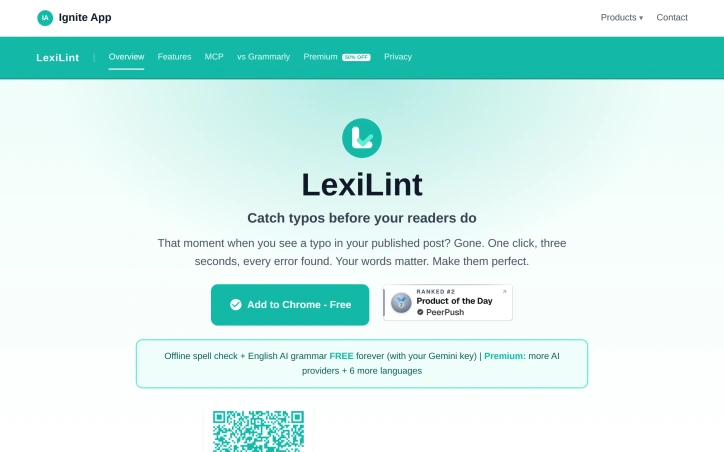
LexiLint

- No match
Machine translation — the English original is authoritative.
The Story
LexiLint started from a simple frustration: every grammar tool wanted an account, a monthly fee, and a copy of everything you typed.
So we built it the other way around. LexiLint is a grammar and spell checker that uses your own AI key — your text is checked in the moment and discarded, never stored on our servers, never sold, never used to train a model. No sign-up required.
It lives in your browser as a Chrome extension, works quietly while you write, and costs nothing to spell check. Privacy isn't a feature we bolted on, it's how the tool is built.
AI Overview
AI-generatedGrammar checkers have traditionally demanded accounts, monthly fees, and access to every keystroke. LexiLint inverts this model entirely. The tool carries out spelling and grammar corrections in the browser without storing text on any server, eliminating the privacy tradeoff users have long tolerated from competing services.
The product targets writers and content creators who publish online and want to catch errors before readers do. It also appeals to AI users who recognize that grammar checking consumes unnecessary tokens when offloaded to a separate, local tool. The privacy-conscious find value in its core architecture, which processes text locally and never logs activity.
What distinguishes LexiLint is its reliance on bring-your-own-key economics. Spell checking runs entirely offline using local dictionaries plus optional custom entries for technical terms or brand names. Grammar checking requires an AI provider, but users supply their own API credentials to services like Google Gemini, OpenAI, or Claude, keeping all text under their control. This approach sidesteps the data monetization model that fuels free grammar tools elsewhere.
The feature set covers practical needs. Offline spell checking works on any webpage using curated English dictionaries. An AI grammar mode handles style, clarity, and punctuation deterministically, so the same page yields the same corrections each time. The tool supports eight languages including Spanish, French, German, Polish, Russian, and Turkish, with spell checking across all and grammar checking available in each. Users interact through a Chrome extension or tap it within AI assistants via the Model Context Protocol, enabling grammar checks inside Claude Desktop, ChatGPT, and Cursor without consuming AI tokens.
The pricing structure is transparent. Spell checking costs nothing. Grammar checking through AI providers is free for users who hold Gemini API keys and charged at standard rates for OpenAI or Claude. No hidden subscriptions or per-check fees exist, and setup requires no account creation.
LexiLint fills a niche for users who want reliability and privacy from their grammar tools. It trades the convenience of a single account for control of API keys themselves—a reasonable swap for those skeptical of platforms that monetize user text. The offline spell checking alone justifies installation for anyone tired of revealing their drafts to third parties.
Founder Diary
DevlogThe maker hasn't posted a diary entry yet.
Key Features
Privacy-First Processing
Text is processed locally in the browser without any server storage
Offline Spell Checking
Uses local dictionaries with optional custom entries for technical terms and brand names
AI Grammar Checking
Provides deterministic style, clarity, and punctuation corrections
Bring-Your-Own-Key Model
Users supply API credentials to maintain full control over their text
Multi-Language Support
Supports eight languages including Spanish, French, German, Polish, Russian, and Turkish
Browser Integration
Accessible via Chrome extension and Model Context Protocol integration with Claude Desktop, ChatGPT, and Cursor
Use Cases
-
1
Writers and content creators
Catch errors before publishing online without revealing drafts to third parties
-
2
AI tool users
Reduce token consumption by offloading grammar checking to a local tool instead of using AI APIs
-
3
Privacy-conscious users
Process text locally with no server logging or activity tracking
-
4
Technical writers
Use custom dictionary entries for industry-specific terminology and brand names
FAQ
Does LexiLint require an account or subscription? ▾
How much does grammar checking cost? ▾
Does LexiLint store my text on its servers? ▾
What languages does LexiLint support? ▾
Pricing
Spell checking is free, grammar checking depends on your chosen AI provider with no per-check fees or subscriptions.
Discussion
No comments yet — be the first!
Join the conversation — sign up to comment.
Sign up freeCommunity Support
Boost this project on Sell With boost
Meet the Founder

More in Chrome Extensions

Page Walker
Read with Ease, Browse with Comfort. Page Wa...

SFM - Surface Filter Mode
Our Surface Filter Mode (SFM) plugin enhances we...
Tabme
I'm Oleg, the creator of Tabme. A few years ago...

How Much Does It Cost? - Know what things really cost. in dollars and lattes
How Much Does It Cost? — The Chrome extension th...

Sidenote
I kept catching AI summaries that were confident...

ChatCache
I built ChatCache to simplify exporting ChatGPT...