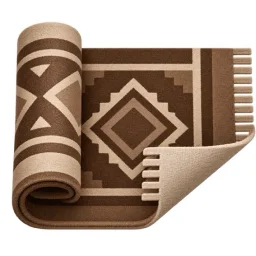
Desk Rug for MacOS


- No match
Machine translation — the English original is authoritative.
The Story
Desk Rug is the desktop toy you didn't know you needed: a real cloth rug, simulated with cloth physics and rendered in Metal, that lies over your Mac desktop. Grab it by any edge, drag it, fold it, drop it — and the icons underneath ruffle into soft bumps.
The practical part is the point: before a screen share or a demo, your desktop is the mess everyone sees. Sweep your icons into a neat pile under the rug in one second — then put them back around the edge when you're done. Icons really move via Finder; nothing is hidden behind a fake overlay.
It started as "what if the desktop was a floor and you had a rug" and became a gadget makers actually keep running.
What you get: – Global hotkeys (configurable) toggles sweep / put-back, even from other apps – Per-day schedule to tidy the desktop automatically – Rugs + Floors, or drop in your own images – Space-switching A/B profiles (rug + floor + size per Space) – 13 languages, follows your macOS language – Runs 100% locally; no account, no telemetry
AI Overview
AI-generatedHiding a messy desktop behind a whimsical veneer has become a legitimate productivity strategy for anyone who regularly shares their screen. Desk Rug addresses this by letting Mac users sweep their icons under a simulated cloth rug in a single keystroke, then restore them to their exact original positions when the moment passes. It sounds frivolous — and it is, intentionally — but the execution transforms the concept from novelty into a tool people actually use.
The product solves a genuine problem for knowledge workers: the awkward moment before a demo or screen share when your desktop erupts across the wall. Rather than rushing to organize files into folders or frantically moving icons around, a quick hotkey command instantly tidies the visual chaos. No files are hidden behind fake overlays or moved into hidden directories. The icons are genuinely repositioned, just neatly stacked. When you need them back, another hotkey spreads them across the desktop in their original locations.
What distinguishes Desk Rug from desktop clutter solutions is its commitment to unnecessary delight. The rug physics, rendered in Metal, respond to real-world behavior: grab a corner and the entire cloth follows with weight, drag, and folds. The developers included nine distinct rug patterns and fourteen floor textures, allowing users to customize the aesthetic or import their own images. Across multiple Spaces, each workspace can have different rug and floor configurations, creating a fully personalized experience.
The feature set extends beyond the core sweep-and-restore mechanism. Scheduled tidying automatically arranges icons on a configurable schedule. Global hotkeys work from any application, so you don't need to switch contexts. The interface is deliberately minimal — a menu bar presence without a dock icon or lingering windows. The app runs entirely locally without account creation or data collection.
The product builds on the open-source Under the Rug application, an MIT-licensed predecessor that established the cloth simulation concept. The developers retained the physics engine while expanding the feature set and improving performance and usability throughout.
Available exclusively for macOS 14 and later, Desk Rug is free to download and use. It serves a specific user: someone whose Mac desktop collects visual debris, who shares their screen regularly, and who appreciates design details that serve no purpose beyond delight. That niche is far larger than it appears.
Founder Diary
DevlogThe maker hasn't posted a diary entry yet.
Key Features
Sweep and Restore
Hide desktop icons under a rug with one hotkey and restore them to exact original positions
Rug Physics
Metal-rendered cloth simulation responds with weight, drag, and folds when grabbed or dragged
Customizable Themes
Choose from nine rug patterns and fourteen floor textures or import custom images
Multi-Space Support
Each workspace can have different rug and floor configurations
Scheduled Tidying
Automatically arrange icons on a configurable schedule
Global Hotkeys
Access the sweep function from any application without switching contexts
Use Cases
-
1
Demo Preparation
Quickly hide desktop clutter before presenting or screen recording
-
2
Screen Sharing
Instantly tidy visual chaos during meetings or team presentations
-
3
Knowledge Workers
Professionals who frequently share screens need rapid desktop organization
-
4
Design Enthusiasts
Users who appreciate intentional design details and personalized aesthetics
FAQ
Does Desk Rug actually move my files? ▾
What Mac versions does it support? ▾
Does it require an account or collect data? ▾
Can I customize how the rug looks? ▾
Pricing
Free to download and use with no in-app purchases mentioned
Tech Stack & Tags
Discussion
No comments yet — be the first!
Join the conversation — sign up to comment.
Sign up freeCommunity Support
Boost this project on Sell With boost
Meet the Founder

More by Artem K.



More in Productivity

OkComputer
OkComputer is an AI harness for professionals an...

SpeakerEject
SpeakerEject is a free collection of browser aud...

Syllable Counter
This is a syllable counter tool made by AIWriteK...

AppDeploy
AppDeploy was built to solve a problem I repeate...

NexusAI
NexusAI began with a straightforward observation...

Tabreon
I built Tabreon because I was tired of "free" on...