
Cursive Generator
- No match
Machine translation — the English original is authoritative.
The Story
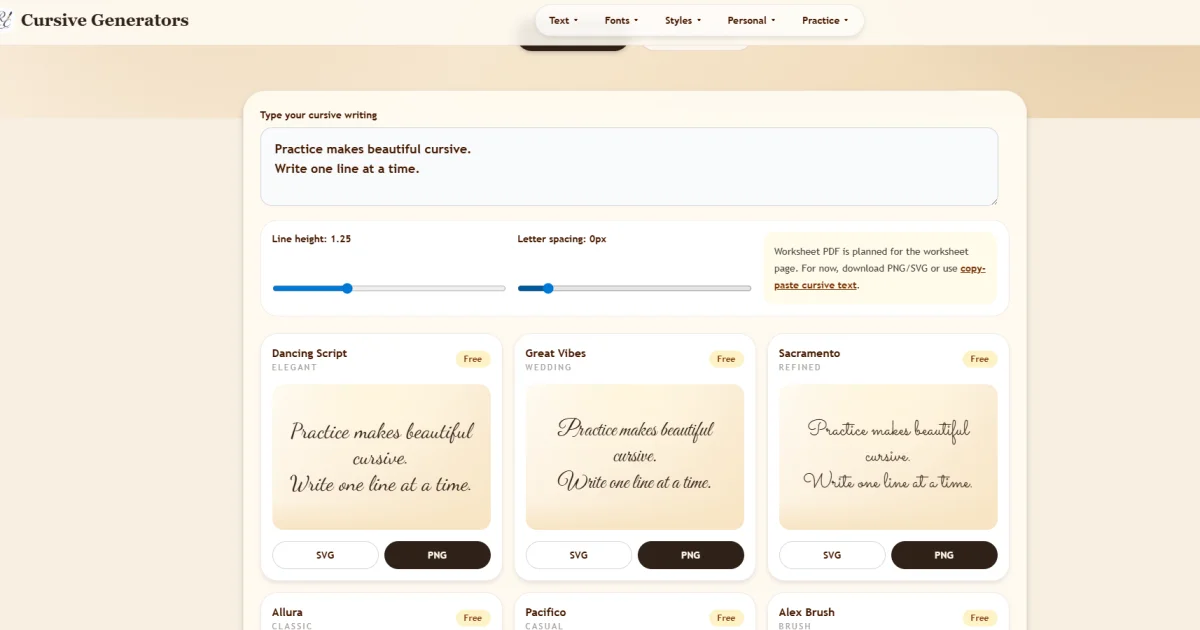
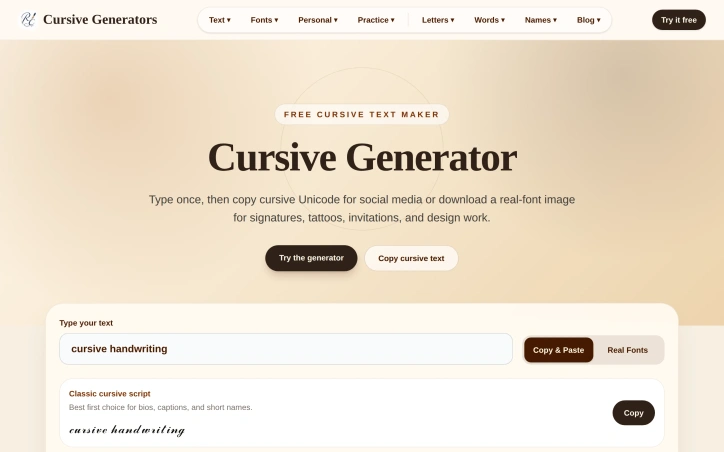
I built Cursive Generator because people needed an easy way to create styled text for social media bios, tattoos, and design work without sign-ups or complications. The problem is that Unicode cursive renders differently across devices, so I created a free tool that lets you type once, preview multiple handwriting and script styles instantly, then choose between copy-paste Unicode for quick sharing or downloadable PNG/SVG images when consistency matters.
AI Overview
AI-generatedDesigners, social media users, and anyone needing decorative text will find immediate value in this free cursive styling tool. It solves a specific but widespread problem: creating consistent, styled text when Unicode characters render inconsistently across devices and platforms.
The core insight distinguishing this generator is its dual-mode approach. Users can quickly generate copy-paste Unicode variants for social media bios, Discord names, or TikTok captions where speed matters most. For applications requiring visual consistency, they can download PNG or SVG files that preserve typography across email, PDFs, tattoo references, or design tools. This acknowledgment that different use cases demand different solutions sets the tool apart from generators that force a single output type.
The feature set reflects practical thinking. The preview grid displays 36 real cursive font styles spanning elegant, wedding, casual, notebook, and calligraphy variants, plus 35 additional Unicode styles for copy-paste scenarios. This breadth prevents the frustration of finding only a handful of options in competing generators. Users type once and instantly see results across all styles, eliminating the need to export multiple times or jump between editors to compare options.
Accessibility removes friction at every step. The tool requires no account creation, payment, or email verification. The interface prioritizes simplicity with a single input field and stacked card layouts that work on mobile devices. Export options intelligently match use cases: SVG for scalable artwork, PNG for documents and quick sharing.
The product demonstrates technical sophistication beneath its simple surface. By recognizing that Unicode and raster images solve different problems, the creator avoided the false choice many competitors present. Someone preparing a tattoo design needs pixel-perfect consistency, while someone crafting an Instagram bio needs quick copy-paste functionality. The tool serves both workflows equally well.
Cursive Generator targets people who previously juggled multiple tools or tolerated mediocre results from limited options. Entirely free and requiring no signup, it respects user time by eliminating friction. The product succeeds by understanding that perfect is the enemy of useful, and useful is what users actually need.
Founder Diary
DevlogThe maker hasn't posted a diary entry yet.
Key Features
Multiple Style Variants
36 cursive font styles plus 35 Unicode styles for diverse design needs.
Dual Export Modes
Generate copy-paste Unicode variants or download PNG/SVG files for different use cases.
No Sign-Up Required
Free tool with no account creation, payment, or email verification needed.
Instant Live Preview
Type once and see results across all styles in real-time.
Mobile-Friendly Interface
Simple design with single input field and responsive card layouts.
Format Flexibility
SVG for scalable artwork and PNG for documents and quick sharing.
Use Cases
-
1
Social Media Profiles
Quickly generate styled text for social media bios, Discord names, and TikTok captions.
-
2
Tattoo Designers
Download high-fidelity PNG/SVG files for pixel-perfect tattoo design references.
-
3
Email and Documents
Preserve consistent typography across emails, PDFs, and other documents.
-
4
Design Tools
SVG exports work seamlessly with design applications and tools.
FAQ
Do I need to create an account to use Cursive Generator? ▾
What file formats can I download? ▾
How many cursive styles are available? ▾
Can I use generated text on social media? ▾
Pricing
Completely free with no account required and no premium tier mentioned.
Tech Stack & Tags
Discussion
No comments yet — be the first!
Join the conversation — sign up to comment.
Sign up freeCommunity Support
Boost this project on Sell With boost
Meet the Founder

More by weifeng chu




More in Graphic design tools

Zoviz
Zoviz is a complete AI branding and marketing pl...

InkSoul
I got my first tattoo at 28 — spent three weeks...

Shademix
I built Shademix to solve the frustration of col...

Tier List Maker
We created Tier List Maker because people love r...
TypeScript
Cardzy is a web-based design and invitation plat...
Logo Double-R
I founded Logo Double-R to make professional des...