
EdgePhishGuard
- No match
Machine translation — the English original is authoritative.
The Story
I built EdgePhishGuard after seeing how easily phishing can reach people on mobile — through a suspicious link, a QR code, a notification, or a message that looks completely legitimate.
Most people have only a few seconds to decide whether to trust what they see. I wanted to create an extra checkpoint before that tap.
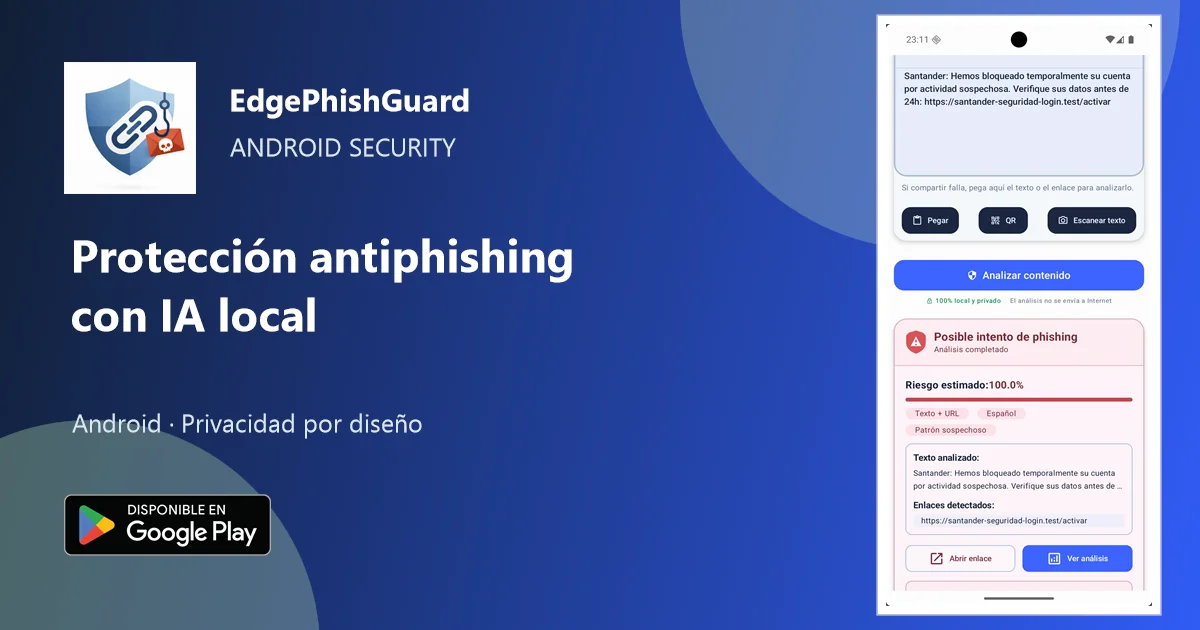
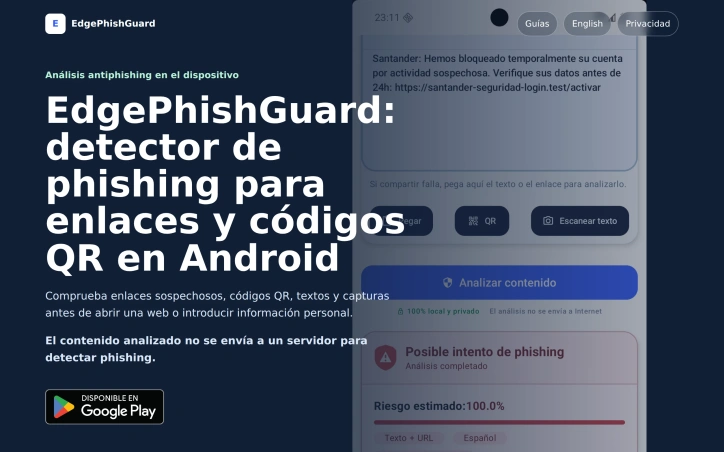
EdgePhishGuard is an Android anti-phishing tool that analyzes suspicious links, text, QR codes, and screenshots using on-device AI and security signals. The core phishing analysis happens locally, so the content being checked does not need to be uploaded to a server for the risk decision.
The goal isn’t to make decisions for users, but to show the risk signals and give them better information before they continue.
Check before you tap.
AI Overview
AI-generatedMobile phishing campaigns have moved beyond simple email tricks. They arrive as text messages that impersonate banks, QR codes that redirect to credential-harvesting pages, notifications from seemingly trusted apps, and links embedded in screenshots shared across messaging platforms. EdgePhishGuard tackles this expanding threat surface by placing a security checkpoint directly on the user's Android device, where the decision happens fastest.
The product addresses a genuine gap in mobile security. Most anti-phishing solutions operate on the server side, requiring users to upload suspicious content to cloud services before they get a verdict. EdgePhishGuard inverts this model. Its core analysis runs locally using TensorFlow Lite models that identify linguistic and structural phishing patterns without leaving the device. The approach protects privacy while reducing latency and eliminating friction.
What distinguishes this tool is its breadth of input modes. Users can paste suspicious links or text directly, scan QR codes through the camera, extract URLs from screenshots via OCR, or share content from notification bars and messaging apps. This multi-modal design acknowledges how phishing actually reaches people in practice: rarely as a bare URL, often embedded in context that requires extraction or interpretation. The OCR and QR reading capabilities transform the app from a link validator into a content analyzer that handles the obfuscation tactics modern attackers use.
The product doesn't attempt to make decisions for users. Instead, it surfaces the reasoning behind its risk assessment, showing detected language, identified patterns, domain reputation signals, and specific recommendations. Users can adjust the alert threshold themselves, creating a control mechanism rather than an on-off switch. This approach aligns with security best practices that favor informed decision-making over black-box automation.
Support for multiple languages, with language detection routing content to the appropriate local model, suggests consideration for non-English-speaking populations who may face phishing tailored to their linguistic and cultural context. This practical detail distinguishes EdgePhishGuard from larger security platforms that often overlook regional variations in attack patterns.
The absence of pricing information on the landing page leaves questions about the business model unanswered. Whether this will be free, subscription-based, or ad-supported matters to potential users considering adoption. Regardless, the local-processing architecture and transparent risk scoring represent a meaningful departure from the surveillance-heavy approach many mobile security tools take. For users skeptical of uploading sensitive information to cloud services, EdgePhishGuard offers a credible alternative.
Founder Diary
DevlogThe maker hasn't posted a diary entry yet.
Key Features
Local Processing
TensorFlow Lite models run on-device to identify phishing patterns without uploading to cloud services
Multi-Modal Input
Analyzes suspicious links, QR codes, screenshot text via OCR, and content from messaging apps and notifications
Transparent Risk Scoring
Shows detected language, identified patterns, domain reputation signals, and specific recommendations
Adjustable Alerts
Users can customize the risk assessment threshold rather than relying on fixed automation
Multi-Language Support
Automatic language detection routes content to appropriate local models for non-English-speaking populations
Use Cases
-
1
Mobile banking users
Protects against SMS phishing campaigns impersonating banks and financial institutions
-
2
Messaging app users
Validates suspicious links and content shared across messaging platforms and notification bars
-
3
Non-English speakers
Offers phishing detection tailored to linguistic and cultural attack patterns in multiple languages
-
4
Privacy-conscious users
Provides security analysis without requiring uploads to cloud services or third-party servers
FAQ
Does EdgePhishGuard send my data to the cloud? ▾
What types of phishing content can it detect? ▾
Can I control how sensitive the phishing alerts are? ▾
What languages does it support? ▾
Tech Stack & Tags
Discussion
No comments yet — be the first!
Join the conversation — sign up to comment.
Sign up freeCommunity Support
Boost this project on Sell With boost
Meet the Founder

More in Security software

Locksy - Tab Locker & Password Protection
Your browser tabs are a security disaster. Pr...

GeoPatrol
GeoPatrol is a cloud-based SaaS platform that de...

Fraudly
We built Fraudly because too many people lose mo...

VeilDB
We built VeilDB because teams need production-li...

Sentinel High-performance surveillance System
Turn webcams and IP cameras into real-time, AI-d...

CryptonQR
The Problem: > In an era of constant data breach...