
Enhance
- No match
Machine translation — the English original is authoritative.
The Story
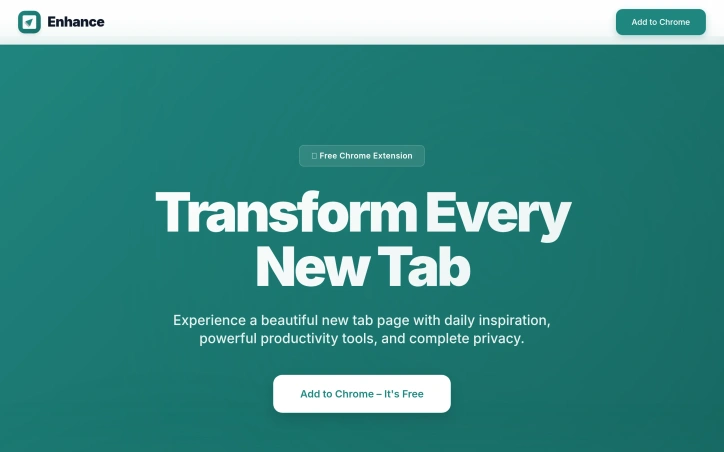
A beautiful, distraction-free new tab. fresh daily backgrounds, quick notes,dock to store shortcuts and focus-friendly widgets to boost your productivity in a clean, minimal design.
AI Overview
AI-generatedProductivity seekers and Chrome users in search of a distraction-free new tab experience will find solace in Enhance, a free Chrome extension that streamlines their browsing habits. By addressing the cluttered new tab page, Enhance solves a common problem faced by many users: staying focused amidst an abundance of digital stimuli.
What sets Enhance apart is its thoughtful approach to feature integration and user customization. Rather than overwhelming users with a laundry list of tools, Enhance presents a clean and minimal design that allows individuals to focus on what matters most. Daily backgrounds, for instance, provide a visually appealing backdrop that can help stimulate the mind, while Minimal Notes offers a straightforward way to jot down quick thoughts without getting bogged down in unnecessary features.
Enhance also boasts a robust set of productivity tools, including Shortcut Dock and Built-in Tasks. The former allows users to easily access their favorite websites and frequently used shortcuts, saving time and reducing clutter on their browser toolbar. Meanwhile, the latter enables users to capture, organize, and manage their tasks directly from the new tab page.
The extension's commitment to user privacy is another notable aspect of its design. By storing all notes, tasks, and preferences securely on the user's own device, Enhance ensures that sensitive information remains confidential. This emphasis on data protection will likely appeal to users who value their online anonymity.
Pricing or business model details are not explicitly mentioned in the provided content, so it is assumed that Enhance operates as a free service with no premium features or subscription models available at this time.
Founder Diary
DevlogThe maker hasn't posted a diary entry yet.
Key Features
Clean Minimal Design
A streamlined interface that eliminates visual clutter and distractions on the new tab page.
Daily Backgrounds
Visually appealing backdrops that provide an aesthetically pleasing and stimulating new tab experience.
Minimal Notes
A straightforward note-taking feature for capturing quick thoughts without unnecessary complexity.
Shortcut Dock
Quick access to favorite websites and frequently used shortcuts directly from the new tab page.
Built-in Tasks
Capture, organize, and manage tasks directly from the new tab without leaving your browser.
Local Data Storage
All notes, tasks, and preferences are stored securely on your device for complete privacy.
Use Cases
-
1
Productivity seekers
Users looking to streamline browsing habits and stay focused amid digital distractions.
-
2
Privacy-conscious users
People who value online anonymity and want data stored locally rather than in the cloud.
-
3
Task managers
Users seeking a convenient way to capture and organize tasks from their new tab page.
-
4
Chrome users
Anyone frustrated with a cluttered new tab page and seeking a cleaner browsing environment.
FAQ
What is Enhance and how does it work? ▾
Is my data private with Enhance? ▾
What productivity tools does Enhance include? ▾
Does Enhance have a premium version or cost anything? ▾
Pricing
Operates as a free service with no premium features or subscription models.
Tech Stack & Tags
Discussion
No comments yet — be the first!
Join the conversation — sign up to comment.
Sign up freeCommunity Support
Boost this project on Sell With boost
Meet the Founder
Anonymous Maker
More in Project management software

Snippetly
Snippetly helps developers and teams capture, or...

Chatquick AI
Create audiobooks, podcasts, and interactive aud...

Focus Session by SyncTasks
Select your tasks and enter a distraction-free m...

Dropstone
Dropstone: World's first generational recursive...

Krisp AI Note Taker Mobile
Meetings don’t wait. Neither should your notes....
Stash
Capture anything on your Mac with Stash. This sm...