GoPDFGo
- No match
Machine translation — the English original is authoritative.
The Story
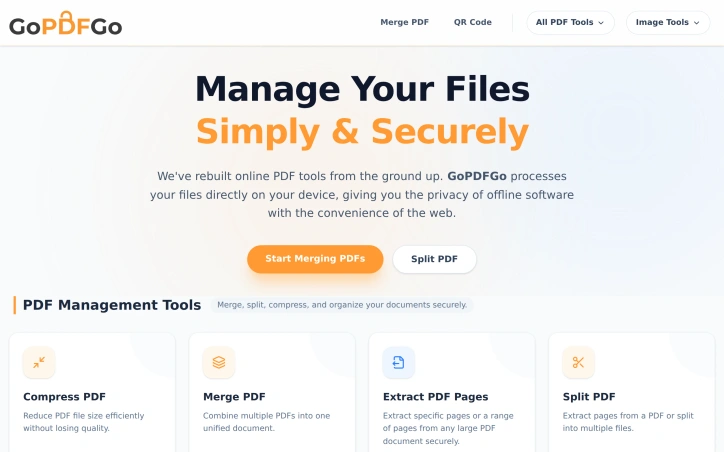
I built GoPDFGo to provide a secure and convenient way to manage PDF files directly in the browser, solving the problem of privacy concerns with online PDF tools.
AI Overview
AI-generatedManaging PDF files can be a daunting task, especially when online tools compromise security by uploading documents to their servers for processing. GoPDFGo addresses this issue by providing a suite of PDF management tools that operate directly within the user's web browser, ensuring the security and privacy of sensitive documents. The creator's primary motivation is to offer a convenient and secure solution for managing PDF files, free from the risks associated with traditional online PDF tools.
What stands out about GoPDFGo is its innovative use of advanced technologies like WebAssembly to process files locally on the user's device, eliminating the need for server uploads. This approach not only enhances security but also enables the tools to function offline once loaded. As a result, users can merge, split, compress, and convert PDFs without exposing their data to potential risks.
The platform offers a range of features catering to diverse user needs, including students, professionals, and government aspirants. Users can compress PDFs without losing quality, merge multiple documents into one, extract specific pages, and even convert images to PDF. Additionally, the website provides image editing capabilities, such as resizing, cropping, and converting between various formats.
GoPDFGo's user-centric design and robust feature set make it an attractive solution for individuals seeking a secure and reliable PDF management tool. By processing files locally and avoiding server uploads, GoPDFGo delivers on its promise of providing a safer alternative to traditional online PDF tools. The absence of explicit pricing details suggests that the platform is committed to offering its services free from the constraints of paid software, aligning with the creator's vision of providing a convenient and secure solution.
Founder Diary
DevlogThe maker hasn't posted a diary entry yet.
Key Features
PDF Compression
compress PDFs without losing quality
PDF Merging
merge multiple documents into one
Page Extraction
extract specific pages
Image Conversion
convert images to PDF
Image Editing
resize, crop, and convert between various formats
Use Cases
-
1
Students
manage PDF files for assignments and research
-
2
Professionals
securely merge and compress PDF documents
-
3
Government Aspirants
use PDF management tools for official documents
FAQ
Is my data secure with GoPDFGo? ▾
Can I use GoPDFGo offline? ▾
What PDF operations can I perform with GoPDFGo? ▾
Tech Stack & Tags
Discussion
No comments yet — be the first!
Join the conversation — sign up to comment.
Sign up freeCommunity Support
Boost this project on Sell With boost
Meet the Founder

More in PDF Editor
CropItFast
I built CropItFast because I was tired of clunky...
PDF Redaction
We built this because companies were sending sen...

SimpliConvert
We built SimpliConvert to solve the frustration...
HEICPDF.TO
I built HEICPDF.TO to solve the problem of incom...
QuickDocs
One Suite for All Your Document Conversions. 🛡...
PdfCompare
I built PdfCompare to help legal teams, auditors...