
Picture Enhancer
- No match
Machine translation — the English original is authoritative.
The Story
I built Picture Enhancer to help people restore precious memories and enhance photos without complicated software. It solves three common problems — blur, low resolution, and damage — with free AI-powered tools that run right in your browser, no signup needed.
AI Overview
AI-generatedRestoring photo quality without specialized software has long been a barrier for casual users and professionals alike. Picture Enhancer addresses this by concentrating three distinct capabilities—sharpening, upscaling, and restoration—into a browser-based tool that requires neither account registration nor software installation. The product targets photographers recovering from camera shake or missed focus, archivists working with aging physical prints, ecommerce sellers enlarging product imagery, and anyone rescuing faded family memories.
What distinguishes this approach is its specificity. Rather than offering a general image editor, the tool breaks down the work into three separate problems it actually solves. The sharpening function handles motion blur and out-of-focus areas by recovering edge detail. The upscaling engine generates new pixels rather than stretching originals, with free tiers capped at 1K resolution and paid tiers unlocking 2K and 4K output. The restoration tool targets visible damage—scratches, tears, discoloration, and yellowing—while attempting to preserve the character of vintage film grain.
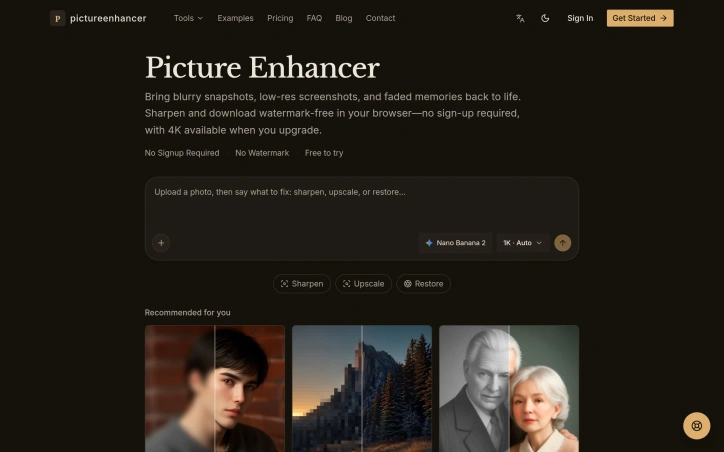
The interface follows a straightforward three-step workflow: upload, select a tool, compare results, and download. A before-and-after slider demonstrates changes, and users can request additional passes within the same session. The no-signup barrier removes friction for one-off use cases, a deliberate choice that trades account data for accessibility.
The business model reveals itself through output resolution restrictions. Free users download at 1K, a resolution suitable for web and casual sharing but insufficient for printing or detailed inspection. Paid accounts access larger outputs explicitly described as useful for print work or cropping. This tiering strategy serves both hobbyists and professionals with different needs.
The product description carefully walks through real-world scenarios: portrait work where skin texture and hair strands matter, vintage archive restoration prioritizing character over perfection, ecommerce where product clarity drives sales, and digital graphics where compression artifacts detract from quality. Each reflects a genuine use case rather than hypothetical feature bragging.
The tool's positioning hinges on convenience and focus rather than comprehensive image manipulation. It is not Photoshop. It does one thing per button and attempts to do it without user adjustment. For the specific problems it targets—recoverable blur, low resolution, and age-related damage—this narrowness is a feature, not a limitation. The question is whether Picture Enhancer's AI models deliver consistently convincing results across these three domains, information the website text does not provide.
Founder Diary
DevlogThe maker hasn't posted a diary entry yet.
Key Features
Sharpening
Recovers edge detail from motion blur and out-of-focus photos
Upscaling
Generates new pixels with free outputs up to 1K resolution and paid outputs up to 2K and 4K
Image Restoration
Removes scratches, tears, discoloration, and yellowing from aged photos
Browser-Based Tool
No software installation or account registration required
Comparison Slider
Demonstrates before-and-after changes side by side
Multi-Pass Support
Users can request additional enhancement passes within the same session
Use Cases
-
1
Photographers
Recovering photos affected by camera shake or missed focus
-
2
Archivists
Restoring aging physical prints and vintage materials
-
3
E-commerce Sellers
Enlarging product imagery for clearer online listings
-
4
Personal Users
Rescuing faded or damaged family memories
FAQ
Do I need to sign up to use Picture Enhancer? ▾
What resolution can I download my enhanced photos at? ▾
Can Picture Enhancer fix blurry photos? ▾
Can it restore old or damaged photos? ▾
Pricing
Free tier limited to 1K resolution downloads; paid tiers unlock 2K and 4K resolution outputs.
Tech Stack & Tags
Discussion
No comments yet — be the first!
Join the conversation — sign up to comment.
Sign up freeCommunity Support
Boost this project on Sell With boost
Meet the Founder

More in Photo editing

MetaScope
As a professional photographer, I needed a tool...

Banana AI - Free AI Image Generator
Banana AI is a free AI image and video generatio...

TurboConvert - Image Converter
As a solo web dev I was constantly juggling PNG...

AImageResize
I built AImageResize to simplify image resizing...

PixelBoost AI
I built PixelBoost AI to eliminate the complexit...

TitleHero
Title. Your. Hero. Turn a portrait photo into a...