
Remove Handwriting
- No match
Machine translation — the English original is authoritative.
The Story
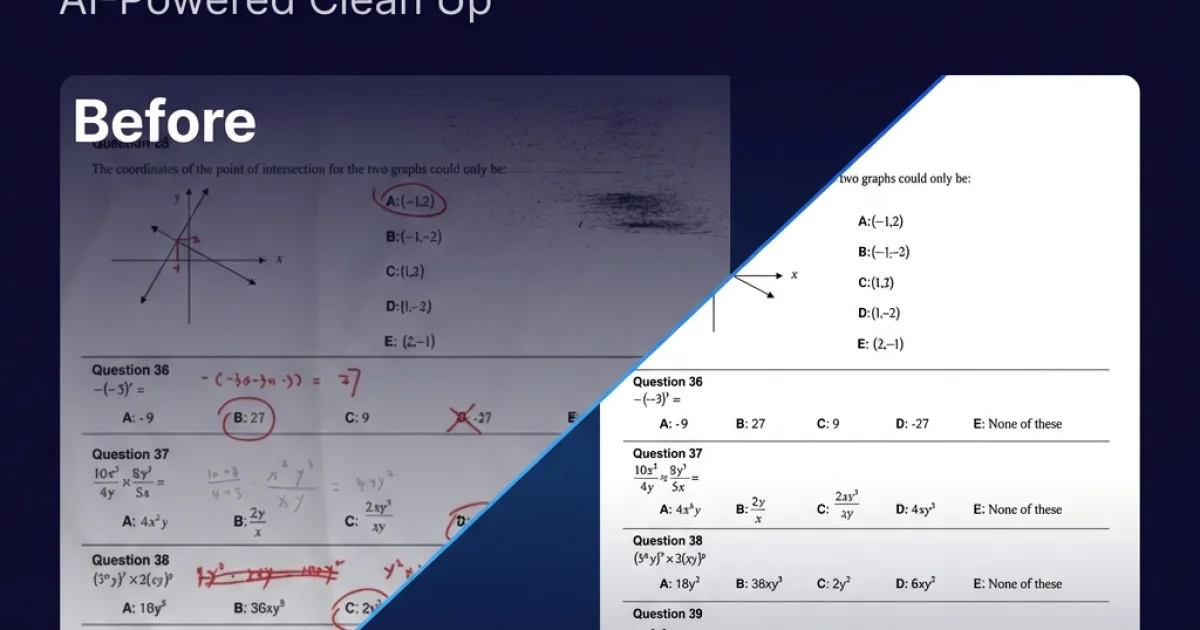
Remove handwriting from images, PDFs, and scanned documents with our AI-powered tool. Erase handwritten text, notes, and annotations while preserving the original quality.
AI Overview
AI-generatedTeachers who share old exam papers, legal clerks who reuse signed agreements, and archivists who scan historical files all face the same tedious task: printing a page covered in looping ink, barely legible notes, or stubborn annotations that OCR engines confuse with text. Remove Handwriting tackles that exact pain point, turning cluttered pages back into reusable, print-ready documents.
What makes the product pop is its refusal to remain a gimmicky background-eraser. Instead of simply piling on another “magic eraser” layer, it folds handwriting removal into a complete document rehabilitation kit: skew correction, curl flattening, shadow suppression, and edge trimming all operate in one pass. The underlying AI focuses on protecting words that were actually typeset, so copies of textbooks keep their formulas and tables intact while hand-scribbled exercises vanish.
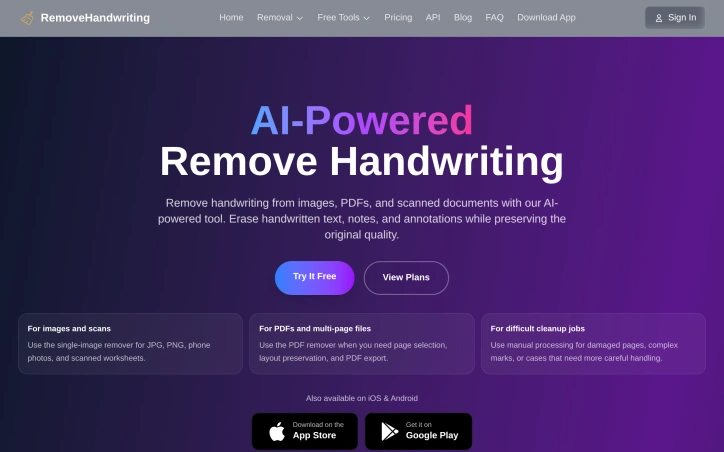
For day-to-day use, three workflows matter. A browser engine handles single images—snap a worksheet, drop the file, collect a clean JPG. Stretch that workload to PDFs and multi-page folders and the engine respects original page order, exports in PDF format, and lets users pick only the pages that need cleanup. When pages arrive mangled—water damage, deep folds, or overlapping ink smears that confuse the automatic pass—users flip to a manual processing channel that keeps human judgment in the loop. Mobile counterparts on iOS and Android extend the same feature set beyond the desktop, letting office scanners and classroom iPads act as clean-up stations.
The front-page proposal is straightforward: start without even a credit card and use the free tier, then upgrade to paid plans whose details begin at the ‘View Plans’ button. No hidden subscription prompts trip you at the first upload, and batch or API access sits ready when file counts jump from “a few worksheets” to “full semester archives.”
Founder Diary
DevlogThe maker hasn't posted a diary entry yet.
Key Features
Handwriting Removal
removes handwritten annotations and notes while preserving typed text and formulas
Document Rehabilitation
includes skew correction, curl flattening, shadow suppression, and edge trimming in one pass
Multi-Format Processing
handles single images, PDFs, and multi-page folders with original page order preserved
Manual Processing Mode
offers human review for difficult cases like water damage, deep folds, and overlapping ink smears
Mobile Apps
iOS and Android versions available for document cleanup beyond desktop
Batch and API Access
supports scaling from individual worksheets to full semester archives
Use Cases
-
1
Teachers
clean up old exam papers to make them reusable and print-ready
-
2
Legal Clerks
remove handwritten annotations from scanned signed agreements for reuse
-
3
Archivists
prepare historical files by removing handwriting and scanning artifacts
-
4
Institutions
process large volumes of documents using batch or API access
FAQ
Do I need a credit card to start using Remove Handwriting? ▾
Can Remove Handwriting handle PDFs and multi-page documents? ▾
What happens if the automatic cleanup doesn't work well on a page? ▾
Is there a mobile app for Remove Handwriting? ▾
Pricing
Free tier available without credit card, paid plans accessible via 'View Plans' button with batch and API access available at higher tiers
Tech Stack & Tags
Discussion
No comments yet — be the first!
Join the conversation — sign up to comment.
Sign up freeCommunity Support
Boost this project on Sell With boost
Meet the Founder


More in PDF Editor
CropItFast
I built CropItFast because I was tired of clunky...

PDF Redaction
We built this because companies were sending sen...

SimpliConvert
We built SimpliConvert to solve the frustration...

HEICPDF.TO
I built HEICPDF.TO to solve the problem of incom...
PDF Tools India
We built PDF Tools India to eliminate the need f...
ChangeMyFile
ChangeMyFile is a free, no-signup toolbox for ev...