
Resource Tuner Console
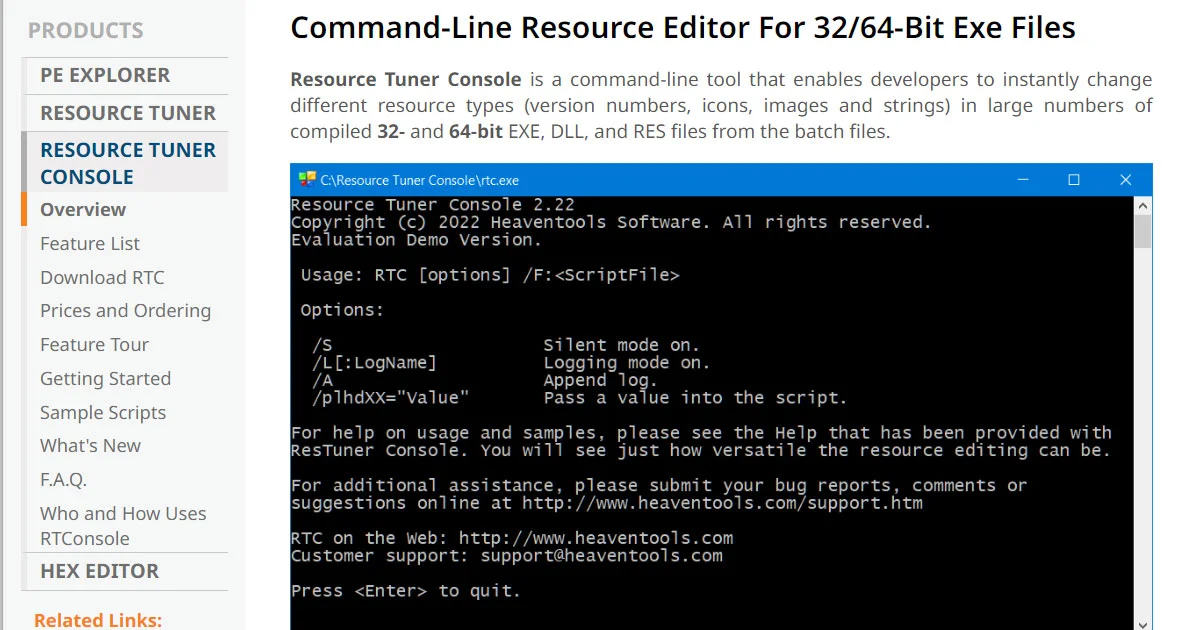
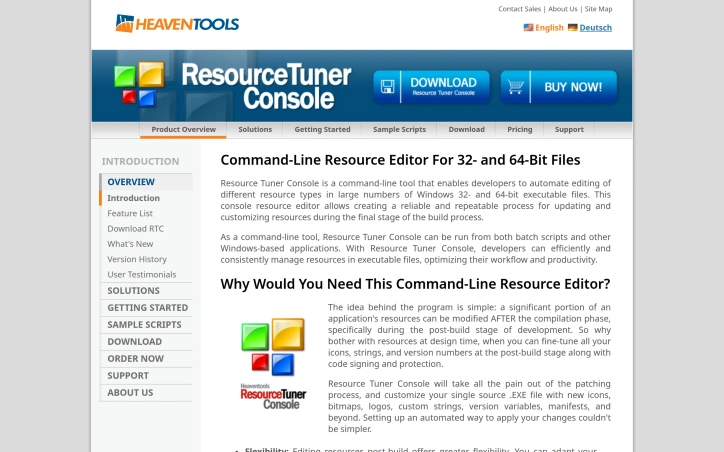
- No match
Machine translation — the English original is authoritative.
The Story
Resource Tuner Console targets Windows software engineers, build release managers, and DevOps leads at 20 to 500 person companies shipping desktop apps, installers, or internal EXE and DLL tooling. They already own versioning, manifests, and release hygiene, so scriptable edits are a real workflow win. It is also good for small software vendors and indie dev shops shipping one or two Windows products but without dedicated release engineering staff. They are often stuck doing icon, string, and version edits by hand, which makes a CLI template approach especially appealing.
AI Overview
AI-generatedAutomating resource changes in Windows executables after compilation remains a tedious manual process for many development teams. Resource Tuner Console addresses this gap by providing a command-line interface that enables developers to modify resources in 32- and 64-bit Windows PE files without recompiling source code.
The product targets Windows engineers, build managers, and DevOps leads who need to update application resources during the final stages of their build pipeline. It particularly suits mid-sized teams at companies between 20 and 500 employees that maintain dedicated release infrastructure, as well as smaller vendors and independent developers without dedicated release engineering staff.
What distinguishes Resource Tuner Console is its focus on post-build workflow automation. Rather than treating resource editing as something that must happen at compile time, the tool enables teams to modify icons, version numbers, strings, manifests, and bitmaps as a scripted step after compilation completes. This separation of concerns offers concrete benefits: teams can adapt branding or patch versioning details without touching source code or recompiling, significantly reducing turnaround time for minor updates. The tool integrates into existing build automation by accepting command-line inputs and working within batch scripts or other Windows applications.
The product emphasizes speed and consistency as primary value drivers. The marketing materials claim a substantial performance advantage over traditional GUI-based resource editors, positioning it as enabling teams to move faster and reduce human error when applying changes across multiple executables. For organizations that ship multiple versions of the same application or need to customize executables for different customers or partners, the ability to template these changes and apply them automatically addresses a real workflow pain point.
Resource Tuner Console serves a specific use case within Windows development rather than attempting broad appeal. Its utility concentrates on scenarios where post-build resource customization offers enough friction reduction to justify the learning curve of command-line scripting. Teams already invested in build automation and release management processes will see the clearest value. Those still relying on manual resource editing or older GUI tools will find the switch worthwhile, though the tool assumes basic comfort with scripting and Windows executable formats.
Founder Diary
DevlogThe maker hasn't posted a diary entry yet.
Key Features
Command-Line Resource Editing
Modifies resources in 32- and 64-bit Windows PE files without recompiling source code
Post-Build Customization
Updates icons, version numbers, strings, manifests, and bitmaps after compilation completes
Build Automation Integration
Accepts command-line inputs and works within batch scripts and Windows applications
Template-Based Changes
Automates resource updates across multiple executables with consistent modifications
Performance Advantage
Delivers faster resource editing compared to traditional GUI-based resource editors
Use Cases
-
1
Build Pipeline Automation
Apply scripted resource changes in the final stages before release without recompiling or touching source code
-
2
Multi-Version Customization
Ship multiple versions of the same application with customer or regional-specific modifications applied automatically
-
3
Rapid Branding Updates
Adapt branding or patch version details quickly without recompilation, reducing turnaround time for minor updates
-
4
Mid-Size Teams and Independent Developers
Automate resource management without dedicated release engineering staff or expensive GUI tools
FAQ
Can I modify Windows executables without recompiling? ▾
What resources can be changed in an executable? ▾
Does it integrate with build automation tools? ▾
Is it faster than GUI resource editors? ▾
Tech Stack & Tags
Discussion
No comments yet — be the first!
Join the conversation — sign up to comment.
Sign up freeCommunity Support
Boost this project on Sell With boost
Meet the Founder

More in Automation tools
CMDragon Tools
I built CMDragon Tools to eliminate the friction...

Infrabase.ai
I was evaluating AI infrastructure products for...

ListFlow – Crosslist to Poshmark, eBay, Mercari & More
I built ListFlow because resellers were wasting...

HVAC Tools Hub
I built HVAC Tools Hub because I saw professiona...
Hackpack-CLI
What is Hackpack CLI? Hackpack CLI is a lightwei...

DMly
We built DMly to help local service businesses a...