Toolbantu
- No match
Machine translation — the English original is authoritative.
The Story
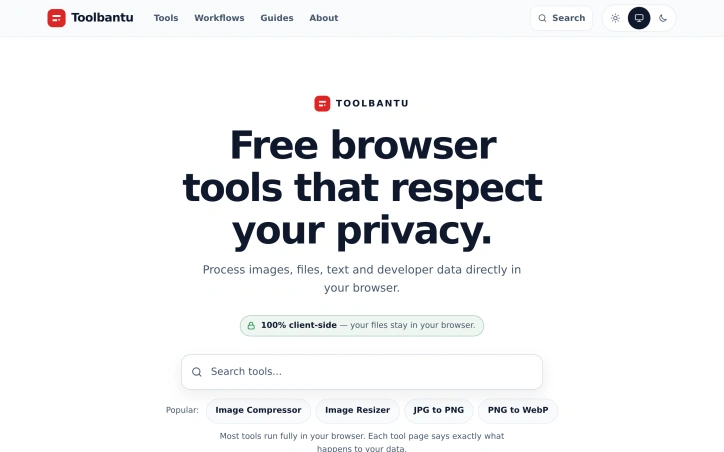
We built Toolbantu because every online tool wanted our data. We were tired of uploading sensitive files just to format JSON or compress an image. So we created free, browser-based tools that run entirely on your device—zero uploads, zero privacy concerns, just instant results.
AI Overview
AI-generatedPrivacy-conscious users have long faced a dilemma with web-based utilities: gain convenience or protect data. Toolbantu resolves this tension by running common utility functions entirely within the browser, eliminating the upload and storage concerns that plague most online tool sites.
The platform targets everyday users who need to compress images, format JSON, generate QR codes, and perform other routine tasks without surrendering files to third-party servers. This applies equally to privacy-sensitive individuals and organizations handling even mildly confidential data.
What distinguishes Toolbantu most clearly is its uncompromising approach to data handling. Every tool processes information exclusively on the user's device, with no data transmission to external servers. The site articulates this commitment explicitly on each tool page, removing ambiguity about what happens to user files. This transparency extends to the broader design: no account creation, no tracking, no hidden data collection. The approach simplifies the experience while reinforcing the privacy promise.
The feature set covers practical ground. Image tools handle compression, resizing, and format conversion between formats like JPG, PNG, and WebP. A developer tools section includes JSON formatting, Base64 encoding, URL encoding, UUID generation, and favicon generation. Additional utilities span password generation, QR code creation, word counting, and typing speed testing. The platform groups these into workflows that chain multiple tools sequentially, allowing users to resize an image and compress it in a single operation without leaving the interface.
The toolkit feature lets users pin favorite tools for quick access, while a history section tracks recently opened tools, storing only tool names rather than files or content. This balances convenience with the privacy-first philosophy.
Toolbantu operates as completely free software with no paid tier, subscription model, or premium features mentioned. The absence of account requirements and the explicit statement that nothing gets sent anywhere underscores the frictionless positioning.
The main limitation lies in scope. Toolbantu serves routine utility needs competently but doesn't challenge specialized tools. Someone needing advanced image editing, complex data transformation, or sophisticated development features would look elsewhere. Yet for the specific use case of quick, private processing of everyday files, Toolbantu removes friction and legitimate privacy concerns from the equation. The execution feels considered rather than haphazard, suggesting a genuinely motivated project rather than a privacy-washing marketing angle.
Founder Diary
DevlogThe maker hasn't posted a diary entry yet.
Key Features
Local Data Processing
All tools process information exclusively on the user's device with no transmission to external servers
Image Compression Suite
Compress, resize, and convert images between JPG, PNG, and WebP formats
Developer Utilities
JSON formatting, Base64 encoding, URL encoding, UUID generation, and favicon generation
Tool Workflows
Chain multiple tools sequentially for combined operations like resize-then-compress
Favorite Pinning
Users can pin favorite tools for quick access
Use Cases
-
1
Privacy-Conscious Users
Everyday users needing to compress images and perform routine tasks without uploading files to third-party servers
-
2
Organizations with Sensitive Data
Businesses handling mildly confidential data requiring local-only file processing
-
3
Developers
Technical users performing JSON formatting, encoding, and development utilities without data transmission
-
4
Quick File Processing
Users needing fast image compression, resizing, or format conversion
FAQ
Is my data private on Toolbantu? ▾
Do I need to create an account? ▾
What file formats and tools are supported? ▾
Can I save my recently used tools? ▾
Pricing
Completely free software with no paid tier, subscription model, or premium features.
Tech Stack & Tags
Discussion
No comments yet — be the first!
Join the conversation — sign up to comment.
Sign up freeCommunity Support
Boost this project on Sell With boost
Meet the Founder

More in Graphic design tools

Zoviz
Zoviz is a complete AI branding and marketing pl...

InkSoul
I got my first tattoo at 28 — spent three weeks...

Shademix
I built Shademix to solve the frustration of col...

TypeScript
Cardzy is a web-based design and invitation plat...

Tier List Maker
We created Tier List Maker because people love r...

Logo Double-R
I founded Logo Double-R to make professional des...