Zuno
- No match
Machine translation — the English original is authoritative.
The Story
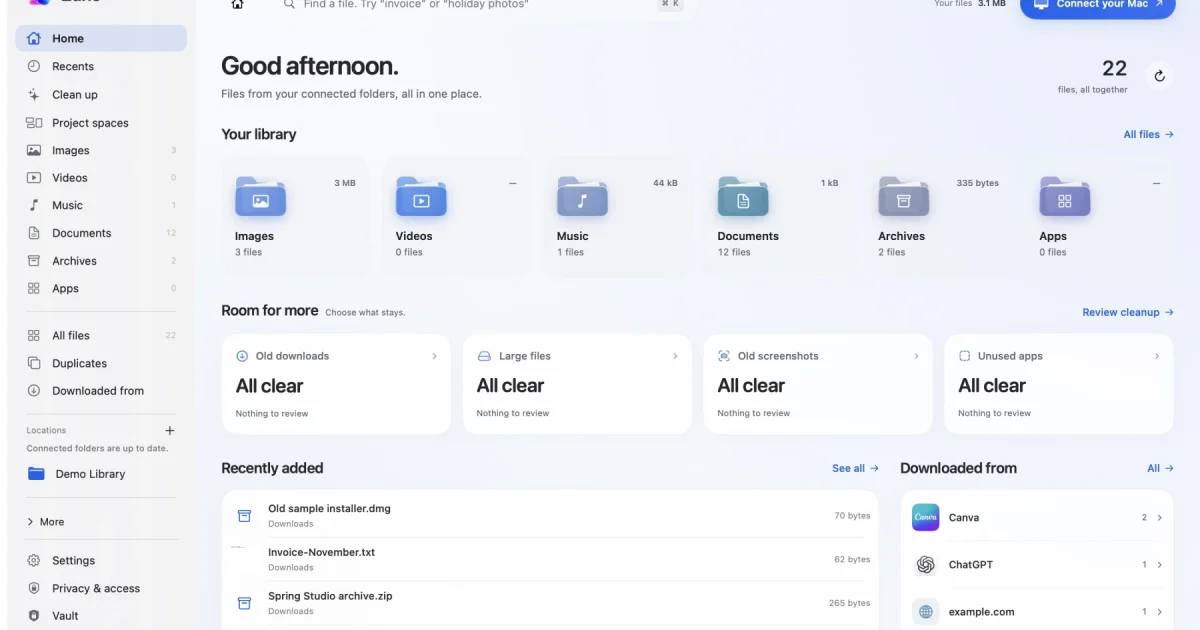
Remember the words in a screenshot but forgot its filename? Zuno lets you search the folders you choose by filename, supported document text or words in images. Drag a brief, its screenshots and the final PDF into a Project Space to keep links together while the originals stay where they are.
When Downloads gets messy, review exact duplicates and similar photos separately, then choose what goes to Trash. For private paperwork, the Vault encrypts imported copies and their filenames. The originals stay in their original folders.
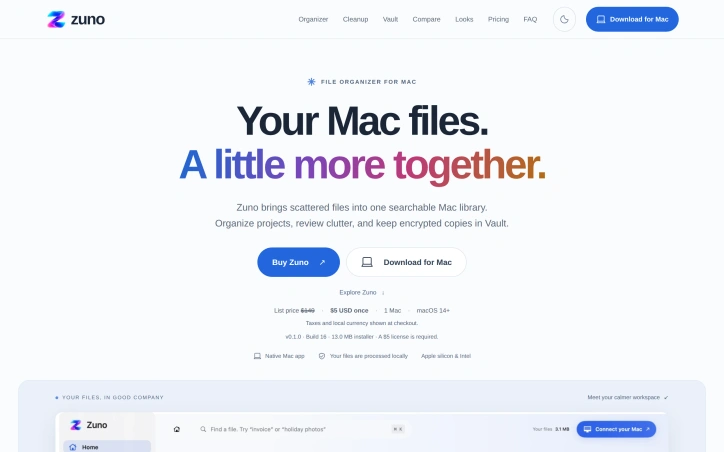
Zuno processes files on your Mac. It works on Apple silicon and Intel Macs running macOS 14 or later and costs $5 once for one Mac. Internet is required for activation and periodic license checks.
AI Overview
AI-generatedScattered files are a common frustration on the Mac. Documents, Downloads, and desktop folders fill up over time, and finding one specific paper or screenshot turns into a hunt. Zuno is a native macOS file organizer built to address that problem by pulling files from folders the user chooses into one searchable library. It is aimed at people who juggle project materials, saved images, exported designs, and personal paperwork, and who want to see what they have before they delete anything.
Its most distinctive choice is that it organizes without relocating. Project spaces hold links to files such as a brief, its images, and a final PDF, while every original stays where it was saved. That approach reduces the risk of breaking an existing folder structure. Search covers filenames and the text inside supported documents, and it can also read words in images through local OCR. Filters such as "pdfs from last week" let users narrow results without building complex queries. Zuno also tracks where a file came from when that information was saved with it, so a download can be recognized by its origin, such as a design export or an image saved from a social platform, without connecting any accounts.
For cleanup, Zuno finds exact duplicates and visually similar photos and presents them for review in separate groups. The user decides what goes to the Trash, which keeps the final call with the person rather than the software. The Vault handles sensitive material by encrypting imported copies along with their filenames, and the originals remain in their folders. The site also offers an embedded demo library, and its makers state that the website does not access files on the visitor's Mac.
On the business side, the materials list Zuno at $149 with a stated price of $5 USD paid once for one Mac. The product requires macOS 14 or later and runs on both Apple silicon and Intel machines. Processing happens on the device, but activation and periodic license checks require an internet connection, which is worth knowing for anyone who works offline for long stretches.
Taken together, Zuno targets a clear and practical need. Its non-destructive design and local processing will appeal to users wary of automated tools that rearrange files, though prospective buyers should test the search and duplicate detection on their own libraries before relying on them.
Founder Diary
DevlogThe maker hasn't posted a diary entry yet.
Key Features
Non-Destructive Organizing
Project spaces link to files such as briefs, images, and final PDFs while every original stays in its saved folder.
Full-Text Search
Search covers filenames, text inside supported documents, and words in images through local OCR.
Quick Filters
Filters such as "pdfs from last week" narrow results without requiring complex queries.
Source Tracking
Zuno recognizes a download's origin, such as a design export or social platform image, when that information was saved with the file, without connecting any accounts.
Duplicate Review
Zuno finds exact duplicates and visually similar photos and presents them in separate groups, leaving the final call on the Trash to the user.
Encrypted Vault
The Vault encrypts imported copies of sensitive material along with their filenames while the originals remain in their folders.
Use Cases
-
1
Project-based creators
They juggle briefs, saved images, and exported designs and can see related project materials in one place without moving originals.
-
2
Mac users with cluttered folders
People whose Documents, Downloads, and Desktop folders have filled up over time can find a specific paper or screenshot through search.
-
3
Users wary of automated file tools
Those who do not want software rearranging their files benefit from a design that keeps existing folder structures intact.
-
4
Owners of personal paperwork
People storing sensitive documents can use the Vault to encrypt imported copies while keeping the originals in their folders.
FAQ
Does Zuno move my files into a new folder? ▾
Does Zuno work without an internet connection? ▾
Which macOS versions does Zuno support? ▾
Can Zuno find duplicate photos on my Mac? ▾
Pricing
The materials list Zuno at $149 while also stating a price of $5 USD paid once for one Mac, so the actual price should be verified before publishing.
Tech Stack & Tags
Discussion
No comments yet — be the first!
Join the conversation — sign up to comment.
Sign up freeCommunity Support
Boost this project on Sell With boost
Meet the Founder

More by Shivam Rohilla
More in File storage and sharing apps

X-Streamify
X-Streamify is a private digital vault that brin...

Smart Renamer
A few months ago, I was stuck at a café with onl...

DropAI.zone
We built DropAI to solve the friction of sharing...

File Walk
Smart Organization • Duplicate Detection • Light...

Transfereko
I built Transfereko to make secure file sharing...

Zency - Smart Document Manager
I built Zency to securely manage personal files...