
Best Business intelligence software Startups & Tools

BI tools that turn raw data into dashboards and decisions quickly.

Recently Listed

6 launches

Sort
Rival Radar

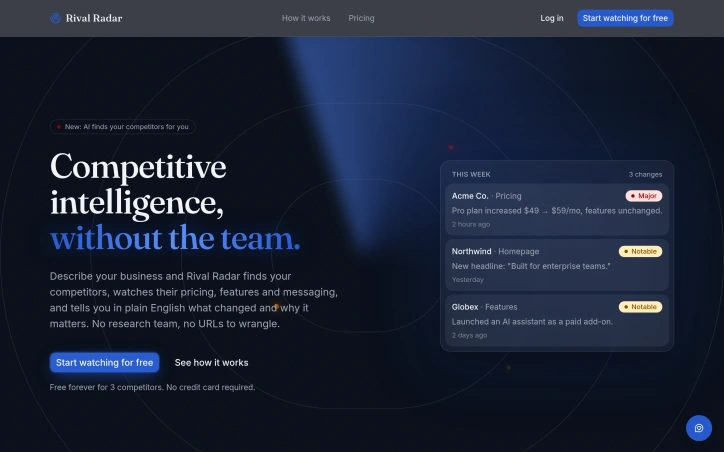
Staying on top of what your competitors are doing requires either a dedicated research team or the discipline to manually check dozens of web pages on a regular basis. Rival Radar eliminates both those requirements by automating competitive monitoring through AI-powered discovery and continuous page tracking. The platform targets businesses that need to know when competitors make meaningful changes to pricing, features, messaging, or positioning but lack the resources for a full competitive intelligence operation. Rather than asking users to manually input competitor URLs, Rival Radar accepts a simple description of what a company does, then uses AI to identify actual competitors based on real search results. Once identified, it continuously monitors pricing pages, homepages, feature lists, changelogs, careers pages, and integration pages. What sets Rival Radar apart is its focus on signal over noise. Most page-monitoring tools alert users to every change, including trivial updates like cookie banner rotations. Rival Radar instead extracts the semantic content that matters—pricing numbers, plan names, feature descriptions—and compares only those elements, ignoring markup changes. Severity is automatically ranked, with pricing changes flagged as major while typos remain silent. When something real does change, users receive a single consolidated alert via email, Slack, Discord, or custom webhooks with a one-sentence explanation of what changed and its business implication, not a raw HTML diff. The product reflects a clear understanding of how competitive research actually fails at most companies. Rather than trying to replace human analysts, it handles the tedious, repetitive work of checking pages and flagging genuine changes. The before-and-after diffing is available on demand for users who want deeper detail, but isn't forced into every notification. Pricing is explicitly free for the first three competitors with twice-daily checks, requiring no credit card. The site indicates paid tiers exist but doesn't detail pricing or competitor limits in the provided content. For small teams and solo founders, the free tier offers real utility. For companies watching more competitors, the upgrade path presumably exists but remains unspecified in available materials. Rival Radar addresses a genuine friction point in how businesses stay competitive. It's not a substitute for strategic analysis but a pragmatic tool for the routine monitoring that most companies neglect or do inefficiently.

Business-intelligence-software
P
Paul Wilson

Staying on top of what your competitors are doing requires either a dedicated research team or the discipline to manually check dozens of web pages on a regular basis. Rival Radar eliminates both those requirements by automating competitive monitoring through AI-powered discovery and continuous page tracking. The platform targets businesses that need to know when competitors make meaningful changes to pricing, features, messaging, or positioning but lack the resources for a full competitive intelligence operation. Rather than asking users to manually input competitor URLs, Rival Radar accepts a simple description of what a company does, then uses AI to identify actual competitors based on real search results. Once identified, it continuously monitors pricing pages, homepages, feature lists, changelogs, careers pages, and integration pages. What sets Rival Radar apart is its focus on signal over noise. Most page-monitoring tools alert users to every change, including trivial updates like cookie banner rotations. Rival Radar instead extracts the semantic content that matters—pricing numbers, plan names, feature descriptions—and compares only those elements, ignoring markup changes. Severity is automatically ranked, with pricing changes flagged as major while typos remain silent. When something real does change, users receive a single consolidated alert via email, Slack, Discord, or custom webhooks with a one-sentence explanation of what changed and its business implication, not a raw HTML diff. The product reflects a clear understanding of how competitive research actually fails at most companies. Rather than trying to replace human analysts, it handles the tedious, repetitive work of checking pages and flagging genuine changes. The before-and-after diffing is available on demand for users who want deeper detail, but isn't forced into every notification. Pricing is explicitly free for the first three competitors with twice-daily checks, requiring no credit card. The site indicates paid tiers exist but doesn't detail pricing or competitor limits in the provided content. For small teams and solo founders, the free tier offers real utility. For companies watching more competitors, the upgrade path presumably exists but remains unspecified in available materials. Rival Radar addresses a genuine friction point in how businesses stay competitive. It's not a substitute for strategic analysis but a pragmatic tool for the routine monitoring that most companies neglect or do inefficiently.

Rival Radar preview

Key features

  • AI Competitor Discovery: Automatically identifies real competitors based on search results instead of requiring manual URL input
  • Continuous Page Monitoring: Tracks pricing pages, homepages, feature lists, changelogs, careers pages, and integration pages
See full listing
ToolTrim

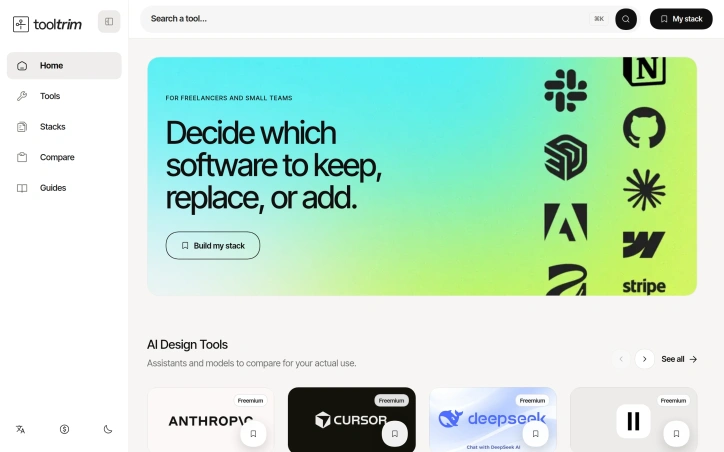
Choosing a tech stack can feel paralyzing. With hundreds of software options available, each claiming superiority, and budgets that don't stretch infinitely, freelancers and small teams often find themselves trapped between decision paralysis and the fear of overspending on tools they'll never fully use. ToolTrim tackles this exact problem by organizing the chaotic landscape of software into a searchable, categorized directory with editorial guidance. The product's core strength lies in its practical approach to stack building. Rather than overwhelming users with unfiltered tool lists, ToolTrim emphasizes workflow-based organization. The catalog branches into intuitive categories—Content Creation with 172 tools, No-Code & Web with 130 tools, Communication with 54 tools—each designed to help users quickly locate relevant options for their specific needs. The platform highlights free and freemium tools, acknowledging the budget constraints that define small-team workflows. What distinguishes ToolTrim from a simple tool directory is its editorial curation. Featured tool selections, a New Additions section tracking recent catalog entries, and a Works with integration view help users understand not just what tools exist, but how they fit into broader ecosystems. The platform goes further by offering pre-built curated stacks tailored to specific roles: freelance developer stacks, designer stacks, even interior designer stacks. This removes guesswork from the decision-making process and provides immediate, role-specific starting points rather than forcing users to navigate a sprawling catalog from scratch. The automation section indicates the platform recognizes that stack decisions aren't just about individual tools but about workflow efficiency. By showcasing tools that connect and streamline repetitive tasks, ToolTrim positions itself as concerned with the full picture of how software choices compound across a user's daily work. The navigation includes language localization and dark mode, suggesting attention to user experience details that matter for professionals working long hours across different environments. No pricing information is disclosed for ToolTrim itself, only for the third-party tools within the catalog. For freelancers and small teams drowning in tool options, ToolTrim offers a straightforward solution: a thoughtfully organized directory with enough curation to guide decisions without the paralysis of limitless choice.

Business-intelligence-software
M
Michael bloch

Choosing a tech stack can feel paralyzing. With hundreds of software options available, each claiming superiority, and budgets that don't stretch infinitely, freelancers and small teams often find themselves trapped between decision paralysis and the fear of overspending on tools they'll never fully use. ToolTrim tackles this exact problem by organizing the chaotic landscape of software into a searchable, categorized directory with editorial guidance. The product's core strength lies in its practical approach to stack building. Rather than overwhelming users with unfiltered tool lists, ToolTrim emphasizes workflow-based organization. The catalog branches into intuitive categories—Content Creation with 172 tools, No-Code & Web with 130 tools, Communication with 54 tools—each designed to help users quickly locate relevant options for their specific needs. The platform highlights free and freemium tools, acknowledging the budget constraints that define small-team workflows. What distinguishes ToolTrim from a simple tool directory is its editorial curation. Featured tool selections, a New Additions section tracking recent catalog entries, and a Works with integration view help users understand not just what tools exist, but how they fit into broader ecosystems. The platform goes further by offering pre-built curated stacks tailored to specific roles: freelance developer stacks, designer stacks, even interior designer stacks. This removes guesswork from the decision-making process and provides immediate, role-specific starting points rather than forcing users to navigate a sprawling catalog from scratch. The automation section indicates the platform recognizes that stack decisions aren't just about individual tools but about workflow efficiency. By showcasing tools that connect and streamline repetitive tasks, ToolTrim positions itself as concerned with the full picture of how software choices compound across a user's daily work. The navigation includes language localization and dark mode, suggesting attention to user experience details that matter for professionals working long hours across different environments. No pricing information is disclosed for ToolTrim itself, only for the third-party tools within the catalog. For freelancers and small teams drowning in tool options, ToolTrim offers a straightforward solution: a thoughtfully organized directory with enough curation to guide decisions without the paralysis of limitless choice.

ToolTrim preview

Key features

  • Searchable Tool Directory: Hundreds of software options organized into categorized sections for quick discovery.
  • Workflow-Based Organization: Tools are arranged by workflow type such as Content Creation, No-Code & Web, and Communication.
See full listing
GripeRadar

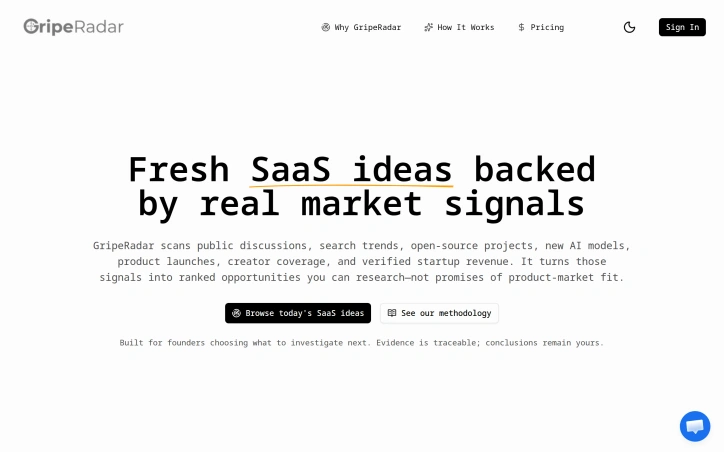
Opportunity research for founders typically follows one of two patterns: either they're overwhelmed by endless brainstorming, or they're drowning in polished lists that sound promising but reveal nothing about market validation. GripeRadar directly targets the decision paralysis that follows, offering founders a data-driven shortcut to the ideas most worth investigating. The product scans seven categories of market signals—public discussions, search trends, open-source projects, new AI models, product launches, creator coverage, and startup revenue data—then ranks opportunities by signal strength and corroboration. Rather than presenting a curated list of ideas backed by guesswork, GripeRadar surfaces ranked candidates with traceable sources and transparent confidence levels. What distinguishes GripeRadar from generic ideation tools is its commitment to separating signal from certainty. The interface offers both an Opportunity score and a Confidence rating, making clear that a high-ranked idea may still carry real uncertainty. This transparency reflects the founder's own frustration with SaaS idea lists that hide doubt behind opaque AI scoring. The company explicitly positions itself as a research starting point, not a predictor of product-market fit. The daily refresh cycle keeps the opportunity radar current, pulling from real-time market activity rather than stale snapshots. The bounded preview access lets prospective users quickly evaluate whether an opportunity is worth deeper investigation before committing to a subscription, a smart onboarding choice for a research product. The five visible examples showcase the breadth of signal detection—ranging from infrastructure gaps like deterministic testing tools, to emerging verticals such as AI for dental practice management, to security concerns around AI incident coordination. The specificity of these opportunities, tied to actual market signals rather than founder intuition, sets the product apart. One limitation: the website provides no detail on pricing or business model, making it unclear what access costs or subscription tiers exist. For a product built on the premise that quality research is worth time and attention, transparent pricing would strengthen the value proposition. For early-stage founders weighing what to build next, GripeRadar offers a structured alternative to unfounded brainstorming. It trades inspirational breadth for evidentiary depth—exactly the choice many founders need to make.

Business-intelligence-software
J
Jason Huang

Opportunity research for founders typically follows one of two patterns: either they're overwhelmed by endless brainstorming, or they're drowning in polished lists that sound promising but reveal nothing about market validation. GripeRadar directly targets the decision paralysis that follows, offering founders a data-driven shortcut to the ideas most worth investigating. The product scans seven categories of market signals—public discussions, search trends, open-source projects, new AI models, product launches, creator coverage, and startup revenue data—then ranks opportunities by signal strength and corroboration. Rather than presenting a curated list of ideas backed by guesswork, GripeRadar surfaces ranked candidates with traceable sources and transparent confidence levels. What distinguishes GripeRadar from generic ideation tools is its commitment to separating signal from certainty. The interface offers both an Opportunity score and a Confidence rating, making clear that a high-ranked idea may still carry real uncertainty. This transparency reflects the founder's own frustration with SaaS idea lists that hide doubt behind opaque AI scoring. The company explicitly positions itself as a research starting point, not a predictor of product-market fit. The daily refresh cycle keeps the opportunity radar current, pulling from real-time market activity rather than stale snapshots. The bounded preview access lets prospective users quickly evaluate whether an opportunity is worth deeper investigation before committing to a subscription, a smart onboarding choice for a research product. The five visible examples showcase the breadth of signal detection—ranging from infrastructure gaps like deterministic testing tools, to emerging verticals such as AI for dental practice management, to security concerns around AI incident coordination. The specificity of these opportunities, tied to actual market signals rather than founder intuition, sets the product apart. One limitation: the website provides no detail on pricing or business model, making it unclear what access costs or subscription tiers exist. For a product built on the premise that quality research is worth time and attention, transparent pricing would strengthen the value proposition. For early-stage founders weighing what to build next, GripeRadar offers a structured alternative to unfounded brainstorming. It trades inspirational breadth for evidentiary depth—exactly the choice many founders need to make.

GripeRadar preview

Key features

  • Market Signal Scanning: Analyzes seven categories of market signals including public discussions, search trends, open-source projects, AI models, product launches, creator coverage, and startup revenue data
  • Opportunity Ranking: Ranks opportunities by signal strength and corroboration with transparent sources and confidence levels
See full listing
ReliabilityBench

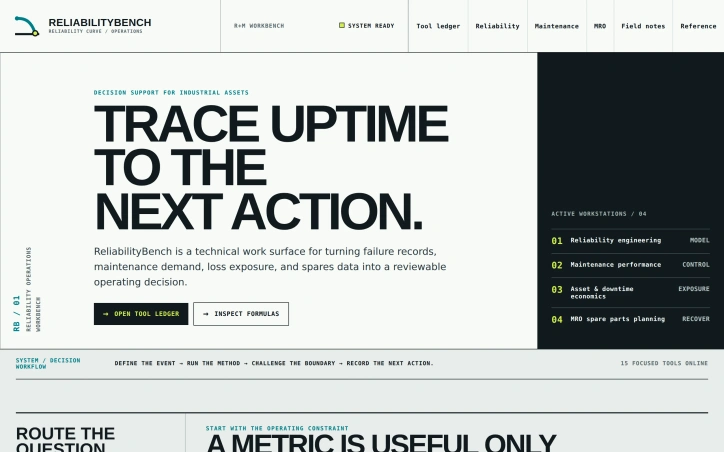
Industrial operations teams sit on vast repositories of failure data and maintenance records but struggle to convert them into concrete decisions. ReliabilityBench addresses this disconnect by creating a transparent calculation surface that links reliability metrics, maintenance performance, equipment economics, and spare parts planning into a single workbench. The platform targets reliability engineers, maintenance supervisors, production leaders, and asset management teams who need rapid calculations during active work. Rather than attempting to replace comprehensive CMMS systems or detailed engineering studies, ReliabilityBench positions itself as a decision-support layer that lives alongside existing tools. What distinguishes the product is its deliberate focus on decision-making rather than data collection. The interface organizes work around a clear problem-solving sequence: define the failure event, apply a specified calculation method, validate the result against operational reality, and route the output into concrete work assignments or planning. This workflow frames the calculator not as an isolated number-generator but as the middle step in a larger decision chain. The platform offers fifteen focused calculators distributed across four workstations. The Reliability Engineering station includes tools for normalizing failure history into operating intervals. Maintenance Performance handles availability, performance, and quality loss tracking. Asset & Downtime Economics exposes cost contribution and recovery expenses. MRO Spare Parts Planning connects lead-time demand with safety buffers. Specific tools include MTBF calculators, OEE tracking, downtime cost analysis, repair-versus-replace comparisons, and reorder point calculations. A striking design choice is the open tool ledger—each calculation displays its inputs, methodology, worked examples, interpretation guidance, and stated limitations directly adjacent to the result. This transparency invites teams to audit assumptions before treating a number as operational truth, surfacing where a calculation may diverge from actual site conditions. The platform records a complete operational chain through five stages: failure definition, response documentation, consequence quantification, recovery readiness, and review for the next action. This evidence trail preserves context across decisions, helping teams validate whether repeated comparisons remain consistent. ReliabilityBench addresses a genuine operational need—turning data into decisions—with a deliberately scoped tool that complements rather than displaces existing infrastructure. Its emphasis on formula transparency and decision context distinguishes it from pure data collection systems.

Business-intelligence-software
C
canghun13

Industrial operations teams sit on vast repositories of failure data and maintenance records but struggle to convert them into concrete decisions. ReliabilityBench addresses this disconnect by creating a transparent calculation surface that links reliability metrics, maintenance performance, equipment economics, and spare parts planning into a single workbench. The platform targets reliability engineers, maintenance supervisors, production leaders, and asset management teams who need rapid calculations during active work. Rather than attempting to replace comprehensive CMMS systems or detailed engineering studies, ReliabilityBench positions itself as a decision-support layer that lives alongside existing tools. What distinguishes the product is its deliberate focus on decision-making rather than data collection. The interface organizes work around a clear problem-solving sequence: define the failure event, apply a specified calculation method, validate the result against operational reality, and route the output into concrete work assignments or planning. This workflow frames the calculator not as an isolated number-generator but as the middle step in a larger decision chain. The platform offers fifteen focused calculators distributed across four workstations. The Reliability Engineering station includes tools for normalizing failure history into operating intervals. Maintenance Performance handles availability, performance, and quality loss tracking. Asset & Downtime Economics exposes cost contribution and recovery expenses. MRO Spare Parts Planning connects lead-time demand with safety buffers. Specific tools include MTBF calculators, OEE tracking, downtime cost analysis, repair-versus-replace comparisons, and reorder point calculations. A striking design choice is the open tool ledger—each calculation displays its inputs, methodology, worked examples, interpretation guidance, and stated limitations directly adjacent to the result. This transparency invites teams to audit assumptions before treating a number as operational truth, surfacing where a calculation may diverge from actual site conditions. The platform records a complete operational chain through five stages: failure definition, response documentation, consequence quantification, recovery readiness, and review for the next action. This evidence trail preserves context across decisions, helping teams validate whether repeated comparisons remain consistent. ReliabilityBench addresses a genuine operational need—turning data into decisions—with a deliberately scoped tool that complements rather than displaces existing infrastructure. Its emphasis on formula transparency and decision context distinguishes it from pure data collection systems.

ReliabilityBench preview

Key features

  • Decision-Support Layer: Complements existing CMMS and engineering systems without replacing them.
  • Transparent Tool Ledger: Each calculation displays inputs, methodology, worked examples, interpretation guidance, and stated limitations.
See full listing
YouTube Thumbnail Downloader

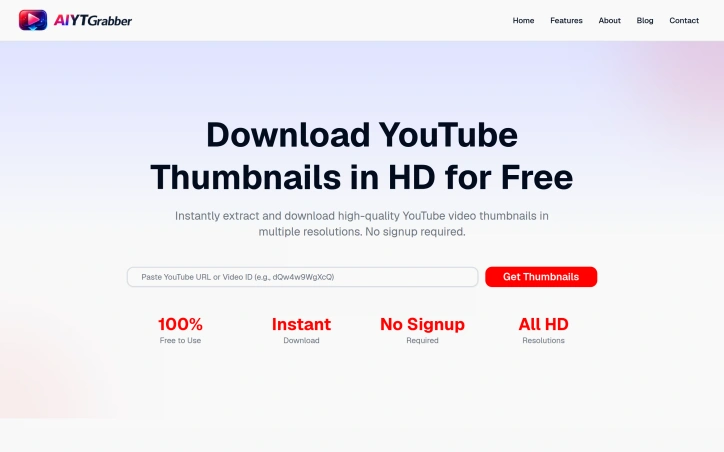
Creators and content enthusiasts often need to download thumbnails from YouTube videos for various purposes, but the process can be cumbersome due to the lack of a straightforward download option on the platform. The YouTube Thumbnail Downloader addresses this issue by providing a simple and efficient way to extract and download high-quality thumbnails in multiple resolutions. This tool is particularly useful for creators, researchers, and marketers who need to analyze or reuse these images for legitimate purposes. What stands out about this product is its emphasis on ease of use and speed. The tool allows users to download thumbnails instantly without requiring any signup or installation, making it a convenient solution for those who need to access these images quickly. The fact that it works seamlessly on all devices, including desktop, tablet, and mobile, further enhances its accessibility. The tool's capabilities are impressive, with features such as instant extraction, multiple resolution options ranging from 120x90 to 1280x720, and unlimited downloads. The process is straightforward, involving just three steps: pasting the YouTube video URL or ID, clicking to extract thumbnails, and downloading the desired resolution. The tool also automatically detects and extracts thumbnails from various URL formats, adding to its convenience. Notably, the tool is completely free to use, with no limitations on the number of downloads. The absence of any pricing details or business model information suggests that the tool is supported by a different revenue stream, allowing users to access its features without incurring any costs. Overall, the YouTube Thumbnail Downloader is a valuable resource for anyone needing to access YouTube thumbnails, offering a fast, easy, and cost-effective solution.
Business-intelligence-software
A
AI Bizname

Creators and content enthusiasts often need to download thumbnails from YouTube videos for various purposes, but the process can be cumbersome due to the lack of a straightforward download option on the platform. The YouTube Thumbnail Downloader addresses this issue by providing a simple and efficient way to extract and download high-quality thumbnails in multiple resolutions. This tool is particularly useful for creators, researchers, and marketers who need to analyze or reuse these images for legitimate purposes. What stands out about this product is its emphasis on ease of use and speed. The tool allows users to download thumbnails instantly without requiring any signup or installation, making it a convenient solution for those who need to access these images quickly. The fact that it works seamlessly on all devices, including desktop, tablet, and mobile, further enhances its accessibility. The tool's capabilities are impressive, with features such as instant extraction, multiple resolution options ranging from 120x90 to 1280x720, and unlimited downloads. The process is straightforward, involving just three steps: pasting the YouTube video URL or ID, clicking to extract thumbnails, and downloading the desired resolution. The tool also automatically detects and extracts thumbnails from various URL formats, adding to its convenience. Notably, the tool is completely free to use, with no limitations on the number of downloads. The absence of any pricing details or business model information suggests that the tool is supported by a different revenue stream, allowing users to access its features without incurring any costs. Overall, the YouTube Thumbnail Downloader is a valuable resource for anyone needing to access YouTube thumbnails, offering a fast, easy, and cost-effective solution.

YouTube Thumbnail Downloader preview

Key features

  • Instant Extraction: extracts thumbnails instantly
  • Multiple Resolutions: offers multiple resolution options ranging from 120x90 to 1280x720
See full listing
DataScrapify

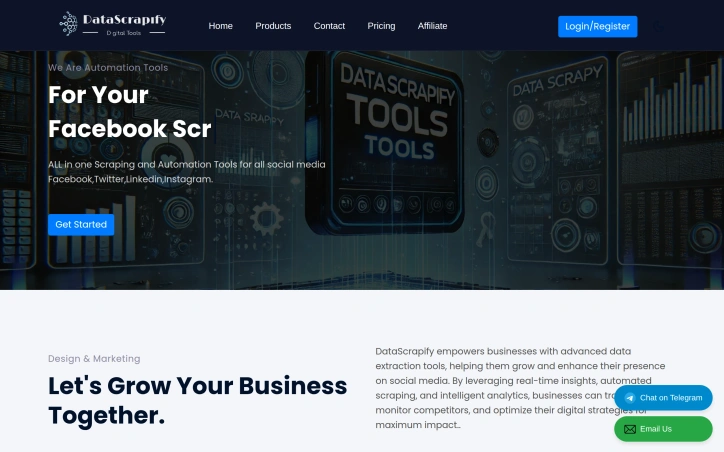
Automating social media outreach and lead generation across multiple platforms is a time-consuming challenge for growing businesses. DataScrapify addresses this directly by bundling data extraction, email scraping, and social media automation into a single cloud-based platform. The product targets businesses and digital marketers who need to collect contact information and execute bulk messaging campaigns across Facebook, LinkedIn, Instagram, Twitter, and YouTube without managing separate tools. The platform's architecture centers on lead generation and automation. Its toolkit includes email extraction from websites and social directories, bulk message sending across social channels, scraper tools for follower and group member data, and phone number collection capabilities. These features work across major social platforms, making it possible for users to consolidate operations rather than juggling multiple specialized services. A notable differentiator is the cloud-based infrastructure, which eliminates installation and platform dependencies. Users access all tools through a web interface, removing friction for businesses that want quick onboarding. The pricing model is straightforward: a monthly subscription at $100 includes access to all 21 automation tools with unlimited campaigns and unlimited results, positioning it as cost-effective for SMBs and agencies seeking an alternative to point solutions. The platform also emphasizes accessibility through its support structure, claiming 24-hour resolution for customer issues. However, the product documentation is sparse and the website copy suggests room for improvement in presentation and clarity. The tool appears functional for its core use cases, but prospective customers should verify whether the platform's scraping capabilities align with their specific social media channels and compliance requirements. The target audience seems to be growth teams, lead generation agencies, and marketing departments seeking affordability without complexity. DataScrapify makes a clear value proposition around consolidation and cost-effectiveness. Its strength ultimately depends on the reliability and accuracy of the underlying scraping technology—details not evident from public positioning alone.
Business-intelligence-software
D
DataScrapify

Automating social media outreach and lead generation across multiple platforms is a time-consuming challenge for growing businesses. DataScrapify addresses this directly by bundling data extraction, email scraping, and social media automation into a single cloud-based platform. The product targets businesses and digital marketers who need to collect contact information and execute bulk messaging campaigns across Facebook, LinkedIn, Instagram, Twitter, and YouTube without managing separate tools. The platform's architecture centers on lead generation and automation. Its toolkit includes email extraction from websites and social directories, bulk message sending across social channels, scraper tools for follower and group member data, and phone number collection capabilities. These features work across major social platforms, making it possible for users to consolidate operations rather than juggling multiple specialized services. A notable differentiator is the cloud-based infrastructure, which eliminates installation and platform dependencies. Users access all tools through a web interface, removing friction for businesses that want quick onboarding. The pricing model is straightforward: a monthly subscription at $100 includes access to all 21 automation tools with unlimited campaigns and unlimited results, positioning it as cost-effective for SMBs and agencies seeking an alternative to point solutions. The platform also emphasizes accessibility through its support structure, claiming 24-hour resolution for customer issues. However, the product documentation is sparse and the website copy suggests room for improvement in presentation and clarity. The tool appears functional for its core use cases, but prospective customers should verify whether the platform's scraping capabilities align with their specific social media channels and compliance requirements. The target audience seems to be growth teams, lead generation agencies, and marketing departments seeking affordability without complexity. DataScrapify makes a clear value proposition around consolidation and cost-effectiveness. Its strength ultimately depends on the reliability and accuracy of the underlying scraping technology—details not evident from public positioning alone.

DataScrapify preview

Key features

  • Email Extraction: Automatically extract contact information from websites and social directories
  • Social Media Automation: Send bulk messages across Facebook, LinkedIn, Instagram, Twitter, and YouTube
See full listing
