uploadthefile.com
Sharing files and publishing static content has long required friction: account creation, platform navigation, or comman...

CrabTap
Small businesses have long struggled to implement loyalty programs without massive overhead. CrabTap addresses this gap...

Catalyst Healthspan Audit
Personal trainers typically sell training sessions. This startup reversed the equation by building assessment first, mak...
Best Password managers Startups & Tools
Password managers store and autofill logins, 2FA, and secrets, helping individuals and teams protect accounts, share access, and stay compliant.
Recently Listed
2 launches
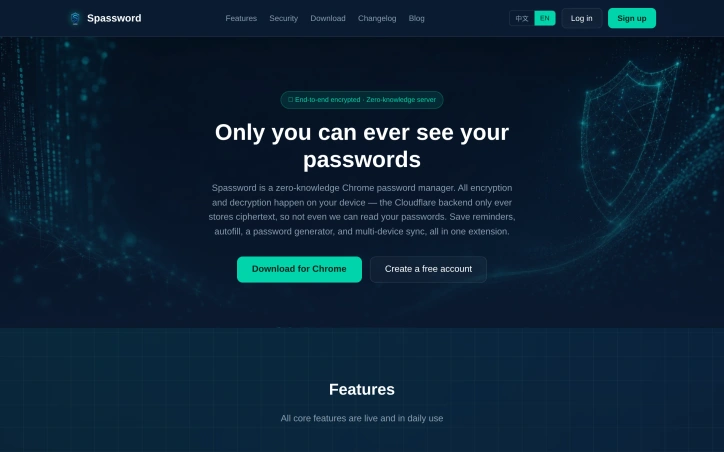
In an increasingly crowded password manager market, this zero-knowledge Chrome extension positions itself around a core privacy promise: the company behind it cannot access user passwords, period. By executing all encryption and decryption operations on the user's device rather than on servers, Spassword ensures that the backend infrastructure stores only encrypted data. This architectural approach appeals to users who prioritize cryptographic guarantees over convenience and who have grown skeptical of centralized password vaults. The product targets privacy-conscious individuals and those who prefer browser-based solutions over standalone applications or cloud-dependent services. By leveraging Cloudflare infrastructure, the service promises reliable storage while maintaining the zero-knowledge property that defines its value proposition. This combination addresses a specific market gap: users who want password management without trusting a third party with their actual credentials. The feature set covers essential password manager needs. Users can autofill passwords into web forms, generate new passwords, and synchronize credentials across multiple devices. The extension also supports storing reminders and related tasks, positioning itself as a feature-complete alternative to mainstream competitors rather than a bare-bones security tool. What distinguishes Spassword is its deliberate architectural choice to make password decryption client-side only. This means the company literally cannot comply with requests to reveal user passwords, whether from law enforcement, corporate data requests, or internal security breaches. In an era of repeated data breaches affecting major password managers, this zero-knowledge guarantee represents meaningful technical differentiation. The reliance on Cloudflare also signals infrastructure choices aligned with the privacy positioning. The product operates as a Chrome extension, which limits its addressable market compared to cross-platform competitors but allows for tighter browser integration and faster adoption cycles. The decision to focus on a single browser environment rather than supporting multiple platforms represents a deliberate scope choice that prioritizes depth over breadth. For users evaluating password managers, Spassword presents a clear trade-off: zero-knowledge assurance and client-side encryption in exchange for a narrower platform footprint and less mature ecosystem compared to established players. The value proposition hinges entirely on whether the zero-knowledge architecture matters to the user and whether the feature set meets their actual needs.

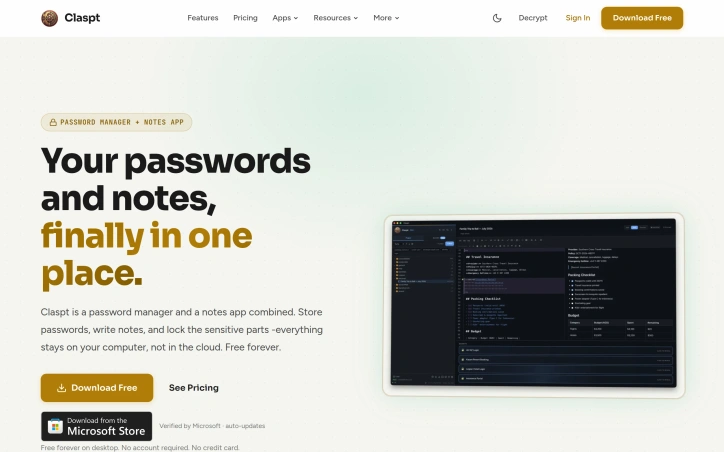
Combining password management with note-taking in a single application addresses a genuine friction point in how people organize sensitive information today. Most users juggle separate tools for these tasks, copying and pasting credentials next to setup instructions or duplicating sensitive data across multiple platforms. Claspt consolidates this workflow by letting users store passwords, write notes, and encrypt sensitive fragments within the same interface—all kept offline on their computer rather than synced to cloud servers. The product targets privacy-conscious users and those skeptical of subscription lock-in. By design, Claspt requires no account, no credit card, and remains free indefinitely on desktop. This eliminates a common pain point with password managers: the feeling of data entrapment. Users gain the ability to export their vault and own their information completely, with data ownership positioned as a core differentiator. What distinguishes Claspt is its flexibility in how users structure sensitive data. Rather than forcing rigid fields (username, password, URL) that feel inadequate for real-world scenarios—like WiFi credentials with router notes or software licenses with installation instructions—the product lets users write freely within a rich text editor and selectively encrypt portions of their notes. This approach mirrors how people naturally organize information: as prose with protected sections rather than form-filling exercises. The feature set reflects this philosophy. The interface supports headings, bold, links, tables, checklists, and code blocks with syntax highlighting. Sensitive data unlocks via fingerprint, Face ID, or a master password, with bank-grade encryption applied at the item level. The product runs on macOS, Windows, and Linux, with browser extensions for Chrome, Edge, Brave, and Arc providing autofill functionality. Mobile apps for iOS and Android are listed as coming soon. The business model is transparent. The desktop app remains free perpetually with no friction. Mobile access and cross-device sync require a Pro subscription tier, though specific pricing is not detailed on the site. This creates a natural upgrade path without compromising the core value proposition for desktop-centric users. Claspt occupies a practical middle ground: more flexible than rigid password managers, more secure than keeping credentials scattered across notes apps, and more private than cloud-synced alternatives. It solves a real coordination problem that most users encounter but rarely address directly.