Catalyst Healthspan Audit
Personal trainers typically sell training sessions. This startup reversed the equation by building assessment first, mak...
Launchory
We built Launchory to solve the discoverability problem for startups. Our platform offers instant approval, permanent do...
Best Productivity Startups & Tools
Recently Listed
218 launches
Voice-to-social-content transformation has historically been one of the more friction-filled workflows for content creators, and SpokenPost addresses this by automating the leap from raw voice memos to polished, platform-specific posts. The product targets founders, consultants, and independent creators who possess strong ideas but struggle to translate them into engaging social media content within realistic time constraints. The core premise is straightforward: record a 60-second voice note, and the tool generates three distinct outputs—a LinkedIn carousel PDF, an optimized text post, and a formatted X thread. The system completes this process in under two minutes without requiring design expertise or manual formatting. Beyond raw speed, the product preserves the speaker's authentic voice and tone rather than flattening ideas into generic marketing language, a distinction the founder emphasizes as critical for building genuine audience connection. What distinguishes SpokenPost from broader content creation tools is its specificity. Rather than offering a general-purpose platform, it narrows to a precise workflow: capturing lightning-in-a-bottle moments that already happen in conversations or running commentary, then packaging them for public distribution. Users can train a custom voice profile by feeding the AI samples of past writing and vocabulary, ensuring generated content remains idiosyncratic rather than algorithmic. The tool also supports white-label branding on carousel footers and offers multiple slide themes for visual customization. The free tier provides meaningful access with three monthly exports and no credit card required, allowing users to test whether capturing ideas via voice genuinely changes their publishing behavior. A Pro tier extends recording length to three minutes instead of sixty seconds, though fuller pricing details remain unspecified on the landing page. The positioning acknowledges a specific founder pain point: time scarcity isn't the real constraint, but format-shifting friction is. By collapsing the repackaging step, the product converts publishing from an additional job into a natural outcome of the thinking work itself. The concept assumes users already generate worthwhile ideas and that the bottleneck is purely mechanical—turning raw speech into styled assets. For creators operating at high idea velocity, this positioning resonates. For those struggling to generate ideas in the first place, the product offers limited utility.


Document signing has become necessary friction in business, but most e-signature platforms add friction rather than remove it. FairSign tackles a straightforward problem: competitors charge opaque per-user fees, impose envelope caps with overage charges, lock customers into annual contracts with steep exit penalties, and require uploading sensitive PDFs to their servers. The tool is designed for anyone who needs to sign documents, from freelancers handling a handful of contracts monthly to small businesses managing regular signature workflows. The product's core innovation is its handling of files. Self-signing runs entirely within the browser, meaning documents never leave the user's device and signing costs nothing, requires no account, and has no limits. This zero-friction approach to self-signing sets it apart from competitors who monetize every interaction. For businesses sending documents to others, the pricing model inverts the typical structure: $12 monthly covers the entire account with unlimited signature requests, not a per-seat fee. Recipients open a browser link and sign without creating an account or installing software, receiving tamper-evident certificates upon completion. The workflow emphasizes speed and simplicity. Users drop a PDF into the browser, mark signature locations, and complete signing in under two minutes. No signup flows, no email verification gates, no hidden account requirements stand between the user and a signed document. FairSign distinguishes itself most clearly through billing practices and cancellation terms. The company explicitly acknowledges industry friction points: Adobe charges 50 percent of remaining contract value as early-termination fees, DocuSign imposes $30-per-user pricing with annual envelope caps, and the industry pattern shows free trials that silently convert to charges with refused refunds. FairSign's policy is straightforward: renewal reminders arrive seven days in advance, cancellation costs zero dollars with one click, and a 14-day money-back guarantee applies to paid plans. These commitments appear in writing via policy pages rather than buried in terms of service. The feature set includes 31 templates, support for 17 signing languages, and support for PDFs up to 50 megabytes. Sent documents are encrypted, automatically deleted after 30 days, and can be manually deleted earlier. Documents carry certificates of completion and tamper-evident seals. FairSign targets a genuine frustration point in document workflows. Whether execution and product roadmap deliver long-term value depends on handling edge cases and satisfying growing customer complexity, but the positioning and immediate value proposition are clear.

Writing a novel requires tools that stay out of the way. Most contemporary software treats manuscript composition as a gateway to recurring revenue, pushing cloud storage, AI writing assistance, and monthly billing into workflows that demand focus and ownership. Edda inverts this model entirely, offering a single-purchase alternative designed for authors who want their work to remain local, private, and fully under their control. The core problem Edda addresses is straightforward: serious writers have grown frustrated with the consolidation of writing tools into subscription ecosystems. Edda positions itself as a unified workspace that eliminates the need to piece together a word processor, wiki, spreadsheet, and multiple subscriptions. At $39 with no recurring fees, it targets authors who treat writing software as a utility rather than a service requiring continuous payment. What distinguishes Edda most is its explicit rejection of artificial intelligence as a primary feature. The built-in assistant, called the Skald, works through deterministic rule-based flagging for pacing, repetition, and consistency issues. It checks and counts but never invents, positioning the writer as author and the software as infrastructure. This approach appeals directly to authors concerned about AI-generated content becoming conflated with their work. The feature set addresses the full writing lifecycle. The manuscript editor supports traditional hierarchies of parts, chapters, and scenes alongside typewriter focus modes for distraction-free composition. Worldbuilding components include character profiles with relationship visualization, location databases, custom calendars with multiple eras and festivals, and family trees. Separate tools cover story structure with beat sheets and visual timelines, publishing workflows including EPUB and PDF compilation with ISBN verification, and analytics tied to word-count goals and sprint timers. A beta reader module handles manuscript distribution with watermarking and NDA tracking, while research tools organize reference materials with full-text search and an embedded trope database. Everything integrates within a single interface that functions entirely offline. The software runs across Windows, macOS, Linux, and Android, with iOS in review at the time of writing. It stores manuscripts as local files rather than cloud-synced documents, reinforcing the ownership model central to its positioning. Built and maintained by a solo developer at Volsung Technologies, Edda represents a specific vision: that novel writing software need not extract recurring fees or require constant internet connectivity to deliver value.


Finding quality AI tools amid a sea of low-quality directories has become a real problem for product builders and creators. Too many tool aggregators prioritize paid placements over actual utility, leaving users to sift through untested offerings. Amaze.directory tackles this by taking a radically simple approach: only list tools that the curator has genuinely used. The difference is immediately apparent. Rather than trying to be comprehensive, the directory restricts itself to a small number of hand-checked products—currently six tools across categories like research, content creation, coding, and audio processing. Each listing includes a candid one-sentence assessment of what makes that tool worth using, stripped of marketing language. Perplexity gets credit for citation behavior over a standard chat interface. ElevenLabs is noted for producing synthetic speech that sounds unremarkable. Cursor receives praise for feeling like an editor that happens to include AI, rather than an AI product forced into an editor. These descriptions reflect genuine usage rather than promotional copy. The vetting process reinforces this commitment to substance. Every tool must be actively used for an extended period before listing. Dead links are purged every Friday. The operator explicitly refuses paid placements, a decision that fundamentally shapes the trust equation. You're not browsing a paid ranking—you're seeing what someone actually uses and recommends. The interface itself is straightforward. Search functionality lets users find tools by job type. Filters handle category and pricing, which amaze.directory presents honestly: some tools operate on freemium models while others require payment. This transparency about cost and access prevents the surprise of discovering a tool's hidden paywall after investing time. What limits the directory is also its strength. With only a handful of listings, this isn't a comprehensive resource for every use case. New categories like video generation appear but show no entries. The directory is growing—six tools were added in the last week—but it remains deliberately sparse. The business model is implicit: curation as editorial service. By maintaining independence and refusing vendor payments, amaze.directory positions itself as a source of genuine opinion rather than a marketplace. This appeals to builders who want tools that work over tools that are well-marketed. For creators and developers tired of hollow tool directories, amaze.directory offers something increasingly rare: honest product assessment backed by actual use.


Designing a game world typically stops at concept art and mood boards—evocative but structurally vague. Vibe Worlding bridges that gap by transforming a creative impulse into a structured, machine-readable blueprint that developers can immediately act on. The tool chains together input decisions (game type, visual style, scale, core gameplay loop) and produces terrain, landmarks, asset lists, camera angles, spawn points, and a ready-to-execute prompt for implementation in any engine or tool. The product's core innovation is its intent-first, provider-agnostic workflow. Rather than locking creators into a particular engine or AI system, Vibe Worlding generates a neutral specification that builders can read, critique, and port to different backends. This separation between planning and execution means a developer can review the blueprint before committing resources to generation, catching conceptual misalignments early. The approach enforces a useful constraint: nail one small, playable loop before scaling to an open world, avoiding the common trap of ambitious scope that collapses under its own weight. The generated artifact goes beyond aesthetics. It codifies space through connected regions, readable paths, and explicit boundaries; pins gameplay through concrete mechanics and asset requirements; and grounds camera and spawn positioning in the player's first twelve seconds of experience. This transforms a vague atmosphere into decisions a builder can inspect and test. Examples like the Cliff Gorge Kingdom—layering a market terrace, hanging bridge, and cave shrine around a compact core loop—show how the method keeps early designs tight and navigable. Access removes friction entirely. The tool requires no account, charges no subscription, and delivers a complete spec through the browser. The local preview feature lets creators validate their vision before committing to a builder or agent implementation. For game developers, indie studios, and narrative designers searching for the gap between concept and code, Vibe Worlding addresses a genuine pain point. It won't replace the creative act of worldbuilding, but it systematizes the translation from artistic vision to buildable specification. The focus on intent over implementation, space over spectacle, and one tight loop over sprawling ambition positions it as a useful filter between ideation and production.


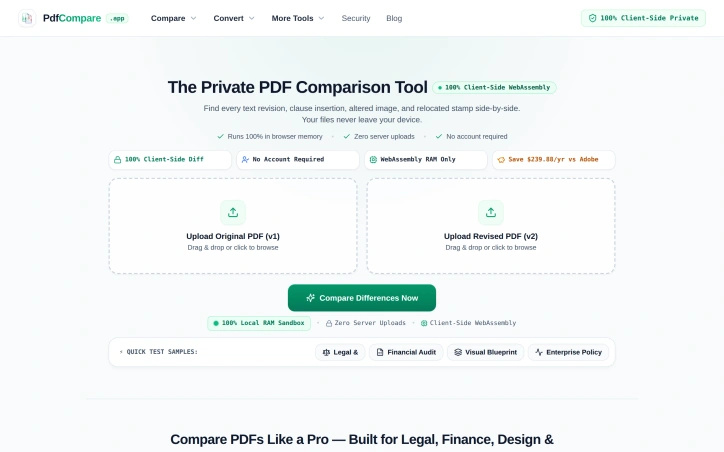
Comparing PDF versions manually invites disaster, especially when subtle changes carry legal or financial consequences. A confidentiality clause shifting from 3 to 5 years, a decimal point moved in a balance sheet, or an authorization stamp drifting 14 millimeters—these shifts demand precision detection but consume hours of tedious line-by-line review. PdfCompare addresses this friction directly by automating differential PDF analysis for legal teams, financial auditors, designers, and HR departments who cannot afford to miss critical revisions. The product's defining feature is its privacy-first architecture. All processing happens client-side in the browser using WebAssembly; files never touch a server and require no account creation. For organizations handling sensitive contracts, financial records, or proprietary designs, this eliminates a major friction point around data security and compliance. The approach is technically sound and operationally simpler than uploading to cloud-based competitors. PdfCompare's feature set is specialized for its target verticals. Legal users get targeted highlighting of textual changes within contract language. Auditors see isolated financial deltas and line-item shifts while the system filters out noise from standard document repagination—a meaningful improvement over line-by-line scanning of 50-page earnings reports. The visual design comparison mode deserves mention for its specificity: an overlay tool (marketed as an X-ray pixel slider) lets architects and designers detect moved elements, shifted logos, or altered spacing without misidentifying text reflow as a substantive change. For HR and operations teams, the tool generates transparent changelogs suitable for communicating policy updates to staff. The implementation decisions reflect a product built for actual workflows rather than generic PDF viewing. The tool recognizes that legal, finance, and design teams have distinct comparison needs—contract language requires semantic precision, financial documents need numerical isolation, and technical drawings prioritize visual layout accuracy. The quick-start samples (contract, financial, and visual) reinforce this specialization. Pricing information is minimal in the available materials, though a comparison to Adobe suggests competitive positioning around cost savings. The lack of subscription lock-in—no account required, no recurring fees mentioned—makes the product more accessible for occasional users or organizations already skeptical of SaaS sprawl. The risk is a narrow addressable market. Organizations comfortable with existing PDF workflows or less sensitive to privacy concerns may not see sufficient differentiation. For the segments it targets, however, PdfCompare solves a genuine problem with a straightforward technical approach and reasonable tradeoff: local processing for privacy and simplicity, sacrificing some advanced features or batch automation that cloud competitors offer.

In an increasingly crowded password manager market, this zero-knowledge Chrome extension positions itself around a core privacy promise: the company behind it cannot access user passwords, period. By executing all encryption and decryption operations on the user's device rather than on servers, Spassword ensures that the backend infrastructure stores only encrypted data. This architectural approach appeals to users who prioritize cryptographic guarantees over convenience and who have grown skeptical of centralized password vaults. The product targets privacy-conscious individuals and those who prefer browser-based solutions over standalone applications or cloud-dependent services. By leveraging Cloudflare infrastructure, the service promises reliable storage while maintaining the zero-knowledge property that defines its value proposition. This combination addresses a specific market gap: users who want password management without trusting a third party with their actual credentials. The feature set covers essential password manager needs. Users can autofill passwords into web forms, generate new passwords, and synchronize credentials across multiple devices. The extension also supports storing reminders and related tasks, positioning itself as a feature-complete alternative to mainstream competitors rather than a bare-bones security tool. What distinguishes Spassword is its deliberate architectural choice to make password decryption client-side only. This means the company literally cannot comply with requests to reveal user passwords, whether from law enforcement, corporate data requests, or internal security breaches. In an era of repeated data breaches affecting major password managers, this zero-knowledge guarantee represents meaningful technical differentiation. The reliance on Cloudflare also signals infrastructure choices aligned with the privacy positioning. The product operates as a Chrome extension, which limits its addressable market compared to cross-platform competitors but allows for tighter browser integration and faster adoption cycles. The decision to focus on a single browser environment rather than supporting multiple platforms represents a deliberate scope choice that prioritizes depth over breadth. For users evaluating password managers, Spassword presents a clear trade-off: zero-knowledge assurance and client-side encryption in exchange for a narrower platform footprint and less mature ecosystem compared to established players. The value proposition hinges entirely on whether the zero-knowledge architecture matters to the user and whether the feature set meets their actual needs.


YouTube's pervasive advertising ecosystem has long frustrated viewers who simply want uninterrupted content consumption. SkipPlay directly addresses this frustration by offering an ad-light alternative that requires no account creation or browser extensions for basic use. The core value proposition centers on simplicity and accessibility. Users paste any YouTube link into the web player or, for enhanced functionality, integrate the Chrome extension and watch without commercial interruptions. The extension further automates sponsor skipping through SponsorBlock integration, a community-driven database that identifies and removes sponsored segments, intros, and subscription reminders from videos. This appeals strongly to viewers who consume substantial video content and grow weary of both platform-inserted ads and creator-embedded sponsor interruptions. What distinguishes SkipPlay from competing solutions involves its layered approach to functionality and device coverage. The free web player works seamlessly across desktop, mobile, and smart TV browsers without requiring installation or authentication, significantly lowering barriers to entry. Mobile users gain background audio playback, a feature enabling listening with the screen locked or while using other applications—functionality that YouTube Premium typically reserves for paying subscribers. For power users seeking additional features, the platform includes a DJ Dual Mixer Deck for mixing tracks side-by-side and offers optional cloud synchronization that persists playlists, favorites, and viewing progress across devices. The business model reveals deliberate positioning within the ad-blocking market. The free web player remains entirely free, monetizing through an optional $9 lifetime extension that enables one-click playback directly from YouTube and automatically skips ads on the native platform itself. This pricing sits significantly below YouTube Premium's $15.99 monthly subscription, positioning SkipPlay as a permanent alternative to recurring fees. The feature comparison presented prominently on the site directly acknowledges YouTube Premium, suggesting confidence in competitive positioning. Beyond standard ad removal, SkipPlay differentiates through SponsorBlock integration and free mobile background play—capabilities that even YouTube Premium and traditional ad-blockers do not consistently deliver. SkipPlay targets viewers frustrated by YouTube's aggressive monetization rather than those seeking premium content access or exclusive features. Its design emphasis on reducing friction through simple URL pasting and one-click extension deployment reveals focus on a specific, well-defined pain point. For viewers averse to advertising and subscription costs, the combination of free web access and affordable permanent licensing presents a genuine alternative to traditional premium models.


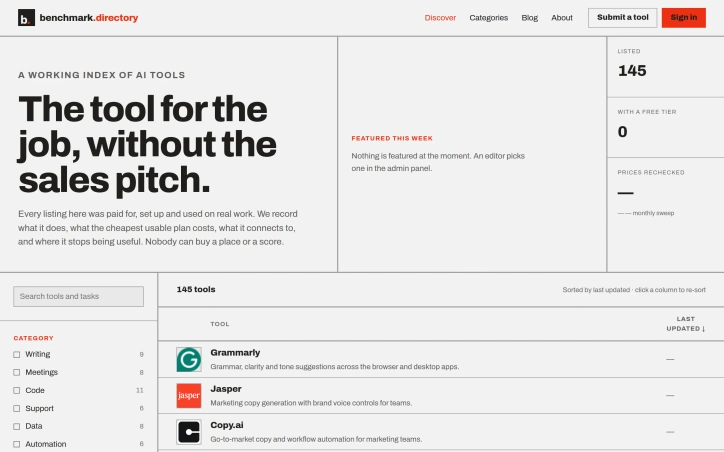
An editorial index of AI tools solves a growing discovery problem in a crowded market. Benchmark.directory addresses the challenge many organizations face when evaluating software: vendor marketing obscures real capabilities and limitations. The directory catalogs 145 tools organized by the practical work they perform rather than technological category, making it genuinely useful for matching problems to solutions. What distinguishes this project is its hands-on editorial approach. Every tool must pass a validation threshold: setup and active use on genuine projects for at least one week before earning inclusion. This practical testing replaces sales collateral with direct experience. The founders document concrete information that typically remains hidden: the actual cost of the cheapest functional plan, what free tiers genuinely permit, which integrations work after setup, and crucially, where each tool's utility boundaries lie. The directory maintains editorial integrity through transparent rejection of pay-to-play arrangements. Listings are completely free, and tools offering payment for placement are documented and declined. This structural decision eliminates the perverse incentive that corrupts most software directories, where prominent positioning correlates with marketing budget rather than usefulness. In 2026 alone, the project rejected 71 submissions and delisted 12 tools, indicating active curation rather than passive accumulation. The categorization strategy reflects how people actually hire software. Rather than grouping by AI methodology or technical architecture, tools appear under practical functions like writing, code, data analysis, and design. This mirrors genuine workflow organization and decision-making patterns. Current coverage spans categories including writing, meetings, code, support, data, automation, design, research, sales, finance, marketing, and specialized domains like legal operations and people management. The interface offers filtering by pricing model and free tier availability, accommodating both individual exploration and organizational procurement processes. The project captures information typically scattered or hidden: training data policies, integration requirements, and usage ceilings. For organizations concerned about whether tools train on proprietary work or evaluating integration feasibility before vendor conversations, this transparency provides tangible value. The regularly updated sort indicates active maintenance of the directory, though opportunity exists for expanded editorial features.

Fragmented workflows plague service and production businesses of all sizes. Quotations live in emails, approvals happen over chat, job progress gets tracked in spreadsheets, and payment records scatter across multiple systems. The result is data re-entered countless times, customers left guessing about status, and team members wasting hours searching for information instead of doing actual work. QUFO addresses this coordination problem by creating a single workspace where the entire customer journey flows from initial quotation through final payment. The product's core strength is its simplification of a genuinely complex process. Rather than asking businesses to adopt yet another tool, QUFO consolidates five critical functions—customer management, quotations, approvals, job tracking, and payment monitoring—into one connected system. This consolidation matters because it eliminates handoffs where information gets lost or requires manual re-entry. Several features stand out for their practical design. The online approval system lets customers review quotations and request changes from a secure link without needing an account, removing friction from the approval stage. The automatic payment balance calculation keeps financial tracking current without manual math errors. Customer tracking links provide visibility without exposing internal notes, solving a genuine tension between transparency and business privacy. The dashboard approach offers business owners a unified view of active work, payment status, and outstanding balances—information typically scattered across spreadsheets and separate accounting tools. Job progress moves automatically to customer-facing tracking pages as the team updates production status, reducing the need for repeated status update messages. The onboarding experience appears intentionally low-friction. A free 30-day trial requires no credit card, and the marketing language emphasizes "quick setup," suggesting the founders designed for businesses that want results without lengthy implementation. The three-minute demo video is positioned as watchable without signup, lowering the barrier to evaluation. No detailed pricing information is disclosed on the homepage, which is typical for early-stage SaaS but limits assessment of the business model's competitiveness. The free trial structure suggests a freemium or conversion-based model, though this remains unstated. QUFO targets a real inefficiency in small-to-medium service businesses, where operations currently depend on mixing purpose-built tools with improvisation. Its workflow-centric design and emphasis on reducing repeated data entry address genuine pain points. Whether the execution delivers on this promise requires direct experience with the product, but the problem is legitimate and the positioning is clear.


Winning enterprise deals shouldn't require an engineering team to abandon feature development for weeks of compliance busywork. Yet this exact scenario has become routine for startups seeking customers among large organizations that demand SOC 2 certification and exhaustive security questionnaires before signing contracts. DELTARQ targets this friction point with a unified platform combining AI-native threat detection, security operations automation, and compliance management designed specifically for resource-constrained technical teams. The core insight driving the product is sound: traditional security tools divide into two inadequate categories for startups. Enterprise-grade SIEM and SOAR platforms command high costs, lengthy implementation timelines, and require dedicated security personnel to manage alert noise. Compliance software delivers checklists without actually preventing breaches. DELTARQ attempts to collapse this false choice by automating both active threat detection and compliance documentation simultaneously. The product's technical differentiation centers on two commitments. First, it embeds AI throughout its architecture to function as an autonomous security engineer, identifying and blocking network threats without human intervention. Second, it operates entirely within a customer's local infrastructure rather than routing sensitive data through external cloud systems, addressing data residency concerns that often derail enterprise evaluations. For startups navigating sales processes with large customers, this architecture choice eliminates a common objection while reducing the compliance surface area. The platform consolidates three distinct functions—SIEM for log analysis and threat detection, SOAR for automated response workflows, and SOC 2 compliance automation—into a single integration point. This consolidation matters operationally: it reduces deployment complexity and tool proliferation, keeping total cost of ownership low while maintaining enterprise-grade capabilities. The compliance automation piece directly addresses the quantified pain point from the founder's experience: the ability to generate required documentation and evidence automatically rather than through manual effort substantially accelerates enterprise sales cycles. The target customer appears precisely defined: technical teams at SaaS companies that have achieved product-market fit and face enterprise sales requirements but lack dedicated security infrastructure. These organizations typically have the engineering sophistication to deploy and maintain local infrastructure but insufficient scale to justify a full security operations center. The positioning emphasizes pragmatism over comprehensiveness. DELTARQ makes an implicit acknowledgment that startups need adequate security and compliance, not maximum-sophistication security theater. For founders tired of compliance friction, the value proposition translates directly into recovered engineering velocity and shorter sales cycles.


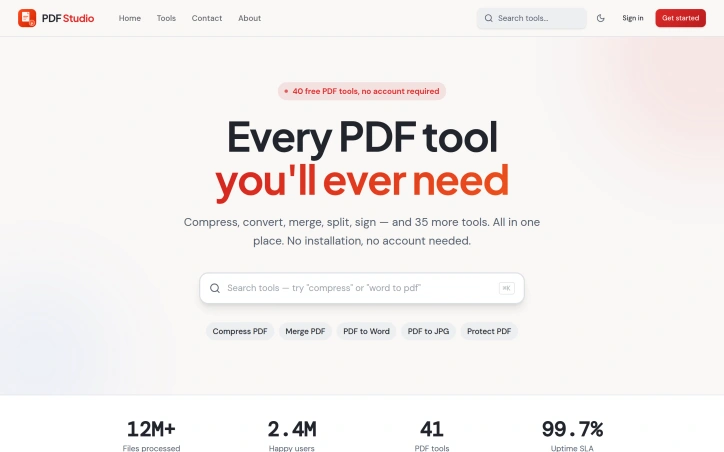
Managing PDF documents has traditionally required either expensive software subscriptions, local installations, or compromised functionality. PDF Studio addresses this gap with a web-based toolkit designed to streamline common document workflows without additional friction. The platform targets a broad audience spanning students managing academic assignments, professionals organizing business documents, and general users handling everyday PDF tasks. The core promise centers on accessibility and simplicity, removing barriers that often exist with desktop solutions or feature-restricted online alternatives. The feature set covers the essential PDF operations most users encounter. Conversion capabilities allow documents to be transformed between formats, while compression tools reduce file sizes for easier sharing. Document manipulation features include merging multiple files and splitting them into sections, along with editing functionality to modify content directly in the browser. Security features provide password protection for sensitive documents and unlocking capabilities for restricted files. What distinguishes PDF Studio in a crowded market is its fully browser-based architecture. This design choice eliminates the need for software installation entirely, allowing users to work with documents from any device with internet access. The emphasis on browser-based operation prioritizes immediacy over setup complexity. The platform has been featured on prominent AI and tools directories including AgentHunter and TakeAI, establishing recognition within tech communities. These inclusions demonstrate the service has differentiated itself enough to merit placement in curated collections. The product's architecture targets removing friction points commonly associated with PDF management. Rather than catering to power users with advanced features, the design prioritizes reliability and straightforward access to core functions. The stated commitment to security and user-friendliness reflects a focus on building trust with users handling sensitive documents. For users evaluating PDF management solutions, PDF Studio delivers a no-installation alternative that emphasizes common operations. The browser-based approach addresses a specific pain point for users who want immediate access without software setup or maintenance overhead. The platform's viability depends on execution quality relative to established competitors in the online PDF tools market, but it stakes out a clear position for users prioritizing accessibility and simplicity over advanced capabilities.

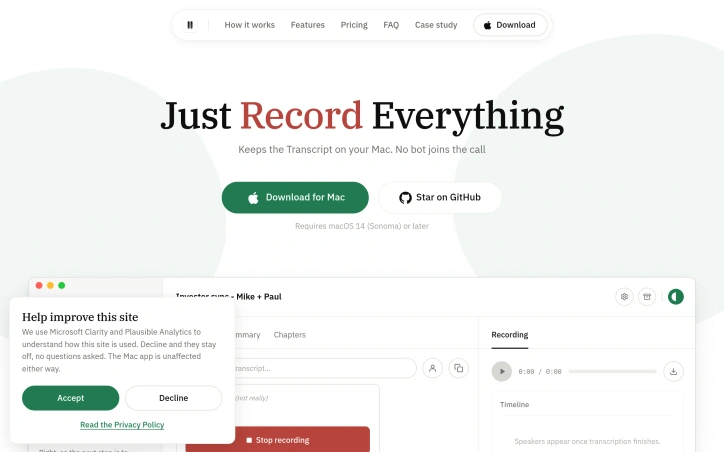
Record any meeting on macOS. Speakers labelled, transcript searchable. No bot joins the call, and your recordings stay on your Mac. No third participant ever joins

Browser tabs containing bank logins, client files, and sensitive emails remain completely unprotected throughout the workday. Locksy solves this by adding encryption and automatic locking directly within the browser, eliminating the need for traditional password managers or manual security rituals. The product targets anyone who handles confidential information in a browser but finds existing security tools either invasive or inconvenient—remote workers, consultants, and professionals dealing with sensitive client materials fall into this category. Locksy's defining characteristic is its refusal to rely on cloud infrastructure. All encryption happens locally on the user's device, meaning data never leaves the browser itself. This architecture eliminates an entire category of risk that cloud-based competitors cannot escape: the possibility of a central breach, subpoenaed logs, or a company pivoting toward data monetization. The product functions offline, removing dependency on internet connectivity for basic security operations. Auto-locking addresses the behavioral side of security—where users fail to manually protect information. By making protection automatic rather than optional, the product closes the gap between intention and action. The company's bootstrapped foundation shapes its entire approach differently than venture-backed security startups. While competitors pile on features to justify premium subscriptions, Locksy provides free access to core functionality. This reflects confidence in the value proposition and an emphasis on removing adoption friction rather than maximizing revenue per user immediately. The founders articulate their philosophy clearly: they built Locksy out of frustration with security products that sacrifice usability in the name of safety. That focus on combining practical convenience with actual security distinguishes the positioning. Rather than attempting to replace password managers or become an identity platform, Locksy tackles one specific problem exceptionally rather than many problems adequately. The product mentions military-grade encryption, though specifics on cryptographic standards or implementation details aren't disclosed in available materials. For a security product, greater technical transparency would strengthen confidence among informed users, though the offline-first architecture already eliminates major attack surfaces that cloud competitors face. Locksy represents a meaningful attempt to solve a real problem—unprotected browser tabs—without the surveillance capitalist undertones that plague many privacy-focused tools.


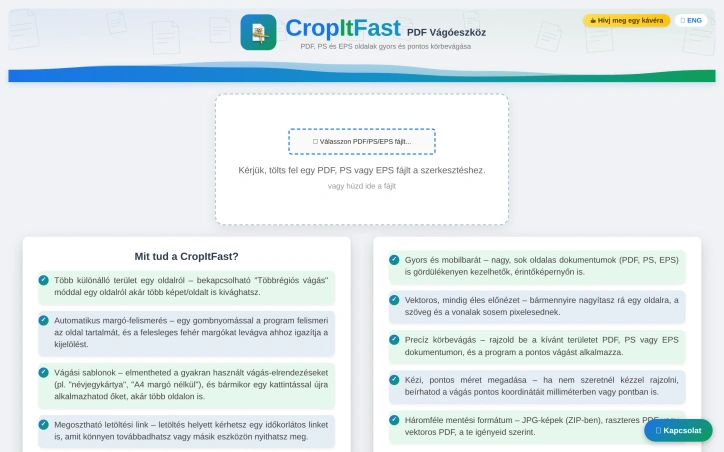
PDF cropping remains a friction point for anyone regularly handling document design, printing, or content extraction. Most available solutions force users toward bloated desktop applications or complex workflows that feel overkill for a single task. CropItFast tackles this directly by offering a streamlined browser-based alternative that prioritizes speed and precision without requiring any software installation. The product addresses a specific but genuine need: making batch document processing accessible. Whether you're preparing business cards, cutting out specific sections from longer documents, or preparing files for print, CropItFast handles these jobs without unnecessary complexity. The target audience spans designers, print professionals, content managers, and anyone who frequently manipulates PDF, PostScript, or EPS files. What distinguishes CropItFast from basic crop tools is its feature depth. Automatic margin detection eliminates manual adjustment for documents with uneven white space, a substantial time-saver when processing multiple pages. The multi-region cropping mode lets users extract several independent areas from a single page without relying on workarounds. Equally useful is the template system, which remembers frequently used crop layouts and applies them consistently across pages or even different documents. For users who prefer precision over clicking, exact coordinate input in millimeters or points ensures mathematical accuracy. The platform's output flexibility warrants attention. Users can export to JPG, raster PDF, or vector PDF depending on their downstream needs, with adjustable quality settings for DPI and JPEG compression. This adaptability matters for professionals who might need sharp screen-ready images one day and print-ready files the next. The option to generate shareable download links with time restrictions adds a collaboration layer, allowing users to distribute results without permanently hosting sensitive files. The interface shows thoughtfulness toward modern usage patterns. Vector-based preview rendering ensures crisp text and lines regardless of zoom level, while mobile support acknowledges that PDF handling increasingly happens on phones and tablets. The tool's claimed ability to handle large, multi-page documents smoothly suggests engineering attention to performance. One note: the website references missing JavaScript files required for the interface library. This indicates either outdated documentation or a production concern worth investigating before evaluating the tool. For users tired of desktop PDF editors or struggling through complex alternatives, CropItFast delivers focused functionality optimized for the actual task rather than general document editing.

Buying a car in Europe means navigating fragmented dealer networks, conflicting reviews, and sales pitches designed to prioritize dealer margins over buyer needs. This Greek startup tackles that friction with a structured research tool that pulls from live listings, safety data, and actual running costs to surface recommendations you can trust. The product addresses a genuine gap. While generalist AI chatbots can discuss cars in the abstract, they cannot access current inventory, calculate real total cost of ownership for a specific market, or save your research across sessions. KAR aggregates listings across European dealers, compares trim specifications on fuel consumption and maintenance costs, and cross-references safety ratings from Euro NCAP. The result is a shortlist of one to five vehicles that match your budget and requirements with reasoning attached. The delivery mechanism is straightforward. Users fill out a preference form specifying budget, body type, driving patterns, and must-have features. The system then returns recommendations with estimated pricing, running cost breakdowns, availability, and where to purchase. The founder built this to counter the incentive structure that makes dealers push what maximizes their margins rather than what serves the buyer. The company takes no dealer commissions and publishes no review fees, positioning itself as genuinely neutral. What distinguishes KAR from both traditional automotive review sites and AI assistants is its focus on actionable, structured output. The platform doesn't just talk about cars; it saves your shortlist, garage history, and prior comparisons so your research persists. It also extends beyond car selection into accessories and parts matching, comparing OEM options against quality aftermarket alternatives with fitment verification and pricing from multiple suppliers. Early traction suggests the model resonates. The company has matched over 100 drivers with recommendations and delivered 200-plus car suggestions. It covers 40 brands across Europe and has secured coverage in GOCAR.gr, Greece's leading automotive publication. The narrowest limitation is geographic focus. KAR emphasizes availability and pricing across European listings, making it most useful for buyers in that market. Buyers seeking broader research on vehicle performance will find less value. The platform also requires users to trust that its AI research methodology is sound without transparency into how recommendations are weighted or how it compares against expert automotive reviewers. For European buyers tired of dealer-driven car shopping, KAR offers a genuinely different model grounded in data rather than commission.


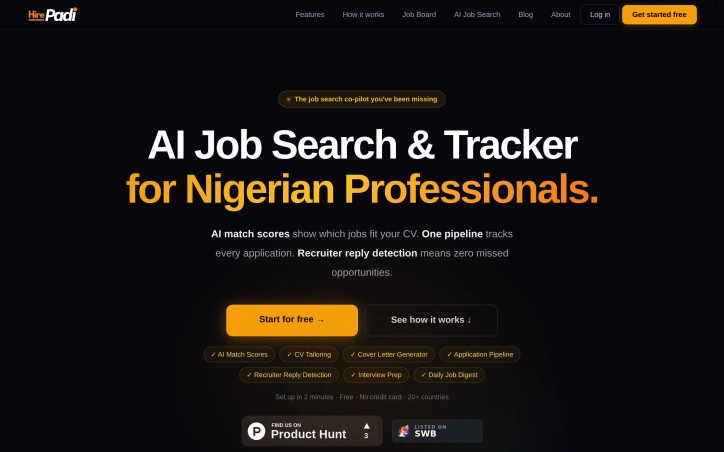
Job search platforms typically optimize for volume—more applications, more shots at the target. HirePadi inverts this approach by prioritizing precision instead. The service targets Nigerian professionals and job seekers across 20 countries who waste time applying to roles that don't match their profile, then wonder why rejections pile up without explanation. The core insight is straightforward: the job search problem isn't about working harder; it's about working smarter. Applicants spray resumes at dozens of postings and never learn whether they're genuinely competitive for each role. HirePadi addresses this by deploying AI to score how closely a candidate's CV aligns with each job, offering clarity before the application lands. The platform bundles this matching capability with three complementary features addressing friction points in traditional job search. CV tailoring automatically adapts resumes to individual roles rather than forcing applicants to use generic templates. Recruiter reply detection monitors Gmail in the background for offers, interview invites, and rejections, surfacing them before they vanish into inbox clutter—a practical safeguard against missed opportunities buried by volume. An application tracker keeps every application visible in a single pipeline, eliminating uncertainty about whether a rejection came via email weeks ago. HirePadi aggregates job listings from nine major platforms including LinkedIn, Indeed, and specialized boards like Remote.co and We Work Remotely, then delivers a personalized daily digest rather than requiring users to hunt across multiple sites. The service rounds out its feature set with cover letter generation and interview preparation tools, creating a workflow spanning discovery through interview. The positioning emphasizes getting real feedback instead of just recording "sent" notifications. Rather than measuring success by application count, the platform promises actual recruiter responses and visibility into whether a candidate is genuinely in contention. HirePadi operates a free model with no credit card requirement and claims setup takes roughly two minutes. No premium tier or paid upgrade is mentioned. The service fills a legitimate gap for job seekers frustrated by low conversion rates and unanswered applications, particularly in emerging markets where job search infrastructure remains fragmented. Whether the AI matching proves reliable and whether this approach genuinely converts to more interviews will determine whether the insight outweighs considerable competition in hiring tools.

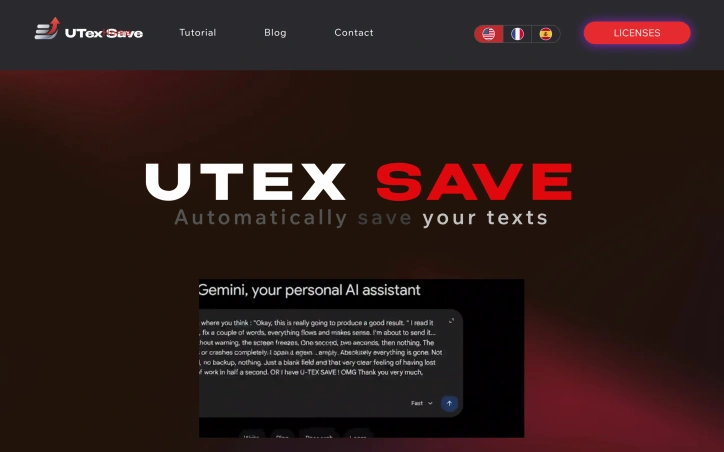
Losing unsaved text to a browser crash or network failure is a common frustration that most internet users have experienced at least once. UTexSave addresses this problem by running quietly in the background to automatically capture and preserve everything you type. The product targets anyone who spends significant time writing online: form entries, email drafts, AI prompts, social media posts, or any text input that matters. The founder built this after losing thirty minutes of work to a browser crash, discovering no simple solution existed at the time. What distinguishes UTexSave is its commitment to offline operation. The software stores all data locally on your device with no cloud component, internet connection, or account required. This design choice prioritizes security and privacy while ensuring your backups remain accessible even during network outages. The application runs entirely on your machine, eliminating transmission risks associated with cloud-based competitors. The feature set directly addresses recovery scenarios. Continuous local backup captures everything you write in real time. The previous session recovery function restores text even after unexpected shutdowns or crashes. A clipboard tracker logs the last 100 copied items in the standard version, expanding to 400 in the Pro tier. Pro users also gain access to a backup folder storing the last 30 sessions, allowing recovery of text deleted long ago. Technical execution shows discipline. The entire application weighs under 2 megabytes, meaning minimal system overhead and no noticeable performance impact. Installation is straightforward, with taskbar menu access for retrieving saved files. A pause feature lets users stop recording temporarily, useful when typing passwords or sensitive information. The business model relies on lifetime licenses rather than subscriptions. The Standard version costs 9.90 dollars with installation limited to three authorized PCs. The Pro version costs 39.90 dollars and supports up to twenty PCs. A Microsoft Store version available at 13.99 dollars ties installation to a single Microsoft account. All versions include the core backup and recovery functionality. UTexSave solves a specific, genuine problem with a straightforward approach. The offline-first philosophy appeals to users prioritizing data control and privacy. For writers, developers, and anyone vulnerable to data loss through crashes or accidental deletion, the product delivers measurable value without complexity or subscription costs.

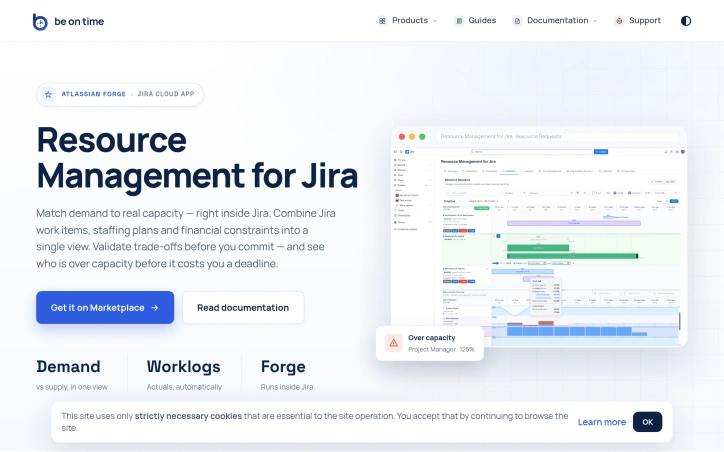
Portfolio resource management at scale is fundamentally about coordination. When dozens of projects compete for the time of the same specialized teams—engineers, designers, QA—organizations lose visibility into who can actually do what, when. Timelines slip not because work is impossible, but because capacity decisions were made in isolation or on gut feel rather than data. This Jira Cloud app tackles that core problem by collapsing org structure, capacity planning, and actual time tracking into a single view where project demand meets team reality. The product is built for organizations running parallel projects that share functional teams. Project managers and team managers gain a structured workflow for requesting resources and signaling availability, while PMOs and executives get analytics that surface over-allocation risks before they become missed deadlines. Everyone stays inside Jira rather than juggling spreadsheets or external tools. What distinguishes this solution is its scope. Most resource management tools handle one dimension well—tracking capacity or managing requests or reporting time. This consolidates org structure synced from Azure AD or Outlook, calendar-based capacity with self-service time-off, a stateful request workflow between PMs and Team Managers, time tracking via Jira worklogs, and analytics comparing demand against actual utilization. The ability to approve resource requests and see over-capacity warnings before committing transforms resource planning from intuition into precision. The execution trades breadth for focus. Rather than building a standalone platform, the team built a Forge app, which means it runs within Jira Cloud without context-switching or data duplication. This tight integration is both strategic and practical—organizations already managing work in Jira get resource visibility without adopting another system. The emphasis on enterprise features—org structure automation, compliance with data residency (Forge cloud), invoice-ready exports, REST API for org sync—signals intent to serve mid-market and larger organizations. The feature set hints at mature thinking about the problem. Calendar-based capacity avoids double-booking by design. The structured request workflow with Team Manager approval prevents PM-level chaos where every request is urgent. Analytics spanning past and future periods let organizations course-correct. Time-off management tied to capacity avoids the phantom availability problem common in spreadsheet-based shops. One limitation is implicit: the product assumes Jira is your system of record for project work and that resource decisions can be scoped to teams and projects tracked there. Organizations with work outside Jira or those needing resource visibility across tools beyond API integration would find this constraining. The REST API mitigates this for org-data sync but not for dynamic allocation scenarios. For organizations struggling to match project demand to expert-team capacity, this fills a real gap at the intersection of portfolio planning and team execution where most tools stop short.

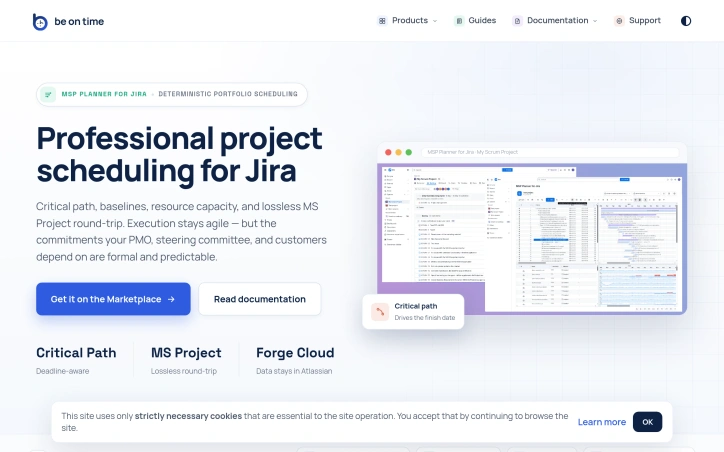
Organizations running Jira often face a critical tension: agile teams need flexibility, but stakeholders—PMOs, steering committees, and customers—demand formal commitments backed by rigorous scheduling. This gap is where MSP Planner for Jira operates, providing what its creators position as a professional scheduling engine rather than a visual overlay. The distinction matters. Most Jira Gantt integrations function as date visualizations, but MSP Planner implements an actual planning model, drawing its design from MS Project. This means support for industry-standard scheduling modes: Fixed Duration, Fixed Work, and Fixed Units. These controls let teams precisely define how effort, resources, and timing interact when project scope shifts—a capability that separates deliberate planning from guesswork. The product's strongest differentiator is its MS Project interoperability. Rather than one-way exports, the tool enables lossless round-trip sync: you export Jira schedules to .mpp format for external stakeholders, edit them in MS Project, and reimport them without losing structure or links. This is rare integration work. It means teams can satisfy both camps—Jira-native execution with formal external review—without maintaining parallel schedules. Core features address the formal planning checklist: critical path analysis identifies which task delays actually matter, baselines track schedule drift over time, and dependency management supports all standard link types (FS, SS, FF, SF). Resource capacity checks ensure commitments account for team availability. Complex task hierarchies and nested structures handle real-world project logic rather than forcing oversimplified models. The architecture choice is notable: data remains in Atlassian Forge, avoiding external data migration or vendor lock-in concerns. The protected Planning Space with explicit push/pull sync suggests controlled synchronization rather than constant bidirectional mirroring, giving teams deliberate moments to reconcile agile execution with formal planning artifacts. This targets a specific market segment: organizations too large or regulated to rely on pure task lists, but committed to Jira for their execution layer. It's not for teams that view scheduling as overhead; it's for those where predictability itself is a competitive requirement.