Catalyst Healthspan Audit
Personal trainers typically sell training sessions. This startup reversed the equation by building assessment first, mak...
Launchory
We built Launchory to solve the discoverability problem for startups. Our platform offers instant approval, permanent do...
Best Note and writing apps Startups & Tools
Note and writing apps capture ideas, docs, and meetings in one place. They support collaboration, voice-to-text, mind maps, and linked notes for work and life.
Recently Listed
10 launchesWriting a novel requires tools that stay out of the way. Most contemporary software treats manuscript composition as a gateway to recurring revenue, pushing cloud storage, AI writing assistance, and monthly billing into workflows that demand focus and ownership. Edda inverts this model entirely, offering a single-purchase alternative designed for authors who want their work to remain local, private, and fully under their control. The core problem Edda addresses is straightforward: serious writers have grown frustrated with the consolidation of writing tools into subscription ecosystems. Edda positions itself as a unified workspace that eliminates the need to piece together a word processor, wiki, spreadsheet, and multiple subscriptions. At $39 with no recurring fees, it targets authors who treat writing software as a utility rather than a service requiring continuous payment. What distinguishes Edda most is its explicit rejection of artificial intelligence as a primary feature. The built-in assistant, called the Skald, works through deterministic rule-based flagging for pacing, repetition, and consistency issues. It checks and counts but never invents, positioning the writer as author and the software as infrastructure. This approach appeals directly to authors concerned about AI-generated content becoming conflated with their work. The feature set addresses the full writing lifecycle. The manuscript editor supports traditional hierarchies of parts, chapters, and scenes alongside typewriter focus modes for distraction-free composition. Worldbuilding components include character profiles with relationship visualization, location databases, custom calendars with multiple eras and festivals, and family trees. Separate tools cover story structure with beat sheets and visual timelines, publishing workflows including EPUB and PDF compilation with ISBN verification, and analytics tied to word-count goals and sprint timers. A beta reader module handles manuscript distribution with watermarking and NDA tracking, while research tools organize reference materials with full-text search and an embedded trope database. Everything integrates within a single interface that functions entirely offline. The software runs across Windows, macOS, Linux, and Android, with iOS in review at the time of writing. It stores manuscripts as local files rather than cloud-synced documents, reinforcing the ownership model central to its positioning. Built and maintained by a solo developer at Volsung Technologies, Edda represents a specific vision: that novel writing software need not extract recurring fees or require constant internet connectivity to deliver value.


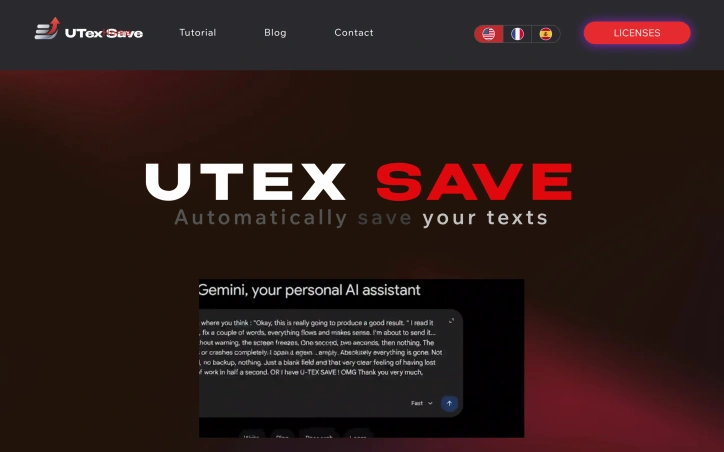
Losing unsaved text to a browser crash or network failure is a common frustration that most internet users have experienced at least once. UTexSave addresses this problem by running quietly in the background to automatically capture and preserve everything you type. The product targets anyone who spends significant time writing online: form entries, email drafts, AI prompts, social media posts, or any text input that matters. The founder built this after losing thirty minutes of work to a browser crash, discovering no simple solution existed at the time. What distinguishes UTexSave is its commitment to offline operation. The software stores all data locally on your device with no cloud component, internet connection, or account required. This design choice prioritizes security and privacy while ensuring your backups remain accessible even during network outages. The application runs entirely on your machine, eliminating transmission risks associated with cloud-based competitors. The feature set directly addresses recovery scenarios. Continuous local backup captures everything you write in real time. The previous session recovery function restores text even after unexpected shutdowns or crashes. A clipboard tracker logs the last 100 copied items in the standard version, expanding to 400 in the Pro tier. Pro users also gain access to a backup folder storing the last 30 sessions, allowing recovery of text deleted long ago. Technical execution shows discipline. The entire application weighs under 2 megabytes, meaning minimal system overhead and no noticeable performance impact. Installation is straightforward, with taskbar menu access for retrieving saved files. A pause feature lets users stop recording temporarily, useful when typing passwords or sensitive information. The business model relies on lifetime licenses rather than subscriptions. The Standard version costs 9.90 dollars with installation limited to three authorized PCs. The Pro version costs 39.90 dollars and supports up to twenty PCs. A Microsoft Store version available at 13.99 dollars ties installation to a single Microsoft account. All versions include the core backup and recovery functionality. UTexSave solves a specific, genuine problem with a straightforward approach. The offline-first philosophy appeals to users prioritizing data control and privacy. For writers, developers, and anyone vulnerable to data loss through crashes or accidental deletion, the product delivers measurable value without complexity or subscription costs.

Actors face a recurring problem: the moment they leave an audition room, crucial details evaporate. What monologue was performed? Who sat across the desk? What did they wear? These specifics matter for callbacks and career development, yet they're rarely captured while fresh. The Audition Log addresses this gap by creating a centralized hub for audition tracking, monologue storage, and headshot management—essentially a professional journal for performers building their careers. The product emerges from genuine frustration. Its creator, an actor themselves, recognized that the industry's standard approach—scattered notes, photos in multiple folders, documents buried in cloud storage—wastes time and obscures professional growth. The solution is deliberately streamlined. An actor can log a new audition in roughly 60 seconds, recording the format (monologue, sides, self-tape), wardrobe choices, casting personnel, callback status, and immediate impressions. Over time, this creates a searchable record that reveals patterns and progress. Beyond basic logging, the app consolidates materials that actors constantly manage. A monologue library organizes full texts with filtering by classical, contemporary, and TV/film categories. Headshots and resumes can be uploaded once, organized logically, and sent to casting offices with a few taps—eliminating the friction of hunting for files across devices. The home screen provides career visualization through live statistics: total auditions logged, a theatre-versus-on-camera breakdown, and a full outcome summary tracking submissions, pending decisions, callbacks, and offers. The technical architecture supports how actors actually work. Everything syncs via iCloud across iPhone and iPad, allowing someone to log an audition on their phone during a coffee debrief, then review the full history on a tablet that evening. The app functions offline, meaning actors aren't blocked if their connection drops between auditions. All of this is free to download, with no mentioned paywall or premium tier. What emerges is a product that tackles a real pain point with focus rather than feature bloat. By concentrating on audition records, material organization, and career visibility, The Audition Log avoids trying to be everything to actors and instead solves what they actually struggle with in the room—and after they leave it.


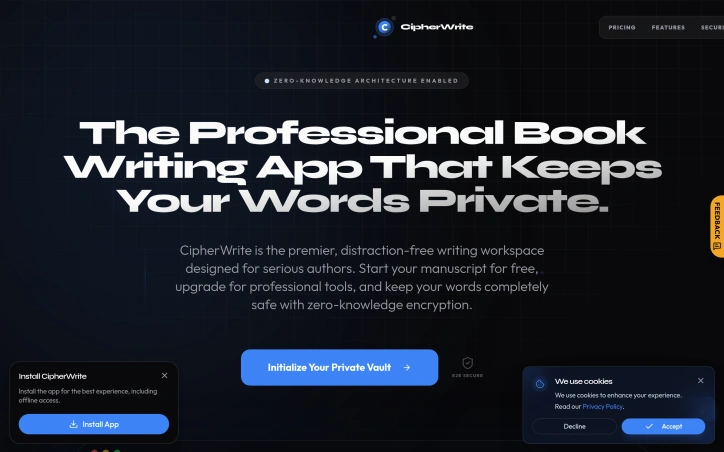
Privacy-conscious writers tired of storing manuscripts in cloud services designed around data extraction will find a different proposition in CipherWrite. The application explicitly positions itself against the surveillance model embedded in mainstream writing tools, offering what the founder describes as a secure sanctuary for creative work—a space where commercial data extraction and AI training harvesting do not occur. Built initially as a personal project to organize private thoughts and early manuscripts, CipherWrite combines a diary, note-taking, and book-writing environment with encryption that locks content on the user's device before transmission. The architecture distinguishes itself through its approach to key management: encryption keys generate locally and never leave the user's machine. The service maintains no server logs, metadata tracking, or search history, and users write anonymously without providing personal information. Beyond its security infrastructure, the product includes a privacy analysis tool that flags potentially sensitive content before publication—addressing a particular concern for writers working with personal or controversial material. The application also features an AI-powered editor that evaluates clarity and depth, plus a reader fatigue predictor that visualizes precisely where reader attention drops within manuscripts. The founder's origin story emphasizes authenticity over growth theater. Developed across weekends and free time, the tool evolved from a personal diary into a comprehensive writing suite as the creator identified his own needs for additional features. This incremental approach, positioned as perpetually unfinished rather than fully optimized, reflects a product built around actual user problems rather than speculated ones. The business model follows a freemium structure, with free access to core writing features and paid upgrades for professional tools. No specific pricing is publicly disclosed. The founder's explicit rejection of what he calls predatory growth hacks and algorithmic surveillance represents a deliberate choice to abandon the dominant monetization model in productivity software—declining data extraction in favor of direct revenue from premium features. CipherWrite occupies a specific market niche rather than pursuing mainstream adoption. Writers who view manuscripts as proprietary intelligence or whose work touches sensitive subjects will recognize the product's utility. For casual writers, the security emphasis represents an expensive solution to an unfelt problem.

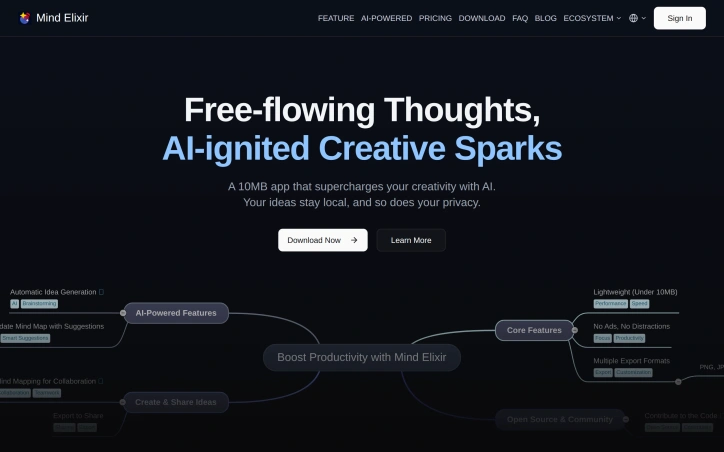
Creativity and idea generation are essential for professionals and individuals alike, but traditional mind mapping tools often fall short in leveraging the latest advancements in AI. Mind Elixir addresses this gap by providing a lightweight, privacy-focused mind mapping application that harnesses the power of AI to supercharge creativity. The target audience for this product is individuals seeking a private and efficient way to organize their thoughts and ideas, particularly professionals who require advanced mind mapping capabilities. What stands out about Mind Elixir is its commitment to data privacy and security, storing all user data locally to prevent tracking and ensure confidentiality. The application's AI integration capabilities allow users to connect their preferred AI services, enabling AI-powered content creation and mind mapping. The flexible tagging system facilitates effortless organization and retrieval of mind maps, while the ad-free experience minimizes distractions. Notable features of Mind Elixir include its incredibly lightweight design, with a download size of under 10MB, and its diversified data flow, allowing seamless import and export from various formats. The Outline Mode feature enables users to rearrange their thoughts and ideas with ease, providing a fresh perspective on their mind maps. Additionally, the AI-powered content creation capability generates ideas, updates mind maps, and suggests new pathways. Mind Elixir offers a simple and transparent pricing model, with a free plan that includes basic mind mapping features, as well as annual and lifetime subscription options that unlock additional features such as unlimited mind maps and watermark-free export. The lifetime subscription is currently available at a discounted price, making it an attractive option for professionals seeking a comprehensive mind mapping solution.
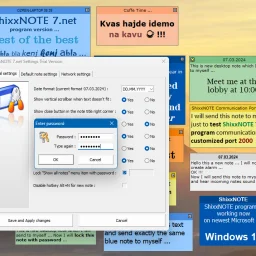
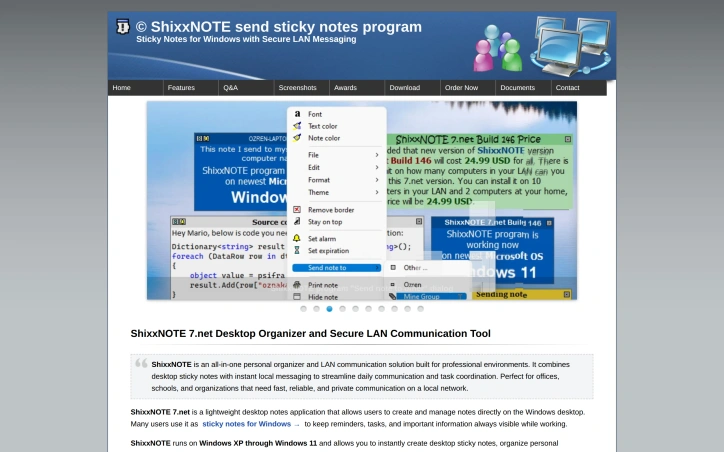
In environments where simplicity and speed are crucial, a clutter-free productivity solution is essential. ShixxNOTE addresses this need by offering a straightforward and efficient platform for managing notes, reminders, and internal communication. The software is tailored for professional settings such as offices, schools, and organizations that require fast, reliable, and private communication within a local network. What stands out about ShixxNOTE is its focus on being lightweight and uncomplicated, directly countering the trend of feature-heavy productivity apps that often come with slow interfaces and unnecessary distractions. By streamlining note-taking and communication, it enables users to capture information quickly and stay organized without the complexity associated with larger productivity platforms. The key features of ShixxNOTE include its ability to create and manage desktop sticky notes, facilitate instant messaging over a local network, and enable note sharing directly to other users' desktops. It is compatible with a range of Windows operating systems, from Windows XP to Windows 11, making it a versatile option for various environments. The application's multithreaded client/server architecture ensures that communication is immediate and effective, with notes being delivered straight to the recipient's desktop. Notably, ShixxNOTE prioritizes data privacy by operating entirely within the local network, eliminating the need for an internet connection. This aspect, combined with its offline functionality, makes it an attractive option for those seeking secure notes software. A 30-day free trial is available, allowing potential users to test the full functionality of the software before committing to a purchase. The trial version is fully functional, with the only limitation being the trial period itself.
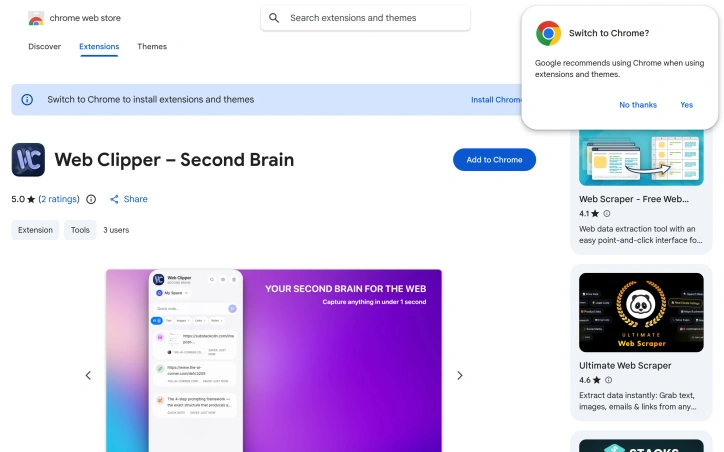
Capturing web content at scale without sacrificing privacy or simplicity is a persistent friction point for knowledge workers. Web Clipper targets this gap by offering a browser extension that lets users save text, links, and images through a single keyboard shortcut, eliminating the common workflow of bookmarking, copying, or screenshotting scattered across multiple tools. The extension is built for researchers, students, designers, and anyone who mines the web for ideas and reference material. Its core appeal lies in speed and simplicity—content capture happens in under a second, with no configuration required. Rather than forcing users into account creation or cloud syncing, the product keeps all data local, meaning users maintain complete privacy and offline access to their collected material. The feature set addresses the common pain point of digital hoarding: the ability to save selected text, full web pages, links, and images directly into a side panel accessible from any tab. A search function lets users navigate their collection without the organizational overhead that plagues other capture tools. The interface supports both dark and light themes, catering to different usage contexts and reducing friction during extended browsing sessions. What distinguishes Web Clipper from competitors like Evernote or cloud-based clippers is philosophical. Rather than positioning itself as a complex note-taking platform or knowledge management system requiring subscriptions, it prioritizes a single job done well: fast, offline, privacy-preserving capture. The developer explicitly designed around the pain of feature bloat and recurring subscription costs, positioning the tool as an antidote to the complexity users encounter elsewhere. Upcoming functionality includes Spaces, a feature for organizing clips into collections, suggesting the roadmap will gradually introduce structure without compromising the core principle of simplicity. The extension is currently free, with no monetization layer disclosed, making it an accessible entry point for users skeptical of yet another subscription service. The product's positioning on privacy, speed, and local-first architecture creates a clear niche. It serves users frustrated by the gatekeeping of cloud-based alternatives and willing to sacrifice cloud synchronization and advanced collaboration for agency over their own data.
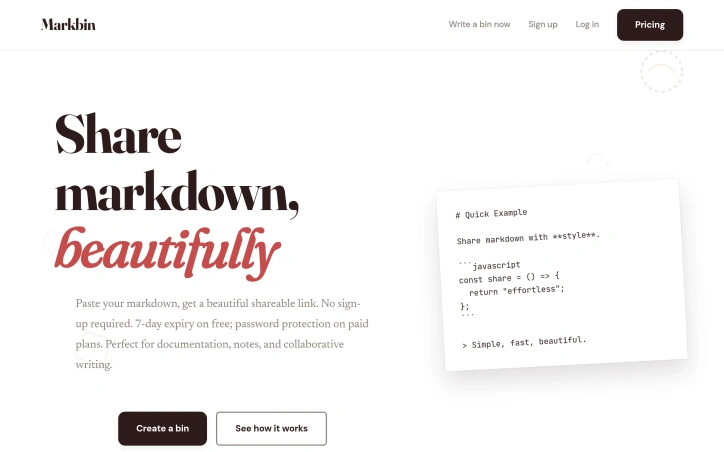
For anyone who shares written content regularly, Markbin addresses a genuine problem: distributing formatted markdown without friction. The service targets a broad audience—developers sharing code snippets, writers collaborating on documentation, researchers distributing notes, and creators of all kinds who want their markdown to look polished without technical overhead. The core appeal is radical simplicity. You paste markdown, select a visual theme, and receive an instantly shareable URL. No registration, no email verification, no account setup. This frictionless workflow distinguishes it from alternatives that demand login credentials before allowing content preview. What separates Markbin from basic pastebin services is deliberate attention to presentation. The platform supports full GitHub Flavored Markdown—syntax highlighting, tables, task lists, mathematical notation—ensuring shared content renders professionally. Nine hand-crafted themes (terminal, brutalist, newspaper, retro, pastel, and others) let users match aesthetics to their content or preference. This level of design curation replaces algorithmic theme generation entirely. Responsiveness across devices is built in, so shared content looks equally polished on mobile and desktop. The platform prioritizes speed through modern web technologies, delivering rapid loading and real-time preview rendering. The business model is straightforward. Free bins expire after seven days, creating natural incentives for engagement while controlling storage costs. Paid plans introduce password protection and features like self-destructing documents and open-limit controls, though specific pricing tiers remain undisclosed. The service also imports GitHub Gists and renders them with its theme system, serving users already embedded in GitHub's native tooling. The positioning inverts typical SaaS convention. Where many platforms prioritize signup metrics, Markbin treats account creation as optional friction to minimize. For practitioners and makers who frequently distribute written material, this philosophy addresses a genuine annoyance in routine work. The combination of instant sharing, optional authentication, and design intentionality makes it a credible alternative to both bare pastebins and heavier markdown platforms.

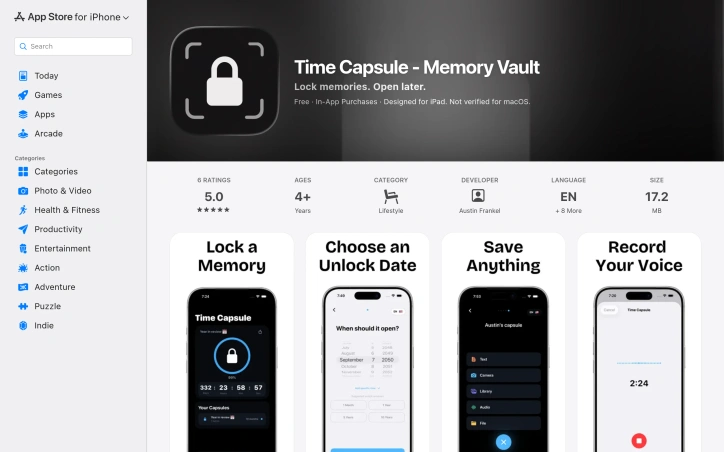
Capturing memories for future reflection has become increasingly common, but most solutions treat time capsules as an afterthought. This app tackles the specific use case of sealing away meaningful moments—photos, videos, voice recordings, notes, and files—to be opened at a predetermined date, preserved exactly as they were locked away. The target audience is broad but specific: people marking milestones who want to freeze a moment in time. This includes high school graduates saving photos and letters for their adult selves, parents recording a child's early moments to be revisited at 18, friend groups documenting shared trips, and individuals tracking personal goals for yearly review. What distinguishes this offering is its uncompromising stance on privacy. The application stores everything on-device using AES-256 encryption, avoids cloud servers entirely, requires no account creation, and collects no analytics or user data. This approach appeals to users skeptical of tech companies' data practices, though it carries a trade-off: responsibility for manually backing up capsules as encrypted files to prevent device loss from becoming data loss. The interface emphasizes simplicity. Users name a capsule, choose an unlock date ranging from one day to decades away, add their content, and press and hold to seal it. A countdown timer displays time remaining until each capsule unlocks. The app supports flexible content types, from imported media to built-in voice recording and text composition. Sharing encrypted capsules with others requires a premium subscription. The service operates on a freemium model with in-app purchases. Core capsule creation and storage is free, while premium access unlocks capsule sharing and some advanced features. The documentation doesn't clearly distinguish what exactly requires payment, which prospective users should clarify before relying on the app for long-term memory storage. One practical consideration: since everything is local and unsynced, device loss means capsule loss unless backups exist as external encrypted files. The developer emphasizes this backup requirement, suggesting they understand the inherent risks of an entirely on-device architecture. For users prioritizing privacy over convenience, who accept responsibility for backups, and who find meaning in time-delayed memory capture, this fills a genuine gap in the app ecosystem.

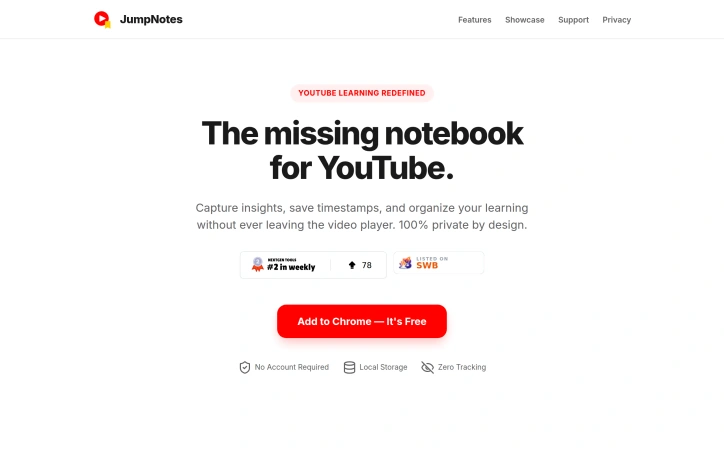
Learning from YouTube videos presents a common challenge: how to capture meaningful notes and timestamps without relying on external services that harvest your data. JumpNotes addresses this directly with a Chrome extension that keeps all note-taking activity local to the browser, eliminating cloud dependencies and privacy concerns entirely. The product targets students, educators, and anyone seeking to extract knowledge from video content while maintaining full control over their information. The extension distinguishes itself through its uncompromising privacy stance. Rather than syncing data across servers, JumpNotes stores everything in the browser's local storage, with no tracking infrastructure or third-party access. This design choice reflects a broader commitment to user autonomy that informs the entire product architecture. The feature set reflects careful attention to the learning workflow. Chapter Autopilot automatically detects native YouTube chapters and imports them into a jump-list, providing instant structural context for any video. The timestamp system allows single-click note capture tied to exact video moments, with instant navigation back to those points. A Smart Archive feature groups all notes by video, making it easy to browse past learning sessions. Comment Detection extracts useful timestamps from YouTube's comment section and incorporates them into personal notes, leveraging community insights without manual curation. For those who work across multiple tools or prefer different formats, the extension offers text export in both plain text and Markdown formats. The interface prioritizes keyboard efficiency, allowing users to pause, note, and continue without touching a mouse. This optimization pays dividends for power users and those seeking to maintain focus during learning sessions. JumpNotes succeeds because it solves a specific problem with minimal friction and no privacy tradeoffs. For learners unwilling to compromise data security for functionality, it represents a rare product that delivers both without compromise. The extension avoids the bloat and surveillance mechanisms common in competing solutions, instead betting that students and educators value control over convenience.