Clipo - Clipboard & Keyboard
- No match
Machine translation — the English original is authoritative.
The Story
Copy something. Copy something else. The first thing is gone.
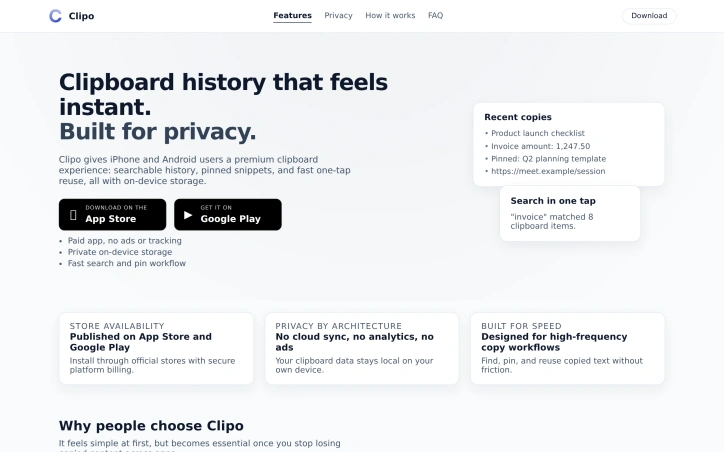
That’s the whole problem. The system clipboard holds one item. For anyone who copies all day — devs, writers, students, people juggling Slack, email, and notes — that’s constant friction. You’re not forgetful; the tool just forgets for you.
I looked at existing clipboard apps and didn’t like the tradeoffs: cloud sync I didn’t need, analytics I didn’t want, ads in a place that sees everything you copy. So I built Clipo — a clipboard manager that captures what you copy, keeps a searchable history, lets you pin the stuff you reuse, and never sends your data anywhere. It’s offline by design. No account. No tracking.
I went further and built a custom keyboard (iOS + Android) so you can search and paste from your history without bouncing between apps. Fast when you need it, private when it matters.
I built it because I wanted it myself — and because clipboard history shouldn’t cost you your privacy.
AI Overview
AI-generatedThe frustration of copying something only to have it overwritten by the next item is a universal experience for anyone who works with multiple pieces of text throughout the day. Clipo addresses this issue head-on by providing a premium clipboard experience for both iPhone and Android users. The app is designed for individuals who frequently copy and paste text, such as developers, writers, and students, offering them a searchable history of their clipboard contents.
What stands out about Clipo is its commitment to user privacy. The app stores clipboard data locally on the device, eschewing cloud sync and analytics in favor of a private, on-device storage approach. This ensures that sensitive information remains secure and is not shared with third-party services. Clipo also offers a range of features that enhance productivity, including the ability to pin frequently used snippets, search through clipboard history, and access recent items directly from an Android home widget.
The app's custom keyboard for both iOS and Android allows users to search and paste from their history without having to switch between apps, streamlining the workflow. Additional features include smart deduplication, secure-field-aware capture behavior, and the option to lock the app with a PIN or biometric authentication.
Clipo is available for download on both the App Store and Google Play, and it is offered as a one-time purchase with no subscription or ads. The developer's focus on building a private and secure clipboard manager has resulted in a product that is both functional and trustworthy. Overall, Clipo is a valuable tool for anyone looking to manage their clipboard history in a private and efficient manner.
Founder Diary
DevlogThe maker hasn't posted a diary entry yet.
Key Features
Searchable clipboard history
Find any copied text, link, or snippet in seconds with full-text search and highlighted matches.
On-device privacy
Clipboard data stays local on your phone — no cloud sync, no analytics SDKs, and no ads.
Pin essentials
Keep templates, IDs, and frequently used snippets fixed at the top for one-tap reuse.
Automatic background capture
Clipo records copies in the background with smart deduplication and secure-field awareness.
App lock
Protect sensitive clipboard history with optional PIN and biometric unlock.
Android home widget
Open recent and pinned clips directly from your home screen without opening the app.
Use Cases
-
1
Power users juggling many apps
Stop re-copying the same text when switching between email, Slack, notes, and browser.
-
2
Privacy-conscious professionals
Keep addresses, client details, and internal links off third-party cloud clipboard services.
-
3
Support and sales reps
Pin canned responses and reuse them across chats without digging through message history.
-
4
Students and researchers
Recover quotes, citations, and URLs you copied earlier but never pasted.
FAQ
Does Clipo send my clipboard data anywhere? ▾
Is Clipo free with ads or a subscription? ▾
Does it work on iPhone and Android? ▾
Can I secure the app or clear history? ▾
Pricing
Only iOS is paid, android version is free
Tech Stack & Tags
Discussion
No comments yet — be the first!
Join the conversation — sign up to comment.
Sign up freeCommunity Support
Boost this project on Sell With boost
Meet the Founder

More in Note and writing apps
JumpNotes — The missing notebook for Youtube
A lightweight Chrome extension for time-stamped...
Time Capsule - Memory Vault
I built Time Capsule because most memories get l...
Markbin
We built Markbin to make sharing markdown effort...
Edda - Author's Bible
Edda is novel writing and worldbuilding software...

Mind Elixir
I built Mind Elixir to supercharge creativity wi...

cipherwrite.com
At last year in December, I had a lot on my mind...