
GPTZZZ
GPTZZZ 是面向开发者的独立第三方 AI API 中转与多模型网关,提供 OpenAI 兼容接口和 Claude Messages 接口,帮助应用与编程工具...

@fuck.it
Email privacy has become an afterthought at mainstream providers, which treat inboxes as data sources to be mined for ad...
Best Productivity Startups & Tools
Recently Listed
278 launches
Building a personal professional brand at the highest levels of consulting and advisory work requires more than expertise—it demands complete control over how client interactions are conducted and stored. Talks4You Exclusive addresses a real tension in the market: elite professionals need secure digital infrastructure for client engagement, yet mainstream platforms like Zoom, Google Calendar, and email systems monetize user data through profiling and analytics, creating hidden risks for client confidentiality. The product serves high-end consultants, advisors, and premium service providers who handle sensitive client information and cannot afford reputational damage from data exposure. Rather than licensing another company's communication tools, Talks4You Exclusive positions itself as privately owned digital infrastructure that keeps both professional and client data entirely within a closed ecosystem. What distinguishes this offering is its framing around data sovereignty. The platform promises zero data logging, no algorithmic profiling of clients, and no metadata harvesting for marketing purposes. Clients enter through a customized domain using the provider's branded identity, not a generic platform interface. Communication happens on the provider's digital property rather than as a guest on someone else's infrastructure. For professionals building premium practices, this distinction matters—it signals control and discretion. The platform automates significant administrative burden through features like global booking, time zone handling, and instant payment processing directly to the provider. A newly launched AI notes feature generates structured summaries from consultations without storing conversation transcripts, allowing providers to maintain records while preserving session privacy. The financial model reflects the premium positioning: there is no free tier or freemium model mentioned. Instead, Talks4You Exclusive operates on a custom pricing basis with quote-based sales, placing it clearly in enterprise or high-value professional territory. Revenue from client payments flows directly to the provider without middleman platforms or withdrawal delays—an important detail for professionals managing high-value transactions where payment trust is foundational. For exclusive practitioners uncomfortable with their client relationships existing on corporate servers, this product offers a direct alternative. The core promise—transforming digital communication from a rented platform into owned infrastructure—appeals to a specific market segment prioritizing privacy and autonomy over network effects and low cost.


Converting files across formats remains one of those recurring digital friction points that fragments user workflows. Docultra tackles this by consolidating image, PDF, audio, and video conversion tools into a single browser-based workspace, eliminating the need for users to hunt across multiple specialized websites. The product targets creators, professionals, and students—anyone handling file conversions as part of their regular work but frustrated by the ecosystem's typical obstacles: invasive paywalls, pop-up advertising, privacy concerns, and misleading download buttons. The platform's architecture centers on privacy and speed. Most conversions execute client-side, meaning files never touch a remote server. For operations requiring backend processing (specifically audio work), Docultra implements automatic deletion the moment the conversion completes. This approach sidesteps the common trap of utility-tool websites that monetize user data or create artificial conversion limits. The service accepts files up to 5 gigabytes and supports uploads via drag-and-drop, direct links, or integration with Dropbox and Google Drive. Feature coverage is broad. The image converter handles conversions between eight formats including SVG and AVIF, with batch processing and PDF collation built in. The PDF tools go beyond simple format conversion to offer merging, compression, digital signatures, and redaction capabilities, plus optical character recognition for image-to-text extraction. Audio conversion spans seven formats with the ability to extract soundtracks from video, normalize levels, and compress files. Video conversion covers the major codecs, and a file translation feature rounds out the toolkit. Across these tools, Docultra promises over twenty supported formats. The business model is deliberately uncomplicated. Every feature is free. No subscription tiers, no account creation, no watermark overlays, no daily quotas, and no premium upsells. The platform works in any modern web browser, requiring no installation or updates. This stripped-down approach reflects a philosophy that utility software should provide value without friction—a direct response to the bloated landscape of file-conversion websites that have prioritized monetization over user experience.


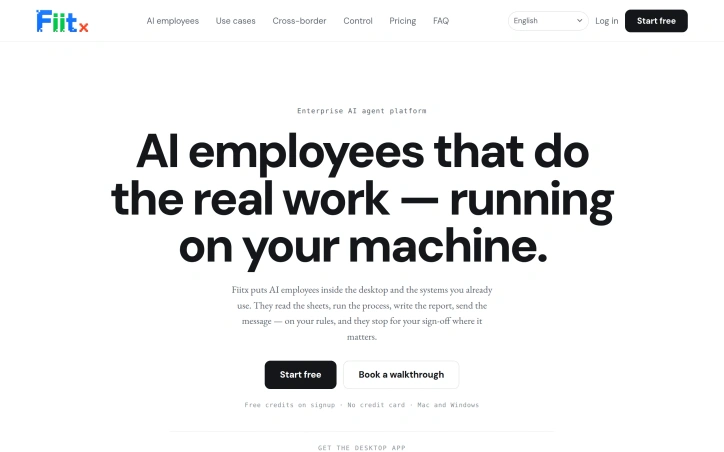
Automation without the engineering effort represents the core challenge that FIIT addresses. The platform targets business teams drowning in repetitive workflows—pulling data from multiple sources, validating information against company rules, writing reports, and routing exceptions for approval. Rather than another chatbot interface or a multi-month integration project, FIIT packages pre-built automation templates that teams activate directly into their existing workspace tools. The product philosophy centers on control. Every AI employee ships as a job description defining which systems it touches, what rules govern its decisions, and where human sign-off gates execution. Three permission modes let teams dial in their comfort level: read-only inspection, approval on each action, or full automation. This design acknowledges that autonomous agents in business contexts require meaningful oversight, not just audit trails. The existing template library demonstrates what the platform targets. An attendance tracker reads punch records, routes exceptions to department leads, and summarizes the month. A spreadsheet validator pulls from linked sources, flags discrepancies against defined rules, and exports import-ready corrections. A creator outreach assistant deduplicates prospect lists across past campaigns and batches invites for approval. These feel like real workflows, not marketing fantasies. Technical scope is broader than typical automation platforms. FIIT works through the systems companies already own—Lark, WeChat, Google Sheets, Feishu, DingTalk, and others. For systems without APIs, the platform operates through a browser-based layer with real logged-in sessions. This pragmatic approach eliminates the integration project entirely. The desktop app ships on Mac and Windows, tying the agent to the user's machine rather than requiring cloud infrastructure setup. Execution control extends beyond approval gates. Teams define when agents run—daily at 08:00, weekly, monthly, or triggered by incoming messages and webhooks. The agent remembers company definitions and formulas, applying consistent logic across executions. The free tier with no credit card and perpetually updated builds signals generous onboarding. Whether the model sustains for enterprises requiring premium features remains unanswered in available materials. The approach of shipping job descriptions rather than generic chat interfaces addresses a real market frustration. For non-technical teams running primarily on spreadsheets and workplace collaboration tools, FIIT presents a functional alternative to hiring contractors or sustaining manual overhead.

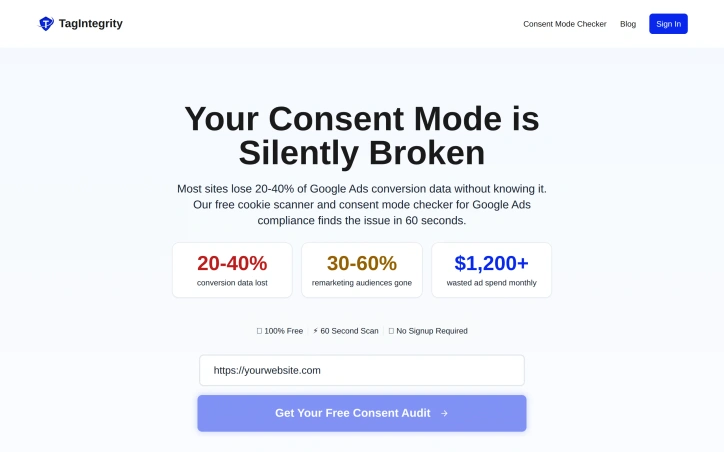
Businesses implementing Google Ads and analytics integrations face a hidden revenue leak: misconfigured Consent Mode v2 settings that silently suppress conversions and analytics data without triggering visible errors. TagIntegrity targets this specific problem with a free scanner that diagnoses GTM, GA4, and Google Ads tag configurations in roughly 60 seconds. The product's core strength is its focus on a concrete, high-impact problem. Marketers and developers managing consent compliance often struggle to verify that their configuration actually works—that tags fire appropriately and consent signals transmit to Google systems correctly. The scanner addresses this gap by showing exactly which tags are active, whether a consent management platform exists on the site, and critically, whether the ad_user_data and ad_personalization consent signals are being set. These specific data points directly map to the configuration issues that suppress conversion tracking. TagIntegrity distinguishes itself through operational simplicity. There is no account creation required, no authentication wall, and no setup complexity. A user visits the site, enters a URL, and receives results within about a minute. This low-friction entry point removes barriers for businesses that need a quick diagnosis without committing to a vendor relationship or onboarding process. The feature set is deliberately narrow but deep. Rather than building a broad tag management or analytics audit tool, the scanner concentrates on the intersection of Google advertising compliance and consent mode functionality. It identifies the presence of consent mode signals and validates their configuration against requirements for ad targeting and personalization under GDPR and similar frameworks. From a business model perspective, TagIntegrity offers its scanner entirely free, with no mentioned pricing tiers or premium features. This suggests a freemium or lead-generation model, though the specific business strategy remains undisclosed. The product fills a genuine need. Consent mode compliance and accurate ad conversion attribution have become operational requirements for digital marketing, yet the configuration surface remains error-prone and opaque to non-technical stakeholders. By packaging diagnosis into a fast, no-friction tool, TagIntegrity makes verification accessible to teams without deep GTM expertise. As a diagnostic tool, TagIntegrity identifies configuration issues but stops at detection. Businesses still need internal developers or external consultants to implement fixes. However, as the entry point for diagnosing revenue-impacting configuration problems, the product occupies a useful position in the diagnostic workflow.
Financial teams still rely on email to share sensitive documents like pitch decks and term sheets, creating a transparency black hole where senders never know who actually engaged with their materials or what sparked interest. SendNow addresses this gap by layering engagement analytics onto document sharing, letting deal teams see who opened their pitches, which pages captured attention, and how many times prospects returned for another look. The platform serves investment professionals, corporate development teams, and anyone moving capital who needs visibility into document consumption. Rather than wondering whether recipients even opened an attachment, users get live notifications when a document is accessed, detailed page-level engagement metrics showing which sections received focus, and exportable audit logs for compliance records. What distinguishes SendNow is its focus on the complete deal workflow. The product bundles documents into branded deal rooms that sit behind a single link, eliminating the chaos of email chains and scattered attachments. Security is not an afterthought: documents come encrypted end-to-end, with AES-256 encryption at rest, and the platform defaults to controls like watermarking with viewer identification, screenshot blocking, and link expiration. Teams can set access rules, require NDAs before viewing, and lock down document downloads entirely. The analytics layer reveals behavioral signals that raw document delivery cannot. Beyond basic open rates, SendNow tracks which pages received the most time, when viewers returned to specific sections, and whether they completed a full read versus skimmed selectively. These signals matter for deal teams trying to gauge investor interest or identify which aspects of a pitch deck warrant clarification. Integration with notification systems like Slack and CRM tools keeps deal momentum visible without forcing users into a new workflow. The platform handles compliance requirements head-on with GDPR compliance, US data residency, and audit trails that finance and legal teams can export on demand. SendNow operates on a freemium model with paid tiers available, though specific pricing is not detailed in available materials. The platform's core value lies in transforming document sharing from a one-way delivery mechanism into a data source for deal intelligence, giving teams the confidence to follow up at precisely the right moment based on documented engagement patterns rather than instinct.


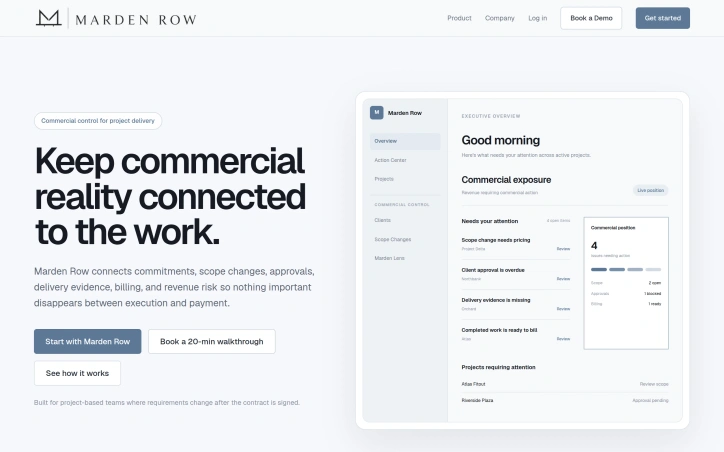
Project-based businesses face a persistent commercial blind spot: when scope changes, client promises and approvals often disappear into message threads and emails, leaving teams unable to track what still needs billing, what remains unapproved, or where completed work sits without closure. Marden Row addresses this gap by creating a single commercial record that connects project commitments, scope changes, client approvals, delivery evidence, and revenue tracking from contract signature through payment. The product targets teams in construction, engineering, software implementation, consulting, and creative agencies—industries where project work routinely diverges from the initial agreement. Rather than replacing existing project management systems, Marden Row positions itself as infrastructure for capturing the commercial dimensions that existing tools miss. The core concept rests on what the company calls an operating loop: commitment, change, approval, evidence, and revenue. This framework treats each project as a linked sequence where scope variations must be recorded against the original agreement, approvals tracked visibly, delivery proof connected to billing records, and financial exposure surfaced before it becomes a problem. A dashboard called Marden Lens acts as a commercial intelligence layer, pulling project context to answer questions about which projects carry revenue risk, which scope changes remain unapproved, or what work is ready to bill. What distinguishes Marden Row in a crowded project management space is its explicit focus on commercial visibility rather than task orchestration. The founder's motivation—observing how easily profitable projects turn financially messy once execution begins—points to a real workflow gap. Teams typically manage delivery and commercial accounting in separate systems, creating the exact blind spots Marden Row targets: unapproved scope, missing approvals, delayed evidence, and revenue that can't be closed. The product is built around common pain points in service-based work. Variations and site requests in construction, changing requirements in software projects, and expanded mandates in consulting all become operational liabilities when the commercial record doesn't move alongside the work. By centralizing approval workflows, change documentation, and delivery proof, Marden Row makes the commercial side of delivery as visible and tracked as the work itself.

Performance diagnostics for Windows gaming and PC maintenance need honesty. Most tools in this space trade accuracy for dramatic readings or blanket recommendations that don't respect hardware limits. SwiftPulsePC, built for Windows 10 and 11, solves this by layering real sensor data alongside actionable guidance without inventing precision where it doesn't exist. The product targets gamers and power users who want to optimize thermal performance and storage without guessing. Its core value proposition rests on refusing to fake readings. Direct sensor temperatures stay visibly separate from estimates and fallbacks, letting users calibrate expectations to their actual hardware. This separation extends through the entire interface: controls only activate when your PC actually supports them, using driver-reported AMD presets rather than generic tuning profiles that might destabilize unsupported systems. The feature set covers the full PC health spectrum. A Check My PC tool provides plain-language diagnostics with detailed readings available when needed. For gamers, it surfaces refresh rate, power delivery, Game Bar status, and linked-game setup in a single pane. The stress-testing component runs bounded CPU, memory, and WebGL workloads to identify which system component hits its limit first. Storage tooling focuses on recovery-safe cleanup, letting users inspect large files and preview candidates before using the Windows Recycle Bin, not automatic deletion. What distinguishes SwiftPulsePC is its architectural constraint: every reading reports its source and confidence level, and every control respects hardware limitations. Fan controls use supported firmware profiles. Temperature alerts tie to live metrics without automatic file deletion. System modifications employ signed helpers and recovery snapshots. This disciplined approach suggests the software was built by someone skeptical of the overclaimed performance tools flooding the market. The application is available through the Microsoft Store, signed by CordiApps, and requires no cloud account. Recent updates improved sensor-temperature separation, setup validation, multi-GPU reporting, and keyboard navigation, indicating active maintenance focused on reliability rather than feature bloat. For users tired of dubious optimization software that promises miracles while hiding behind vague metrics, SwiftPulsePC offers a refreshing alternative. It won't dramatically boost frame rates or promise mystical cooling improvements. What it will do is tell you what your PC actually supports and what's genuinely happening under the hood.


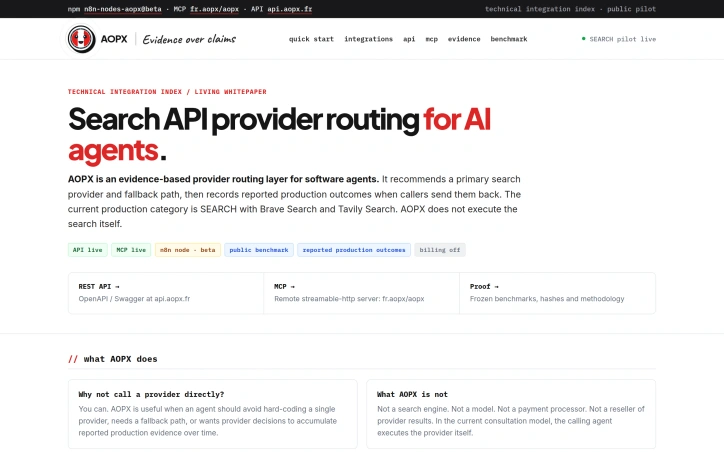
Routing decisions for AI agents don't need to be baked into code. AOPX offers a consultation layer that sits between agent applications and search providers, recommending which provider to use for each request and supplying fallback paths when the primary choice becomes unavailable. The platform targets developers of AI agents and workflow systems that currently hardcode single search provider dependencies. By introducing a routing decision point, AOPX lets agents defer provider selection to a policy layer, avoiding the brittleness that comes from fixed integrations. The core insight is straightforward: when agents need reliable search capabilities, flexibility and fallback resilience should not be sacrificed for simplicity. What distinguishes AOPX is its feedback mechanism. After an agent executes a recommended provider and receives results, it can report back on what actually happened in production. AOPX ingests these reported outcomes and incorporates them into its routing policies, creating a system that evolves based on real-world performance rather than operating solely on frozen benchmarks. This design pattern is notably different from static provider comparison tools that offer one-time recommendations with no learning loop. The service operates as pure consultation. AOPX receives a category and mode parameter, returns a recommendation_id along with a primary and fallback provider, and agents handle the actual API calls themselves. This architecture sidesteps the need to become a proxy layer or payment processor and keeps operational complexity minimal. Currently, the platform covers one category: SEARCH, with integrations to Brave Search and Tavily Search. A third candidate, Serper, sits under evaluation. Three integration surfaces exist: a REST API available live, an MCP protocol implementation for agent clients, and a beta n8n connector. Discovery metadata appears in both the MCP Registry and Glama.ai. Pricing remains undefined during the public pilot phase. Documentation explicitly states that billing is disabled, suggesting that commercial terms either have not yet solidified or await a future phase. The service positions itself around an opinionated view of agent architecture: providers should be swappable, selection decisions should track evidence, and failure should have structured fallbacks. Whether this routing abstraction justifies the additional latency and API call in practice depends on individual deployment requirements and tolerance for added complexity.

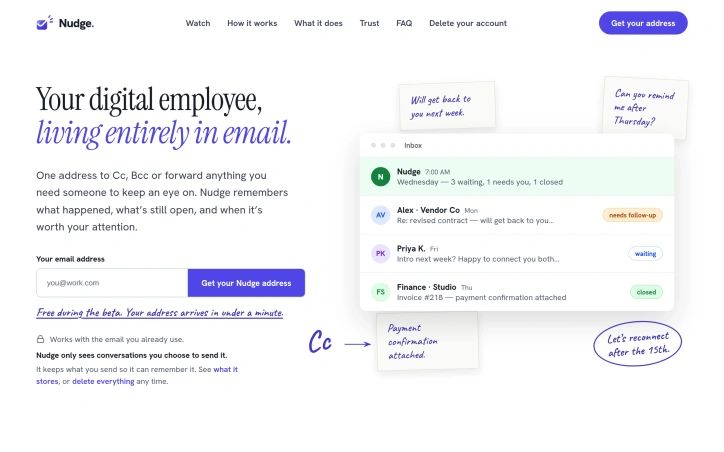
Email overload kills productivity. Professionals spend countless hours chasing follow-ups, hunting for half-remembered commitments buried in their inboxes, and scrambling to remember whether someone promised to deliver something by Tuesday or next month. Nudge confronts this directly by positioning itself as a digital assistant that lives in your email—the one application everyone actually checks. The product's genius lies in radical simplicity. Rather than demand users adopt another app, another dashboard, or another notification channel, it uses email itself as the interface. You get a private Nudge email address and simply forward, Cc, or Bcc anything you want tracked. The system reads the conversation, extracts what matters, and keeps tabs on what remains open. Each morning, you receive a single briefing email listing items that need attention, organized by priority. Nothing new to learn, no account to manage separately, no discipline required to check "one more thing." The implementation hints at genuine thoughtfulness. Nudge acknowledges that most emails require no action and handles them silently, eliminating notification fatigue. When something does need attention—a client who's gone silent, an invoice awaiting payment—it surfaces the context and lets you reply directly to Nudge emails to adjust timelines or close items. Over time, the system learns how you prefer to work and adjusts its behavior accordingly. The setup takes under two minutes, and the product respects privacy by only storing what you explicitly send it, with an option to delete everything on demand. The morning briefing is particularly well-designed. Rather than interrupt throughout the day, Nudge batches important items into a single message delivered in your timezone. This batching approach protects attention while ensuring nothing slips through cracks. The interface is entirely conversational—you reply to Nudge as you would a colleague, creating a natural interaction model rather than forcing checkbox workflows. The business model remains uncomplicated. Nudge is currently available free during its beta phase, though the eventual pricing structure remains unstated. What makes this compelling is the underlying recognition that email remains the connective tissue of professional work. Rather than fight that reality, Nudge embraces it. The product solves a specific, painful problem for anyone juggling multiple commitments via email—which covers most working professionals—without adding friction to their existing workflow.

Job seekers face two parallel problems: their resumes must pass automated screening systems before human eyes ever see them, and when they do get human review, the feedback they receive is often generic. Resume Roast addresses both by combining ATS analysis with brutally specific critique that points to exact weaknesses and their fixes. The tool's fundamental value proposition is straightforward. Upload a text-based PDF resume, and the service delivers an ATS compatibility score, identifies keyword gaps relative to job requirements, flags parsing risks, and provides line-by-line criticism with concrete rewrite suggestions. Optionally pasting a target job description allows applicants to measure fit against real requirements rather than guessing at what employers need. Several design choices set this apart from generic resume tools that reduce everything to a numerical score. The feedback framework centers on severity—distinguishing between problems that can be patched versus resumes that need fundamental restructuring. Rather than vague praise or generic recommendations, the platform analyzes actual content and identifies specific failures: a bullet point where weak language lets the contribution get lost, a section labeled informally when ATS expects standard headers, or missing quantification that should anchor claims in measurable outcomes. Before-and-after examples from real submissions demonstrate the gap between an amateur presentation and one that survives both machine parsing and recruiter attention. The privacy approach is noteworthy in an era of data collection. PDF parsing runs locally within the browser; the original file stays on the user's machine. This design choice eliminates a common reluctance among job seekers who understandably hesitate to upload personal documents to unknown services. The platform is bilingual and free to start—three reviews on signup with no credit card required. The business model remains implicit in the available information, though the free tier exists to let users experience the value proposition before any monetization conversion. Resume Roast targets a practical gap: job seekers need feedback that is both technically rigorous and actionable, delivered at the moment of maximum urgency—right before they submit applications. By focusing on ATS mechanics and specificity over general niceness, it positions itself as a second pair of eyes that won't sugarcoat problems or offer boilerplate advice. For anyone serious about improving their candidacy, that clarity has tangible value.


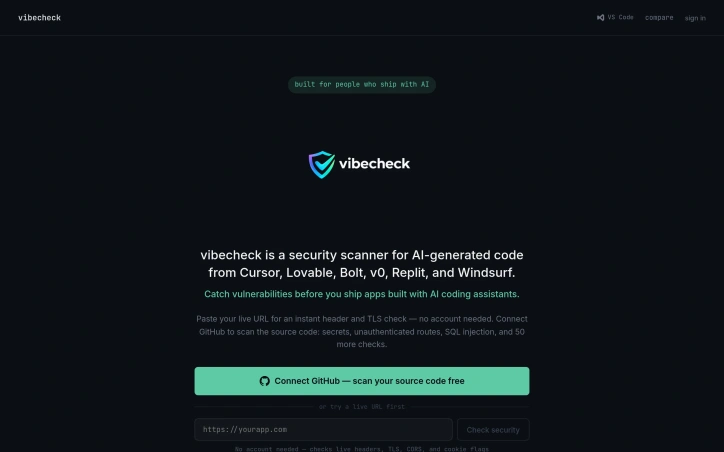
Security gaps in AI-generated code follow predictable patterns. Disabled row-level security in Supabase, hardcoded API keys, unauthenticated API routes, and missing CORS boundaries show up repeatedly in code scaffolded by Cursor, Lovable, Bolt, v0, Replit, or Windsurf. Generic vulnerability scanners miss these mistakes because they're not looking for the specific architectural oversights that AI generators tend to produce. Vibecheck fills that gap by bundling gitleaks, semgrep, and njsscan into a single workflow, then using Claude to analyze results and explain what actually matters. Rather than presenting raw scan output, it prioritizes findings by severity and business impact. For developers shipping fast, this triage layer saves hours sorting through false positives. Getting started requires no account. Paste a live URL to check headers, TLS, CORS, and cookie flags immediately. Developers who want to scan source code can connect GitHub and run the full suite of 65 checks across 11 categories: secrets and exposure, access control, injection vulnerabilities, and server-side issues. The VS Code extension allows scanning before deployment without leaving the editor. The feature set targets real vulnerabilities in rapidly developed applications. Beyond obvious issues like hardcoded JWT tokens or SQL injection, it catches subtle misconfigurations: NEXT_PUBLIC_ secret exposure, Supabase service role keys in client code, GraphQL introspection left enabled in production, and IDOR flaws from missing ownership checks. The 50 custom checks handle patterns that open-source scanners don't catch. User testimonials reveal substantial value. One developer discovered a completely unsecured Supabase table during a pre-deployment scan. Another runs the scanner against five live products before every deploy, calling it the check they wished existed earlier in their career. The feedback emphasizes that Claude's triage actually reads like human review, not a generic wrapper around existing tools. The freemium approach—allowing live URL scanning without registration and GitHub integration with no cost—targets independent developers and small teams. The Product Hunt and VS Code Marketplace presence indicate a distribution strategy built for developers who already use AI-assisted code generation. For teams shipping applications with AI coding assistants, vibecheck addresses a real blindspot in existing security practices.

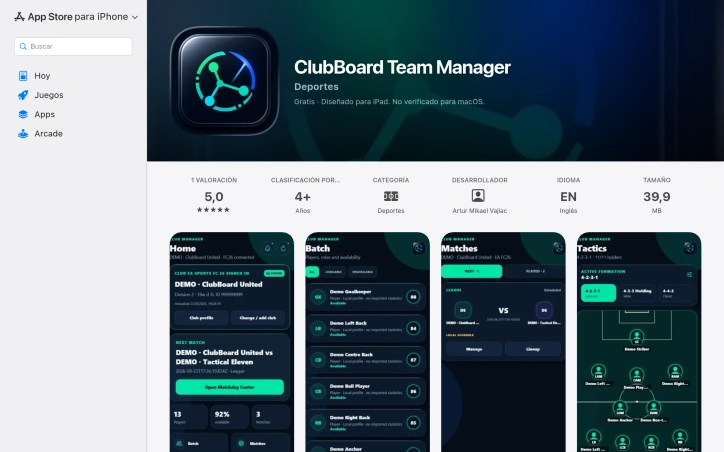
Coordinating team sports requires juggling scattered information across disconnected tools—squad rosters in one app, tactical formations in another, match scheduling elsewhere. ClubBoard Team Manager consolidates this friction into a single workspace designed specifically for EA FC club managers and their teams. The product targets organized clubs seeking better preparation and alignment. Rather than toggling between applications to check player availability, build lineups, or communicate tactical updates, managers can coordinate all aspects of team administration from one interface. The app is built around the core workflow of club management: organizing squad information and roles, maintaining match schedules, designing tactical formations, and planning set pieces. Several capabilities distinguish the product. It provides visual formation builders that let teams diagram tactical routines in a way that's shareable and clearly communicated. Match preparation gets a dedicated feature set that bundles lineups, tactical updates, and coordination—reducing the context switching that plagues teams using generic communication tools. The app also integrates optional Discord connectivity, allowing clubs to push match and tactical updates directly into their existing team channels rather than forcing adoption of yet another platform for notifications. Language support across English, Romanian, and Spanish reflects an understanding that football management spans multiple regions, particularly in Eastern European clubs where similar pain points exist. The decision to design specifically for iPad, with iPhone support secondary, indicates the product recognizes that tactical preparation often happens on tablets where formation diagrams and lineup information are easier to visualize. The app released version 2.0.4 within the past three days, with recent updates focused on clarifying links to the broader ClubBoard ecosystem and improving app store presentation. This suggests active maintenance, though the product remains early—it has a single five-star rating on the App Store, which indicates limited adoption or a very satisfied but small user base. No explicit pricing information appears in the available materials, suggesting either a free model or freemium structure. The core value proposition—consolidating scattered coordination tasks into one designed interface—directly addresses a real operational bottleneck for club managers, particularly those managing competitive EA FC teams where tactical precision and squad organization directly impact performance.

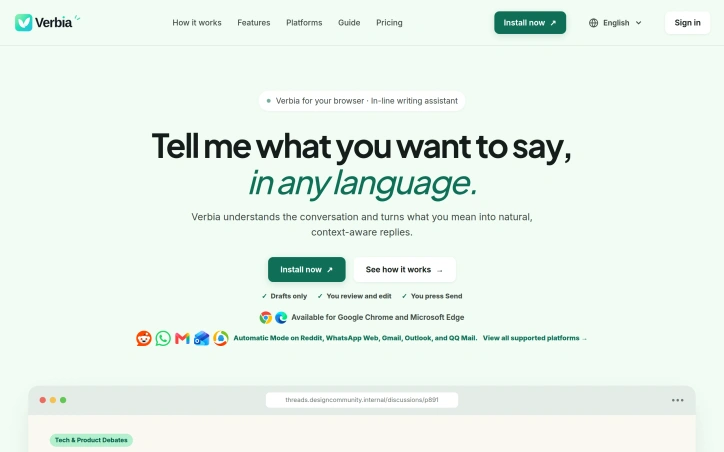
Communication across languages often breaks down not just linguistically but tonally. What someone means in their native language can feel awkward, overly formal, or unintentionally blunt when expressed in another tongue. Verbia addresses this friction with a browser extension designed to bridge the gap between intent and expression in text-based conversations. The product targets multilingual communicators, people who experience tone anxiety in writing, and anyone spending significant time responding on platforms like Gmail, Reddit, WhatsApp Web, Outlook, and QQ Mail. Rather than forcing users to leave the conversation and rebuild context in a separate tool, Verbia integrates directly into the communication flow, making the assist feel native to how people actually work. The core proposition centers on automation paired with human agency. The extension detects conversation context automatically on supported platforms, but always surfaces everything for review. Users express their meaning in any language and specify a desired tone, and Verbia generates a draft grounded in the detected context. This emphasis on human review at every stage positions the tool as an augment to judgment rather than a replacement. Three input modes adapt to different platforms. Automatic Mode handles detection on major services without intervention. For webmail, an AI Identify feature lets users request correction when needed. On other websites, Universal Mode lets users manually select the context text themselves. This tiered approach avoids the friction that limits many writing assistants, which force users into a single workflow regardless of platform. The product demonstrates particular strength in its scope and framing. Rather than positioning itself as a general AI chatbot alternative, it focuses narrowly on one task: turning what you already mean into something that reads naturally in context. The comparison to ChatGPT is instructive. ChatGPT can write replies but requires users to manually rebuild the entire situation, adding multiple steps before producing something usable. By detecting context, accepting voice or text input, and staying within the original application, Verbia eliminates unnecessary overhead. The walkthrough reveals thoughtful product design. Language support spans at least English and Chinese. Tone adaptation lets users control register. Draft review happens before anything gets sent. Integration into existing workflows keeps cognitive load low. What remains unclear is monetization. The website doesn't mention pricing or subscription details, making it difficult to assess value relative to free or cheaper alternatives.

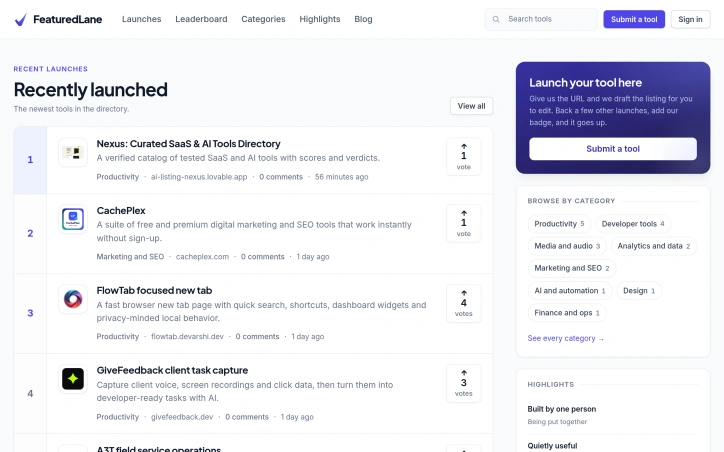
Noise drowns discovery in the tool marketplace. Developers, makers, and early adopters struggle to distinguish production-ready SaaS and AI solutions from marketplace hype. FeaturedLane operates as a hand-reviewed directory designed to surface legitimate tools through human editorial judgment rather than algorithmic ranking. The core differentiator is mandatory human curation. Each tool submission undergoes manual review before appearing in the directory. This gatekeeping approach creates friction for submissions but establishes credibility with audiences grown skeptical of automated recommendations. The product functions as a ranked listing of recent tool launches organized by category: Productivity, Developer Tools, Analytics, Marketing, Media, and Finance. Entries display concise descriptions, direct links, launch timestamps, vote counts, and comment threads. Recent additions span form builders, market research platforms, AI-powered document management systems, and content creation tools. This breadth indicates the directory pursues multiple verticals while maintaining consistent quality standards. Community voting shapes visibility. Tools accumulate votes as users signal value, creating a popularity layer atop the editorial foundation. This hybrid model—human filtering combined with crowd feedback—separates FeaturedLane from purely algorithmic alternatives and self-promotional marketplaces. The interface prioritizes scanability and direct product access. Categories organize logically, descriptions provide sufficient evaluation context, and the combination of editorial gatekeeping with voting creates genuine momentum. Tools gain visibility through reviewer credibility rather than marketing spend. FeaturedLane occupies a specific niche within discovery infrastructure. While narrower than horizontal marketplaces, it avoids the noise multiplication plaguing broader platforms. Competition exists from vertical directories focused on specific tool categories, and the hand-review process constrains scaling—submission volume growth directly impacts review capacity. The business model remains undisclosed. The directory operates as a free service with no stated pricing or monetization mechanism in available materials. For tool creators, FeaturedLane provides direct access to early adopters actively seeking new solutions. For those adopters, the directory delivers daily curation without independent research overhead. It stands as a genuine alternative to algorithmic feeds and sponsored recommendations dominating broader tool discovery.

Artificial intelligence writing tools generate content at speed, but often at the cost of natural tone and authenticity. Lynote addresses this friction point by offering a dual-purpose workspace that both humanizes AI-generated text and detects whether content was written by machines. The platform targets a broad audience—students refining essays and applications, content creators optimizing for search, marketers crafting outreach, and researchers polishing publications. Rather than functioning as a simple paraphrasing tool, Lynote operates at the structural level, tackling the patterns that make AI writing sound mechanical. It modifies sentence rhythm, eliminates repetitive transitions, and rebalances the cadence that distinguishes machine-generated prose from human-written work. This dual-detector approach is central to the product's value proposition. While generating writing from AI tools like ChatGPT or Claude has become routine, publishing that text unedited carries reputational risk. Lynote's AI detector provides clear scoring and highlights specific sentences flagged as AI-generated, helping users understand what needs revision before they hit publish or submit. The humanizer then offers adjustable rewrite intensity, allowing users to calibrate how much transformation their content undergoes while preserving the original meaning. Beyond text editing, the platform bundles complementary features for knowledge work: video summarization, YouTube transcripts, audio-to-text conversion, flashcard generation, and PDF compression. This broader toolkit positions Lynote as an all-in-one learning and writing workspace rather than a single-purpose utility. The business model follows a freemium approach, with free access to both the humanizer (up to 300 words) and detector. This removes friction for trial and adoption across student and professional segments. The platform emphasizes that results feel intentional rather than generic, a critical distinction for users in writing-intensive disciplines where voice and authenticity matter. Lynote fills a genuine gap in AI-assisted workflows. Rather than reinforcing the mechanical tone that AI text naturally produces, it provides practical tools to translate AI drafts into publishable work. For anyone relying on generative AI but concerned about output quality or authenticity, this addresses a real pain point.


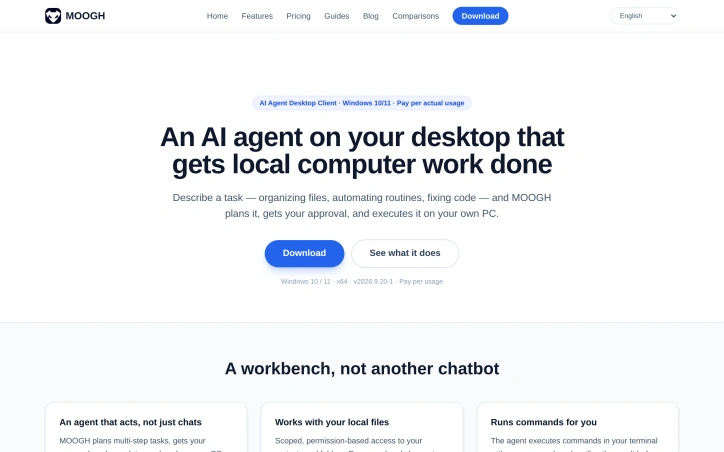
Desktop task automation has historically demanded either manual labor or technical expertise. MOOGH addresses this gap by positioning itself as an intelligent agent capable of planning and executing multi-step tasks on Windows machines with human oversight at critical stages. The product targets several overlapping audiences: document-intensive professionals like product managers and researchers, small teams seeking to eliminate repetitive work, marketers managing content workflows, and developers who need local code assistance. This breadth reflects the variety of problems the desktop automation space can solve. Several design choices distinguish MOOGH from chat-based AI assistants. The most significant is its emphasis on planning transparency. Rather than accepting natural language instructions and diving directly into execution, MOOGH displays its intended actions—which files it will modify, which commands it will run—and waits for explicit approval. This staged workflow reduces the risk of unintended consequences and gives users genuine control over automated operations. Local data handling represents another notable commitment. While task context travels to the AI service for processing, actual files and execution history remain on the user's machine. This architecture appeals to privacy-conscious professionals and those working with sensitive documents. The feature set covers the practical mechanics of desktop automation. The agent can execute terminal commands with verification, access scoped folders and projects, maintain a complete audit trail of all actions, and orchestrate sequences of dependent tasks. It integrates with Windows environments at a fundamental level—file systems, shells, and application contexts—rather than operating as a sandboxed chat interface. The pricing model abandons subscriptions in favor of pay-per-use credits. Users purchase points directly (one dollar equals sixty points) and consume them only during agent execution. The company explicitly states no hidden fees or idle costs. This approach aligns pricing incentives with actual usage rather than forcing commitment to fixed plans regardless of activity levels. MOOGH remains in open testing, which carries typical early-stage implications for stability and feature completeness. The core value proposition—transparent, local-first task automation with human approval gates—addresses a legitimate gap between general-purpose chatbots and specialized automation tools. Whether it achieves the execution quality and refinement needed for broader adoption depends on how well the product handles real-world workflows in practice.
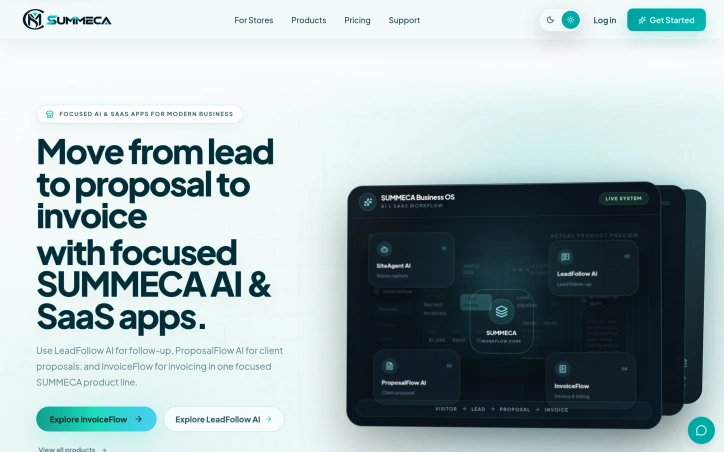
Sales teams often juggle separate tools to capture leads, nurture prospects, and process invoices, fragmenting workflows and losing momentum. SUMMECA consolidates this scatter by integrating four specialized AI and SaaS applications into a single platform: SiteAgent AI captures website visitors as leads, LeadFollow AI generates and sends follow-up emails, ProposalFlow AI drafts client proposals, and InvoiceFlow handles billing. The platform addresses a genuine operational pain point. Rather than toggling between email, CRM, proposal software, and accounting tools, users manage the entire sales cycle from visitor to paid invoice in one workspace. This consolidation appeals to small business owners and freelancers who need efficiency without complexity. What distinguishes SUMMECA is its approach to AI assistance. LeadFollow AI generates follow-up email drafts based on lead information and workflow notes, but users review and approve each message before sending, preventing the tone-deaf automation that plagues less thoughtful tools. ProposalFlow AI similarly creates proposals from a client brief rather than offering generic templates, suggesting the product understands that context matters in business communication. This human-in-the-loop design builds trust in an AI-powered workflow. The pricing model reflects a direct-to-consumer strategy. SiteAgent AI costs $39 as a lifetime purchase, LeadFollow AI $59, and ProposalFlow AI $19. This one-time-fee approach contrasts sharply with the subscription model dominating SaaS, potentially appealing to cost-conscious solopreneurs wary of recurring charges. It positions SUMMECA as significantly more affordable upfront than traditional solutions like HubSpot or Pipedrive. Product design emphasizes usability. Workspaces shown in marketing materials display clean layouts with clear lead pipelines, invoice summaries, and client lists—nothing appears cluttered or overwhelming. Sample AI-generated follow-ups read naturally, though with the caveat that these are curated examples. SUMMECA's potential weakness lies in scope. Bundling four capabilities risks trying to do too much for teams with immediate, narrow needs, though focused feature sets per tool suggest the founders have resisted bloat. Integration details with existing business tools like email or accounting software remain sparse, which could limit adoption among teams with established tech stacks. For small businesses seeking an integrated alternative to sprawling sales tool suites, SUMMECA offers a coherent, if early-stage, solution centered on moving deals forward with less friction.

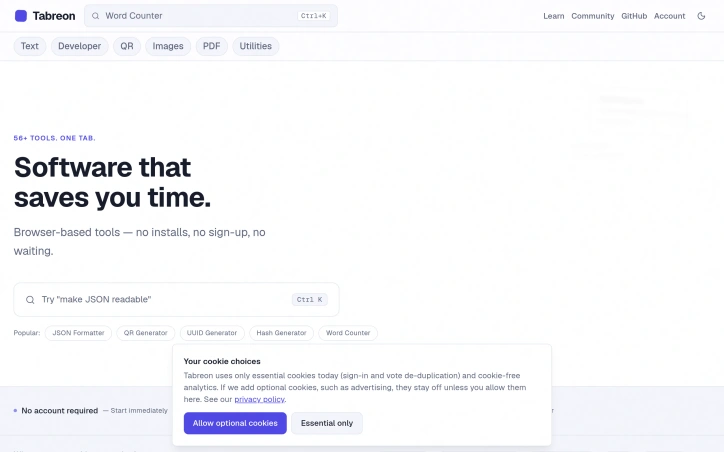
Online utilities have long been plagued by a trust problem. Users seeking a quick file conversion or data formatting tool are often funneled through ad gauntlets, pressured to create accounts, or asked to upload sensitive files to servers of uncertain security. Tabreon takes a different approach, offering a collection of 56 free, browser-based tools designed for developers, creators, and everyday digital work. The platform's core differentiator is transparency around data privacy. The majority of Tabreon's tools process information directly in the user's browser, leaving files and text untouched on the device. For the small handful of tools that do require server processing—image format conversions and animated GIF handling—the tool pages explicitly disclose this requirement rather than pretending everything runs locally. Users can independently verify local processing by inspecting network traffic through browser developer tools, a verification method Tabreon explicitly encourages. Across six tool categories, Tabreon addresses common digital work tasks: text manipulation, developer utilities, QR code generation, image resizing and compression, PDF operations, and general utilities. The developer category alone spans 22 tools, including JSON formatters, UUID generators, hash calculators, Base64 tools, and JWT utilities. This breadth serves multiple user groups simultaneously without forcing unnecessary complexity on users who need only one or two specific tools. The platform's business model reflects its builder's philosophy. Core tools remain permanently free, with no account creation barrier. The site's advertising is visibly separated from content rather than intrusively placed, and the lack of heavy server infrastructure for client-side processing keeps hosting costs manageable enough to sustain a free offering. Built as a solo project using Next.js and Cloudflare Workers, Tabreon demonstrates that useful software does not require venture capital, user tracking, or aggressive monetization. For users fatigued by the exploitative practices common in the free online tools space, this collection of straightforward utilities represents a refreshing alternative. The platform's commitment to honest disclosure about what data leaves the device and what remains local sets a standard worth considering in an industry often defined by opacity.

Navigating the crowded AI tool marketplace means wading through marketing materials designed to obscure genuine trade-offs. Toolbout cuts through this noise by presenting direct head-to-head comparisons of popular AI platforms across writing, video, voice, and other categories. The site targets decision-makers and individual users who want to evaluate tools based on capability and fit rather than promotional volume. The product's core strength lies in its commitment to transparency. Every feature claim links back to the vendor's own documentation, preventing the kind of misrepresentation that plagues many tool reviews. The site explicitly decouples its recommendations from sponsorship, meaning a tool wins a comparison when it best suits a particular use case, not when it offers affiliate commission or has paid for visibility. This structural honesty addresses a genuine friction point for buyers tired of seeing the same tools promoted everywhere regardless of context. Comparisons follow a "bout" format that pits two tools directly against each other rather than offering broad category overviews. Current matchups include Jasper versus Copy.ai for AI writing, Synthesia versus HeyGen for avatar video, and ElevenLabs versus Murf for voice synthesis. Each comparison evaluates features, pricing, and practical fit for the reader's situation. The decision criteria emphasize which tool serves specific user workflows best rather than which is objectively superior. A secondary commitment distinguishes the platform from static comparisons: the site refreshes its analyses as tools evolve. This maintenance-first approach acknowledges that feature sets and pricing shift rapidly in the AI space, so a comparison that accurately represented the landscape months ago may mislead today. The responsibility to re-verify keeps information current. Coverage spans multiple categories including Dev and Cloud infrastructure options like DigitalOcean, Vercel, and AWS Lightsail, plus design and presentation tools. This breadth suggests the site aims to serve broader purchasing decisions beyond AI content creation alone. The business model remains unclear from available information, though the site's emphasis on vendor-sourced verification and skepticism toward affiliate influence suggests the team maintains structural independence. For users fatigued by marketing-first tool reviews, Toolbout represents a pragmatic alternative grounded in methodology rather than hype. It converts the opaque art of tool selection into something more defensible.


File sharing over the internet often means choosing between convenience and privacy, or between functionality and simplicity. Transfereko addresses this dilemma by offering a dual-mode approach that prioritizes security while providing substantial storage capacity. The platform distinguishes itself through two distinct transfer methods. For users on the same WiFi network, the peer-to-peer option eliminates data consumption entirely, transferring files up to 100GB through direct device-to-device connections using end-to-end encryption. For users separated geographically, cloud-based transfer extends capacity to 200GB per file while maintaining encrypted storage. This two-in-one approach makes the product valuable for both privacy-conscious individuals and organizations concerned about bandwidth usage. Beyond standard file transfer, Transfereko bundles compression and conversion utilities into a single interface. Users can compress MP4 videos and JPEG images, or convert Microsoft Office files to PDF format. The compression engine handles files up to 4GB using GPU processing, avoiding the need to upload files to external services. This integration reduces friction for users who frequently need to prepare files before sharing, eliminating context-switching between multiple tools. The security model relies on WebRTC DTLS encryption for local transfers and implements end-to-end encryption for cloud transfers. Local WiFi transfers specifically advertise zero mobile data consumption, distinguishing them from conventional cloud-only solutions that force all traffic through remote servers regardless of network proximity. The freemium model provides 10GB per file valid for seven days, with PRO and PREMIUM tiers available for extended capacity and features like shareable links. A web interface handles the core functionality, though the service references a native application that may provide enhanced performance on some platforms. The product targets multiple audiences: people on metered data plans seeking to avoid bandwidth consumption, privacy advocates uncomfortable with centralized cloud services, technical users comfortable with local network configuration, and anyone needing integrated file transfer with compression or conversion capabilities. Businesses operating across multiple office locations could use it to share large files without relying on cloud infrastructure. The main consideration is that local WiFi transfers require all parties on the same network, limiting applicability for distributed teams or external sharing. Cloud transfers shift this limitation but introduce the typical data transit dependencies of any cloud service. For users whose file-sharing patterns align with the product's two-mode design, these constraints may prove negligible.