Catalyst Healthspan Audit
Personal trainers typically sell training sessions. This startup reversed the equation by building assessment first, mak...
Launchory
We built Launchory to solve the discoverability problem for startups. Our platform offers instant approval, permanent do...
Best File storage and sharing apps Startups & Tools
Apps here store, sync, and share files so teams edit, send, and manage content securely. Expect cloud storage, collaboration, media handling, and privacy-first transfer.
Recently Listed
7 launches
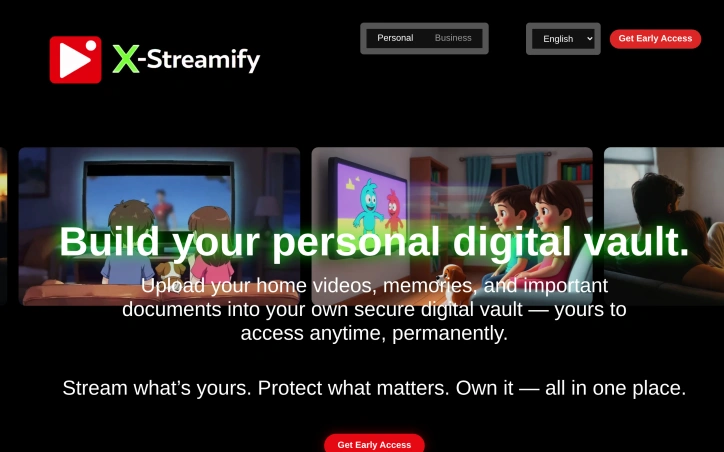
Privacy-conscious media management remains a persistent need for households drowning in files scattered across phones, computers, and competing cloud services. X-Streamify addresses this directly by consolidating personal video libraries, photo collections, and important documents into a single encrypted vault designed for long-term ownership rather than subscription dependence. The service targets families and individuals who prioritize control over convenience. It operates on a straightforward ownership model that promises no recurring fees, no licensing restrictions, and no risk of losing access if a service shuts down or changes terms. This contrasts sharply with mainstream alternatives that typically extract recurring revenue and hold user content hostage behind subscription walls. What distinguishes X-Streamify is its explicit commitment to privacy through encryption, both in transit and at rest, with strict access controls ensuring only the account holder and invited family members can view uploaded content. The platform supports a broad range of common formats—MP4, MKV, AVI, and MOV for video; standard image formats; and document files—enabling users to consolidate without compatibility concerns. Cross-device streaming works across phones, tablets, smart TVs, and computers globally, removing friction from accessing personal libraries across locations. The family sharing feature allows multiple profiles with granular permission controls, solving a practical problem for households managing shared memories while maintaining individual privacy boundaries. This moves beyond simple owner-and-guest models toward a more nuanced permission system. Regarding business model, X-Streamify operates on a flat-rate pricing structure with no upgrade tiers or hidden fees explicitly called out. While the actual price point remains absent from available marketing materials, the commitment to a single price tier signals a deliberate choice toward simplicity and predictability. The main limitation from available information is lack of detail on storage capacity, pricing specifics, or technical specifications about vault redundancy and disaster recovery. For a service positioning itself as a permanent, trustworthy archive, these operational details matter significantly for potential users evaluating long-term reliability. X-Streamify positions itself as an antidote to the fragmented, subscription-driven media storage landscape. It bets that privacy, ownership, and simplicity resonate with users tired of algorithmic feeds and recurring charges.
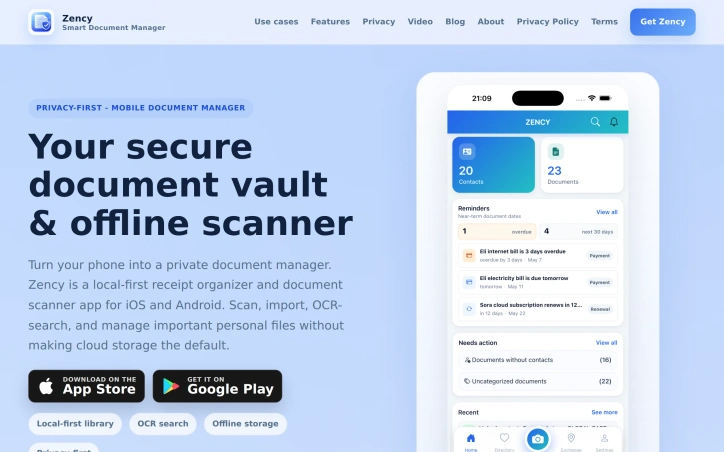
Managing personal documents can be a daunting task, with receipts, contracts, and identification documents scattered across various physical and digital locations. Zency addresses this issue head-on by providing a secure, local-first document vault and offline scanner app for mobile devices. The app is designed for individuals seeking to organize their personal files in a private and accessible manner, making it an ideal solution for those tired of sifting through disorganized paperwork. What sets Zency apart is its focus on local storage and offline capabilities, ensuring that sensitive documents remain under the user's control. The app's OCR search functionality allows users to scan and search within documents, making it possible to quickly locate specific information without having to rely on file names. This capability is particularly useful for tasks such as tracking contract expiration dates, warranty periods, and tax-related receipts. The app's features are geared towards creating a comprehensive and connected document management system. Users can link documents to contacts, creating a CRM-like experience for personal relationships and transactions. Automatic receipt data extraction is another standout feature, which simplifies the process of organizing financial records by extracting total amounts and detecting tax hints from scanned receipts. This functionality is designed to reduce manual entry while maintaining the original receipt as source evidence. By emphasizing local storage, advanced search capabilities, and document connectivity, Zency offers a robust solution for individuals seeking to take control of their personal document management. While pricing details are not explicitly mentioned, the app's availability on both iOS and Android platforms makes it widely accessible. Overall, Zency presents a compelling option for those seeking a private and efficient way to manage their personal documents.
Amazon device users have long struggled with limited storage capacity, particularly on the Fire TV Stick. A new app aims to alleviate this issue by enabling seamless file transfers between devices over local WiFi. TransferPro allows users to send files from their Android phones, tablets, or PCs to their Fire TV without relying on cloud uploads or cumbersome USB cables. The app's simple three-step process makes it easy to connect devices and initiate transfers. Notably, the connection process is facilitated by a QR code, eliminating the need to manually enter IP addresses. The app is designed with a TV-optimized interface, making it navigable using the Fire TV remote. Key features include the ability to transfer files of any size, a built-in file manager, and functionality that works offline, making it suitable for travel or areas with poor internet connectivity. By providing a convenient, internet-free file transfer solution, TransferPro has the potential to be a valuable tool for Fire TV users, as well as for individuals in various other contexts, such as cord cutters, travelers, and professionals.

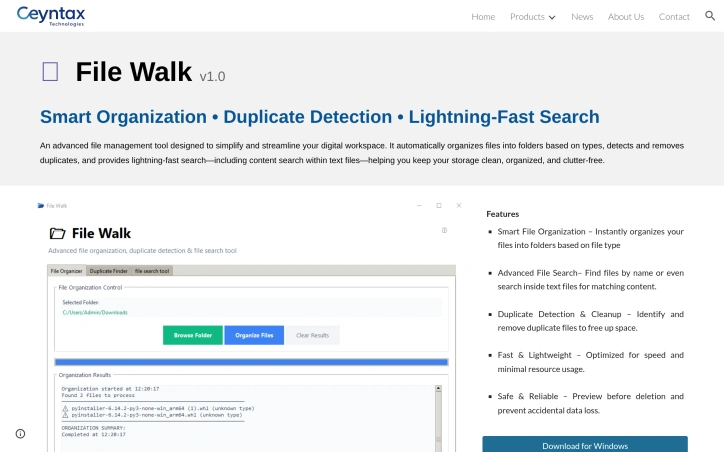
Digital clutter has become a persistent headache for Windows users managing large file collections. File Walk tackles this problem directly by automating the tedious work of organizing and maintaining a file system. The tool targets anyone dealing with disorganized directories—whether corporate users with sprawling shared drives or individual contributors managing personal projects—who lack the time or patience to manually sort through thousands of files. The product centers on three core capabilities. First, it automatically categorizes files into folders by type, eliminating the manual labor of creating sensible directory structures. Second, it identifies and removes duplicate files, a feature that resonates with storage-conscious users facing bloated drives. Third, it offers a search functionality that goes beyond simple filename matching to scan the contents of text files, enabling users to locate information buried within documents rather than just matching filenames. What distinguishes File Walk from basic file explorers is its integrated approach—combining organization, deduplication, and search into a single tool rather than requiring users to juggle separate utilities. The emphasis on preview-before-deletion and safeguards against accidental data loss addresses a real friction point in file management tools, where destructive operations carry significant risk. The stated focus on lightweight performance and minimal resource consumption reflects a practical design philosophy. Many enterprise tools bloat over time, consuming memory and slowing systems; a tool explicitly optimized for speed positions itself as an alternative to heavier solutions. The Windows-only availability currently limits its addressable market, though this reflects deliberate scoping rather than technical constraint. File Walk targets the pragmatic end of the market—users who value straightforward functionality over polished interfaces. There is no mention of cloud integration, collaboration features, or advanced metadata handling, which places File Walk squarely in the standalone utility category rather than the broader workspace management space. Without published pricing information from the available materials, the business model is not disclosed. However, "Download for Windows" suggests either a paid download or freemium structure. The product has been tested and reviewed by Andrei Verdeanu, though specific details of that evaluation are unavailable. For users drowning in file clutter and seeking rapid restoration of order without extensive configuration, File Walk delivers a focused toolkit built around essential functions. Success depends on the reliability of its automation and the robustness of its safeguards—aspects that require hands-on evaluation to fully assess.

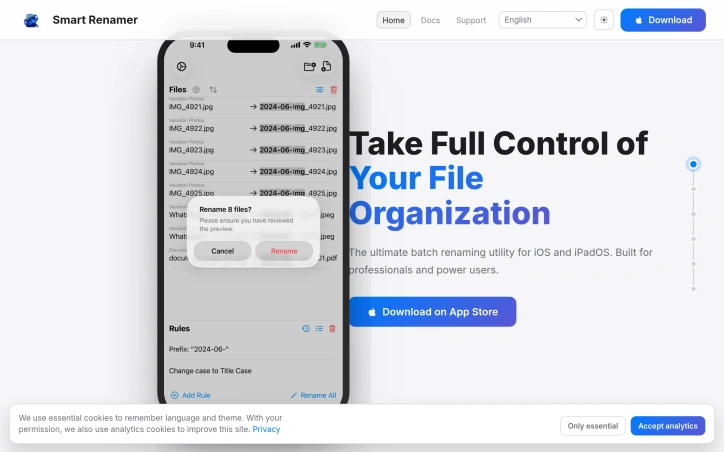
Batch file renaming on iOS has long been a gap in the ecosystem, left to either feature-bloated subscription file managers or overly simplistic tools that lack essential capabilities. Smart Renamer addresses this directly, offering a focused batch renaming utility designed for professionals and power users working on iOS 17.0 and later. The product emerged from genuine friction—the founder needed to rename sequential files on an iPhone during a quick client project and found no suitable tool existed. Rather than build another everything-to-everyone file manager, the team created something purpose-built: a dedicated renaming engine with a practical feature set. What distinguishes Smart Renamer is its scope. The core functionality covers the operations power users actually need: search and replace, insertion and deletion of characters, prefix and suffix handling, and extension management. Beyond these basics, the app provides more sophisticated capabilities including sequential numbering with custom padding and intelligent grouping that automatically resets counters, dynamic variable injection for metadata-based transformations, regex pattern matching for complex rule creation, and preset management for reusable configurations. The interface prioritizes control without friction. Users preview all changes before committing them, with highlighted insertions and deletions showing exactly what will transform. If a change doesn't work as intended, undo is instant. For one-off adjustments that don't fit batch rules, users can edit individual filenames manually while keeping automated rules in place for the rest—a thoughtful balance between power and flexibility. Additional features include full operation history, making it straightforward to trace what changed and when, and specialized transformations for advanced workflows. The combination of batch processing, manual override capability, and undo functionality reflects understanding that file renaming often requires both automation and human judgment. Notably, the product explicitly positions itself as the definitive tool in its category—"the last file renamer you'll ever need." This confidence is reflected in the focused feature set rather than scope creep. No pricing or subscription model is mentioned in the available information, leaving the commercial structure unspecified. For iOS users who regularly manage files and need reliable bulk renaming without the overhead of general-purpose file managers, Smart Renamer offers a genuinely useful solution to a specific problem that has remained underserved on Apple's platform.

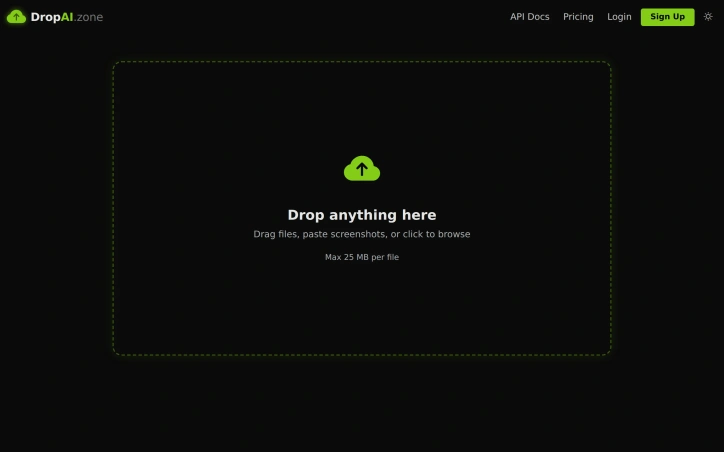
Ephemeral file sharing strips friction from digital workflows. DropAI.zone addresses a specific pain point: getting a file to someone else's inbox in seconds, without signing up or navigating clunky interfaces. The service emphasizes simplicity. Users drag files, paste screenshots, or call an API, and immediately receive a shareable URL. Files auto-delete by default after 12 to 72 hours, addressing digital clutter anxiety. This ephemerality differentiates it from conventional file hosting, which defaults to permanence. What stands out is its dual architecture. The graphical interface prioritizes speed—no login, no forms, just drag-and-drop. Simultaneously, a REST API and MCP integration allow Claude, GPT, and other AI agents to programmatically upload and retrieve files. This targets a useful edge case: AI workflows generating logs and screenshots needing rapid, temporary storage without persistent infrastructure. The feature set scales with commitment. Guest users get 25 MB per file and 50 daily drops. Free accounts extend to 50 MB files and 200 drops daily, with a dashboard and one MCP API key. The Pro tier ($9 monthly) adds permanent storage options, encrypted drops, password protection, and analytics. The pricing strategy is transparent: the service works as genuinely free for casual users, then monetizes developers and power users willing to pay for higher quotas, storage, and API keys. No deceptive restrictions; the tiers honestly reflect different use cases. Beyond auto-deletion and URL sharing, DropAI.zone's feature novelty is limited. The appeal rests on execution—how seamlessly it handles the upload-to-share flow—rather than categorically new functionality. For users valuing simplicity and ephemerality over comprehensive file management, that's exactly the point. For others, it's a useful shortcut for a specific workflow.
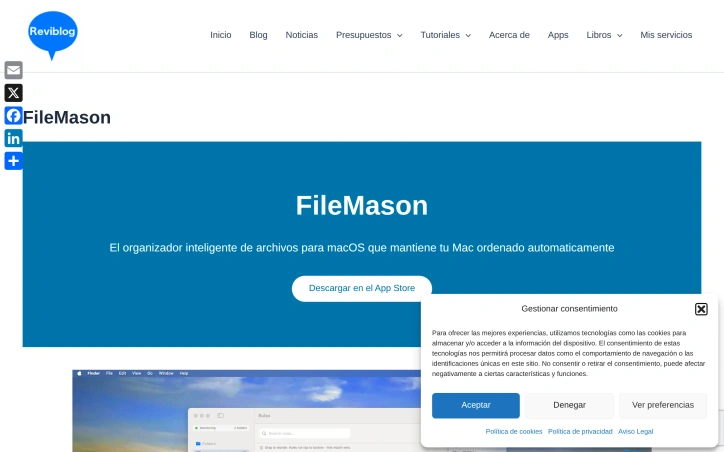
Keeping a Mac organized requires either constant manual effort or technical prowess. FileMason aims to solve this by automating file organization through a visual, code-free interface. The tool targets macOS users who accumulate files across their systems but lack the inclination or skill to script custom solutions. The product distinguishes itself through a visual rule builder that lets users define file organization logic without writing code. Users select conditions and actions from dropdown menus, then apply them automatically to their file system. Real-time monitoring means new files are sorted according to rules as soon as they appear, eliminating the need for manual intervention. What sets FileMason apart is its priority system. Rules can be reordered by dragging, and the first matching rule wins, giving users fine-grained control over how files get processed. This prevents conflicts and allows for layered organization logic. The application includes smart tracking that processes each file only once, avoiding the duplicate operations that plague less thoughtful automation tools. FileMason offers eleven pre-built templates for common scenarios like organizing screenshots, PDFs, photos, music, and documents. Users can build custom rules by choosing from fourteen condition types based on filename, extension, file type, size, creation date, modification date, and Finder tags, combined with nine action types covering move, copy, rename, tag, compress, and delete operations. The renaming functionality supports variables like {name}, {date}, {year}, {month}, and {counter}, enabling dynamic naming schemes. Beyond automation, the application includes full undo history, allowing users to reverse any operation with a single click. A menu bar widget provides quick access without opening the main window. Language support extends to six languages: English, Spanish, German, French, Japanese, and Chinese. The tool requires macOS 13.0 or later and is distributed through the Mac App Store. Specific pricing details aren't disclosed in available materials, though its App Store distribution positions it as a consumer-facing application. For Mac users frustrated with file clutter but uncomfortable with terminal-based automation, FileMason delivers a practical middle ground between manual organization and scripting.