
Best Productivity Startups & Tools

Recently Listed

288 launches

Sort
benchmark.directory

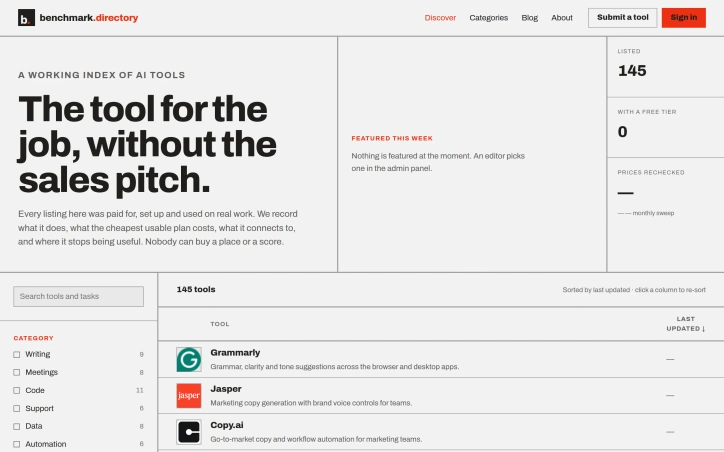
An editorial index of AI tools solves a growing discovery problem in a crowded market. Benchmark.directory addresses the challenge many organizations face when evaluating software: vendor marketing obscures real capabilities and limitations. The directory catalogs 145 tools organized by the practical work they perform rather than technological category, making it genuinely useful for matching problems to solutions. What distinguishes this project is its hands-on editorial approach. Every tool must pass a validation threshold: setup and active use on genuine projects for at least one week before earning inclusion. This practical testing replaces sales collateral with direct experience. The founders document concrete information that typically remains hidden: the actual cost of the cheapest functional plan, what free tiers genuinely permit, which integrations work after setup, and crucially, where each tool's utility boundaries lie. The directory maintains editorial integrity through transparent rejection of pay-to-play arrangements. Listings are completely free, and tools offering payment for placement are documented and declined. This structural decision eliminates the perverse incentive that corrupts most software directories, where prominent positioning correlates with marketing budget rather than usefulness. In 2026 alone, the project rejected 71 submissions and delisted 12 tools, indicating active curation rather than passive accumulation. The categorization strategy reflects how people actually hire software. Rather than grouping by AI methodology or technical architecture, tools appear under practical functions like writing, code, data analysis, and design. This mirrors genuine workflow organization and decision-making patterns. Current coverage spans categories including writing, meetings, code, support, data, automation, design, research, sales, finance, marketing, and specialized domains like legal operations and people management. The interface offers filtering by pricing model and free tier availability, accommodating both individual exploration and organizational procurement processes. The project captures information typically scattered or hidden: training data policies, integration requirements, and usage ceilings. For organizations concerned about whether tools train on proprietary work or evaluating integration feasibility before vendor conversations, this transparency provides tangible value. The regularly updated sort indicates active maintenance of the directory, though opportunity exists for expanded editorial features.

Ai-workflow-automation
H
Hassan khan

An editorial index of AI tools solves a growing discovery problem in a crowded market. Benchmark.directory addresses the challenge many organizations face when evaluating software: vendor marketing obscures real capabilities and limitations. The directory catalogs 145 tools organized by the practical work they perform rather than technological category, making it genuinely useful for matching problems to solutions. What distinguishes this project is its hands-on editorial approach. Every tool must pass a validation threshold: setup and active use on genuine projects for at least one week before earning inclusion. This practical testing replaces sales collateral with direct experience. The founders document concrete information that typically remains hidden: the actual cost of the cheapest functional plan, what free tiers genuinely permit, which integrations work after setup, and crucially, where each tool's utility boundaries lie. The directory maintains editorial integrity through transparent rejection of pay-to-play arrangements. Listings are completely free, and tools offering payment for placement are documented and declined. This structural decision eliminates the perverse incentive that corrupts most software directories, where prominent positioning correlates with marketing budget rather than usefulness. In 2026 alone, the project rejected 71 submissions and delisted 12 tools, indicating active curation rather than passive accumulation. The categorization strategy reflects how people actually hire software. Rather than grouping by AI methodology or technical architecture, tools appear under practical functions like writing, code, data analysis, and design. This mirrors genuine workflow organization and decision-making patterns. Current coverage spans categories including writing, meetings, code, support, data, automation, design, research, sales, finance, marketing, and specialized domains like legal operations and people management. The interface offers filtering by pricing model and free tier availability, accommodating both individual exploration and organizational procurement processes. The project captures information typically scattered or hidden: training data policies, integration requirements, and usage ceilings. For organizations concerned about whether tools train on proprietary work or evaluating integration feasibility before vendor conversations, this transparency provides tangible value. The regularly updated sort indicates active maintenance of the directory, though opportunity exists for expanded editorial features.

QUFO

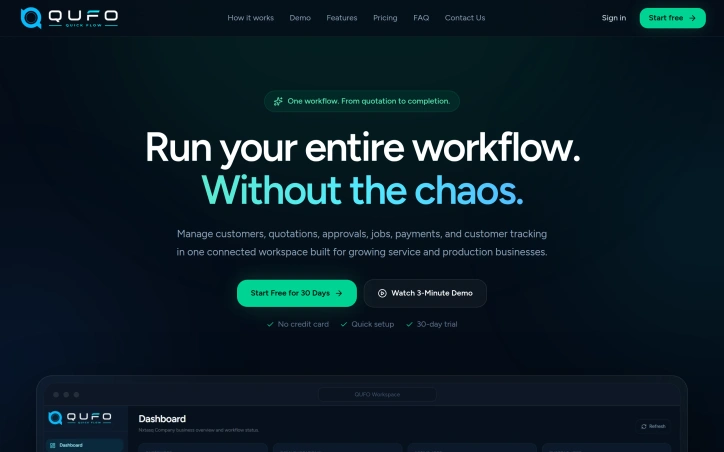
Fragmented workflows plague service and production businesses of all sizes. Quotations live in emails, approvals happen over chat, job progress gets tracked in spreadsheets, and payment records scatter across multiple systems. The result is data re-entered countless times, customers left guessing about status, and team members wasting hours searching for information instead of doing actual work. QUFO addresses this coordination problem by creating a single workspace where the entire customer journey flows from initial quotation through final payment. The product's core strength is its simplification of a genuinely complex process. Rather than asking businesses to adopt yet another tool, QUFO consolidates five critical functions—customer management, quotations, approvals, job tracking, and payment monitoring—into one connected system. This consolidation matters because it eliminates handoffs where information gets lost or requires manual re-entry. Several features stand out for their practical design. The online approval system lets customers review quotations and request changes from a secure link without needing an account, removing friction from the approval stage. The automatic payment balance calculation keeps financial tracking current without manual math errors. Customer tracking links provide visibility without exposing internal notes, solving a genuine tension between transparency and business privacy. The dashboard approach offers business owners a unified view of active work, payment status, and outstanding balances—information typically scattered across spreadsheets and separate accounting tools. Job progress moves automatically to customer-facing tracking pages as the team updates production status, reducing the need for repeated status update messages. The onboarding experience appears intentionally low-friction. A free 30-day trial requires no credit card, and the marketing language emphasizes "quick setup," suggesting the founders designed for businesses that want results without lengthy implementation. The three-minute demo video is positioned as watchable without signup, lowering the barrier to evaluation. No detailed pricing information is disclosed on the homepage, which is typical for early-stage SaaS but limits assessment of the business model's competitiveness. The free trial structure suggests a freemium or conversion-based model, though this remains unstated. QUFO targets a real inefficiency in small-to-medium service businesses, where operations currently depend on mixing purpose-built tools with improvisation. Its workflow-centric design and emphasis on reducing repeated data entry address genuine pain points. Whether the execution delivers on this promise requires direct experience with the product, but the problem is legitimate and the positioning is clear.

Project-management-software
N
nxt Tasq

Fragmented workflows plague service and production businesses of all sizes. Quotations live in emails, approvals happen over chat, job progress gets tracked in spreadsheets, and payment records scatter across multiple systems. The result is data re-entered countless times, customers left guessing about status, and team members wasting hours searching for information instead of doing actual work. QUFO addresses this coordination problem by creating a single workspace where the entire customer journey flows from initial quotation through final payment. The product's core strength is its simplification of a genuinely complex process. Rather than asking businesses to adopt yet another tool, QUFO consolidates five critical functions—customer management, quotations, approvals, job tracking, and payment monitoring—into one connected system. This consolidation matters because it eliminates handoffs where information gets lost or requires manual re-entry. Several features stand out for their practical design. The online approval system lets customers review quotations and request changes from a secure link without needing an account, removing friction from the approval stage. The automatic payment balance calculation keeps financial tracking current without manual math errors. Customer tracking links provide visibility without exposing internal notes, solving a genuine tension between transparency and business privacy. The dashboard approach offers business owners a unified view of active work, payment status, and outstanding balances—information typically scattered across spreadsheets and separate accounting tools. Job progress moves automatically to customer-facing tracking pages as the team updates production status, reducing the need for repeated status update messages. The onboarding experience appears intentionally low-friction. A free 30-day trial requires no credit card, and the marketing language emphasizes "quick setup," suggesting the founders designed for businesses that want results without lengthy implementation. The three-minute demo video is positioned as watchable without signup, lowering the barrier to evaluation. No detailed pricing information is disclosed on the homepage, which is typical for early-stage SaaS but limits assessment of the business model's competitiveness. The free trial structure suggests a freemium or conversion-based model, though this remains unstated. QUFO targets a real inefficiency in small-to-medium service businesses, where operations currently depend on mixing purpose-built tools with improvisation. Its workflow-centric design and emphasis on reducing repeated data entry address genuine pain points. Whether the execution delivers on this promise requires direct experience with the product, but the problem is legitimate and the positioning is clear.

QUFO preview

Key features

  • Unified Workspace: Consolidates customer management, quotations, approvals, job tracking, and payment monitoring into one connected system
  • Online Approval System: Customers review quotations and request changes via secure link without requiring an account
See full listing
DELTARQ

Winning enterprise deals shouldn't require an engineering team to abandon feature development for weeks of compliance busywork. Yet this exact scenario has become routine for startups seeking customers among large organizations that demand SOC 2 certification and exhaustive security questionnaires before signing contracts. DELTARQ targets this friction point with a unified platform combining AI-native threat detection, security operations automation, and compliance management designed specifically for resource-constrained technical teams. The core insight driving the product is sound: traditional security tools divide into two inadequate categories for startups. Enterprise-grade SIEM and SOAR platforms command high costs, lengthy implementation timelines, and require dedicated security personnel to manage alert noise. Compliance software delivers checklists without actually preventing breaches. DELTARQ attempts to collapse this false choice by automating both active threat detection and compliance documentation simultaneously. The product's technical differentiation centers on two commitments. First, it embeds AI throughout its architecture to function as an autonomous security engineer, identifying and blocking network threats without human intervention. Second, it operates entirely within a customer's local infrastructure rather than routing sensitive data through external cloud systems, addressing data residency concerns that often derail enterprise evaluations. For startups navigating sales processes with large customers, this architecture choice eliminates a common objection while reducing the compliance surface area. The platform consolidates three distinct functions—SIEM for log analysis and threat detection, SOAR for automated response workflows, and SOC 2 compliance automation—into a single integration point. This consolidation matters operationally: it reduces deployment complexity and tool proliferation, keeping total cost of ownership low while maintaining enterprise-grade capabilities. The compliance automation piece directly addresses the quantified pain point from the founder's experience: the ability to generate required documentation and evidence automatically rather than through manual effort substantially accelerates enterprise sales cycles. The target customer appears precisely defined: technical teams at SaaS companies that have achieved product-market fit and face enterprise sales requirements but lack dedicated security infrastructure. These organizations typically have the engineering sophistication to deploy and maintain local infrastructure but insufficient scale to justify a full security operations center. The positioning emphasizes pragmatism over comprehensiveness. DELTARQ makes an implicit acknowledgment that startups need adequate security and compliance, not maximum-sophistication security theater. For founders tired of compliance friction, the value proposition translates directly into recovered engineering velocity and shorter sales cycles.


Security-software
D
DELTARQ

Winning enterprise deals shouldn't require an engineering team to abandon feature development for weeks of compliance busywork. Yet this exact scenario has become routine for startups seeking customers among large organizations that demand SOC 2 certification and exhaustive security questionnaires before signing contracts. DELTARQ targets this friction point with a unified platform combining AI-native threat detection, security operations automation, and compliance management designed specifically for resource-constrained technical teams. The core insight driving the product is sound: traditional security tools divide into two inadequate categories for startups. Enterprise-grade SIEM and SOAR platforms command high costs, lengthy implementation timelines, and require dedicated security personnel to manage alert noise. Compliance software delivers checklists without actually preventing breaches. DELTARQ attempts to collapse this false choice by automating both active threat detection and compliance documentation simultaneously. The product's technical differentiation centers on two commitments. First, it embeds AI throughout its architecture to function as an autonomous security engineer, identifying and blocking network threats without human intervention. Second, it operates entirely within a customer's local infrastructure rather than routing sensitive data through external cloud systems, addressing data residency concerns that often derail enterprise evaluations. For startups navigating sales processes with large customers, this architecture choice eliminates a common objection while reducing the compliance surface area. The platform consolidates three distinct functions—SIEM for log analysis and threat detection, SOAR for automated response workflows, and SOC 2 compliance automation—into a single integration point. This consolidation matters operationally: it reduces deployment complexity and tool proliferation, keeping total cost of ownership low while maintaining enterprise-grade capabilities. The compliance automation piece directly addresses the quantified pain point from the founder's experience: the ability to generate required documentation and evidence automatically rather than through manual effort substantially accelerates enterprise sales cycles. The target customer appears precisely defined: technical teams at SaaS companies that have achieved product-market fit and face enterprise sales requirements but lack dedicated security infrastructure. These organizations typically have the engineering sophistication to deploy and maintain local infrastructure but insufficient scale to justify a full security operations center. The positioning emphasizes pragmatism over comprehensiveness. DELTARQ makes an implicit acknowledgment that startups need adequate security and compliance, not maximum-sophistication security theater. For founders tired of compliance friction, the value proposition translates directly into recovered engineering velocity and shorter sales cycles.

PDF Studio

Managing PDF documents has traditionally required either expensive software subscriptions, local installations, or compromised functionality. PDF Studio addresses this gap with a web-based toolkit designed to streamline common document workflows without additional friction. The platform targets a broad audience spanning students managing academic assignments, professionals organizing business documents, and general users handling everyday PDF tasks. The core promise centers on accessibility and simplicity, removing barriers that often exist with desktop solutions or feature-restricted online alternatives. The feature set covers the essential PDF operations most users encounter. Conversion capabilities allow documents to be transformed between formats, while compression tools reduce file sizes for easier sharing. Document manipulation features include merging multiple files and splitting them into sections, along with editing functionality to modify content directly in the browser. Security features provide password protection for sensitive documents and unlocking capabilities for restricted files. What distinguishes PDF Studio in a crowded market is its fully browser-based architecture. This design choice eliminates the need for software installation entirely, allowing users to work with documents from any device with internet access. The emphasis on browser-based operation prioritizes immediacy over setup complexity. The platform has been featured on prominent AI and tools directories including AgentHunter and TakeAI, establishing recognition within tech communities. These inclusions demonstrate the service has differentiated itself enough to merit placement in curated collections. The product's architecture targets removing friction points commonly associated with PDF management. Rather than catering to power users with advanced features, the design prioritizes reliability and straightforward access to core functions. The stated commitment to security and user-friendliness reflects a focus on building trust with users handling sensitive documents. For users evaluating PDF management solutions, PDF Studio delivers a no-installation alternative that emphasizes common operations. The browser-based approach addresses a specific pain point for users who want immediate access without software setup or maintenance overhead. The platform's viability depends on execution quality relative to established competitors in the online PDF tools market, but it stakes out a clear position for users prioritizing accessibility and simplicity over advanced capabilities.
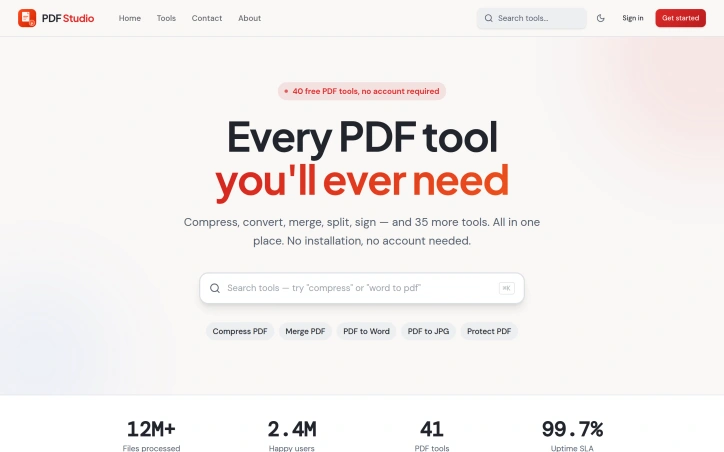

Managing PDF documents has traditionally required either expensive software subscriptions, local installations, or compromised functionality. PDF Studio addresses this gap with a web-based toolkit designed to streamline common document workflows without additional friction. The platform targets a broad audience spanning students managing academic assignments, professionals organizing business documents, and general users handling everyday PDF tasks. The core promise centers on accessibility and simplicity, removing barriers that often exist with desktop solutions or feature-restricted online alternatives. The feature set covers the essential PDF operations most users encounter. Conversion capabilities allow documents to be transformed between formats, while compression tools reduce file sizes for easier sharing. Document manipulation features include merging multiple files and splitting them into sections, along with editing functionality to modify content directly in the browser. Security features provide password protection for sensitive documents and unlocking capabilities for restricted files. What distinguishes PDF Studio in a crowded market is its fully browser-based architecture. This design choice eliminates the need for software installation entirely, allowing users to work with documents from any device with internet access. The emphasis on browser-based operation prioritizes immediacy over setup complexity. The platform has been featured on prominent AI and tools directories including AgentHunter and TakeAI, establishing recognition within tech communities. These inclusions demonstrate the service has differentiated itself enough to merit placement in curated collections. The product's architecture targets removing friction points commonly associated with PDF management. Rather than catering to power users with advanced features, the design prioritizes reliability and straightforward access to core functions. The stated commitment to security and user-friendliness reflects a focus on building trust with users handling sensitive documents. For users evaluating PDF management solutions, PDF Studio delivers a no-installation alternative that emphasizes common operations. The browser-based approach addresses a specific pain point for users who want immediate access without software setup or maintenance overhead. The platform's viability depends on execution quality relative to established competitors in the online PDF tools market, but it stakes out a clear position for users prioritizing accessibility and simplicity over advanced capabilities.

PDF Studio preview

Key features

  • Format Conversion: Transform documents between different file formats in your browser
  • File Compression: Reduce file sizes for easier sharing and storage
See full listing
Corder. The Mac recorder with no bot in the call

Record any meeting on macOS. Speakers labelled, transcript searchable. No bot joins the call, and your recordings stay on your Mac. No third participant ever joins
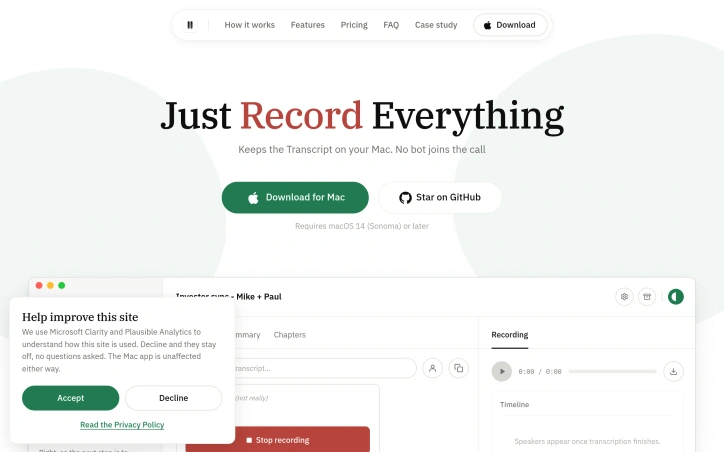

Record any meeting on macOS. Speakers labelled, transcript searchable. No bot joins the call, and your recordings stay on your Mac. No third participant ever joins

Locksy - Tab Locker & Password Protection

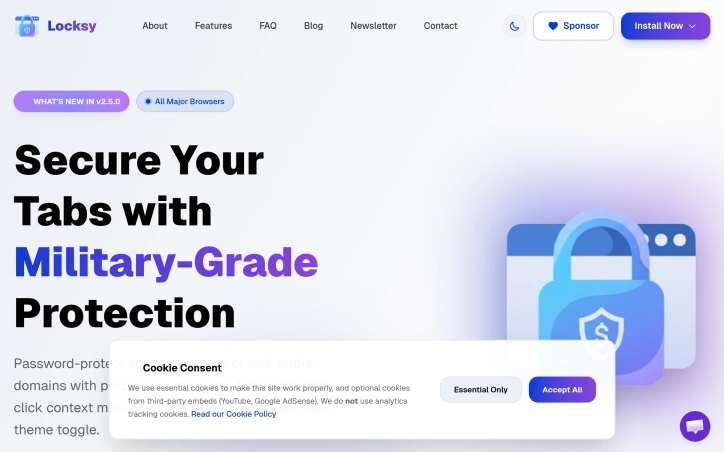
Browser tabs containing bank logins, client files, and sensitive emails remain completely unprotected throughout the workday. Locksy solves this by adding encryption and automatic locking directly within the browser, eliminating the need for traditional password managers or manual security rituals. The product targets anyone who handles confidential information in a browser but finds existing security tools either invasive or inconvenient—remote workers, consultants, and professionals dealing with sensitive client materials fall into this category. Locksy's defining characteristic is its refusal to rely on cloud infrastructure. All encryption happens locally on the user's device, meaning data never leaves the browser itself. This architecture eliminates an entire category of risk that cloud-based competitors cannot escape: the possibility of a central breach, subpoenaed logs, or a company pivoting toward data monetization. The product functions offline, removing dependency on internet connectivity for basic security operations. Auto-locking addresses the behavioral side of security—where users fail to manually protect information. By making protection automatic rather than optional, the product closes the gap between intention and action. The company's bootstrapped foundation shapes its entire approach differently than venture-backed security startups. While competitors pile on features to justify premium subscriptions, Locksy provides free access to core functionality. This reflects confidence in the value proposition and an emphasis on removing adoption friction rather than maximizing revenue per user immediately. The founders articulate their philosophy clearly: they built Locksy out of frustration with security products that sacrifice usability in the name of safety. That focus on combining practical convenience with actual security distinguishes the positioning. Rather than attempting to replace password managers or become an identity platform, Locksy tackles one specific problem exceptionally rather than many problems adequately. The product mentions military-grade encryption, though specifics on cryptographic standards or implementation details aren't disclosed in available materials. For a security product, greater technical transparency would strengthen confidence among informed users, though the offline-first architecture already eliminates major attack surfaces that cloud competitors face. Locksy represents a meaningful attempt to solve a real problem—unprotected browser tabs—without the surveillance capitalist undertones that plague many privacy-focused tools.

Security-software
V
Vansh Sethi

Browser tabs containing bank logins, client files, and sensitive emails remain completely unprotected throughout the workday. Locksy solves this by adding encryption and automatic locking directly within the browser, eliminating the need for traditional password managers or manual security rituals. The product targets anyone who handles confidential information in a browser but finds existing security tools either invasive or inconvenient—remote workers, consultants, and professionals dealing with sensitive client materials fall into this category. Locksy's defining characteristic is its refusal to rely on cloud infrastructure. All encryption happens locally on the user's device, meaning data never leaves the browser itself. This architecture eliminates an entire category of risk that cloud-based competitors cannot escape: the possibility of a central breach, subpoenaed logs, or a company pivoting toward data monetization. The product functions offline, removing dependency on internet connectivity for basic security operations. Auto-locking addresses the behavioral side of security—where users fail to manually protect information. By making protection automatic rather than optional, the product closes the gap between intention and action. The company's bootstrapped foundation shapes its entire approach differently than venture-backed security startups. While competitors pile on features to justify premium subscriptions, Locksy provides free access to core functionality. This reflects confidence in the value proposition and an emphasis on removing adoption friction rather than maximizing revenue per user immediately. The founders articulate their philosophy clearly: they built Locksy out of frustration with security products that sacrifice usability in the name of safety. That focus on combining practical convenience with actual security distinguishes the positioning. Rather than attempting to replace password managers or become an identity platform, Locksy tackles one specific problem exceptionally rather than many problems adequately. The product mentions military-grade encryption, though specifics on cryptographic standards or implementation details aren't disclosed in available materials. For a security product, greater technical transparency would strengthen confidence among informed users, though the offline-first architecture already eliminates major attack surfaces that cloud competitors face. Locksy represents a meaningful attempt to solve a real problem—unprotected browser tabs—without the surveillance capitalist undertones that plague many privacy-focused tools.

Locksy - Tab Locker & Password Protection preview

Key features

  • Tab Encryption & Locking: Adds encryption and automatic locking directly within the browser to protect sensitive tabs
  • Local-Only Data Storage: All encryption happens locally on the user's device with data never leaving the browser
See full listing
CropItFast

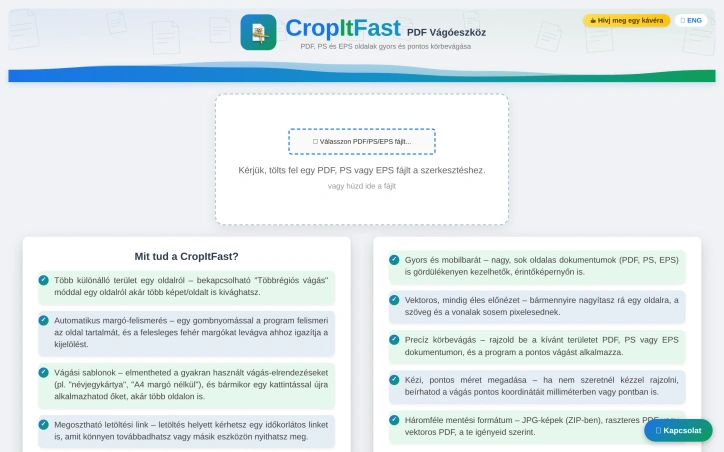
PDF cropping remains a friction point for anyone regularly handling document design, printing, or content extraction. Most available solutions force users toward bloated desktop applications or complex workflows that feel overkill for a single task. CropItFast tackles this directly by offering a streamlined browser-based alternative that prioritizes speed and precision without requiring any software installation. The product addresses a specific but genuine need: making batch document processing accessible. Whether you're preparing business cards, cutting out specific sections from longer documents, or preparing files for print, CropItFast handles these jobs without unnecessary complexity. The target audience spans designers, print professionals, content managers, and anyone who frequently manipulates PDF, PostScript, or EPS files. What distinguishes CropItFast from basic crop tools is its feature depth. Automatic margin detection eliminates manual adjustment for documents with uneven white space, a substantial time-saver when processing multiple pages. The multi-region cropping mode lets users extract several independent areas from a single page without relying on workarounds. Equally useful is the template system, which remembers frequently used crop layouts and applies them consistently across pages or even different documents. For users who prefer precision over clicking, exact coordinate input in millimeters or points ensures mathematical accuracy. The platform's output flexibility warrants attention. Users can export to JPG, raster PDF, or vector PDF depending on their downstream needs, with adjustable quality settings for DPI and JPEG compression. This adaptability matters for professionals who might need sharp screen-ready images one day and print-ready files the next. The option to generate shareable download links with time restrictions adds a collaboration layer, allowing users to distribute results without permanently hosting sensitive files. The interface shows thoughtfulness toward modern usage patterns. Vector-based preview rendering ensures crisp text and lines regardless of zoom level, while mobile support acknowledges that PDF handling increasingly happens on phones and tablets. The tool's claimed ability to handle large, multi-page documents smoothly suggests engineering attention to performance. One note: the website references missing JavaScript files required for the interface library. This indicates either outdated documentation or a production concern worth investigating before evaluating the tool. For users tired of desktop PDF editors or struggling through complex alternatives, CropItFast delivers focused functionality optimized for the actual task rather than general document editing.

Pdf-editor
C
CosmicRoot

PDF cropping remains a friction point for anyone regularly handling document design, printing, or content extraction. Most available solutions force users toward bloated desktop applications or complex workflows that feel overkill for a single task. CropItFast tackles this directly by offering a streamlined browser-based alternative that prioritizes speed and precision without requiring any software installation. The product addresses a specific but genuine need: making batch document processing accessible. Whether you're preparing business cards, cutting out specific sections from longer documents, or preparing files for print, CropItFast handles these jobs without unnecessary complexity. The target audience spans designers, print professionals, content managers, and anyone who frequently manipulates PDF, PostScript, or EPS files. What distinguishes CropItFast from basic crop tools is its feature depth. Automatic margin detection eliminates manual adjustment for documents with uneven white space, a substantial time-saver when processing multiple pages. The multi-region cropping mode lets users extract several independent areas from a single page without relying on workarounds. Equally useful is the template system, which remembers frequently used crop layouts and applies them consistently across pages or even different documents. For users who prefer precision over clicking, exact coordinate input in millimeters or points ensures mathematical accuracy. The platform's output flexibility warrants attention. Users can export to JPG, raster PDF, or vector PDF depending on their downstream needs, with adjustable quality settings for DPI and JPEG compression. This adaptability matters for professionals who might need sharp screen-ready images one day and print-ready files the next. The option to generate shareable download links with time restrictions adds a collaboration layer, allowing users to distribute results without permanently hosting sensitive files. The interface shows thoughtfulness toward modern usage patterns. Vector-based preview rendering ensures crisp text and lines regardless of zoom level, while mobile support acknowledges that PDF handling increasingly happens on phones and tablets. The tool's claimed ability to handle large, multi-page documents smoothly suggests engineering attention to performance. One note: the website references missing JavaScript files required for the interface library. This indicates either outdated documentation or a production concern worth investigating before evaluating the tool. For users tired of desktop PDF editors or struggling through complex alternatives, CropItFast delivers focused functionality optimized for the actual task rather than general document editing.

CropItFast preview

Key features

  • Automatic Margin Detection: Eliminates manual adjustment for documents with uneven white space
  • Multi-Region Cropping: Lets users extract several independent areas from a single page without workarounds
See full listing
KAR AI

Buying a car in Europe means navigating fragmented dealer networks, conflicting reviews, and sales pitches designed to prioritize dealer margins over buyer needs. This Greek startup tackles that friction with a structured research tool that pulls from live listings, safety data, and actual running costs to surface recommendations you can trust. The product addresses a genuine gap. While generalist AI chatbots can discuss cars in the abstract, they cannot access current inventory, calculate real total cost of ownership for a specific market, or save your research across sessions. KAR aggregates listings across European dealers, compares trim specifications on fuel consumption and maintenance costs, and cross-references safety ratings from Euro NCAP. The result is a shortlist of one to five vehicles that match your budget and requirements with reasoning attached. The delivery mechanism is straightforward. Users fill out a preference form specifying budget, body type, driving patterns, and must-have features. The system then returns recommendations with estimated pricing, running cost breakdowns, availability, and where to purchase. The founder built this to counter the incentive structure that makes dealers push what maximizes their margins rather than what serves the buyer. The company takes no dealer commissions and publishes no review fees, positioning itself as genuinely neutral. What distinguishes KAR from both traditional automotive review sites and AI assistants is its focus on actionable, structured output. The platform doesn't just talk about cars; it saves your shortlist, garage history, and prior comparisons so your research persists. It also extends beyond car selection into accessories and parts matching, comparing OEM options against quality aftermarket alternatives with fitment verification and pricing from multiple suppliers. Early traction suggests the model resonates. The company has matched over 100 drivers with recommendations and delivered 200-plus car suggestions. It covers 40 brands across Europe and has secured coverage in GOCAR.gr, Greece's leading automotive publication. The narrowest limitation is geographic focus. KAR emphasizes availability and pricing across European listings, making it most useful for buyers in that market. Buyers seeking broader research on vehicle performance will find less value. The platform also requires users to trust that its AI research methodology is sound without transparency into how recommendations are weighted or how it compares against expert automotive reviewers. For European buyers tired of dealer-driven car shopping, KAR offers a genuinely different model grounded in data rather than commission.


Buying a car in Europe means navigating fragmented dealer networks, conflicting reviews, and sales pitches designed to prioritize dealer margins over buyer needs. This Greek startup tackles that friction with a structured research tool that pulls from live listings, safety data, and actual running costs to surface recommendations you can trust. The product addresses a genuine gap. While generalist AI chatbots can discuss cars in the abstract, they cannot access current inventory, calculate real total cost of ownership for a specific market, or save your research across sessions. KAR aggregates listings across European dealers, compares trim specifications on fuel consumption and maintenance costs, and cross-references safety ratings from Euro NCAP. The result is a shortlist of one to five vehicles that match your budget and requirements with reasoning attached. The delivery mechanism is straightforward. Users fill out a preference form specifying budget, body type, driving patterns, and must-have features. The system then returns recommendations with estimated pricing, running cost breakdowns, availability, and where to purchase. The founder built this to counter the incentive structure that makes dealers push what maximizes their margins rather than what serves the buyer. The company takes no dealer commissions and publishes no review fees, positioning itself as genuinely neutral. What distinguishes KAR from both traditional automotive review sites and AI assistants is its focus on actionable, structured output. The platform doesn't just talk about cars; it saves your shortlist, garage history, and prior comparisons so your research persists. It also extends beyond car selection into accessories and parts matching, comparing OEM options against quality aftermarket alternatives with fitment verification and pricing from multiple suppliers. Early traction suggests the model resonates. The company has matched over 100 drivers with recommendations and delivered 200-plus car suggestions. It covers 40 brands across Europe and has secured coverage in GOCAR.gr, Greece's leading automotive publication. The narrowest limitation is geographic focus. KAR emphasizes availability and pricing across European listings, making it most useful for buyers in that market. Buyers seeking broader research on vehicle performance will find less value. The platform also requires users to trust that its AI research methodology is sound without transparency into how recommendations are weighted or how it compares against expert automotive reviewers. For European buyers tired of dealer-driven car shopping, KAR offers a genuinely different model grounded in data rather than commission.

KAR AI preview

Key features

  • Live Listings Aggregation: Pulls current inventory data from multiple European dealers
  • Total Cost Comparison: Calculates real running costs and fuel consumption for specific markets
See full listing
HirePadi

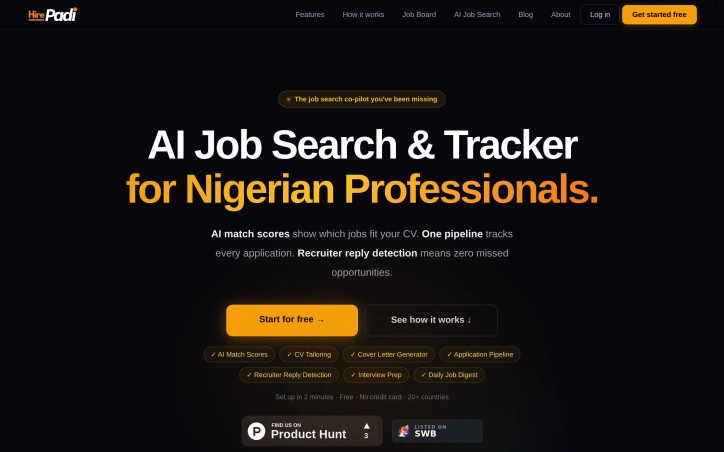
Job search platforms typically optimize for volume—more applications, more shots at the target. HirePadi inverts this approach by prioritizing precision instead. The service targets Nigerian professionals and job seekers across 20 countries who waste time applying to roles that don't match their profile, then wonder why rejections pile up without explanation. The core insight is straightforward: the job search problem isn't about working harder; it's about working smarter. Applicants spray resumes at dozens of postings and never learn whether they're genuinely competitive for each role. HirePadi addresses this by deploying AI to score how closely a candidate's CV aligns with each job, offering clarity before the application lands. The platform bundles this matching capability with three complementary features addressing friction points in traditional job search. CV tailoring automatically adapts resumes to individual roles rather than forcing applicants to use generic templates. Recruiter reply detection monitors Gmail in the background for offers, interview invites, and rejections, surfacing them before they vanish into inbox clutter—a practical safeguard against missed opportunities buried by volume. An application tracker keeps every application visible in a single pipeline, eliminating uncertainty about whether a rejection came via email weeks ago. HirePadi aggregates job listings from nine major platforms including LinkedIn, Indeed, and specialized boards like Remote.co and We Work Remotely, then delivers a personalized daily digest rather than requiring users to hunt across multiple sites. The service rounds out its feature set with cover letter generation and interview preparation tools, creating a workflow spanning discovery through interview. The positioning emphasizes getting real feedback instead of just recording "sent" notifications. Rather than measuring success by application count, the platform promises actual recruiter responses and visibility into whether a candidate is genuinely in contention. HirePadi operates a free model with no credit card requirement and claims setup takes roughly two minutes. No premium tier or paid upgrade is mentioned. The service fills a legitimate gap for job seekers frustrated by low conversion rates and unanswered applications, particularly in emerging markets where job search infrastructure remains fragmented. Whether the AI matching proves reliable and whether this approach genuinely converts to more interviews will determine whether the insight outweighs considerable competition in hiring tools.

Resume-tools
H
Hire Padi

Job search platforms typically optimize for volume—more applications, more shots at the target. HirePadi inverts this approach by prioritizing precision instead. The service targets Nigerian professionals and job seekers across 20 countries who waste time applying to roles that don't match their profile, then wonder why rejections pile up without explanation. The core insight is straightforward: the job search problem isn't about working harder; it's about working smarter. Applicants spray resumes at dozens of postings and never learn whether they're genuinely competitive for each role. HirePadi addresses this by deploying AI to score how closely a candidate's CV aligns with each job, offering clarity before the application lands. The platform bundles this matching capability with three complementary features addressing friction points in traditional job search. CV tailoring automatically adapts resumes to individual roles rather than forcing applicants to use generic templates. Recruiter reply detection monitors Gmail in the background for offers, interview invites, and rejections, surfacing them before they vanish into inbox clutter—a practical safeguard against missed opportunities buried by volume. An application tracker keeps every application visible in a single pipeline, eliminating uncertainty about whether a rejection came via email weeks ago. HirePadi aggregates job listings from nine major platforms including LinkedIn, Indeed, and specialized boards like Remote.co and We Work Remotely, then delivers a personalized daily digest rather than requiring users to hunt across multiple sites. The service rounds out its feature set with cover letter generation and interview preparation tools, creating a workflow spanning discovery through interview. The positioning emphasizes getting real feedback instead of just recording "sent" notifications. Rather than measuring success by application count, the platform promises actual recruiter responses and visibility into whether a candidate is genuinely in contention. HirePadi operates a free model with no credit card requirement and claims setup takes roughly two minutes. No premium tier or paid upgrade is mentioned. The service fills a legitimate gap for job seekers frustrated by low conversion rates and unanswered applications, particularly in emerging markets where job search infrastructure remains fragmented. Whether the AI matching proves reliable and whether this approach genuinely converts to more interviews will determine whether the insight outweighs considerable competition in hiring tools.

HirePadi preview

Key features

  • AI CV Matching: Scores how closely a candidate's CV aligns with each job role before applying
  • Resume Tailoring: Automatically adapts resumes to individual roles instead of using generic templates
See full listing
UTEX SAVE

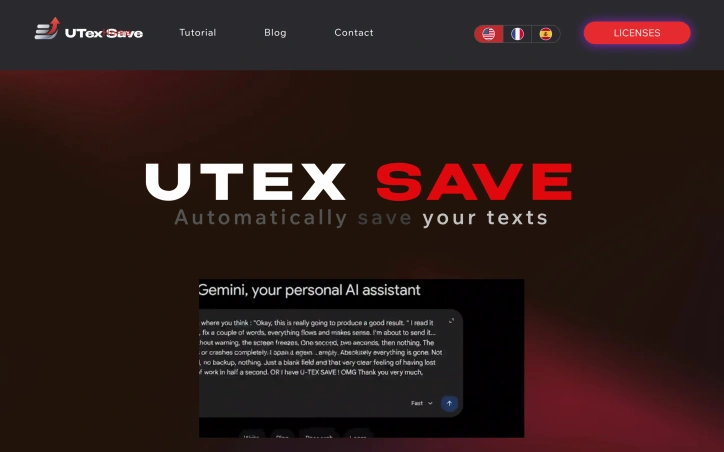
Losing unsaved text to a browser crash or network failure is a common frustration that most internet users have experienced at least once. UTexSave addresses this problem by running quietly in the background to automatically capture and preserve everything you type. The product targets anyone who spends significant time writing online: form entries, email drafts, AI prompts, social media posts, or any text input that matters. The founder built this after losing thirty minutes of work to a browser crash, discovering no simple solution existed at the time. What distinguishes UTexSave is its commitment to offline operation. The software stores all data locally on your device with no cloud component, internet connection, or account required. This design choice prioritizes security and privacy while ensuring your backups remain accessible even during network outages. The application runs entirely on your machine, eliminating transmission risks associated with cloud-based competitors. The feature set directly addresses recovery scenarios. Continuous local backup captures everything you write in real time. The previous session recovery function restores text even after unexpected shutdowns or crashes. A clipboard tracker logs the last 100 copied items in the standard version, expanding to 400 in the Pro tier. Pro users also gain access to a backup folder storing the last 30 sessions, allowing recovery of text deleted long ago. Technical execution shows discipline. The entire application weighs under 2 megabytes, meaning minimal system overhead and no noticeable performance impact. Installation is straightforward, with taskbar menu access for retrieving saved files. A pause feature lets users stop recording temporarily, useful when typing passwords or sensitive information. The business model relies on lifetime licenses rather than subscriptions. The Standard version costs 9.90 dollars with installation limited to three authorized PCs. The Pro version costs 39.90 dollars and supports up to twenty PCs. A Microsoft Store version available at 13.99 dollars ties installation to a single Microsoft account. All versions include the core backup and recovery functionality. UTexSave solves a specific, genuine problem with a straightforward approach. The offline-first philosophy appeals to users prioritizing data control and privacy. For writers, developers, and anyone vulnerable to data loss through crashes or accidental deletion, the product delivers measurable value without complexity or subscription costs.

Note-and-writing-apps
U
UTEX SAVE

Losing unsaved text to a browser crash or network failure is a common frustration that most internet users have experienced at least once. UTexSave addresses this problem by running quietly in the background to automatically capture and preserve everything you type. The product targets anyone who spends significant time writing online: form entries, email drafts, AI prompts, social media posts, or any text input that matters. The founder built this after losing thirty minutes of work to a browser crash, discovering no simple solution existed at the time. What distinguishes UTexSave is its commitment to offline operation. The software stores all data locally on your device with no cloud component, internet connection, or account required. This design choice prioritizes security and privacy while ensuring your backups remain accessible even during network outages. The application runs entirely on your machine, eliminating transmission risks associated with cloud-based competitors. The feature set directly addresses recovery scenarios. Continuous local backup captures everything you write in real time. The previous session recovery function restores text even after unexpected shutdowns or crashes. A clipboard tracker logs the last 100 copied items in the standard version, expanding to 400 in the Pro tier. Pro users also gain access to a backup folder storing the last 30 sessions, allowing recovery of text deleted long ago. Technical execution shows discipline. The entire application weighs under 2 megabytes, meaning minimal system overhead and no noticeable performance impact. Installation is straightforward, with taskbar menu access for retrieving saved files. A pause feature lets users stop recording temporarily, useful when typing passwords or sensitive information. The business model relies on lifetime licenses rather than subscriptions. The Standard version costs 9.90 dollars with installation limited to three authorized PCs. The Pro version costs 39.90 dollars and supports up to twenty PCs. A Microsoft Store version available at 13.99 dollars ties installation to a single Microsoft account. All versions include the core backup and recovery functionality. UTexSave solves a specific, genuine problem with a straightforward approach. The offline-first philosophy appeals to users prioritizing data control and privacy. For writers, developers, and anyone vulnerable to data loss through crashes or accidental deletion, the product delivers measurable value without complexity or subscription costs.

UTEX SAVE preview

Key features

  • Continuous Local Backup: Captures everything you type in real time without cloud storage
  • Session Recovery: Restores text after unexpected shutdowns or crashes
See full listing
Resource Management for Jira

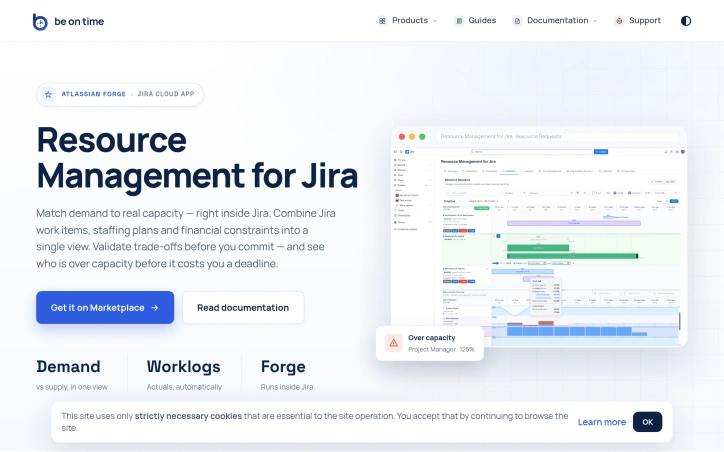
Portfolio resource management at scale is fundamentally about coordination. When dozens of projects compete for the time of the same specialized teams—engineers, designers, QA—organizations lose visibility into who can actually do what, when. Timelines slip not because work is impossible, but because capacity decisions were made in isolation or on gut feel rather than data. This Jira Cloud app tackles that core problem by collapsing org structure, capacity planning, and actual time tracking into a single view where project demand meets team reality. The product is built for organizations running parallel projects that share functional teams. Project managers and team managers gain a structured workflow for requesting resources and signaling availability, while PMOs and executives get analytics that surface over-allocation risks before they become missed deadlines. Everyone stays inside Jira rather than juggling spreadsheets or external tools. What distinguishes this solution is its scope. Most resource management tools handle one dimension well—tracking capacity or managing requests or reporting time. This consolidates org structure synced from Azure AD or Outlook, calendar-based capacity with self-service time-off, a stateful request workflow between PMs and Team Managers, time tracking via Jira worklogs, and analytics comparing demand against actual utilization. The ability to approve resource requests and see over-capacity warnings before committing transforms resource planning from intuition into precision. The execution trades breadth for focus. Rather than building a standalone platform, the team built a Forge app, which means it runs within Jira Cloud without context-switching or data duplication. This tight integration is both strategic and practical—organizations already managing work in Jira get resource visibility without adopting another system. The emphasis on enterprise features—org structure automation, compliance with data residency (Forge cloud), invoice-ready exports, REST API for org sync—signals intent to serve mid-market and larger organizations. The feature set hints at mature thinking about the problem. Calendar-based capacity avoids double-booking by design. The structured request workflow with Team Manager approval prevents PM-level chaos where every request is urgent. Analytics spanning past and future periods let organizations course-correct. Time-off management tied to capacity avoids the phantom availability problem common in spreadsheet-based shops. One limitation is implicit: the product assumes Jira is your system of record for project work and that resource decisions can be scoped to teams and projects tracked there. Organizations with work outside Jira or those needing resource visibility across tools beyond API integration would find this constraining. The REST API mitigates this for org-data sync but not for dynamic allocation scenarios. For organizations struggling to match project demand to expert-team capacity, this fills a real gap at the intersection of portfolio planning and team execution where most tools stop short.

Project-management-software
B
Be On Time

Portfolio resource management at scale is fundamentally about coordination. When dozens of projects compete for the time of the same specialized teams—engineers, designers, QA—organizations lose visibility into who can actually do what, when. Timelines slip not because work is impossible, but because capacity decisions were made in isolation or on gut feel rather than data. This Jira Cloud app tackles that core problem by collapsing org structure, capacity planning, and actual time tracking into a single view where project demand meets team reality. The product is built for organizations running parallel projects that share functional teams. Project managers and team managers gain a structured workflow for requesting resources and signaling availability, while PMOs and executives get analytics that surface over-allocation risks before they become missed deadlines. Everyone stays inside Jira rather than juggling spreadsheets or external tools. What distinguishes this solution is its scope. Most resource management tools handle one dimension well—tracking capacity or managing requests or reporting time. This consolidates org structure synced from Azure AD or Outlook, calendar-based capacity with self-service time-off, a stateful request workflow between PMs and Team Managers, time tracking via Jira worklogs, and analytics comparing demand against actual utilization. The ability to approve resource requests and see over-capacity warnings before committing transforms resource planning from intuition into precision. The execution trades breadth for focus. Rather than building a standalone platform, the team built a Forge app, which means it runs within Jira Cloud without context-switching or data duplication. This tight integration is both strategic and practical—organizations already managing work in Jira get resource visibility without adopting another system. The emphasis on enterprise features—org structure automation, compliance with data residency (Forge cloud), invoice-ready exports, REST API for org sync—signals intent to serve mid-market and larger organizations. The feature set hints at mature thinking about the problem. Calendar-based capacity avoids double-booking by design. The structured request workflow with Team Manager approval prevents PM-level chaos where every request is urgent. Analytics spanning past and future periods let organizations course-correct. Time-off management tied to capacity avoids the phantom availability problem common in spreadsheet-based shops. One limitation is implicit: the product assumes Jira is your system of record for project work and that resource decisions can be scoped to teams and projects tracked there. Organizations with work outside Jira or those needing resource visibility across tools beyond API integration would find this constraining. The REST API mitigates this for org-data sync but not for dynamic allocation scenarios. For organizations struggling to match project demand to expert-team capacity, this fills a real gap at the intersection of portfolio planning and team execution where most tools stop short.

Resource Management for Jira preview

Key features

  • Organization Structure Sync: Syncs org structure from Azure AD or Outlook for automated team management
  • Calendar-Based Capacity: Calendar-based capacity planning with self-service time-off to prevent double-booking
See full listing
MSP Planner for Jira

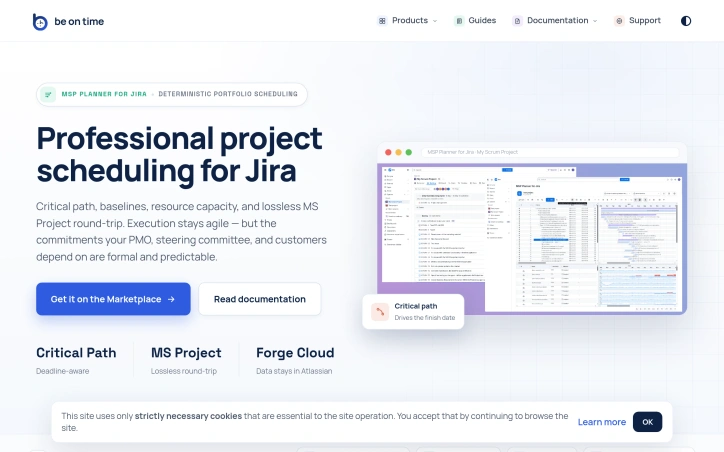
Organizations running Jira often face a critical tension: agile teams need flexibility, but stakeholders—PMOs, steering committees, and customers—demand formal commitments backed by rigorous scheduling. This gap is where MSP Planner for Jira operates, providing what its creators position as a professional scheduling engine rather than a visual overlay. The distinction matters. Most Jira Gantt integrations function as date visualizations, but MSP Planner implements an actual planning model, drawing its design from MS Project. This means support for industry-standard scheduling modes: Fixed Duration, Fixed Work, and Fixed Units. These controls let teams precisely define how effort, resources, and timing interact when project scope shifts—a capability that separates deliberate planning from guesswork. The product's strongest differentiator is its MS Project interoperability. Rather than one-way exports, the tool enables lossless round-trip sync: you export Jira schedules to .mpp format for external stakeholders, edit them in MS Project, and reimport them without losing structure or links. This is rare integration work. It means teams can satisfy both camps—Jira-native execution with formal external review—without maintaining parallel schedules. Core features address the formal planning checklist: critical path analysis identifies which task delays actually matter, baselines track schedule drift over time, and dependency management supports all standard link types (FS, SS, FF, SF). Resource capacity checks ensure commitments account for team availability. Complex task hierarchies and nested structures handle real-world project logic rather than forcing oversimplified models. The architecture choice is notable: data remains in Atlassian Forge, avoiding external data migration or vendor lock-in concerns. The protected Planning Space with explicit push/pull sync suggests controlled synchronization rather than constant bidirectional mirroring, giving teams deliberate moments to reconcile agile execution with formal planning artifacts. This targets a specific market segment: organizations too large or regulated to rely on pure task lists, but committed to Jira for their execution layer. It's not for teams that view scheduling as overhead; it's for those where predictability itself is a competitive requirement.
Project-management-software
B
Be On Time

Organizations running Jira often face a critical tension: agile teams need flexibility, but stakeholders—PMOs, steering committees, and customers—demand formal commitments backed by rigorous scheduling. This gap is where MSP Planner for Jira operates, providing what its creators position as a professional scheduling engine rather than a visual overlay. The distinction matters. Most Jira Gantt integrations function as date visualizations, but MSP Planner implements an actual planning model, drawing its design from MS Project. This means support for industry-standard scheduling modes: Fixed Duration, Fixed Work, and Fixed Units. These controls let teams precisely define how effort, resources, and timing interact when project scope shifts—a capability that separates deliberate planning from guesswork. The product's strongest differentiator is its MS Project interoperability. Rather than one-way exports, the tool enables lossless round-trip sync: you export Jira schedules to .mpp format for external stakeholders, edit them in MS Project, and reimport them without losing structure or links. This is rare integration work. It means teams can satisfy both camps—Jira-native execution with formal external review—without maintaining parallel schedules. Core features address the formal planning checklist: critical path analysis identifies which task delays actually matter, baselines track schedule drift over time, and dependency management supports all standard link types (FS, SS, FF, SF). Resource capacity checks ensure commitments account for team availability. Complex task hierarchies and nested structures handle real-world project logic rather than forcing oversimplified models. The architecture choice is notable: data remains in Atlassian Forge, avoiding external data migration or vendor lock-in concerns. The protected Planning Space with explicit push/pull sync suggests controlled synchronization rather than constant bidirectional mirroring, giving teams deliberate moments to reconcile agile execution with formal planning artifacts. This targets a specific market segment: organizations too large or regulated to rely on pure task lists, but committed to Jira for their execution layer. It's not for teams that view scheduling as overhead; it's for those where predictability itself is a competitive requirement.

MSP Planner for Jira preview

Key features

  • Fixed Work Scheduling: Supports industry-standard scheduling modes (Fixed Duration, Fixed Work, and Fixed Units) to precisely define how effort, resources, and timing interact.
  • MS Project Interoperability: Enables lossless round-trip synchronization between Jira and MS Project formats without losing structure or links.
See full listing
W

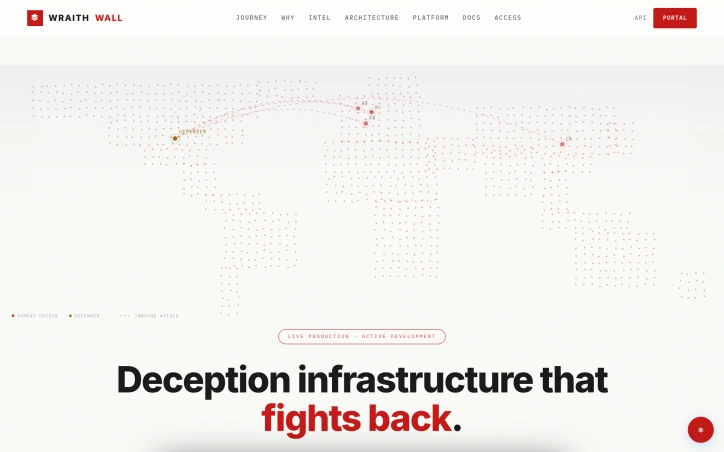
Defensive security has long relied on detection and response, but most tools operate in reactive mode, alerting teams after attackers have already penetrated defenses. WraithWall inverts this logic by embedding deception infrastructure at the perimeter and inside networks, forcing adversaries to reveal their methods before they can reach critical assets. The platform orchestrates honeypots, canaries, credential lures, and BGP monitors as an integrated detection layer. Rather than generating alerts on suspicious activity, these systems capture the full behavioral signature of an attack, including tool choices, timing, payloads, and lateral movement patterns. This evidence feeds a correlation engine that links disparate sessions into campaign clusters, transforming isolated alerts into forensically sound incident narratives. What distinguishes WraithWall from traditional honeypot projects is its claim to operate as a live production system rather than an isolated research environment. The website displays real telemetry from an operational deployment, including threat counts, session captures, and canary triggers. A documented case from May 2026 illustrates this model in practice: when the Cowrie SSH honeypot detected six high-severity sessions within eight minutes, the platform correlated identical payloads and authorized keys modifications across source IPs to identify a coordinated worm campaign rather than six independent attacks. This jump from signal-to-noise reduction to campaign attribution represents the core value proposition. The platform prioritizes evidence integrity and operator transparency. Logs are marked immutable, session telemetry includes fingerprinting through JA3 hashes and HASSH profiles, and findings are mapped to MITRE tactics to improve clarity for downstream incident handlers. By design, deception engagement eliminates false positives that plague production alerts: if a canary or honeypot responds, an attacker has interacted with it, removing guesswork. The attacker journey visualization sequences this data into a coherent narrative across reconnaissance, interaction, deception engagement, correlation, and intelligence output. This staged model acknowledges that not all threats move through every phase and that correlation quality depends on capturing behavior across multiple touch points. WraithWall positions itself for security teams prioritizing attribution accuracy and forensic quality over alert volume, targeting organizations running mature incident response practices. Pricing and licensing details are not disclosed in public materials.
Security-software
N
Niffy

Defensive security has long relied on detection and response, but most tools operate in reactive mode, alerting teams after attackers have already penetrated defenses. WraithWall inverts this logic by embedding deception infrastructure at the perimeter and inside networks, forcing adversaries to reveal their methods before they can reach critical assets. The platform orchestrates honeypots, canaries, credential lures, and BGP monitors as an integrated detection layer. Rather than generating alerts on suspicious activity, these systems capture the full behavioral signature of an attack, including tool choices, timing, payloads, and lateral movement patterns. This evidence feeds a correlation engine that links disparate sessions into campaign clusters, transforming isolated alerts into forensically sound incident narratives. What distinguishes WraithWall from traditional honeypot projects is its claim to operate as a live production system rather than an isolated research environment. The website displays real telemetry from an operational deployment, including threat counts, session captures, and canary triggers. A documented case from May 2026 illustrates this model in practice: when the Cowrie SSH honeypot detected six high-severity sessions within eight minutes, the platform correlated identical payloads and authorized keys modifications across source IPs to identify a coordinated worm campaign rather than six independent attacks. This jump from signal-to-noise reduction to campaign attribution represents the core value proposition. The platform prioritizes evidence integrity and operator transparency. Logs are marked immutable, session telemetry includes fingerprinting through JA3 hashes and HASSH profiles, and findings are mapped to MITRE tactics to improve clarity for downstream incident handlers. By design, deception engagement eliminates false positives that plague production alerts: if a canary or honeypot responds, an attacker has interacted with it, removing guesswork. The attacker journey visualization sequences this data into a coherent narrative across reconnaissance, interaction, deception engagement, correlation, and intelligence output. This staged model acknowledges that not all threats move through every phase and that correlation quality depends on capturing behavior across multiple touch points. WraithWall positions itself for security teams prioritizing attribution accuracy and forensic quality over alert volume, targeting organizations running mature incident response practices. Pricing and licensing details are not disclosed in public materials.

WraithWall preview
W

Key features

  • Integrated Deception Infrastructure: Orchestrates honeypots, canaries, credential lures, and BGP monitors as a unified detection layer.
  • Behavioral Signature Capture: Captures full attack signatures including tool choices, timing, payloads, and lateral movement patterns.
See full listing
Age Calculator

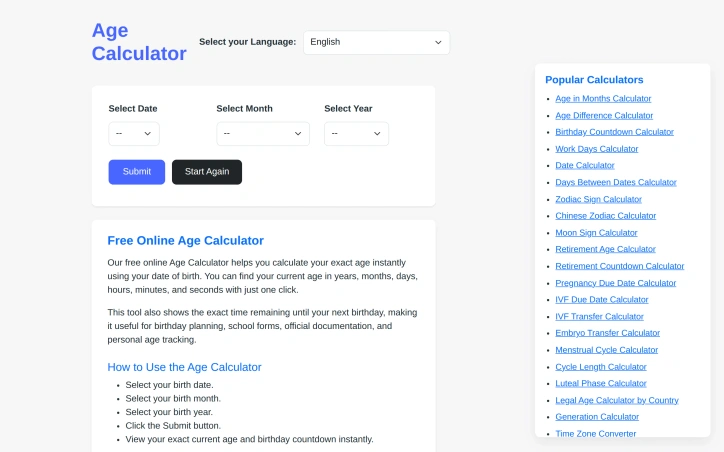
Quick and accurate age calculation from a date of birth remains a surprisingly common need—whether for administrative forms, personal record-keeping, or curiosity about one's precise age down to the day. AgeCalculator.live addresses this straightforward but essential problem by delivering instant results with just a date entry. The product's core value proposition centers on accuracy and simplicity. Rather than struggling through manual date arithmetic across months and leap years, users get exact age calculations in seconds. The founder built this to eliminate the manual calculation errors that plague users attempting to determine their precise age spanning years, months, and days—a calculation simple in concept but error-prone by hand. What distinguishes this offering from a basic calculator is its breadth. The platform bundles the primary age calculator with an extensive ecosystem of related tools: age difference calculations, birthday countdowns, zodiac and Chinese zodiac identifiers, retirement planning utilities, pregnancy due date estimators, menstrual cycle trackers, generational classifiers, and dozens more. This constellation of features transforms a single-purpose calculator into a comprehensive date utility suite addressing different life stages, planning horizons, and interests. The multilingual interface reflects genuine global ambition. Supporting at least eleven languages across multiple language families positions the tool for international use rather than English-speaking markets alone. This design choice acknowledges that age calculation spans cultures and demographic boundaries. The application targets a broad audience: individuals managing personal records, users completing administrative tasks, people planning major life events, parents tracking developmental milestones, and anyone exploring astrology or generational identity. The calculator appeals equally to those seeking quick utility and those wanting deeper exploration through ancillary tools. The product operates on a free model, removing financial barriers to access. This decision maximizes reach in a category where users expect zero-cost friction. The main limitation is inherent to the concept itself—age calculation is a solved problem with minimal competitive differentiation at the core feature level. However, the surrounding toolkit adds practical utility that extends the platform's usefulness beyond the base use case. For users who calculate age occasionally, this works as a quick lookup. For those needing related date utilities repeatedly, the bundled collection justifies repeated visits over single-purpose alternatives.
Calendar-apps
A
Anurag Bhatia

Quick and accurate age calculation from a date of birth remains a surprisingly common need—whether for administrative forms, personal record-keeping, or curiosity about one's precise age down to the day. AgeCalculator.live addresses this straightforward but essential problem by delivering instant results with just a date entry. The product's core value proposition centers on accuracy and simplicity. Rather than struggling through manual date arithmetic across months and leap years, users get exact age calculations in seconds. The founder built this to eliminate the manual calculation errors that plague users attempting to determine their precise age spanning years, months, and days—a calculation simple in concept but error-prone by hand. What distinguishes this offering from a basic calculator is its breadth. The platform bundles the primary age calculator with an extensive ecosystem of related tools: age difference calculations, birthday countdowns, zodiac and Chinese zodiac identifiers, retirement planning utilities, pregnancy due date estimators, menstrual cycle trackers, generational classifiers, and dozens more. This constellation of features transforms a single-purpose calculator into a comprehensive date utility suite addressing different life stages, planning horizons, and interests. The multilingual interface reflects genuine global ambition. Supporting at least eleven languages across multiple language families positions the tool for international use rather than English-speaking markets alone. This design choice acknowledges that age calculation spans cultures and demographic boundaries. The application targets a broad audience: individuals managing personal records, users completing administrative tasks, people planning major life events, parents tracking developmental milestones, and anyone exploring astrology or generational identity. The calculator appeals equally to those seeking quick utility and those wanting deeper exploration through ancillary tools. The product operates on a free model, removing financial barriers to access. This decision maximizes reach in a category where users expect zero-cost friction. The main limitation is inherent to the concept itself—age calculation is a solved problem with minimal competitive differentiation at the core feature level. However, the surrounding toolkit adds practical utility that extends the platform's usefulness beyond the base use case. For users who calculate age occasionally, this works as a quick lookup. For those needing related date utilities repeatedly, the bundled collection justifies repeated visits over single-purpose alternatives.

Age Calculator preview

Key features

  • Instant Age Calculator: Calculates exact age from date of birth in seconds, including years, months, and days.
  • Zodiac Identifier: Identifies Western zodiac and Chinese zodiac signs based on birth date.
See full listing
S

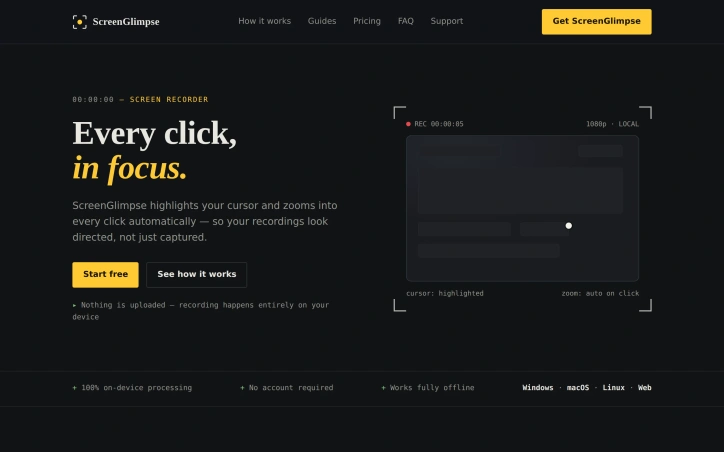
For anyone tired of recording screens with tools that either demand subscriptions, steal your data, or integrate only with bloated communication platforms, ScreenGlimpse offers a focused alternative built on a refreshingly simple premise: privacy-first recording that happens entirely on your device. The tool targets creators, educators, and teams who need to produce polished screen recordings without friction. Its core innovation centers on cursor visibility and automatic zoom-on-click—features that transform raw screen captures into directed, viewer-friendly content. Every cursor movement gains a soft highlight, and double-clicking triggers an automatic zoom that keeps viewers locked on the relevant action rather than lost in a sea of screen real estate. ScreenGlimpse stands apart through its commitment to local processing. Nothing leaves your computer. Recording, encoding, and export all happen on-device, eliminating both the privacy concerns that plague cloud-dependent tools and the upload delays that plague most competitors. Export happens immediately upon stopping the recording—no render queues, no waiting bars. Users can choose between MP4 and WebM formats at various quality levels before recording even starts. The feature set extends beyond basic recording. The app supports simultaneous capture of screen, microphone, webcam, and system audio in any combination. A draggable webcam bubble keeps your face present without consuming the entire frame. Beyond video, ScreenGlimpse includes screenshot capabilities with markup tools, a freeform whiteboard mode, and the ability to export recordings as animated GIFs. A custom watermark feature allows teams to add branding without the intrusive stamps common in competing tools. Distribution reaches across platforms. Windows, macOS, and Linux each get native installers, while a browser version accommodates one-off recordings or users unwilling to install software. The pricing structure rewards flexibility. A free tier, called Glimpse, offers unlimited local recordings with 720p export and basic features. Focus, the paid tier at five dollars monthly or fifty dollars annually, unlocks 4K export and advanced screenshot markup capabilities. A Forever option provides a one-time purchase of one hundred dollars for permanent access with a year of included updates—a model designed for users skeptical of subscriptions. The absence of required account creation for free use removes friction at the entry point. Paid tiers use license keys rather than tracking usage, respecting the privacy pledge that anchors the entire product philosophy.

Screenshots-and-screen-recording-apps
S
smart ai

For anyone tired of recording screens with tools that either demand subscriptions, steal your data, or integrate only with bloated communication platforms, ScreenGlimpse offers a focused alternative built on a refreshingly simple premise: privacy-first recording that happens entirely on your device. The tool targets creators, educators, and teams who need to produce polished screen recordings without friction. Its core innovation centers on cursor visibility and automatic zoom-on-click—features that transform raw screen captures into directed, viewer-friendly content. Every cursor movement gains a soft highlight, and double-clicking triggers an automatic zoom that keeps viewers locked on the relevant action rather than lost in a sea of screen real estate. ScreenGlimpse stands apart through its commitment to local processing. Nothing leaves your computer. Recording, encoding, and export all happen on-device, eliminating both the privacy concerns that plague cloud-dependent tools and the upload delays that plague most competitors. Export happens immediately upon stopping the recording—no render queues, no waiting bars. Users can choose between MP4 and WebM formats at various quality levels before recording even starts. The feature set extends beyond basic recording. The app supports simultaneous capture of screen, microphone, webcam, and system audio in any combination. A draggable webcam bubble keeps your face present without consuming the entire frame. Beyond video, ScreenGlimpse includes screenshot capabilities with markup tools, a freeform whiteboard mode, and the ability to export recordings as animated GIFs. A custom watermark feature allows teams to add branding without the intrusive stamps common in competing tools. Distribution reaches across platforms. Windows, macOS, and Linux each get native installers, while a browser version accommodates one-off recordings or users unwilling to install software. The pricing structure rewards flexibility. A free tier, called Glimpse, offers unlimited local recordings with 720p export and basic features. Focus, the paid tier at five dollars monthly or fifty dollars annually, unlocks 4K export and advanced screenshot markup capabilities. A Forever option provides a one-time purchase of one hundred dollars for permanent access with a year of included updates—a model designed for users skeptical of subscriptions. The absence of required account creation for free use removes friction at the entry point. Paid tiers use license keys rather than tracking usage, respecting the privacy pledge that anchors the entire product philosophy.

ScreenGlimpse preview
S

Key features

  • Privacy-First Recording: All processing happens locally on-device with no cloud uploads or data collection.
  • Cursor Highlighting and Auto-Zoom: Soft cursor highlights and automatic zoom-on-click direct viewer attention to relevant actions.
See full listing
InterviPrep: AI Interview Prep

Preparation for job interviews remains a pain point for countless professionals, particularly those in competitive tech markets. Many candidates struggle not just with answering questions convincingly, but also with understanding how to position their experience through both resume formatting and verbal communication. InterviPrep addresses this multifaceted challenge through an AI-driven platform that combines mock interviewing, performance feedback, and resume optimization in a single solution. The platform targets job seekers across experience levels—from students entering the workforce to established professionals making career transitions. The approach is particularly well-suited to candidates in India and other markets where both technical expertise and structured behavioral responses determine hiring outcomes. What distinguishes InterviPrep is its integration of complementary preparation tools beyond the core mock interview. Users can convert any job description into a targeted interview session, with the AI conducting follow-up questions that adapt to responses. The platform provides granular feedback across communication quality, technical knowledge, behavioral responses, confidence, and presentation. On the resume side, ATS scoring identifies formatting and content issues that prevent applications from reaching human reviewers—a real obstacle for applicants unfamiliar with how modern recruiting systems filter submissions. The ecosystem extends further. A salary calculator, gratuity estimator, offer negotiation templates, and career gap explanation tools address the broader job transition process. This surrounding toolkit acknowledges that interview readiness is only one component of successful job seeking. The product documentation claims a user base of 50,000 professionals, a 4.6 out of 5 rating, and 12 million logged interview sessions. Testimonials from professionals at established companies like TCS and Zomato highlight confidence gains and tangible offer improvements. The platform's strength lies in treating interview preparation as a systems problem rather than an isolated skill gap. By combining realistic AI conversation practice with immediate performance analytics and ancillary career tools, it reduces friction across the entire job search cycle. The focus on ATS optimization particularly matters, as many candidates optimize their responses without considering whether their resume reaches hiring managers in the first place. The site mentions a free mock interview option, suggesting a freemium model. For job seekers willing to commit time to structured practice, InterviPrep offers a pragmatic alternative to generic interview guides or expensive coaching services.

Preparation for job interviews remains a pain point for countless professionals, particularly those in competitive tech markets. Many candidates struggle not just with answering questions convincingly, but also with understanding how to position their experience through both resume formatting and verbal communication. InterviPrep addresses this multifaceted challenge through an AI-driven platform that combines mock interviewing, performance feedback, and resume optimization in a single solution. The platform targets job seekers across experience levels—from students entering the workforce to established professionals making career transitions. The approach is particularly well-suited to candidates in India and other markets where both technical expertise and structured behavioral responses determine hiring outcomes. What distinguishes InterviPrep is its integration of complementary preparation tools beyond the core mock interview. Users can convert any job description into a targeted interview session, with the AI conducting follow-up questions that adapt to responses. The platform provides granular feedback across communication quality, technical knowledge, behavioral responses, confidence, and presentation. On the resume side, ATS scoring identifies formatting and content issues that prevent applications from reaching human reviewers—a real obstacle for applicants unfamiliar with how modern recruiting systems filter submissions. The ecosystem extends further. A salary calculator, gratuity estimator, offer negotiation templates, and career gap explanation tools address the broader job transition process. This surrounding toolkit acknowledges that interview readiness is only one component of successful job seeking. The product documentation claims a user base of 50,000 professionals, a 4.6 out of 5 rating, and 12 million logged interview sessions. Testimonials from professionals at established companies like TCS and Zomato highlight confidence gains and tangible offer improvements. The platform's strength lies in treating interview preparation as a systems problem rather than an isolated skill gap. By combining realistic AI conversation practice with immediate performance analytics and ancillary career tools, it reduces friction across the entire job search cycle. The focus on ATS optimization particularly matters, as many candidates optimize their responses without considering whether their resume reaches hiring managers in the first place. The site mentions a free mock interview option, suggesting a freemium model. For job seekers willing to commit time to structured practice, InterviPrep offers a pragmatic alternative to generic interview guides or expensive coaching services.

InterviPrep: AI Interview Prep preview

Key features

  • Mock Interviewing: AI-conducted interviews that adapt to responses with follow-up questions based on performance
  • Performance Feedback: Granular analysis across communication quality, technical knowledge, behavioral responses, confidence, and presentation
See full listing
Wisegrid

Teams across industries organize their work in spreadsheets, yet spend hours each week manually rebuilding status pages, creating dashboards, and tracking progress through disconnected tools. Wisegrid solves this friction by building an application layer directly on top of existing spreadsheets, keeping the source data familiar while adding the capabilities teams actually need. The product is built for teams that have invested in spreadsheet workflows but found them incomplete. Rather than forcing migration to a new system, Wisegrid keeps sheets as the core interface where team members edit and enter data, then automatically surfaces that information through dashboards, reports, and views that stay synchronized in real time. When someone edits a row, the dashboard updates instantly without manual intervention. It's an elegant inversion of the typical SaaS model: the familiar tool is the system of record, and everything else is built on top. The feature set reflects this philosophy. Dashboards pull live data directly from spreadsheet cells and can be shared at varying permission levels. Forms with conditional logic funnel submissions into rows. Reporting tools aggregate data across multiple sheets. Automations handle notifications, row assignments, and approval workflows on configurable triggers. Permissions are granular enough to share a full project, individual sheets, or specific slices with SSO and MFA included. Two capabilities particularly stand out. Blueprints let teams save a project as a reusable template, complete with formulas, automations, and dashboards, stamping out copies in under a minute. This transforms Wisegrid from a single-project tool into a factory system for standardized workflows. The AI formula capability deserves attention: teams write formulas that classify notes, extract structured data, or summarize text directly in cells, with costs metered per usage rather than as a separate line item. The pricing model is straightforward. Editors pay $19 per person per month, with unlimited free view-only collaborators, making it accessible for large teams where only a subset needs edit access. The plan includes $5 monthly AI credit, creating a built-in allowance for AI-powered cell operations. Wisegrid fills a specific but common gap: teams who have built working processes in spreadsheets but outgrew what spreadsheets alone can provide. By strengthening rather than replacing that interface, it solves the weekly status-page rebuild without forcing organizational change.
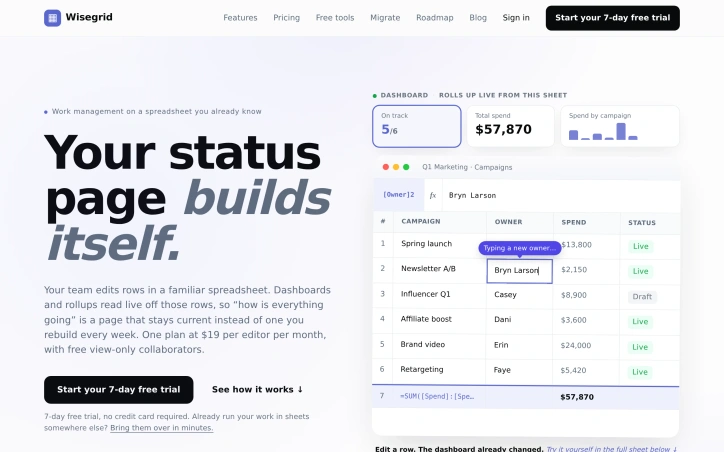

Project-management-software
A
Anh Nguyen

Teams across industries organize their work in spreadsheets, yet spend hours each week manually rebuilding status pages, creating dashboards, and tracking progress through disconnected tools. Wisegrid solves this friction by building an application layer directly on top of existing spreadsheets, keeping the source data familiar while adding the capabilities teams actually need. The product is built for teams that have invested in spreadsheet workflows but found them incomplete. Rather than forcing migration to a new system, Wisegrid keeps sheets as the core interface where team members edit and enter data, then automatically surfaces that information through dashboards, reports, and views that stay synchronized in real time. When someone edits a row, the dashboard updates instantly without manual intervention. It's an elegant inversion of the typical SaaS model: the familiar tool is the system of record, and everything else is built on top. The feature set reflects this philosophy. Dashboards pull live data directly from spreadsheet cells and can be shared at varying permission levels. Forms with conditional logic funnel submissions into rows. Reporting tools aggregate data across multiple sheets. Automations handle notifications, row assignments, and approval workflows on configurable triggers. Permissions are granular enough to share a full project, individual sheets, or specific slices with SSO and MFA included. Two capabilities particularly stand out. Blueprints let teams save a project as a reusable template, complete with formulas, automations, and dashboards, stamping out copies in under a minute. This transforms Wisegrid from a single-project tool into a factory system for standardized workflows. The AI formula capability deserves attention: teams write formulas that classify notes, extract structured data, or summarize text directly in cells, with costs metered per usage rather than as a separate line item. The pricing model is straightforward. Editors pay $19 per person per month, with unlimited free view-only collaborators, making it accessible for large teams where only a subset needs edit access. The plan includes $5 monthly AI credit, creating a built-in allowance for AI-powered cell operations. Wisegrid fills a specific but common gap: teams who have built working processes in spreadsheets but outgrew what spreadsheets alone can provide. By strengthening rather than replacing that interface, it solves the weekly status-page rebuild without forcing organizational change.

Wisegrid preview

Key features

  • Live Dashboards: Pull real-time data directly from spreadsheet cells and update instantly when source data changes.
  • Blueprints: Save projects as reusable templates with formulas, automations, and dashboards that can be stamped out in under a minute.
See full listing
Explorer Session Saver

Windows users juggling multiple project folders and research sets know the friction of rebuilding the same File Explorer workspaces every time they start their day. Explorer Session Saver addresses this by capturing entire File Explorer configurations and restoring them on demand, eliminating the repetitive task of manually reopening tabs and navigating to the same directories. The tool works within Windows 11's native Explorer tabs, treating the entire window state as a snapshot. Users name and save their current workspace, then restore it later with a single action from any of three entry points: the ESS Manager interface, the system tray, or the command line. This multi-path access acknowledges that users work differently—some prefer GUI interfaces while others benefit from automation through scripting. What distinguishes Explorer Session Saver is its deliberate simplicity. Rather than attempting to be a comprehensive productivity suite, it solves one specific friction point in the daily workflow. The decision to operate as a local utility rather than a cloud-based service means workspace data stays on the user's machine and restoration happens instantly without network latency. For professionals working with sensitive files or restrictive internet conditions, this local-first architecture is a practical advantage. The free distribution model removes barriers to adoption, making it accessible to individual developers, researchers, and knowledge workers who manage complex folder hierarchies. The Windows 11 focus reflects platform-specific design rather than attempting cross-platform compatibility, suggesting the developer understood where the actual pain point lives. The application assumes users have established workspace patterns—it works best for those with consistent session layouts rather than those opening different folders each day. It targets the developer who returns to the same project folders, the researcher maintaining consistent research datasets, the analyst with a standard folder layout. For this audience, the ability to restore entire workspaces in seconds transforms a daily five-minute overhead into a one-click operation. The command-line access point opens possibilities for scripting and automation, though basic manual restoration through the GUI or system tray covers the primary use case. Explorer Session Saver delivers functional value without unnecessary complexity or monetization friction.

App-switcher
F
FlowCTRL

Windows users juggling multiple project folders and research sets know the friction of rebuilding the same File Explorer workspaces every time they start their day. Explorer Session Saver addresses this by capturing entire File Explorer configurations and restoring them on demand, eliminating the repetitive task of manually reopening tabs and navigating to the same directories. The tool works within Windows 11's native Explorer tabs, treating the entire window state as a snapshot. Users name and save their current workspace, then restore it later with a single action from any of three entry points: the ESS Manager interface, the system tray, or the command line. This multi-path access acknowledges that users work differently—some prefer GUI interfaces while others benefit from automation through scripting. What distinguishes Explorer Session Saver is its deliberate simplicity. Rather than attempting to be a comprehensive productivity suite, it solves one specific friction point in the daily workflow. The decision to operate as a local utility rather than a cloud-based service means workspace data stays on the user's machine and restoration happens instantly without network latency. For professionals working with sensitive files or restrictive internet conditions, this local-first architecture is a practical advantage. The free distribution model removes barriers to adoption, making it accessible to individual developers, researchers, and knowledge workers who manage complex folder hierarchies. The Windows 11 focus reflects platform-specific design rather than attempting cross-platform compatibility, suggesting the developer understood where the actual pain point lives. The application assumes users have established workspace patterns—it works best for those with consistent session layouts rather than those opening different folders each day. It targets the developer who returns to the same project folders, the researcher maintaining consistent research datasets, the analyst with a standard folder layout. For this audience, the ability to restore entire workspaces in seconds transforms a daily five-minute overhead into a one-click operation. The command-line access point opens possibilities for scripting and automation, though basic manual restoration through the GUI or system tray covers the primary use case. Explorer Session Saver delivers functional value without unnecessary complexity or monetization friction.

Explorer Session Saver preview

Key features

  • File Explorer Snapshots: Captures entire File Explorer window configurations including tabs and navigation states
  • Multi-Point Restoration: Restore saved workspaces via ESS Manager interface, system tray, or command line
See full listing
Guitar Setup Lab

Diagnosing and repairing guitar problems systematically has long been the domain of experienced technicians working from intuition and acquired knowledge. Guitar Setup Lab transforms setup and repair work by replacing guesswork with measurement-based diagnostics, structured workflows, and documented records that reduce the risk of permanent damage to instruments. The platform organizes work around logical dependencies: stable strings and tuning come before adjusting neck relief; relief settings precede bridge action; pickup clearance follows the determined string path. This sequenced approach prevents the common mistake of adjusting multiple variables simultaneously, which obscures cause and effect. Seven interconnected diagnostic benches guide users through measurement, adjustment planning, and documentation according to this dependency chain rather than attempting every possible fix at once. The tool excels in breadth. Beyond basic playability diagnostics like fret buzz and action height, it handles specialized measurements for pickup compatibility, control hardware fit, electronics troubleshooting, and geometry planning for instrument builders. Built-in guides interpret measurements in context—converting between units, explaining what values mean for playability, and suggesting appropriate next steps. For professionals, the software generates shop-ready intake forms, quotes, job records, and condition documentation that create accountability and improve client communication. A standout feature is the geometry bench for instrument building, which calculates fret coordinates, spacing, multiscale layouts, and tremolo balance from measured physical datums. This bridges the gap between design intent and fabrication, eliminating the import errors and label misreadings that plague aftermarket component sourcing. Users can project string spread to verify pickup compatibility before ordering parts, or check control cavity geometry against manufacturer specifications. The product targets both independent guitarists managing their own instruments and professional luthiers running repair shops. Guitarists gain confidence in basic setup decisions; luthiers gain structured workflows that reduce liability and improve shop efficiency through systematic documentation. One notable aspect is the emphasis on reversibility—setup is framed as a series of measured checks and isolated adjustments rather than permanent modifications. This philosophy permeates the tool's design, from the diagnostic flow to the printed records that serve as before-and-after evidence of work completed. The offering sits at the intersection of professional tooling and accessibility, assuming users lack formal training but care about precision and process. It provides the measurement guidance, conversion logic, and decision frameworks that separate confident adjustment from guesswork.

Knowledge-base-software
C
canghun13

Diagnosing and repairing guitar problems systematically has long been the domain of experienced technicians working from intuition and acquired knowledge. Guitar Setup Lab transforms setup and repair work by replacing guesswork with measurement-based diagnostics, structured workflows, and documented records that reduce the risk of permanent damage to instruments. The platform organizes work around logical dependencies: stable strings and tuning come before adjusting neck relief; relief settings precede bridge action; pickup clearance follows the determined string path. This sequenced approach prevents the common mistake of adjusting multiple variables simultaneously, which obscures cause and effect. Seven interconnected diagnostic benches guide users through measurement, adjustment planning, and documentation according to this dependency chain rather than attempting every possible fix at once. The tool excels in breadth. Beyond basic playability diagnostics like fret buzz and action height, it handles specialized measurements for pickup compatibility, control hardware fit, electronics troubleshooting, and geometry planning for instrument builders. Built-in guides interpret measurements in context—converting between units, explaining what values mean for playability, and suggesting appropriate next steps. For professionals, the software generates shop-ready intake forms, quotes, job records, and condition documentation that create accountability and improve client communication. A standout feature is the geometry bench for instrument building, which calculates fret coordinates, spacing, multiscale layouts, and tremolo balance from measured physical datums. This bridges the gap between design intent and fabrication, eliminating the import errors and label misreadings that plague aftermarket component sourcing. Users can project string spread to verify pickup compatibility before ordering parts, or check control cavity geometry against manufacturer specifications. The product targets both independent guitarists managing their own instruments and professional luthiers running repair shops. Guitarists gain confidence in basic setup decisions; luthiers gain structured workflows that reduce liability and improve shop efficiency through systematic documentation. One notable aspect is the emphasis on reversibility—setup is framed as a series of measured checks and isolated adjustments rather than permanent modifications. This philosophy permeates the tool's design, from the diagnostic flow to the printed records that serve as before-and-after evidence of work completed. The offering sits at the intersection of professional tooling and accessibility, assuming users lack formal training but care about precision and process. It provides the measurement guidance, conversion logic, and decision frameworks that separate confident adjustment from guesswork.

Guitar Setup Lab preview

Key features

  • Measurement-Based Diagnostics: Replaces guesswork with precise measurement-based diagnostics and structured workflows.
  • Sequential Diagnostic Benches: Seven interconnected diagnostic benches guide users through measurements and adjustments following logical dependencies.
See full listing
Data Storage Lab

Storage planning typically requires navigating a fragmented ecosystem of product catalogs, vendor websites, and single-purpose calculators, each addressing only one dimension of the problem. Data Storage Lab consolidates this scattered process into a cohesive planning tool designed for households and small organizations that need to handle backup and recovery without vendor lock-in. The tool addresses a genuine friction point in how people approach storage decisions. Most users start with capacity questions but lack a structured way to think about protection, backup, and recovery together. Data Storage Lab guides planners through describing their data, setting recovery priorities, and reviewing a complete configuration that connects these decisions. This systematic approach distinguishes it from tools that isolate one question at a time. A core insight embedded in the tool's design is clarity about what RAID actually protects against. The product explicitly rejects the common misconception that RAID redundancy serves as backup. Instead, it frames array protection as a hedge against downtime from drive failure while emphasizing that independent backup copies protect against deletion, ransomware, theft, and site-wide failure. This distinction forces more rigorous thinking about recovery architecture. The planning paths accommodate different scenarios: families managing photos and video, media creators with growing storage needs, freelancers protecting work files, home lab builders, and small offices with multiple users. For each scenario, the tool produces guidance on usable capacity, bay and drive ranges, protection strategies, backup allocation, network specifications, and equipment categories. The vendor-neutral stance removes pressure to choose specific brands during planning, letting users focus on functional requirements first. The output is a configuration brief and equipment checklist, enabling users to shop for hardware independently after understanding what they actually need. The tool does not attempt to replace hardware decisions with formulas. Instead, it bridges the gap between abstract storage requirements and concrete equipment selection, providing enough specificity to guide purchasing without prescribing products. This positions it as infrastructure planning for people who would otherwise assemble their knowledge from scattered sources or make reactive decisions at purchase time.
Project-management-software
C
canghun13

Storage planning typically requires navigating a fragmented ecosystem of product catalogs, vendor websites, and single-purpose calculators, each addressing only one dimension of the problem. Data Storage Lab consolidates this scattered process into a cohesive planning tool designed for households and small organizations that need to handle backup and recovery without vendor lock-in. The tool addresses a genuine friction point in how people approach storage decisions. Most users start with capacity questions but lack a structured way to think about protection, backup, and recovery together. Data Storage Lab guides planners through describing their data, setting recovery priorities, and reviewing a complete configuration that connects these decisions. This systematic approach distinguishes it from tools that isolate one question at a time. A core insight embedded in the tool's design is clarity about what RAID actually protects against. The product explicitly rejects the common misconception that RAID redundancy serves as backup. Instead, it frames array protection as a hedge against downtime from drive failure while emphasizing that independent backup copies protect against deletion, ransomware, theft, and site-wide failure. This distinction forces more rigorous thinking about recovery architecture. The planning paths accommodate different scenarios: families managing photos and video, media creators with growing storage needs, freelancers protecting work files, home lab builders, and small offices with multiple users. For each scenario, the tool produces guidance on usable capacity, bay and drive ranges, protection strategies, backup allocation, network specifications, and equipment categories. The vendor-neutral stance removes pressure to choose specific brands during planning, letting users focus on functional requirements first. The output is a configuration brief and equipment checklist, enabling users to shop for hardware independently after understanding what they actually need. The tool does not attempt to replace hardware decisions with formulas. Instead, it bridges the gap between abstract storage requirements and concrete equipment selection, providing enough specificity to guide purchasing without prescribing products. This positions it as infrastructure planning for people who would otherwise assemble their knowledge from scattered sources or make reactive decisions at purchase time.

Data Storage Lab preview

Key features

  • Consolidated Planning: combines fragmented storage resources, vendor catalogs, and calculators into one cohesive tool
  • RAID vs Backup Clarity: explicitly distinguishes array protection from backup and explains what RAID actually protects against
See full listing