GPTZZZ
GPTZZZ 是面向开发者的独立第三方 AI API 中转与多模型网关,提供 OpenAI 兼容接口和 Claude Messages 接口,帮助应用与编程工具...

@fuck.it
Email privacy has become an afterthought at mainstream providers, which treat inboxes as data sources to be mined for ad...
Best Productivity Startups & Tools
Recently Listed
278 launches
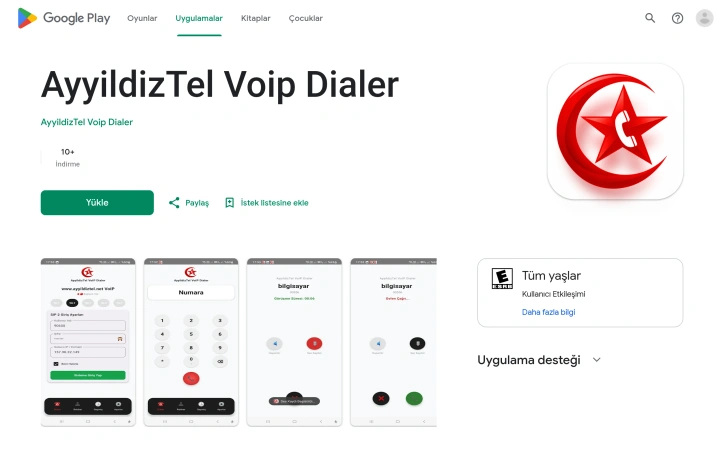
Seamless VoIP calling on mobile networks has become essential for distributed teams and international businesses, and this lightweight Android application addresses that need directly. AyyıldızTel VoIP Dialer lets users maintain persistent SIP connections through their smartphones, making it possible to route business calls and personal VoIP lines through the same device without relying on traditional cellular service. The application targets professionals and teams requiring flexible communication infrastructure—remote workers managing multiple office extensions, international users seeking cost-effective calling, and businesses deploying SIP-based phone systems to mobile-first workforces. Its positioning emphasizes mobility without sacrificing audio quality, a practical consideration for users who frequently switch between home networks, mobile data, and corporate WiFi. What distinguishes this offering is its focus on performance and mobile-specific optimization. Rather than treating the smartphone as a generic SIP endpoint, the developers have engineered the application around the constraints of mobile networks, implementing adaptive bandwidth handling to maintain voice clarity even under poor connectivity. The interface reflects this mobile-first thinking—a physical keyboard-style dialer with full DTMF support for navigating phone systems, integrated call history tracking both incoming and outgoing activity, and contact management built into the calling workflow rather than relying solely on external directories. Security receives explicit treatment. The application enforces encryption during data transit and avoids third-party data sharing, keeping communication between the user and their SIP server private by design. The technical foundation relies on WebRTC and SIP protocols, industry standards that provide proven interoperability with existing business telephone infrastructure. The user experience appears designed for speed and familiarity. Rather than introducing novel interaction patterns, the application presents a conventional phone dialer interface adapted for touchscreen input, lowering the adoption barrier for users already comfortable with traditional calling mechanics. No pricing structure is mentioned in available materials, suggesting the application operates as a free download, though custom SIP account configuration would depend on the user's own service provider costs. The combination of mobile optimization, security prioritization, and straightforward interface positions this application as a practical choice for users seeking reliable VoIP calling when traditional cellular options prove inadequate or prohibitively expensive.

An operating system designed around the unlimited canvas concept rather than traditional windowing offers a fundamentally different approach to digital work. The platform targets teams and knowledge workers who need to juggle multiple applications simultaneously while maintaining visibility of everything at once. It also embraces AI agents as first-class participants in workflows, giving them their own cursors and the ability to work collaboratively on projects. The core innovation centers on replacing the tab-and-window paradigm with an infinite canvas. Users open their applications side by side on a blank workspace and navigate through zoom controls rather than window switching. The system persists these arrangements in saved workspaces, allowing teams and individuals to return to complex setups without rebuilding them each time. Multiple canvases let users maintain separate contexts for different projects without context-switching friction. What distinguishes Novastart is its treatment of AI agents as observable, controllable collaborators rather than black boxes. Agents receive their own cursors and can split work across helper agents, each working in dedicated windows. A human can pause execution mid-task, type corrections, and watch the system adjust without restarting. Results require verification before being marked complete, building in a quality gate that acknowledges the need for human oversight of automated work. The team collaboration features center on shared workspaces with per-user cursors and live streaming of application windows between team members. Rather than requiring screen shares and verbal directions, collaborators can directly manipulate windows and see each other's actions in real time. Chat exists within the OS itself, and team members access each other's applications as if they were their own. The persistent room remains intact when people leave and return, maintaining context continuity across sessions. The product lacks publicly available pricing information, making the business model unclear from the marketing materials alone. It remains unknown whether Novastart positions itself as a replacement for operating systems, a workplace productivity platform, or an application overlay. The technical feasibility of cross-platform application streaming and the learning curve for users accustomed to traditional interfaces represent questions that the marketing content does not address. The infinite canvas concept proves compelling for visual organization and AI collaboration workflows, but execution details and real-world performance will determine whether it delivers on its architectural promises.
Converting and editing EPUB files typically requires uploading to cloud services or installing desktop software, forcing users to choose between convenience and privacy. IloveEPUB eliminates that tradeoff by running entirely in the browser, keeping files on the user's device throughout every operation. The service targets authors, editors, publishers, and readers who work with digital books. Anyone who needs to convert EPUBs to other formats, compress oversized files, repair broken ones, or edit metadata and covers fits the audience. The core appeal is straightforward: complete EPUB toolkit functionality without uploading anything to a server. The feature set is comprehensive. Users can convert EPUBs to PDF, Markdown, plain text, HTML, Word documents, and Kobo's KEpub format. Reverse conversions work too, letting users transform PDFs and text files into properly structured EPUBs. The merge tool combines multiple books into one with a unified table of contents, while the split function divides EPUBs into separate volumes by chapter. A compression tool re-encodes images to reduce file size, and an image stripping option makes books suitable for e-ink readers. Beyond conversions, the platform includes an EPUB reader, word counter, text-to-speech player, metadata editor, cover image replacer, and tools for rebuilding tables of contents and fixing corrupted files. What distinguishes iLoveEPUB from competitors is the privacy-first architecture combined with genuine offline capability. Once a tool page loads, users can work without internet. There are no account requirements, credit systems, or usage queues. The service is entirely free. The browser-based approach creates constraints. Processing power is limited by the client's device, and very large files might be slow to handle. However, for typical use cases such as converting a novel or editing a book's metadata, the speed difference from server-side processing is negligible. The founder positions this as a rejection of the upload-first model that dominates the EPUB tools space. Whether users prioritize privacy or simply prefer not to register for yet another online service, iLoveEPUB's no-upload promise addresses a real friction point in ebook workflows. The combination of breadth, depth, and accessibility makes it a notably capable free offering in a market dominated by subscription services and walled gardens.

Repetitive image processing tasks plague creators, developers, and e-commerce sellers who regularly handle dozens or hundreds of photos. Existing solutions either restrict file sizes, demand signup credentials, charge subscription fees, or require uploading sensitive media to remote servers—a combination of frictions that motivated one developer to build an alternative. BulkImage addresses these pain points with a fully free, browser-based batch image processing suite. The platform runs entirely on the user's device, eliminating the privacy concerns that come with cloud uploads. This local-first approach means images never leave the computer, making it suitable for confidential work and sensitive materials. The toolset spans 27 distinct capabilities organized around common workflows. Compression reaches up to 90 percent file-size reduction without noticeable quality loss. Resizing accommodates both custom dimensions and platform-specific presets for Instagram, YouTube, and ecommerce marketplaces like Shopify and Amazon. An AI-powered background remover produces transparent PNG exports in bulk, while format conversion handles JPG, PNG, WebP, and HEIC transformations across entire batches. Additional features include watermarking for brand protection and an image upscaler that enhances resolution through client-side AI models. What distinguishes BulkImage is its focus on solving specific user problems rather than offering generic tools. A problem-oriented finder guides users directly to curated tool combinations for particular tasks—whether preparing product catalogs, optimizing social media assets, or meeting government form photo specifications. Multi-step workflows connect sequential operations without redundant uploads or manual handoffs between tools. The interface prioritizes speed and accessibility. Users upload images, select their task, and download results without creating accounts or navigating complex menus. Pricing is straightforward: the entire platform is free, with no watermarks, paywalls, or hidden costs. For professionals handling volume image work, the privacy guarantees and lack of signup friction represent genuine advantages over mainstream alternatives. Students preparing application materials, creators scaling visual assets, and small business owners optimizing inventory photos all benefit from eliminating signup requirements and upload delays. Whether this solo-developer platform maintains consistent performance at scale or sustains feature development long-term remains an open question, though neither concern emerges from the materials presented.


Automating discrete event simulation model creation addresses a genuine pain point for the operations research community. Arena, the industry-standard simulation software, requires substantial expertise and manual effort to translate project requirements into executable models. OptiMax Arena AI Simulation Builder attempts to collapse that workflow, using AI to generate models directly from natural language descriptions, documents, and data files. The product distinguishes itself through deliberate constraints that reflect operational reality. Rather than generating idealized models unbounded by software limitations, it detects the user's installed Arena version, available module catalog, and license restrictions before planning anything. The AI proposal is then validated against these actual constraints before construction begins. This version-aware approach means the generated model won't reference modules that don't exist in the user's installation or exceed their license profile, reducing the friction between design and execution. The intake methodology supports multiple evidence types. Users can describe their system in plain text, supply Word documents and PDFs, attach images and spreadsheets, or combine these. The application separates project analysis, the current draft, and revision proposals into distinct views, allowing users to compare iterations without discarding prior work. A seven-step guided workflow walks users through sign-in, Arena connection, requirement definition, data provision, scope review with transparent cost quoting, model creation or revision, and validation. Validation constitutes more than syntax checking. The system exercises the generated model through Arena's COM interface, runs Arena Check to identify configuration errors, executes a bounded smoke test to verify execution logic, and confirms the saved file exists at the specified path. This staged validation chain suggests attention to the operational requirement that models work, not just that they compile. The pricing structure employs a credits-per-project model rather than seat licenses. Starter packages begin at $14.99 for smaller projects, with Project and Advanced tiers at $29.99 and $99 respectively. New accounts receive trial credits at no charge. Quoted costs are shown before generation, preventing surprise expenses, and technical retries don't incur duplicate charges. The product requires Arena 16.2 or later as a prerequisite, establishing a clear boundary around its addressable market. For organizations actively building discrete event simulation models, this automation targets a specific technical workflow that otherwise demands arena expertise and weeks of model development. Whether it delivers on that promise depends on the quality of the underlying AI and the completeness of its constraint engine, neither of which the available content addresses directly.


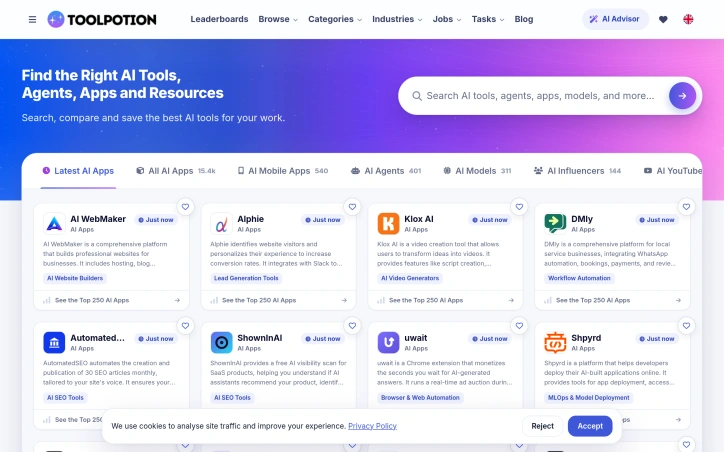
Finding the right AI tool among thousands of options has become a genuine problem for professionals and businesses entering the AI-powered workflow era. The sheer proliferation of AI applications, models, and platforms has transformed discovery into a time-consuming task that demands expertise many users don't have. ToolPotion addresses this friction by positioning itself as a specialized directory and recommendation engine for the rapidly expanding AI ecosystem. The platform serves a broad audience: business leaders evaluating AI adoption, developers exploring technical capabilities, knowledge workers automating routine tasks, and curious professionals wanting to understand what's available. Rather than treating tool selection as a simple keyword matching problem, ToolPotion's distinguishing feature is its AI Advisor, a recommendation system that incorporates context about user roles, industries, responsibilities, and specific goals to surface relevant solutions. This context-aware matching sets it apart from basic searchable databases that rely on traditional filters and categories. The underlying infrastructure includes a comprehensive directory cataloging over 15,000 AI applications alongside agents, models, platforms, and resources. The platform organizes this volume through multiple discovery paths: categorical browsing, industry-specific filtering, job-based recommendations, and task-oriented searches. For users who want to compare options before committing, ToolPotion offers direct comparison tools. Leaderboards and rankings help surface leading solutions across different specializations like chatbots, image generators, and coding agents. What makes ToolPotion noteworthy is its recognition that AI tool selection requires more than keyword search. The founder emphasizes moving beyond simple discovery to help users find solutions that actually matter to their workflow. The platform seems positioned to evolve with the AI landscape itself, claiming a continuously growing directory that presumably updates as new tools emerge. The platform accepts free submissions from tool creators, suggesting a community-driven catalog model rather than purely editorial curation. This approach could accelerate growth but also introduces questions about discoverability in a crowded directory. No pricing information appears in the available content, suggesting the platform may operate as a free discovery service, potentially monetizing through partnerships, premium features, or creator networks later. For professionals tired of manually evaluating dozens of AI tools or uncertain where to begin with AI adoption, ToolPotion offers a structured entry point. The AI Advisor represents the most substantive differentiator, though its real-world effectiveness hinges on how well it learns from user profiles and refines recommendations over time.

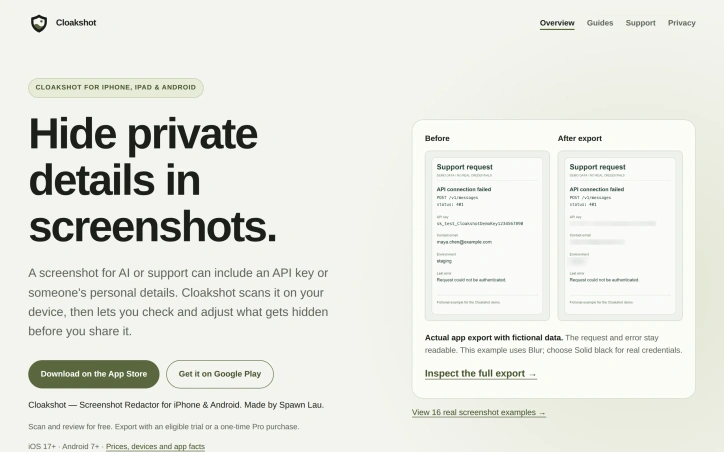
Accidental data exposure through screenshots has become a genuine security concern as teams increasingly share images with AI assistants and support teams. Cloakshot addresses this gap by providing on-device redaction specifically designed to catch what people often miss when manually blurring sensitive information. The app scans screenshots to identify potentially problematic content including API keys, passwords, phone numbers, email addresses, faces, QR codes, and photo metadata like GPS coordinates and EXIF information. Rather than redacting automatically, it flags candidates and lets users decide what actually needs hiding, preserving context that might be valuable for troubleshooting or communication. The redaction happens locally on the device, with no image uploads required and no account creation necessary. What sets Cloakshot apart is its verification workflow. After users apply masks and choose which metadata to remove, the app scans the redacted copy again to catch anything missed in the first pass. This second look acknowledges an uncomfortable truth: single-pass redaction tools are fallible, and users need help spotting remaining high-risk details. The final image is saved as a separate PNG file with masks baked in rather than stored as editable layers, which prevents accidental unmasking. The editing experience allows fine-grained control. Users can select individual characters rather than whole words, move or resize masks to adjust coverage, and switch between blur and solid black effects. This granularity matters when hiding an API key but keeping surrounding error messages readable, or covering one person's name in a group photo while leaving others visible. The pricing model reflects the app's positioning as a utility rather than a platform. Scanning and mask editing are free, which lowers the friction for trying the product. Export requires either a fourteen-day free trial with no credit card or a one-time purchase for Cloakshot Pro Lifetime. This approach avoids recurring subscription costs and eliminates the common frustration of free-tier apps with expiring trials or automatic renewals. The fact that no account is required removes another friction point for privacy-conscious users. The straightforward positioning targets both individuals and teams who regularly handle screenshots containing sensitive information. Support staff, security researchers, security engineers, and knowledge workers who document processes with screenshots would all find value. For a market segment where many people still manually blur sensitive data or avoid sharing screenshots entirely, an app that does local scanning, invites human judgment, and prices as a one-time purchase represents a practical improvement to an existing workflow.

Hiding a messy desktop behind a whimsical veneer has become a legitimate productivity strategy for anyone who regularly shares their screen. Desk Rug addresses this by letting Mac users sweep their icons under a simulated cloth rug in a single keystroke, then restore them to their exact original positions when the moment passes. It sounds frivolous — and it is, intentionally — but the execution transforms the concept from novelty into a tool people actually use. The product solves a genuine problem for knowledge workers: the awkward moment before a demo or screen share when your desktop erupts across the wall. Rather than rushing to organize files into folders or frantically moving icons around, a quick hotkey command instantly tidies the visual chaos. No files are hidden behind fake overlays or moved into hidden directories. The icons are genuinely repositioned, just neatly stacked. When you need them back, another hotkey spreads them across the desktop in their original locations. What distinguishes Desk Rug from desktop clutter solutions is its commitment to unnecessary delight. The rug physics, rendered in Metal, respond to real-world behavior: grab a corner and the entire cloth follows with weight, drag, and folds. The developers included nine distinct rug patterns and fourteen floor textures, allowing users to customize the aesthetic or import their own images. Across multiple Spaces, each workspace can have different rug and floor configurations, creating a fully personalized experience. The feature set extends beyond the core sweep-and-restore mechanism. Scheduled tidying automatically arranges icons on a configurable schedule. Global hotkeys work from any application, so you don't need to switch contexts. The interface is deliberately minimal — a menu bar presence without a dock icon or lingering windows. The app runs entirely locally without account creation or data collection. The product builds on the open-source Under the Rug application, an MIT-licensed predecessor that established the cloth simulation concept. The developers retained the physics engine while expanding the feature set and improving performance and usability throughout. Available exclusively for macOS 14 and later, Desk Rug is free to download and use. It serves a specific user: someone whose Mac desktop collects visual debris, who shares their screen regularly, and who appreciates design details that serve no purpose beyond delight. That niche is far larger than it appears.


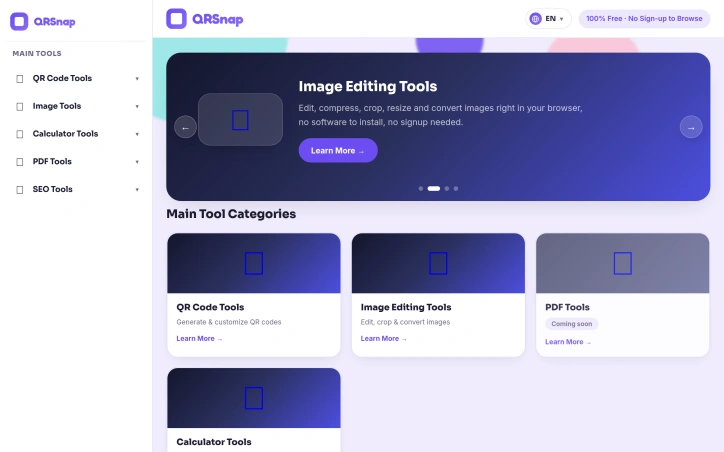
Consolidating dozens of free online utilities into a single dashboard, QRSnap addresses a fundamental friction point for internet users: tool fragmentation. Rather than bouncing between specialized websites to generate a QR code, compress an image, or calculate loan amortization, users can access everything from one streamlined platform. The product targets a broad base: students needing quick calculations, small business owners managing digital assets, content creators editing images on the fly, and developers requiring on-demand utilities. The pitch is straightforward—eliminate tool hopping, reduce cognitive load, and speed up routine digital work. QRSnap's strength lies in the breadth of its initial toolset. The QR code suite extends beyond simple link encoding, offering WiFi QR generation, business card QR codes, and barcode creation with customization options like color, logo insertion, and frame styles. The image editing toolkit covers compression, cropping, resizing, and multi-format conversion (JPG to PNG, WebP conversion, image-to-PDF transformation). A diverse calculator collection spans financial planning (compound interest, loan amortization), health metrics (pregnancy tracking, body fat estimation), and time tracking—categories that appeal to different user segments rather than narrow specialization. The design philosophy emphasizes accessibility. The browser-based, no-signup approach requires no software installation. This removes traditional friction: users open a link and start working. The interface prioritizes simplicity, positioning the tools as straightforward alternatives to more feature-bloated competitors. The roadmap includes PDF tools—merging, splitting, compressing, and conversion utilities—currently marked coming soon. The founders envision the platform as extensible. An SEO checker addresses website owners' needs. Several advertised tools remain incomplete. The PDF suite is not yet live, and the SEO category only includes a website checker. This gap between vision and current functionality matters for users evaluating adoption. QRSnap occupies a practical niche: it won't replace specialized software for power users, but it eliminates friction in tool discovery and consolidation for casual to moderate users. Free, quick-loading utilities that require zero registration align with how many people actually work online, making simplicity the primary competitive advantage. Whether QRSnap becomes a go-to utility hub depends on execution consistency and continued tool expansion.

Photographers, small business owners, and digital marketers waste considerable time preparing images for different platforms, often juggling multiple tools or subscriptions. This free web utility addresses that friction by bringing core image optimization into the browser without requiring sign-ups or downloads. The platform handles the practical tasks that consume design workflows: resizing to platform-specific dimensions, compressing files to platform-imposed size limits, and converting between formats. What distinguishes it is the embedded guidance built directly into the tool. Rather than forcing users to hunt elsewhere, ResizeFox provides a detailed reference table for photo specifications across Etsy, Instagram, Facebook, TikTok, and Pinterest, complete with recommended dimensions, aspect ratios, and file-size targets. These references are dated and sourced, suggesting attention to accuracy in a landscape where platform requirements shift regularly. The technical approach stands out for its privacy-forward design: processing happens in the browser rather than on remote servers, meaning users skip the upload step entirely. This architecture directly addresses both speed and the legitimate hesitation many feel about uploading images to unknown services. The tool supports JPG, PNG, and WEBP formats and bundles additional utilities including PDF manipulation for creating, merging, splitting, rotating, and compressing documents. The feature set is deliberately narrow and functional. Rather than attempting to be a comprehensive design suite, ResizeFox focuses on specific bottlenecks creators face: dimension adjustment that preserves aspect ratios, file-size optimization, and quick format comparison to visualize how compression or format choice affects quality. A dedicated Etsy image resizer suggests attention to the ecommerce seller segment. An email-attachment optimizer reveals awareness that different audiences have different workflows within the core user base. The pricing model is straightforward: entirely free with no freemium upsell or feature gating. This positions ResizeFox as a utility rather than a venture-backed product, which raises sustainability questions but aligns with how the internet's best tools have historically operated. For founders and creators who regularly repurpose visual assets across platforms, ResizeFox eliminates a recurring friction point with sufficient feature depth for most common tasks.


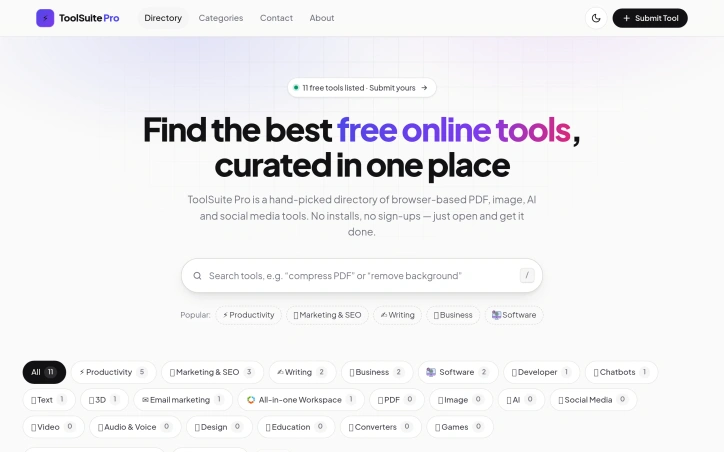
Browsing for online tools that actually work without friction remains a frustration for many users. ToolSuite Pro addresses this by curating a hand-picked directory of free, browser-based tools designed for immediate use. The service targets productivity-conscious professionals, content creators, and business users who prioritize speed and accessibility over feature-rich but cumbersome desktop applications. The product's core strength lies in its minimalist philosophy. Rather than aggregating every tool available online, the founder has selected a focused collection and organized it by category. Each tool requires no installation or account creation—users simply open them in a browser and begin working immediately. This friction-free approach directly counters the problem that sparked its creation: wasting time navigating paywalls, sign-up walls, and software installations just to accomplish basic tasks. Currently, the directory contains eleven tools spread across multiple categories. Productivity tools dominate the collection, followed by offerings in marketing and SEO, writing, and business software. Developer tools, chatbots, text utilities, and 3D viewers round out the selection. Notably, several categories featured prominently in the platform's positioning—including PDF, image, AI, and social media tools—contain no entries at all, revealing either rigorous curation standards or a directory still in its early stages. The site accepts user submissions, inviting the community to propose tools for inclusion. The platform's business model is transparent: the directory is completely free to access with no subscription fees, premium tiers, or upselling. This commitment aligns with the founder's stated mission to eliminate barriers between users and useful tools. What distinguishes ToolSuite Pro from broad tool aggregators and directories is its ruthless selectivity and resistance to bloat. Rather than attempting an exhaustive catalog of every available web tool, the site prioritizes quality through human curation. The interface reflects this philosophy: straightforward categorization, no recommendation algorithms, no feature-stuffing. The current catalog's modest size functions as both limitation and potential quality signal. As the directory expands and attracts more submissions, the sustainability of hand-picked curation will become its defining challenge. For now, ToolSuite Pro serves users seeking immediate, frictionless access to a vetted starter set of productivity tools.
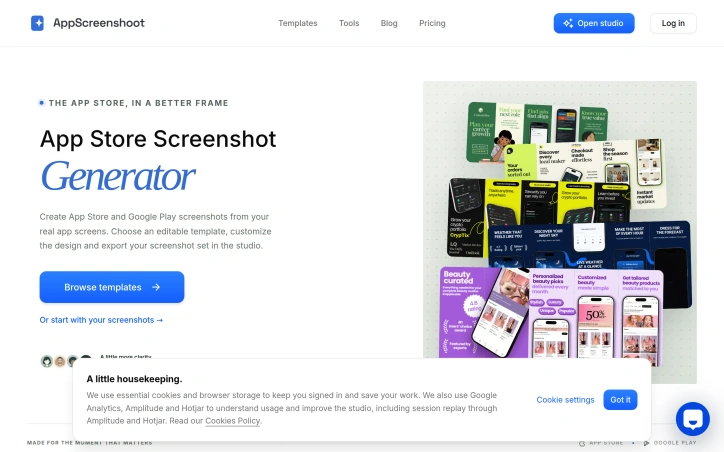
Creating mobile app store listings demands attention to detail that most developers would rather avoid. App creators typically spend considerable time resizing and customizing screenshots for multiple platforms—each with distinct technical requirements and design constraints. AppScreenshoot addresses this friction point by offering a template-based studio that consolidates the workflow for both App Store and Google Play submissions. The product targets mobile app developers and publishers who need to produce professional, cohesive screenshot sets across iOS and Android without navigating endless file formats and dimension specifications. Rather than treating design as an afterthought, AppScreenshoot positions visual presentation as integral to app discovery, acknowledging that store listings serve as the first impression for potential users. What distinguishes AppScreenshoot from basic screenshot tools is its emphasis on narrative. The platform encourages developers to start with a visual direction that aligns with their app's identity, then layer in real product screens and thoughtful copy to tell a coherent story. This approach reflects a deliberate design philosophy: good communication requires clarity over decoration, and apps are discovered and installed based on genuine understanding of what they do. The studio provides presets for the most common deployment scenarios—iPhone devices at standard sizes, iPad listings, and Android phones—alongside feature graphics for Google Play. Developers drop in actual screenshots from their app, adjust backgrounds and headlines, and preview the complete set before exporting. The tool supports both PNG and JPEG formats, reducing the manual resizing that typically consumes development time. The platform acknowledges a critical distinction often overlooked: an app store image for iPhone differs structurally from an iPad listing screenshot or a Google Play card, even when conveying the same core message. AppScreenshoot's template library, organized by app category (shopping, weather, finance, education, productivity), provides starting points while remaining flexible enough for customization. One practical detail worth noting: the platform includes a built-in reminder that no screenshot generator can replace human judgment about whether an image truthfully represents the product. Developers still own the responsibility of selecting screens that align with their headlines and removing placeholder content before submission. For mobile developers juggling multiple app platforms and marketing complexity, AppScreenshoot simplifies a concrete, repetitive task that currently consumes disproportionate effort relative to its importance in the app discovery process.

Local service businesses face a persistent challenge: they excel at their core work but struggle to build an online presence that matches their offline reputation. Locora AI targets this gap by offering an autonomous business operating system designed specifically for service providers who lack dedicated marketing teams or budgets. The core offering addresses three interconnected marketing problems. First, it handles Google Maps optimization, a critical ranking factor for service businesses where location and local relevance drive customer discovery. Second, it manages presence across multiple business directories, reducing the manual work of maintaining accurate information at scale. Third, it automates growth-related tasks that typically consume time entrepreneurs could spend serving clients instead. What distinguishes Locora AI is its positioning as an autonomous system rather than a tool requiring ongoing management. The platform assumes responsibility for marketing operations, positioning itself as a copilot that frees service providers to focus on their craft. This appeals to a specific type of owner who wants marketing handled competently but doesn't want to become a marketing specialist. The platform bundles three capabilities into what it calls an AI Business OS. Google Maps SEO optimization directly addresses the most trafficked business discovery channel for local services. Directory management across multiple platforms addresses the fragmentation problem many businesses face, where outdated or inconsistent information across Google, Yelp, industry directories, and other platforms actively damages discoverability and credibility. Growth automation, though less specifically defined in the available materials, suggests the platform extends beyond SEO into broader customer acquisition workflows. The product positions itself as part verified business directory, indicating either native directory functionality or integration with directory verification systems, and part autonomous agent, suggesting some degree of AI-driven decision-making rather than static templates. Locora AI does not publicly specify pricing or business model details in the available materials, making it difficult to assess cost-benefit for different business sizes or revenue levels. For service businesses evaluating the platform, understanding the pricing structure and automation depth would be critical before adoption. The founding insight is sound: service quality and marketing capability often diverge among small businesses. The positioning of AI as a replacement for hiring or outsourcing marketing talent addresses a real operational burden for owners stretched across client delivery and business operations.


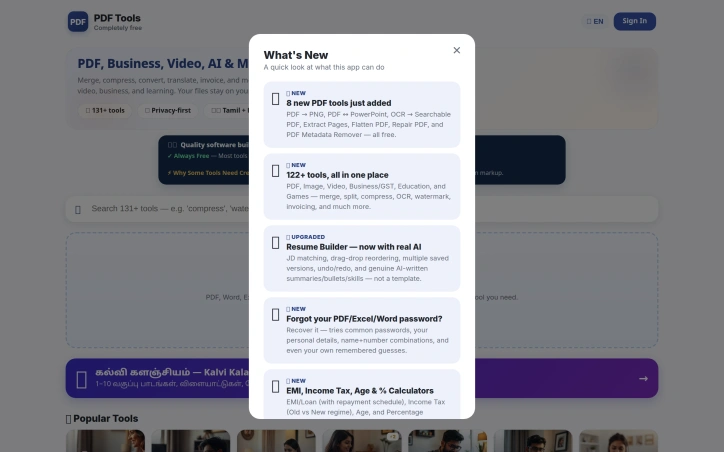
Eliminating expensive software licensing, PDF Tools India packages document manipulation utilities into a single free web platform. The offering targets individuals and small organizations that perform regular PDF work but want to avoid the per-user costs and upgrade cycles that come with traditional desktop applications or subscription services. What distinguishes PDF Tools India is the scope of its integration. Rather than offering isolated converters or single-purpose tools, the platform consolidates over 30 utilities under one interface. Users merge documents, split files into individual pages, rotate content, and compress PDFs without context switching between applications or paying per tool. The capabilities span the full document lifecycle. Core PDF operations include merging, splitting, rotating, and compression. The conversion arsenal extends further—transforming PDFs into images, Word documents, Excel spreadsheets, and text formats, as well as converting these formats back into PDFs. This range eliminates the need to hunt down specialized tools for each workflow variation. The product's architecture sits entirely in the browser, removing install friction and compatibility headaches. Users access tools from any device with internet connectivity. This web-first design sidesteps the operating system lock-in and update management burdens of desktop software. The platform's India-centric branding and interface localization indicate intentional focus on a specific geographic market, differentiating it from globally distributed competitors. This regional emphasis positions the service as an alternative built with specific user needs in mind rather than as a one-size-fits-all solution. Pricing hinges on a free model without subscriptions. The founder's emphasis on eliminating expensive software and removing subscription requirements establishes the core value proposition: maximum utility with zero financial commitment. The exact monetization strategy beyond offering free tools remains undefined from the available materials. PDF Tools India confronts a legitimate efficiency problem. Office workers and document handlers spend time switching between tools or purchasing licenses for what should be basic utilities. The platform's bundled approach reduces that friction substantially. Whether it succeeds depends on processing speed, uptime reliability, and maintaining the zero-cost promise that frames it against competitors. The free PDF tools market is saturated, so execution quality and user experience become the differentiating factors.

API key management is a chronic pain point for software teams. Developers routinely generate credentials they never see again, then scatter them across environment files, messaging apps, and scattered notes. Recovery is tedious; tracking where keys are deployed is often impossible; offboarding team members leaves residual access questions unanswered. Otter Vault addresses this problem with a Chrome extension that automatically intercepts API keys at the moment they appear on provider consoles. The personal vault runs entirely on the user's device. When a key appears, Otter offers to capture it with a single click, encrypting it locally using AES-256-GCM with PBKDF2 key derivation across 600,000 rounds. The passphrase never leaves the device, making recovery by the vendor impossible even if they wanted to provide it. The extension fills keys only on the exact origin they were saved from, rejecting lookalike domains outright. No account creation is required; the entire feature set is free. What distinguishes Otter from similar offerings is its specificity about security mechanics and its testing rigor. The founder details the exact encryption parameters, the clickjacking protection, and the exact-origin matching rule that prevents phishing. The product is backed by 137 unit tests, seeded fuzzing, cryptographic verification checks, and weekly testing across 12 real provider consoles. The code is public for anyone to audit, removing the need to trust claims. For teams, Otter offers a second tier called Teams. It introduces a key map that tracks where every shared credential is deployed—which Vercel variable, which GitHub Actions secret, which .env file. When someone leaves the team, Otter re-encrypts all shared keys and generates a checklist of exactly what that person could access and where it lives. Activity logs of all key operations are signed and cannot be tampered with server-side. The trial period is 21 days free for up to 10 developers; the regular price is 29 dollars per month, though an early-bird rate of 20 dollars per month applies through November 13. The personal vault solves an immediate problem with minimal friction. The team offering adds organizational visibility that most startups lack. For developers who have experienced losing or misplacing credentials, the appeal is straightforward.


Keeping track of quota resets across multiple AI services represents a genuine friction point for developers juggling subscriptions to OpenAI, Anthropic, Google, and countless other platforms. Reset Beer addresses this squarely by aggregating quota reset announcements, status signals, and pricing changes for over fifteen AI products in a single dashboard. The product solves a straightforward problem: developers waste paid credits when they lose track of when daily, weekly, or rolling quotas refresh across different services. Each platform handles resets differently, ranging from midnight Pacific time resets for Gemini to hourly rolling windows for Claude to billing cycle alignments for other services. Rather than monitoring separate documentation pages and dashboards, users get centralized tracking with historical reset data and calculated average intervals between resets. What distinguishes Reset Beer is its dual-layer approach. The core offering tracks official reset announcements and displays recent signals across supported products alongside calculated patterns like last reset date and average reset interval. On top of that sits a price watch feature that flags pricing changes across the same product set, letting users catch pricing increases before they take effect. The free tier delivers daily email digests covering all tracked products. The Pro option at a one-time $9.99 price unlocks near-realtime alerts, access to the MCP protocol for integration into other workflows, and a Chrome extension that surfaces reset signals directly in the browser. A Telegram alert feature is listed as coming soon, suggesting roadmap expansion toward other notification channels. The product's value proposition narrows itself to a specific audience: developers and teams actively managing API quotas across multiple vendors rather than relying on a single service. Someone using only Claude or only OpenAI gets minimal benefit. But for teams splitting workloads or experimenting across models, avoiding quota exhaustion mid-project has real economic impact. The one-time Pro pricing model makes sense given the use case. Developers either solve this problem once and move on, or they establish a persistent monitoring routine. The free daily digest satisfies basic needs, while Pro positions itself as a convenience premium for those who want real-time signals without manual checking. The product appears lean and focused on its single stated problem without feature sprawl. The implementation includes the expected modern touches—a browser extension, API protocol access—without suggesting overengineering for a niche workflow optimization.


Documenting noise complaints remains one of the most frustrating aspects of residential disputes. When a neighbor plays loud music at 2 a.m. or construction hammers through the night, verbal complaints to landlords and property managers rarely stick without documented evidence. Soundtest addresses this gap by providing a browser-based acoustic measurement and recording tool designed to create tamper-proof documentation of noise incidents. The platform targets anyone caught in a noise dispute across multiple scenarios: neighbors, construction sites, bars and street disturbances, rental habitability disputes, and traffic complaints. Users select their specific situation, and the tool loads pre-calibrated acoustic thresholds and evidence standards appropriate to their case, simplifying what would otherwise require acoustic expertise. What distinguishes Soundtest is its emphasis on local privacy and evidence integrity. All processing happens directly on the user's device with zero cloud exposure, eliminating concerns about data leakage or external storage of sensitive recordings. The platform timestamps measurements with GPS coordinates and applies SHA-256 cryptographic hashing to prevent tampering, creating documentation that could withstand scrutiny from property managers or legal advisors. The core capabilities span real-time measurement and formal documentation. The decibel meter displays live sound levels in multiple formats—standard dB readings, A-weighted dBA, peak levels, and percentile measurements including LAeq and L5/L10/L50/L90/L95 statistics. Users can simultaneously record audio with waveform and spectrum visualization, establishing a complete acoustic record. Automatic time and location stamping happens with permission granted, and the tool exports structured evidence reports in PDF, CSV, and JSON formats. Soundtest also includes Night Sentry mode for overnight monitoring and supports continuous logging, addressing disputes that unfold unpredictably across multiple days. The browser-based delivery means no installation friction; users access the tool directly from a web link without managing apps or permissions on their device beyond microphone access. The tool occupies a practical niche in the intersection of acoustic measurement and legal documentation. Rather than selling professional sound engineering, it democratizes the ability to create evidence-grade acoustic records for everyday noise complaints where traditional approaches like calling management or police produce no results.

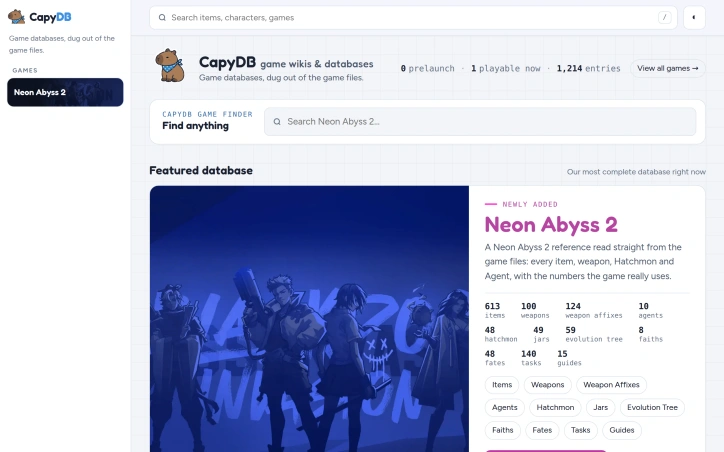
Fans of video games often turn to wikis for quick reference on items, stats, and mechanics, only to discover outdated information or incorrect numbers that have been hand-copied across multiple sites. Game wikis remain a maintenance challenge because they rely on human contributors to manually transcribe data and struggle to keep pace with the patches that modern games receive within weeks of launch. CapyDB addresses this directly by extracting game data programmatically from game files rather than relying on human contributors to type and verify everything. The site currently focuses on Neon Abyss 2, offering sortable tables and individual pages for items, weapons, agents, and other game elements pulled straight from the game's code. When patches arrive, automated scripts re-extract the data and flag what changed, ensuring players always see current information without the weeks-long delay typical of traditional wikis. What distinguishes CapyDB is its commitment to accuracy through automation. Numbers on the site match what the game itself uses internally, eliminating the guesswork that plagues hand-maintained wikis. The platform links related entries across tables so a player can follow an item to the character that unlocks it without repeated searches. Each database includes a Sources page documenting which game build the data came from, and a changelog tracking additions, revisions, and removals. The site targets players who want reliable reference material for their favorite games, particularly those with complex progression systems or frequent balance patches. By removing manual transcription from the equation, CapyDB can publish complete databases on launch day rather than waiting weeks for community volunteers to piece information together. The founder's approach represents a shift in how game reference materials might operate. Rather than accepting that wikis will always lag behind patches and contain errors, this project asks whether automated extraction from game files could become standard practice. The model depends on technical access to game data and the ability to reverse-engineer file formats, which limits the games CapyDB can cover. But for titles that work within this constraint, the result is a reference source that is accurate from day one and stays current automatically without ongoing manual labor. CapyDB operates as a fan-made project independent of the games it documents, which limits integration with official teams but also gives the project complete editorial freedom. The site demonstrates that an audience exists for authoritative, automatically updated game databases.

Production crews have long faced a fragmentation problem: managing a film shoot requires coordinating scripts, schedules, assets, and people across multiple disconnected tools. Film Logic addresses this by consolidating the entire production workflow from screenplay through set operations into a single application designed by someone who spent fifteen years directing for major studios and streamers. The core proposition is straightforward but ambitious. Instead of toggling between spreadsheets, messaging apps, and specialized tools, producers, assistant directors, department heads, and on-set crews operate within one environment. The founder built this after experiencing the frustration firsthand on independent productions where budget constraints made it untenable to license multiple systems, and where coordination failures could derail entire days. What distinguishes Film Logic is its specific orientation toward on-set realities. The design prioritizes mobile-first access, recognizing that the people executing production decisions often work from phones and tablets on location. The Asset Library exemplifies this thinking: departments upload materials directly from set, tag them by scene, track versions with approvals, and run continuity checks without ever opening a separate application. This consolidation extends to the command center for assistant directors, which broadcasts real-time status—current scene, next setup, time-to-wrap, setup and shoot timers—to every phone simultaneously. The platform handles automation that typically demands manual coordination. Call sheets generate automatically from stripboard scheduling, and the system flags production conflicts before they occur: missing durations, unconfirmed cast, locations without addresses. These issues surface with suggested fixes that link directly to the relevant fields, eliminating the hunting-and-clicking that consumes production days. Screenplay management is built in, not bolted on. The editor imports screenplays with automatic scene parsing, supports live collaborative writing with revision colors and notes, and exports in industry-standard format. This matters because the script is the source of truth for everything that follows—stripboards, call sheets, asset organization, and crew communication all flow from it. The business model reflects accessibility. At nineteen dollars ninety-nine per month with unlimited collaborators and no credit card required for a thirty-day trial, Film Logic positions itself as an alternative to either sprawling enterprise systems or the death-by-a-thousand-subscriptions approach most productions currently endure. The pricing suggests confidence that the consolidation delivers genuine value rather than merely aggregating existing tools.


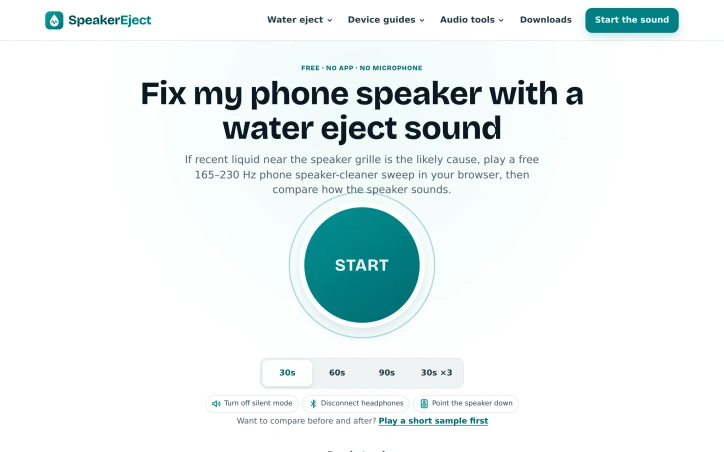
When a smartphone speaker becomes muffled after liquid exposure, owners typically face limited options: expensive repair shops or risky DIY attempts. SpeakerEject offers a third path through a free browser-based tool that plays frequency sweeps designed to dislodge water droplets near speaker grilles. The product targets phone users who have experienced recent liquid contact and need quick triage before committing to formal repairs. It serves both as a first-line troubleshooting step and as a clear-eyed assessment tool, helping users determine whether their issue stems from residual moisture or underlying hardware damage. What distinguishes SpeakerEject is its unflinching honesty about what it cannot do. The site makes explicit that frequency sweeps are not proven repairs and cannot diagnose hardware problems. This clarity extends through its user interface, which guides visitors through preparation steps, recommends stopping if distortion worsens, and redirects users to proper repair pathways when the tool doesn't help. The product reinforces this restraint by pairing its water-eject tool with manufacturer guidance for wet devices rather than promising a fix. The core tool operates on straightforward mechanics: a 165 to 230 Hz sweep played through the device speaker in three thirty-second cycles. Users can run a listening comparison by playing a test tone before and after the treatment, providing immediate sensory feedback. The interface accommodates the practical constraints of troubleshooting, with reminders to disconnect headphones, silence notification modes, and point the speaker downward. Beyond the water-eject tool, SpeakerEject bundles complementary audio utilities including tone generation, frequency sweep creation, DTMF keypad simulation, and downloadable WAV files for offline use. All audio generation happens locally in the browser without microphone access or cloud processing, addressing legitimate privacy concerns around audio recording. The business model aligns with its utility: the service is entirely free with no app installation or account requirements. This accessibility removes friction for users in device distress, though it raises obvious questions about sustainability that the marketing materials don't address. SpeakerEject succeeds not through false promises but through honest scope. It solves a real immediate problem for a specific audience without pretending to replace professional repair services. That restraint, paired with genuine technical utility and privacy-first execution, makes it a valuable resource for the moment when a phone gets wet.