Catalyst Healthspan Audit
Personal trainers typically sell training sessions. This startup reversed the equation by building assessment first, mak...
Launchory
We built Launchory to solve the discoverability problem for startups. Our platform offers instant approval, permanent do...
Best Screenshots and screen recording apps Startups & Tools
Capture screens, record walkthroughs, and turn clicks into shareable visuals for async feedback, tutorials, and bug reports.
Recently Listed
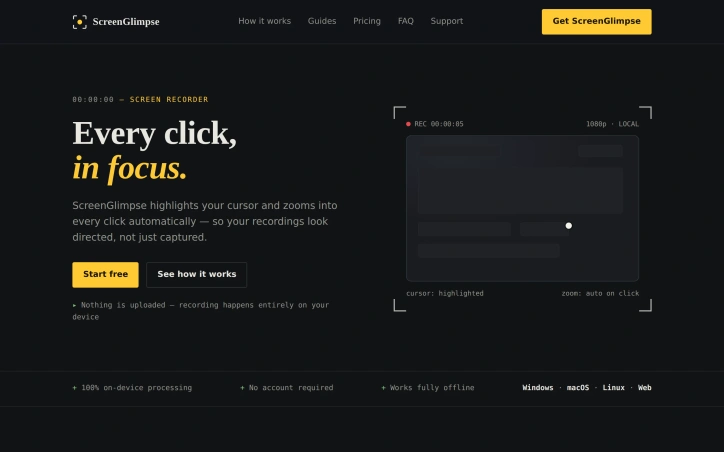
3 launchesFor anyone tired of recording screens with tools that either demand subscriptions, steal your data, or integrate only with bloated communication platforms, ScreenGlimpse offers a focused alternative built on a refreshingly simple premise: privacy-first recording that happens entirely on your device. The tool targets creators, educators, and teams who need to produce polished screen recordings without friction. Its core innovation centers on cursor visibility and automatic zoom-on-click—features that transform raw screen captures into directed, viewer-friendly content. Every cursor movement gains a soft highlight, and double-clicking triggers an automatic zoom that keeps viewers locked on the relevant action rather than lost in a sea of screen real estate. ScreenGlimpse stands apart through its commitment to local processing. Nothing leaves your computer. Recording, encoding, and export all happen on-device, eliminating both the privacy concerns that plague cloud-dependent tools and the upload delays that plague most competitors. Export happens immediately upon stopping the recording—no render queues, no waiting bars. Users can choose between MP4 and WebM formats at various quality levels before recording even starts. The feature set extends beyond basic recording. The app supports simultaneous capture of screen, microphone, webcam, and system audio in any combination. A draggable webcam bubble keeps your face present without consuming the entire frame. Beyond video, ScreenGlimpse includes screenshot capabilities with markup tools, a freeform whiteboard mode, and the ability to export recordings as animated GIFs. A custom watermark feature allows teams to add branding without the intrusive stamps common in competing tools. Distribution reaches across platforms. Windows, macOS, and Linux each get native installers, while a browser version accommodates one-off recordings or users unwilling to install software. The pricing structure rewards flexibility. A free tier, called Glimpse, offers unlimited local recordings with 720p export and basic features. Focus, the paid tier at five dollars monthly or fifty dollars annually, unlocks 4K export and advanced screenshot markup capabilities. A Forever option provides a one-time purchase of one hundred dollars for permanent access with a year of included updates—a model designed for users skeptical of subscriptions. The absence of required account creation for free use removes friction at the entry point. Paid tiers use license keys rather than tracking usage, respecting the privacy pledge that anchors the entire product philosophy.
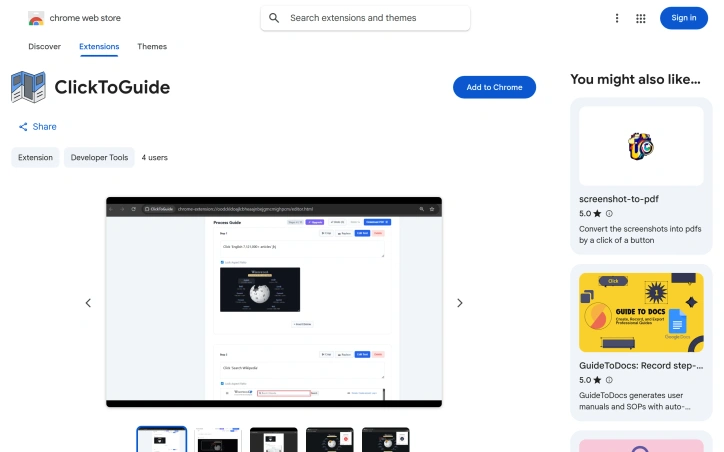
Automating the tedious process of documenting workflows, this Chrome extension captures user interactions and transforms them into PDF guides complete with annotated screenshots. The tool addresses a genuine pain point: professionals across support, quality assurance, training, and product documentation spend considerable time manually taking screenshots, pasting them into documents, and writing descriptions for each step. ClickToGuide eliminates this friction by recording clicks and automatically generating corresponding visual content. The extension markets itself to a diverse audience. QA teams can quickly generate evidence for bug reports, HR departments can assemble onboarding materials, customer support representatives can create visual troubleshooting guides, and developers can document features before handoff. This multi-use positioning reflects a well-understood problem that spans multiple job functions within organizations. Several design choices set this apart from generic screen recording tools. The interface emphasizes simplicity: users record a workflow, review and edit the captured steps, then export directly to PDF. The extension highlights where users clicked with a red box, providing context without cluttering the visual. A built-in crop tool lets users focus on specific UI elements, and standard keyboard shortcuts for undo, redo, and clipboard image insertion keep the workflow fast. The editing interface is built for quick iteration rather than deep customization. The privacy model represents a conscious architectural decision. All processing happens locally in the browser rather than on remote servers, meaning users never transmit screen data to company infrastructure. For teams handling sensitive information or operating under strict data governance, this is a meaningful differentiator from cloud-dependent competitors. The business model centers on a lifetime license with cosmetic unlocks—removing watermarks and supporting unlimited steps. A launch promotion offered $5 off the license price. The extension remains early-stage; the Chrome Web Store listing shows only two users and the most recent version update dates to February 2026. The small user base suggests limited market penetration so far, though the product addresses real workflow problems that users across industries encounter daily.

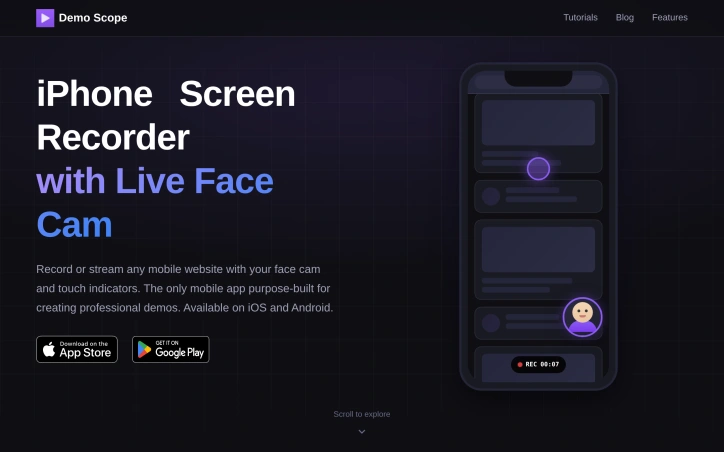
Professional mobile demos have historically required desktop recording software or awkward workarounds that compromise the viewing experience. DemoScope solves this by building a purpose-built screen recording app specifically for capturing mobile web interactions alongside live commentary, making it particularly valuable for startup founders pitching to investors, content creators launching on platforms like Product Hunt, and developers documenting user workflows. The standout feature is the integrated face cam overlay with positioning and resizing controls, paired with touch indicator visualization. Rather than relying on viewers to infer what actions are happening on screen, the app makes every tap, swipe, and gesture visible with customizable animations and colors. This combination addresses a real friction point in mobile demos—without these cues, viewers often struggle to follow along with rapid interactions or multi-step workflows. Beyond recording, DemoScope supports live streaming directly to Twitch, YouTube, and Facebook, along with custom RTMP servers, which extends the tool's utility to real-time use cases like product launches, tutorials, and gaming content. The app accepts input from any website loaded in its built-in browser, video playback, or photo slideshows, giving creators flexibility in what they choose to record. Features like URL favorites and browsing history are included, acknowledging that many recording sessions involve navigation or comparison work. The product positioning targets multiple audiences simultaneously—investor-focused founders who need polished pitch materials, streamers and live content creators, and educators building tutorial content for YouTube or online courses. Each use case gets explicit attention in the marketing, suggesting the creators have deliberately built for this spectrum rather than trying to serve everyone generically. The app is available on both iOS and Android, which is a meaningful differentiation from desktop-only solutions, since it positions recording and streaming as native mobile workflows rather than desktop adjacent tasks. The face cam customization (circular, square, or rectangular shapes with dragging and pinching controls) suggests attention to usability details that matter for on-the-fly content creation. No pricing or subscription model is mentioned in the available content, making it unclear whether this is a freemium offering, one-time purchase, or subscription service. That omission is notable for a product clearly targeting creators and entrepreneurs who evaluate tools partly on cost structure.