@fuck.it
Email privacy has become an afterthought at mainstream providers, which treat inboxes as data sources to be mined for ad...
Categories
Best Productivity Startups & Tools
Recently Listed
288 launches
Featured
Email privacy has become an afterthought at mainstream providers, which treat inboxes as data sources to be mined for advertising revenue. @fuck.it addresses this directly with a paid alternative, built on the principle that email should be a service users pay for, not a free product that turns them into the commodity. The service is aimed at professionals, creators and privacy-conscious individuals who reject the surveillance model of the major email providers. It offers an address that stands out, backed by real privacy. What sets @fuck.it apart is its uncompromising stance on privacy. The service runs on infrastructure in the EU, complies with GDPR, maintains ISO 27001 certification, and explicitly refuses to scan inboxes, track behaviour or sell data to advertisers. Encryption is built into every plan, with TLS and encryption at rest as standard. The APEX plan includes PGP end-to-end encryption, and CORE and EDGE users can add it as an option. The feature set is comprehensive. All plans include webmail, IMAP and POP support for external mail clients, mobile sync for mail and contacts, calendar and task management, and the ability to combine multiple email accounts into one inbox. Higher plans add file storage and online office tools. Every user also gets a free link-in-bio page at fuck.it/@username, which turns the email account into a personal home on the web. The brand name itself signals an irreverent rejection of mainstream email norms. For anyone frustrated with data harvesting and tracking, @fuck.it offers a clear deal: pay directly for your email, and your data stays yours.


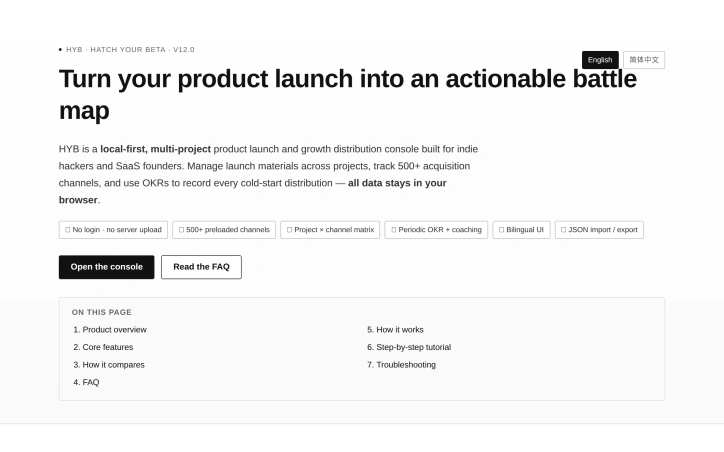
For indie teams launching products across dozens or hundreds of distribution channels, the administrative overhead typically outweighs the strategic work. Hatch Your Beta solves this by consolidating the entire launch workflow into a single, browser-based console built explicitly for multi-channel distribution. The product addresses a real friction point: launching a product isn't a one-time event on Product Hunt. It's a series of coordinated pushes across Reddit communities, startup directories, search engine webmaster tools, AI aggregator sites, and community forums. Teams typically track this in spreadsheets and scattered notes—a setup that loses context between sessions and makes it impossible to see which channels still need attention. HYB structures the launch process around three core objects: projects, platforms, and progress records. Projects hold launch materials like taglines and descriptions. Platforms are the distribution channels themselves. Progress tracks where each project stands on each platform. This creates a matrix view that immediately surfaces what's been launched where and what still needs work. Several aspects distinguish HYB from a generic task manager. First, it's entirely local-first—all data lives in the browser's localStorage, with no servers or login required. For teams concerned about leaving launch plans on a third-party platform, this eliminates that risk. Second, the platform library is genuinely comprehensive: it includes 17 Reddit communities, 7 search engine submission tools (Google Search Console, Bing Webmaster Tools, Baidu, Naver, and others), plus AI directory submissions and SaaS review platforms. Third, it includes a Domain Rating system with preloaded metrics for hundreds of channels, giving teams visibility into which platforms carry the most weight. The feature set reflects how founders actually work. Multi-project support means teams running parallel product lines don't need separate instances. A copy-all function lets you grab all launch materials at once in formatted blocks. Channel deduplication prevents accidental duplicates when adding platforms. Bilingual UI support in English and Simplified Chinese addresses global teams. The product targets indie hackers on cold-start launches, small teams managing multiple product lines, and privacy-conscious founders concerned about hosting launch plans externally. It also appeals to teams working across regions and search engines where localization matters. No pricing is mentioned, suggesting a free or open model aligned with the local-first philosophy.

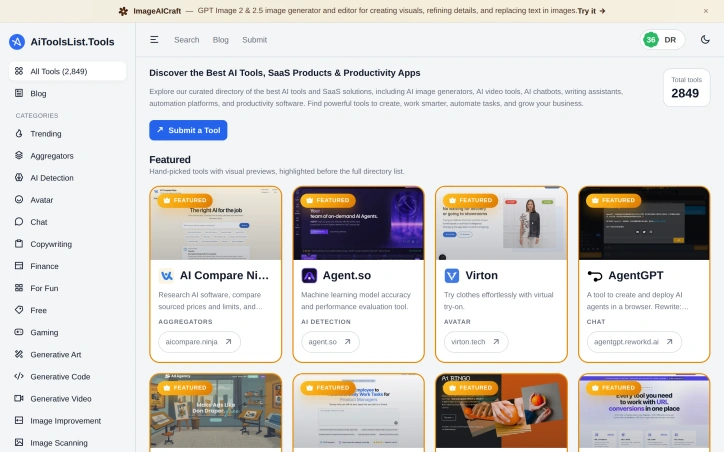
Finding the right AI tool for a specific task has become increasingly difficult as the technology landscape expands rapidly. AiToolsList.Tools addresses this problem by functioning as a centralized, curated directory that consolidates information about thousands of AI applications, SaaS products, and productivity software in one searchable location. The platform serves entrepreneurs, developers, product teams, and business professionals who need to identify and evaluate tools relevant to their work without spending hours searching across scattered reviews and vendor websites. The directory distinguishes itself through its breadth and curation approach. With nearly 2,850 tools organized across more than 20 specialized categories—ranging from generative code and image improvement to voice modulation and podcast creation—the platform acknowledges the diversification of AI capabilities beyond simple text generation. Rather than presenting an unfiltered dump of every submission, the site highlights hand-picked featured selections with visual previews before the full directory listing, which helps users quickly identify the most popular or recommended options. The platform's core features reflect a practical approach to tool discovery. Users can browse tools by category, view trending options, and access featured tools that receive prominent visual treatment. The interface is designed for quick scanning rather than deep dives, with concise descriptions and relevant categorization helping users narrow their search. A blog suggests ongoing content development around AI tooling trends, which provides context for evaluating which tools matter most. One notable strength is the user contribution model, which allows the community to submit new tools. This crowdsourced approach keeps the directory current as new products emerge, though it also raises questions about quality control. The prominence given to featured, curated selections indicates an editorial layer exists to filter noise and highlight the most significant options. The platform's business model remains unclear from the publicly available information. No pricing tiers, subscription requirements, or revenue mechanisms are mentioned, leaving the monetization strategy unknown. What is clear is that AiToolsList.Tools fills a specific need in a fragmented landscape where AI tooling has proliferated faster than reliable discovery mechanisms can keep pace. For anyone actively evaluating, comparing, or learning about available AI solutions, this directory offers a more efficient starting point than generic search engines or scattered blog posts.
Contract generation remains a bottleneck in car rental operations. A typical transaction consumes 10 to 15 minutes: customer arrives, agent transcribes ID information by hand, fills out a contract form, collects a signature, stores the paper copy. PLRental collapses this workflow into a single minute. The platform scans a customer's ID or passport using AI, auto-populates the rental agreement with extracted information, presents it for digital signature on a mobile device or tablet, and automatically delivers the signed contract via email while storing an encrypted backup in the cloud. The product targets rental agencies across multiple segments: car rental companies, motorcycle rental shops, and powersports operators. Beyond the efficiency gain, PLRental addresses a pervasive problem with paper-based contracts—illegible handwriting creates disputes when customers contest damage claims or deny understanding stated terms. Digital contracts with standardized, legally-reviewed terms eliminate this ambiguity and protect the rental agency. What distinguishes PLRental from simpler e-signature tools is its broader operational scope. Beyond contract generation, the platform includes fleet management to track maintenance and vehicle utilization, a customer database retaining rental history, automated invoicing with payment reminders, and revenue reporting by vehicle. The interface supports English, French, and Arabic, with offline capability so agencies remain functional without internet. ID scanning works with passports and identification cards from 40 countries, broadening applicability across regions. The market response demonstrates product-market fit. Over 200 rental agencies across 15 countries have deployed PLRental, collectively generating more than 50,000 contracts. Agencies rate the platform 4.9 out of 5. The company charges no installation fee and permits cancellation at any time, reducing trial adoption friction. Setup completes in five minutes. Pricing is not publicly disclosed, suggesting a direct sales or inquiry-based model typical for B2B SaaS serving small and medium business operators. A free trial requires no credit card. For rental agencies currently relying on paper forms, spreadsheets, or basic digital templating, PLRental represents a modernized consolidation of their operational core.


An AI decision workbench for teams that need to automate business logic without building custom ML pipelines. JevModel tackles the middle ground between simple rule engines and full machine learning platforms by packaging structured classification into a web-based console with decision flow builders, batch tools, and API access. The core problem is clear from the use cases demonstrated on the site: businesses need to make consistent, repeatable decisions at scale, whether sorting support tickets by urgency, flagging moderation cases, or routing customer inquiries. JevModel offers three decision primitives—Choice for selecting among options, Score for assigning positions on a scale, and Noul for binary judgments—that can be composed into decision flows asking only the relevant questions for each path. The product strategy stands out for its pragmatism. Rather than ask teams to furnish training data, the service works directly with text or JSON input and returns probabilistic answers with confidence scores. Decision flows surface ambiguous cases to humans when the model is uncertain, acknowledging that perfect automation isn't always the goal. The ability to test batch datasets before deployment addresses a real workflow gap: teams want to evaluate whether a decision threshold works on their actual data without going live first. The visual flow-building interface targets non-engineers. Templates for common workflows like support triage, comment moderation, and lead qualification lower the barrier to getting started. Each flow request bills only for questions actually asked along the decision path, not every possible branch, which creates incentives to structure decisions efficiently. The freemium model offers breathing room: three live runs without signup, then token-based access after email verification. This positions JevModel as try-before-buy for potential customers. What's less clear is how the model performs on industry-specific decisions or whether teams face retraining costs as their data drifts. The bilingual support (English and Chinese) suggests ambitions in Asian markets, though the website itself is English-only. JevModel isn't built for teams needing custom models or full ML infrastructure. It targets teams too small to maintain ML expertise but too ambitious for static rule engines. If that audience finds it reliably accurate and cheaper than hiring for this decision-making work, the business case follows naturally.


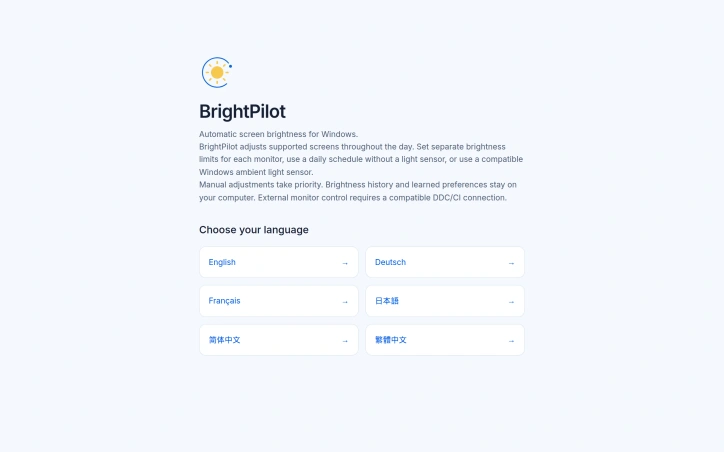
Automating screen brightness is one of those small conveniences that, once in place, becomes invisible until you use a device without it. BrightPilot addresses the friction of manual brightness adjustment on Windows by learning from user behavior and adapting display settings throughout the day, all while keeping control in the hands of the person at the keyboard. The product targets Windows 10 and 11 users who work at desks where ambient lighting shifts naturally or who manage multiple monitors with different optimal brightness levels. Rather than requiring specialized hardware, BrightPilot works from the start with a configurable daily schedule, making it accessible to users who lack ambient light sensors. For those with compatible sensors—whether Windows-native light sensors or Bluetooth illuminance devices—integration is available as an optional enhancement. What distinguishes BrightPilot is its respect for user agency. Manual slider adjustments override automatic settings and the system learns from these interventions, building a profile of individual preferences over time. This feedback loop means the automation becomes more attuned to the user's needs rather than pushing against them. The brightness history and learned preferences remain on the device, not sent to cloud servers, addressing privacy concerns many have with connected software. The feature set extends beyond core brightness control. Care reminders encourage periodic breaks, kids mode layers in age-appropriate notifications, and presentation protection freezes automatic adjustments during demos or video calls. Users can set distinct brightness limits for each monitor and control compatible external displays independently through DDC/CI connections. The business model is straightforward: a 15-day free trial grants access to all features without requiring an account or credit card. The automatic brightness adjustment function transitions to paid after the trial period ends. This approach lets potential users evaluate whether the tool fits their workflow before committing financially. The product emerges from the founder's philosophy of noticing daily annoyances and building software to resolve them. That framing—solving small friction points thoughtfully—shows in the design choices: optional rather than mandatory sensors, respecting manual overrides, and adding thoughtful touches like care reminders. Availability through both the creator's website and the Microsoft Store offers flexibility in how users discover and install the application. For users tired of constantly adjusting screen brightness or juggling settings across multiple monitors, BrightPilot offers a genuine quality-of-life improvement grounded in practical design rather than unnecessary complexity.
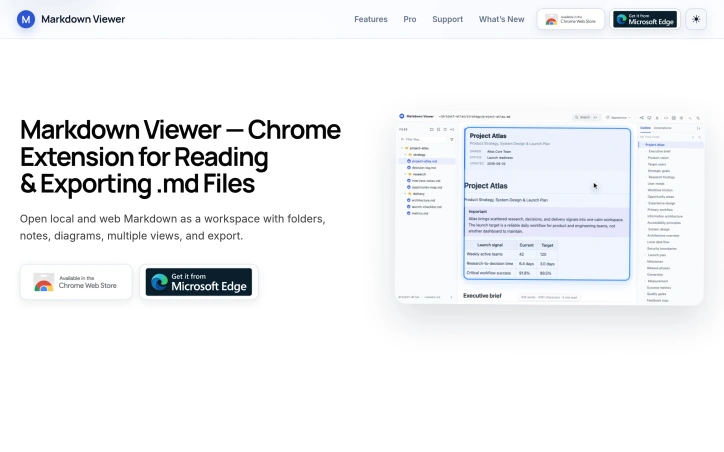
Technical professionals and project planners managing collections of Markdown files across repositories and documentation sites now have a browser-based alternative to juggling multiple applications. Markdown Viewer, a Chrome and Edge extension, transforms local and web-hosted Markdown files into an integrated reading workspace without requiring files to be copied into online converters or opened in separate editors. The extension addresses a specific friction point: developers and technical teams often need to navigate, annotate, and reference Markdown files that live in version control systems, project directories, and documentation repositories. Rather than accepting the limitations of basic text viewers or the overhead of switching between applications, Markdown Viewer consolidates these workflows into the browser itself. Several design choices distinguish the product. The folder-tree navigation system allows users to browse entire project directories and switch between files seamlessly, with automatic restoration of reading position and quick access to recent documents. The extension renders technical content natively—including tables, syntax-highlighted code, mathematical notation via KaTeX, and complex diagrams through Mermaid, Graphviz, PlantUML, and Vega-Lite—keeping these elements integrated within the document flow rather than presenting them as disconnected previews. The annotation system links highlights, underlines, and comments to specific passages, enabling users to mark up documents and navigate directly to annotated sections. A searchable heading-based outline supports document traversal, and folder-wide search capability helps users locate content across multiple files. The extension also supports Document, Mind Map, and Presentation views of the same Markdown source, allowing users to shift between reading formats depending on context. Export flexibility extends utility beyond the browser. Users can generate standalone HTML, Word documents, PDF files, full-document PNG images, and—for mind maps specifically—SVG, PNG, and JPEG exports. Appearance customization through themes, typography controls, and background options addresses different reading contexts, from technical documentation to academic papers to distraction-free workflows. The business model emphasizes accessibility. Core features are available free to all users. The extension offers Pro-labeled features through a launch access program, currently without requiring account setup or license keys, suggesting an intention to maintain free access while introducing optional paid capabilities as the product matures. Installation requires only a single permissions step after which users can open local files, folders, or remote Markdown URLs directly in the workspace. The extension targets a real workflow gap for technical professionals managing distributed Markdown-based knowledge.

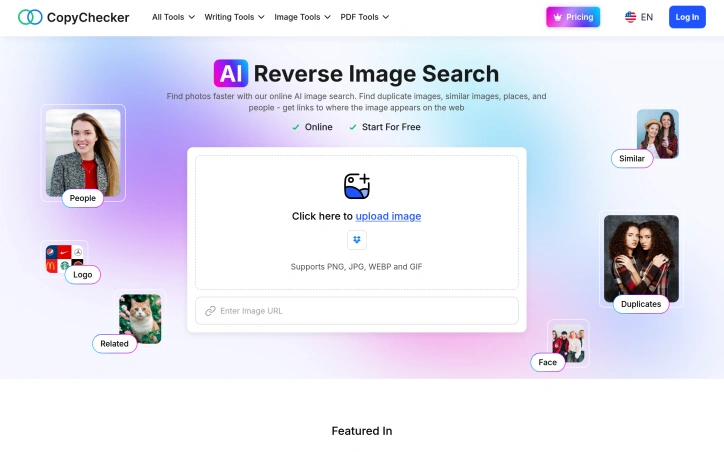
Finding images across the vast internet and identifying their sources has long been a tedious process requiring multiple tools and manual searching. CopyChecker's reverse image search platform tackles this problem with an AI-powered approach that requires no account creation for basic usage. The service distinguishes itself by combining several search capabilities into a single interface. Users can upload images directly, drag and drop files, or search by providing a URL. The underlying AI analyzes photos and compares them against millions of indexed images to locate duplicates, visually similar matches, and their web sources. Results are automatically categorized, allowing users to quickly jump to relevant matches whether they're looking for exact duplicates or similar variations. The platform extends beyond simple image matching. Its AI engine detects faces within images and enables targeted searches to find people online. Logo detection identifies brand marks and symbols, returning both logo names and related images. The service also includes optical character recognition to extract text from images, useful for many workflows. For users concerned about privacy, searches are encrypted and photos are automatically deleted from servers after processing. CopyChecker offers a free tier to get started, with paid upgrades for power users. The Pro plan costs $8.99 monthly when billed annually and provides 6,000 credited searches alongside unlimited image link sources and text extraction. The Ultimate tier at $16.99 monthly adds 18,000 credited searches plus additional capabilities including geotagging from images and automatic brand name detection. Both paid tiers remove watermarks and advertisements. The product targets content creators, photographers, marketers, and anyone needing to track where their images appear online or verify the provenance of photos they encounter. It also serves practical use cases like identifying counterfeit products by detecting logos across the web or finding individuals in photos. The straightforward three-step process—upload, analyze, retrieve results—removes friction compared to juggling multiple specialized tools. The combination of multiple search modalities, granular result categorization, and privacy assurances positions this as a focused alternative to broader image search platforms that prioritize advertising and data collection over user privacy.

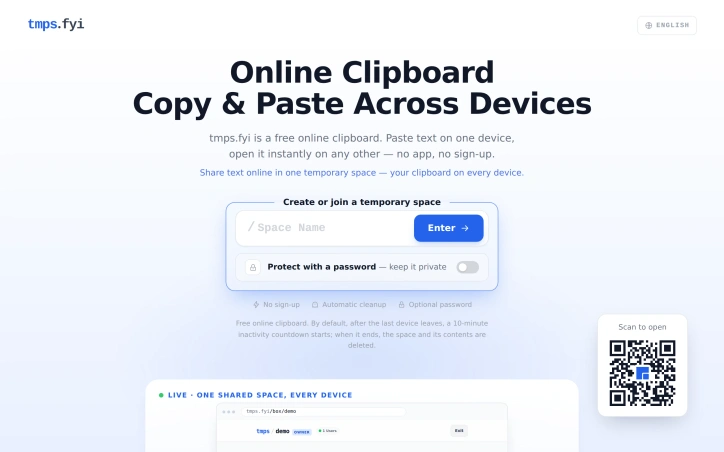
Moving files and text between multiple devices has long required either cumbersome app installations, account creation, or reliance on single-ecosystem solutions. tmps.fyi addresses this friction point with a browser-based clipboard that lets users instantly sync content across phones, tablets, and computers without authentication, downloads, or long-term storage. The core appeal lies in its simplicity. Users create a named space, optionally password-protect it, and access it from any other device by entering the same name. Real-time synchronization means updates appear within milliseconds. The product targets anyone who regularly moves screenshots, links, code snippets, or files between devices but doesn't need cloud storage's permanence—developers testing mobile interfaces, presenters sharing slides during meetings, or anyone bridging the gap between iOS, Android, Windows, and macOS without proprietary ecosystem constraints. What distinguishes tmps.fyi from alternatives is its stateless design. Unlike email (which clutters inboxes), AirDrop (limited to Apple devices), cloud storage (requiring folders and permission management), or USB cables (needing physical hardware), this solution offers immediate, friction-free handoffs. Content persists only as long as needed; once all devices disconnect, a 10-minute countdown begins before automatic deletion. This design sidesteps privacy concerns around permanent cloud storage while making the tool genuinely ephemeral. The feature set remains focused. Users can transfer text, images, and files. Desktop users can directly capture and share screenshots. Access can be secured with passwords for sensitive transfers. File download capability means users aren't restricted to copying and pasting—they can move actual files across platforms. The absence of required sign-up or app installation removes baseline friction compared to almost every competitor. The business model is worth noting: tmps.fyi is entirely free with no mentioned premium tier or monetization strategy. This positions it as a utility with no recurring revenue but also no pressure to adopt freemium or subscription mechanics. An independent developer maintains the service, which carries both advantages—rapid iteration, user-first prioritization—and inherent risks around long-term sustainability that potential users should weigh. The product excels at addressing a narrow, genuine problem with elegant restraint. It doesn't try to be Dropbox or iCloud; it's specifically engineered for temporary, cross-device transfers where the user values speed and simplicity over permanence.

Navigating the crowded landscape of artificial intelligence tools has become increasingly difficult as the market fragments into hundreds of specialized applications. AI Tool Atlas directly addresses this discovery problem by consolidating over two hundred tools across ten categories into a single browsable directory, reducing the friction typically involved in finding the right application for a given task. The platform targets anyone seeking to integrate AI capabilities into their workflow, whether that involves writing, coding, design, video production, research, or business operations. Rather than settling for generic tool lists or relying on word-of-mouth recommendations, users can systematically explore options and compare features in one location without needing to create an account. What distinguishes AI Tool Atlas from standard directories is its emphasis on active discovery. The platform features ATLO, an AI assistant integrated directly into the interface, that moves beyond passive browsing by asking visitors about their specific needs and providing tailored recommendations. The assistant also supports voice interaction, lowering the barrier for quick tool queries. This approach transforms the directory from a static reference into an interactive discovery engine. The interface organizes tools both by category and by task type, allowing users to either browse a specific domain like video creation or jump directly into a use case like marketing. The curated section highlighting featured partner tools and editor's picks adds another layer of guidance, surfacing what the creators consider the highest-value options. The site supports both English and Russian, indicating an international user base rather than a purely English-speaking focus. The bilingual approach reflects early ambitions for broader accessibility, though rollout to other languages appears pending. From a business perspective, AI Tool Atlas operates primarily through affiliate partnerships. The platform acknowledges that selected links generate commissions on purchases, creating a straightforward revenue model aligned with user benefit. The tools recommended are the same ones the platform earns from, establishing at least some incentive to maintain quality standards in curation. The project remains under active development, with the founder positioning this as a launching pad rather than a finished product. This staging invites early users but also signals that the feature set and tool database will continue evolving. For anyone assembling an AI toolkit, AI Tool Atlas eliminates the need to hunt across fragmented sources, consolidating discovery into a single destination built explicitly for comparison and exploration.

Creating authentic names for xianxia fiction presents a particular challenge: the generator must produce Chinese characters with correct pinyin, attach them to meaningful story contexts, and do so consistently enough that writers can return to the same seed and rebuild their cast. XianxiaForge addresses this friction point directly, offering a collection of eleven specialized generators designed for writers, game masters, and role-players who build stories in Chinese fantasy settings. The product's core strength lies in its philosophy: text first, interface minimal. Rather than forcing users through prompt workflows, each generator returns complete, usable output in a single click. A character generator delivers ten filled fields—name, hanzi, pinyin, title, sect, realm, weapon, personality, appearance, backstory, and goal—ready to paste into a draft. A world generator produces regions, factions, a central conflict, and three legends. This approach trades customization for speed, acknowledging that writers often need a starting point more than a blank canvas. The deterministic design reinforces the utility. Every generator uses seeding so the same input always produces identical results. A writer can save a seed, share it with collaborators, or return months later knowing they'll rebuild the exact same character or sect. This differs fundamentally from randomizers that treat each session as disposable. The technical execution matters here: everything runs locally in the browser. No account creation, no waiting for server responses, no data collection beyond what stays on the user's machine. For writers hesitant about cloud-based tools or simply valuing speed, this removes friction at every step. The breadth of specialized generators sets it apart from generic name tools. Beyond character and sect generators, it includes guides covering naming conventions, surname selection, cultivation realm progression, and weapon naming. These educational components serve both immediate generation needs and longer-term worldbuilding literacy. A writer who learns the underlying principles of xianxia naming conventions from the guides gains tools that extend beyond the generators themselves. The product makes a specific bet: that writers value determinism, speed, and authenticity over flexibility. It doesn't try to be a comprehensive worldbuilding platform or narrative engine. It solves a narrow problem with unusual depth. That narrowness is its advantage. Writers tired of wrestling with generic fantasy name generators will recognize the craft here—in the hanzi selection, the pinyin accuracy, the embedded story details that make each generated name feel rooted rather than arbitrary.


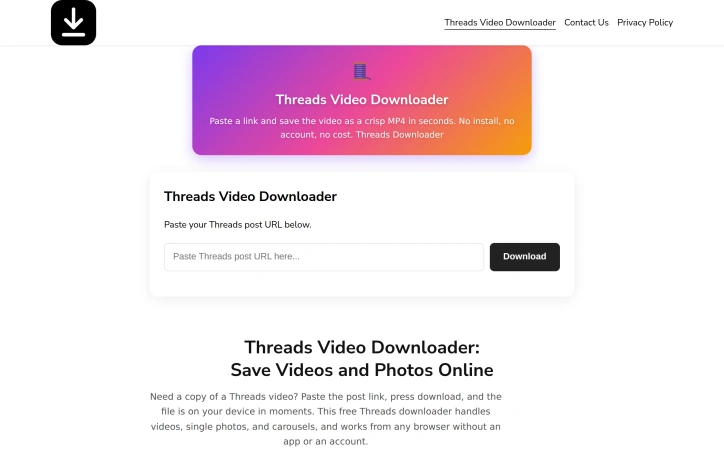
Downloading videos and photos from Threads has historically required either tedious screen recording, risky third-party browser extensions, or dedicated apps that demand installations and account creation. This web-based downloader eliminates those friction points by offering a straightforward, browser-native solution that asks nothing of users beyond pasting a link. The tool addresses a genuine gap in the Threads ecosystem. While Meta's official platform lacks built-in download functionality for personal archival, many users want to save content they encounter—whether for offline reference, legitimate content creation, or personal documentation. The service targets anyone frustrated by the current workarounds. What distinguishes this offering is its commitment to simplicity paired with genuine capability. The three-step process—copy, paste, download—takes roughly 30 seconds. The tool handles videos saved as MP4, photos as JPG or PNG, multi-image carousels, and even extracts audio tracks from video posts. It preserves original quality without injecting watermarks or overlays, a refreshing contrast to watermark-heavy competitors. The product runs entirely within browsers, making it universally accessible across Android, iPhone, iPad, Windows, and Mac devices. There's no installation overhead and no daily download caps, removing common artificial limitations. The site itself maintains a clean interface without the redirect loops or deceptive download buttons that plague similar services. Limitations exist. The tool only works with public posts, meaning private account content remains inaccessible without direct login access—a reasonable constraint given authentication requirements. Downloads occasionally fail if the source server experiences slowdowns, though retry mechanics typically resolve these issues. The founder's motivation rings authentic: simplifying a genuinely complicated task that forced users to choose between bad options. That philosophy translates into the product itself, which trades unnecessary features for focused utility. Critically, the service is entirely free. No premium tiers, no sign-up requirements, no payment processing. This positions it as pure convenience rather than a monetization vehicle, though it raises questions about long-term sustainability and whether the founder plans eventual commercialization. For anyone seeking to locally preserve Threads content without sketchy extensions or cumbersome tools, this delivers straightforward value with zero friction and zero cost.

Content preservation remains a persistent challenge in social media, where videos can vanish due to account deletion, creator changes, or platform policy. This web-based downloader tackles that friction point by enabling users to save publicly shared TikTok videos directly to their devices through a browser interface. The tool addresses a straightforward use case: capturing and archiving TikTok content without the friction of app installation or account authentication. The typical user workflow spans three steps—copying a video link from TikTok, pasting it into the downloader, and initiating the download. This simplicity forms the product's core strength. Because the service operates entirely within a web browser and requires no login credentials, it removes barriers that would otherwise deter casual users. Several design choices stand out. The lack of authentication eliminates the friction of account creation or credential management. Users bypass this entirely by accessing the tool through Safari, Chrome, or any standard browser. The downloader explicitly supports multiple platforms—iOS, Android, Windows, and Mac—reflecting a device-agnostic approach. Once downloads complete, files appear in the user's standard Downloads or Files folder, integrating with familiar device patterns rather than introducing proprietary file management. The product's scope is deliberately narrow: it processes publicly available TikTok videos and delivers them as downloadable files. The creator frames this limitation transparently. The website emphasizes that private, removed, or restricted videos fall outside the tool's reach, and it explicitly advises users to respect copyright and content rights—a responsible stance that distinguishes it from less conscientious alternatives in this category. From a capability standpoint, the tool performs a single function reliably: accepting a TikTok URL and converting it into a downloadable video file. There are no bells or whistles. No editing features, no batch processing, no video manipulation. This focused functionality makes the tool approachable for users who simply need to preserve content. The business model remains unstated in the available materials. No pricing tier, subscription option, or ad structure surfaces in the website copy, leaving the monetization approach unclear. For creators seeking a lightweight, low-friction way to archive public TikTok videos without installing software or creating accounts, this downloader delivers exactly that value proposition. Its strength lies in doing one thing cleanly: removing the barriers between a video link and a saved file.

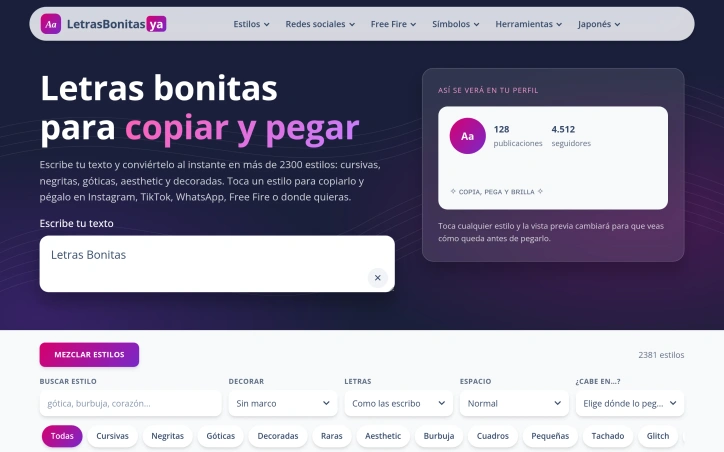
Social media and messaging app users across Spanish-speaking markets can now generate visually distinctive text without design software. Letras Bonitas addresses a straightforward need: the ability to create Unicode-based text styling that works across platforms like Instagram, TikTok, WhatsApp, Free Fire, Discord, and Roblox. The service works as a simple text transformer, converting standard input into over 2,300 different typographic styles including cursives, bold variants, gothic fonts, and decorative options. The interface prioritizes usability and context awareness. Users type their desired text once, then browse through available styles with live preview showing how each will render in their profile. Rather than forcing users to copy indiscriminately, the tool filters results by practical constraints: it accommodates platform-specific character limits for Instagram bios (150 characters), Discord nicknames (32 characters), Free Fire usernames (12 characters), and others. The tool also indicates compatibility with older mobile devices, addressing a real friction point where uncommon Unicode characters fail to render properly on legacy handsets. The product goes beyond basic font swapping by offering combinatorial control. Users can mix decoration elements like stars, hearts, flowers, and arrows with style choices and apply case transformations and spacing variations. This removes the tedious trial-and-error typical of manual Unicode exploration. The favorites and recent features streamline workflow for returning users who develop preferences for specific styles. Styling variety is comprehensive enough to satisfy different aesthetic preferences. Beyond traditional bold and italic alternatives, the collection includes niche categories like glitch effects, reversed text, small caps, and bubble fonts. Each style includes character counts, helping users understand at a glance whether a styled variant will fit their target platform without exceeding length restrictions. The product is freely accessible with no apparent paywall or freemium restrictions. This positions it as a utility rather than a premium creative tool, making it valuable for users who want basic text differentiation without investment or signup friction. The focus on Spanish-language content and granular platform compatibility shows clear awareness of its core audience, though the underlying tool would likely serve non-Spanish speakers seeking identical styling convenience.

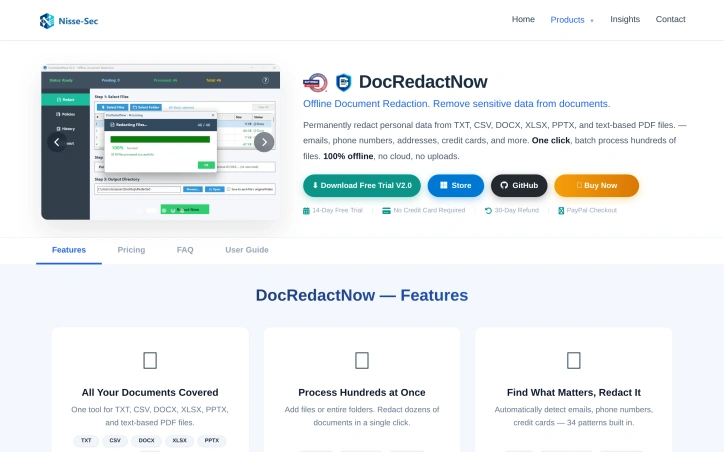
Protecting confidential documents from accidental disclosure has become a critical challenge for organizations of all sizes. DocRedactNow addresses this by offering a desktop application designed to remove sensitive information from files before they leave a user's computer. The core problem the tool targets is straightforward: documents often contain hidden metadata and unnoticed personal data that organizations fail to redact before sharing. Cloud-based alternatives create additional friction by requiring uploads of confidential material to external servers, introducing trust and compliance concerns that many businesses cannot tolerate. DocRedactNow eliminates this trade-off by processing documents entirely offline, ensuring files never leave the user's machine. What distinguishes this product is its practical focus on ease of use combined with local processing. The tool supports six common formats including text files, spreadsheets, presentations, and PDFs, addressing the document types most organizations actually work with. Users can process hundreds of files in a single batch operation, making it suitable for teams managing large volumes of documents. Detection includes 34 built-in patterns covering common sensitive data categories like email addresses, phone numbers, credit card numbers, social security numbers, API keys, and IP addresses. The feature set accommodates both standardized and custom use cases. Pre-built redaction policies cover common compliance frameworks such as GDPR requirements, financial data handling, contract management, and resume preparation. For specialized needs, users can define custom patterns using regular expressions. The application logs all redactions and exports compliance reports, which is valuable for organizations with regulatory requirements to demonstrate data handling practices. The licensing model reflects the offline nature of the product. A perpetual license costs $19.99 as a one-time payment, providing lifetime updates. Annual licensing is available at $9.99 per year for users preferring subscription-based costs. A 14-day trial with full functionality removes purchase risk, and a 30-day refund policy provides additional assurance. DocRedactNow fills a specific niche for organizations prioritizing data protection during document handling while avoiding cloud dependencies. The combination of batch processing, policy-driven redaction, comprehensive logging, and perpetual offline operation makes it a practical choice for teams managing sensitive documents on Windows systems.

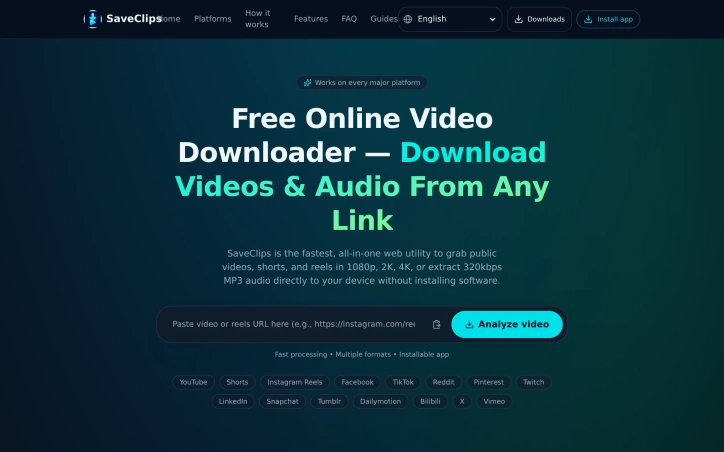
Extracting video content from the internet without installing software or bouncing between platform-specific tools is the core promise of SaveClips, a web-based video downloader that consolidates what typically requires multiple services into a single interface. The service addresses a real friction point for content creators, social media researchers, and users who need offline access to public video content. Rather than installing separate downloaders for YouTube, TikTok, Instagram, and other platforms, SaveClips handles 15 different sources from one browser-based tool, with the option to install it as a native app on iOS, Android, and desktop operating systems. Several features justify the tool's position in a crowded market. It captures video at multiple resolutions—720p through 4K where the original source permits—and extracts audio directly to MP3 format, effectively doubling its utility for users building offline playlists or archiving podcast episodes. The downloaded files arrive without watermarks or third-party branding burned into the frame, addressing a common complaint about free downloaders. Processing is positioned as fast, and the user experience follows a straightforward four-step workflow: copy a video link, paste it into the search box, select a format, and save. The privacy model sets it apart in a category often marred by data collection concerns. SaveClips stores neither the links users paste nor any record of what they download, retaining only anonymized usage counts. Combined with the complete absence of sign-up requirements, paywalls, or download limits, this creates a genuinely friction-free experience. The platform's breadth is notable. Beyond obvious choices like YouTube and TikTok, it covers niche platforms including Bilibili, LinkedIn, Snapchat, and Tumblr. This comprehensive support across 15 platforms reduces the need for users to maintain multiple bookmarks or remember platform-specific syntax. SaveClips positions itself as a free service with no recurring revenue model mentioned, suggesting either a breakeven operation or monetization through means not disclosed on the public-facing site. The lack of transparency here is the main gap in an otherwise straightforward product story.
Solving or creating word puzzles has long meant switching between multiple tools, manually transcribing grids and word lists, and checking answers by hand. Word Puzzle World consolidates this friction into a single collection of browser-based utilities designed to eliminate repetitive tasks and get users straight to the puzzle itself. The platform serves puzzle enthusiasts across multiple contexts: casual players seeking daily entertainment, educators preparing vocabulary activities, parents organizing family time, and homeschool families developing learning materials. Teachers and tutors benefit particularly from the ready-to-print themed word searches, crosswords, and word scrambles with separate answer keys. The core offering includes six primary tools. The word search module handles both solving and creation, with a notable feature that scans photos or screenshots to recognize letters and build searchable grids. The word scramble and anagram solvers rearrange jumbled letters with filtering options by length or pattern. A crossword generator lets users build puzzles from custom clues or select from themed ready-made options. The Sudoku solver provides logical hints and solutions. A timed word hunt game rounds out the collection by having players connect adjacent letters on existing boards or custom grids. Several design choices strengthen the product's practical utility. The no-signup requirement removes activation friction. Browser-based delivery means no installation overhead and works across desktop, tablet, and mobile devices. The inclusion of guides addressing common questions—how to solve Sudoku for beginners, scanning techniques for word search photos, and crossword design principles—helps new users get oriented. The emphasis on printable, classroom-ready content reflects genuine understanding of how educators and homeschool families actually use puzzle tools. Word Puzzle World positions itself against the scattered experience of hunting down specialized solvers and generators across the web. Consolidation alone offers value, but the execution extends beyond simple tool aggregation. The photo-scanning feature for word searches introduces automation where users previously might manually transcribe grids. The layering of themed ready-print options with custom creation tools accommodates different user needs: those wanting quick activities and those wanting to build. The platform is entirely free with no apparent freemium model or upgrade path. This straightforward positioning removes decision-making from the user experience but raises questions about sustainability that the publicly available content does not address. As a utility-focused offering in an increasingly capability-rich space, Word Puzzle World succeeds by doing one thing well: removing the busywork from puzzle workflows so users spend time solving and creating rather than managing administrative overhead.


Starting a prospecting conversation with small businesses often requires a concrete reason to call. Hookgap automates security audits of target companies and packages the findings into branded reports that serve as conversation starters for managed service providers and IT consultants. The platform checks a prospect's email security configuration, website settings, SSL certificates, and domain registration status by reading only publicly available data. This passive approach means vendors can run audits before any formal engagement exists. A typical scan completes in under a minute, checking 16 settings across email, web, and domain infrastructure. In a recent sample, the company found that 64 percent of local service firms lacked DMARC records, illustrating how commonly configuration gaps surface in small business environments. What distinguishes Hookgap from generic scanning tools is its focus on prospecting workflow. Users supply their company logo, branding colors, contact information, and booking links; the platform generates a customized report bearing the user's firm's branding. The report identifies specific gaps and severity, from urgent issues like email spoofing vulnerability to less critical items such as publicly visible software versions. Users can share findings as a link or PDF and reference them in email templates and LinkedIn scripts—or a sixty-second video—provided by the platform. This workflow transforms a discovered vulnerability into a justifiable first conversation. The monitoring capability adds follow-up value. After outreach, users can watch a prospect's domain for configuration changes, receiving alerts when certificates expire or new gaps appear. This creates a legitimate reason to reconnect without repeated cold contact. The free tier allows three daily checks with no sign-up required, lowering the barrier to trial. Paid plans remove Hookgap branding from reports entirely, though specific pricing is not disclosed. The design positions the product squarely at service providers who sell infrastructure hardening work—DMARC implementation, certificate management, domain transfer locks—and who benefit from data-driven conversations rather than assumption-based cold calls. For that audience, Hookgap reduces friction between prospect identification and qualified outreach.


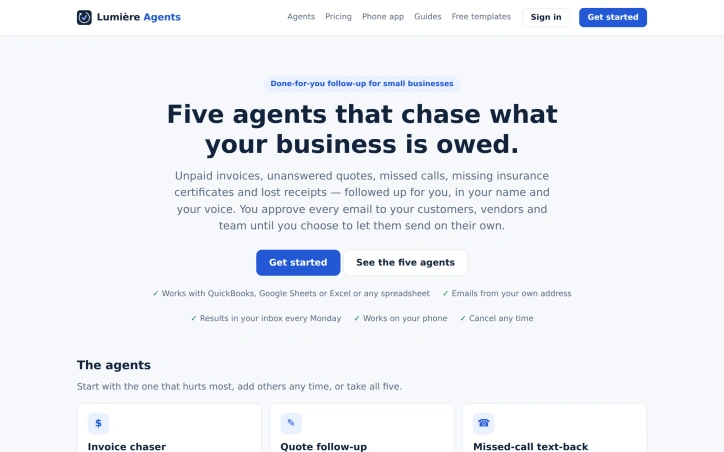
Revenue leakage haunts small businesses operating without formal back-office infrastructure. Unpaid invoices linger, follow-up quotes never materialize, missed phone calls vanish into voicemail, insurance certificates expire unnoticed, and receipt chaos spreads across company credit cards. Lumière Agents addresses these five pain points with a suite of autonomous agents designed to run administrative follow-up on the business owner's behalf. The core premise centers on outsourcing routine reminders to AI workflows that operate in the business's voice and under human review. Each agent handles a specific follow-up category: invoice collection with intelligent response handling, quote pursuit at strategic intervals, missed-call text-backs within minutes, insurance-certificate validation against compliance checklists, and receipt collection from team members. Businesses choose which agents to activate and can deploy all five together or start with the highest-priority problem. What distinguishes the offering is the insistence on human control at the sending stage. Rather than fully autonomous AI, the system generates reminders for owner approval before they reach customers, vendors, or staff. This hybrid approach reduces anxiety around brand voice and customer relationship risk, a critical consideration for small business owners who may distrust fully automated customer communication. Integration footprint leans on spreadsheet-first infrastructure. The agents connect to QuickBooks or pull data from Google Sheets and Excel exports, sidestepping the need for proprietary accounting software. Results flow to a simple dashboard and mobile app, with key metrics like dollars collected and quotes won surfaced on a predictable Monday schedule. The underlying AI layer handles nuanced interpretation: parsing ambiguous invoice responses, validating insurance documents against compliance requirements, and routing urgent messages directly to the owner rather than queueing them. The business model emphasizes flexibility. No long-term contracts lock customers in; they can cancel at any point. The service takes care of setup and connects to existing data sources without requiring software migration. The target market is contractors, service businesses, and any entity managing recurring invoicing or vendor compliance. The specific timing for reminders—day 1, 7, and 14 for invoices; 2, 5, and 12 days for quotes; 30, 14, and 7 days before insurance expiry—suggests templates born from practical experience with these workflows rather than theory.

Autonomous API payments introduce a vulnerability: endpoints can fail, return incorrect data, quietly raise prices, or redirect funds to compromised wallets—with agents discovering problems only after transactions settle. Lumière PayCheck addresses this gap by serving as a verification layer that validates x402 endpoints before payment occurs, ensuring agents access services that deliver as promised. The platform monitors roughly 64,000 x402 endpoints across blockchain networks and executes real test payments to confirm endpoint integrity. This active verification approach—checking actual performance rather than relying on passive monitoring—distinguishes the product. Each endpoint receives classification as proceed, caution, or avoid, giving agent builders immediate risk assessment for payment decisions. Integration flexibility removes adoption barriers. The service reaches developers through a free REST API, MCP server compatibility (integrated with Claude and Cursor), or the x402-paycheck npm package. The free tier serves individual developers without payment requirements, while API keys enable higher rate limits for scaling. For teams, Lumière PayCheck adds governance and compliance layers. Features span per-agent spending caps, manual review workflows for unusual payments, signed receipts with full audit trails, and sanctions screening of payout wallet addresses. These additions position the product for finance and compliance operations, not solely development teams. Current monitoring data shows approximately 57,900 endpoints passing validation from a tracked base of 64,000, suggesting substantial adoption within the x402 ecosystem. Team pricing starts at $200 monthly plus $750 setup, with bundled agent features at $500 monthly plus $2,000 setup. This cost structure targets organizations automating invoicing, quote follow-ups, missed-call management, insurance verification, and receipt tracking.