@fuck.it
Email privacy has become an afterthought at mainstream providers, which treat inboxes as data sources to be mined for ad...
Categories
Best Productivity Startups & Tools
Recently Listed
288 launches
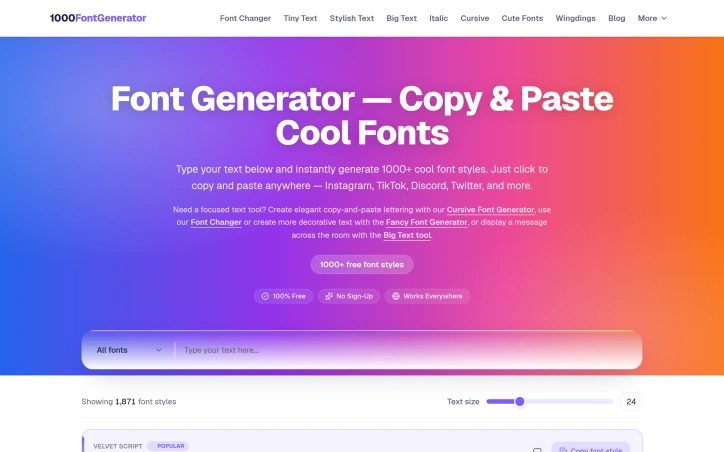
Stylish text formatting on social media typically requires either design skills or third-party tools that demand sign-ups. Font Generator strips away both barriers by offering a free, no-registration font transformation service with an unusually large collection of styling options. The core value proposition targets social media users across Instagram, TikTok, Discord, and Twitter who want to differentiate their usernames, bios, and captions with distinctive typography. The product eliminates the friction of learning design software by letting users type text, browse from over 1,800 available styles, and copy the formatted result directly to their clipboard. The breadth of the font library stands out as the primary differentiator. Rather than offering a small curated set, Font Generator organizes 1,871 styles into purpose-built categories: cursive and script fonts for elegant applications, bold and heavy typefaces for impact, gothic and blackletter fonts for dramatic effect, bubble and cute fonts for playful contexts, glitch and Zalgo text for distorted aesthetics, vaporwave styles for retro-inspired bios, small caps for compact text, and decorative symbols for additional customization. This categorical organization allows users to browse by intent rather than sorting through an overwhelming flat list. The interface prioritizes speed. Popular fonts receive prominent placement, copy buttons sit directly next to previews, and users preview results with their own text before committing to a selection. The product handles decision fatigue by surfacing trending styles upfront while exposing the full collection for deeper exploration. Font Generator operates as a completely free service with no explicit monetization model disclosed. No pricing tiers, subscriptions, or premium features appear on the site, suggesting revenue may derive from advertising, affiliate arrangements, or other indirect channels. A technical constraint worth noting is that Font Generator relies on Unicode character substitution rather than embedding actual font files. This approach enables copy-paste functionality across platforms without compatibility issues but limits visual possibilities to what Unicode supports. The trade-off is intentional and sensible for the use case. For social media users seeking quick visual differentiation without design expertise or registration requirements, Font Generator delivers direct utility through a low-barrier, comprehensive option library.

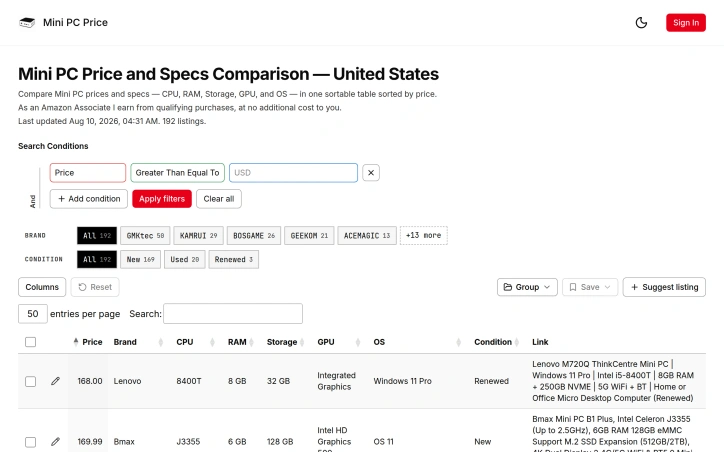
Buying a mini computer typically demands opening dozens of retailer tabs, copying specifications into spreadsheets, and cross-referencing prices across multiple platforms. Mini PC Price eliminates this friction by consolidating every available listing into a single searchable, filterable database where buyers compare specifications and prices without context switching. The tool serves multiple buyer personas with distinct research patterns. Office managers seeking budget systems with specific RAM and storage configurations can layer filters by price and memory specifications. Gamers hunting high-performance compact systems prioritize GPU capabilities and CPU boost clocks. Those interested in upgrading components can compare RAM maximums and storage interfaces. Rather than forcing a universal view, the tool lets each cohort toggle only the columns that matter for their decision. Several design choices distinguish Mini PC Price from conventional price comparison sites. It functions as a comprehensive parameter database rather than a curated top-ten list, capturing the full catalog across brands including Beelink, Minisforum, Intel NUC, ASUS, Lenovo, and HP. Listings source from real marketplace data with daily price refreshes. Specifications undergo manual verification where it matters—RAM type, GPU classification, OS bundling, and upgrade paths—rather than relying on auto-scraped data prone to inconsistency. The feature set prioritizes rapid discovery and precision. Search operates on type-ahead, accepting brand names, chip identifiers like 7840HS or N100, port counts, or product title fragments. Structured filters stack together, enabling queries like "mini computer under $600 with discrete GPU" without requiring review aggregator browsing. Sorting defaults to price but pivots to RAM, storage capacity, or processor speed on demand. Condition filtering toggles between new, used, renewed, and refurbished inventory without disrupting the filtered view. A sharing mechanism enables users to save groups and distribute links, particularly useful for forum recommendations or team purchasing scenarios. The emphasis on customization—column selection, filter stacking, search precision—reflects a product built around actual buyer workflows rather than editorial taste-making. The free model removes acquisition barriers for individual shoppers and procurement professionals alike. Without explicit monetization details in available materials, the zero-cost entry positions Mini PC Price as a utility resource for anyone shopping mini computers.

Mobile phishing campaigns have moved beyond simple email tricks. They arrive as text messages that impersonate banks, QR codes that redirect to credential-harvesting pages, notifications from seemingly trusted apps, and links embedded in screenshots shared across messaging platforms. EdgePhishGuard tackles this expanding threat surface by placing a security checkpoint directly on the user's Android device, where the decision happens fastest. The product addresses a genuine gap in mobile security. Most anti-phishing solutions operate on the server side, requiring users to upload suspicious content to cloud services before they get a verdict. EdgePhishGuard inverts this model. Its core analysis runs locally using TensorFlow Lite models that identify linguistic and structural phishing patterns without leaving the device. The approach protects privacy while reducing latency and eliminating friction. What distinguishes this tool is its breadth of input modes. Users can paste suspicious links or text directly, scan QR codes through the camera, extract URLs from screenshots via OCR, or share content from notification bars and messaging apps. This multi-modal design acknowledges how phishing actually reaches people in practice: rarely as a bare URL, often embedded in context that requires extraction or interpretation. The OCR and QR reading capabilities transform the app from a link validator into a content analyzer that handles the obfuscation tactics modern attackers use. The product doesn't attempt to make decisions for users. Instead, it surfaces the reasoning behind its risk assessment, showing detected language, identified patterns, domain reputation signals, and specific recommendations. Users can adjust the alert threshold themselves, creating a control mechanism rather than an on-off switch. This approach aligns with security best practices that favor informed decision-making over black-box automation. Support for multiple languages, with language detection routing content to the appropriate local model, suggests consideration for non-English-speaking populations who may face phishing tailored to their linguistic and cultural context. This practical detail distinguishes EdgePhishGuard from larger security platforms that often overlook regional variations in attack patterns. The absence of pricing information on the landing page leaves questions about the business model unanswered. Whether this will be free, subscription-based, or ad-supported matters to potential users considering adoption. Regardless, the local-processing architecture and transparent risk scoring represent a meaningful departure from the surveillance-heavy approach many mobile security tools take. For users skeptical of uploading sensitive information to cloud services, EdgePhishGuard offers a credible alternative.


Privacy-conscious media management remains a persistent need for households drowning in files scattered across phones, computers, and competing cloud services. X-Streamify addresses this directly by consolidating personal video libraries, photo collections, and important documents into a single encrypted vault designed for long-term ownership rather than subscription dependence. The service targets families and individuals who prioritize control over convenience. It operates on a straightforward ownership model that promises no recurring fees, no licensing restrictions, and no risk of losing access if a service shuts down or changes terms. This contrasts sharply with mainstream alternatives that typically extract recurring revenue and hold user content hostage behind subscription walls. What distinguishes X-Streamify is its explicit commitment to privacy through encryption, both in transit and at rest, with strict access controls ensuring only the account holder and invited family members can view uploaded content. The platform supports a broad range of common formats—MP4, MKV, AVI, and MOV for video; standard image formats; and document files—enabling users to consolidate without compatibility concerns. Cross-device streaming works across phones, tablets, smart TVs, and computers globally, removing friction from accessing personal libraries across locations. The family sharing feature allows multiple profiles with granular permission controls, solving a practical problem for households managing shared memories while maintaining individual privacy boundaries. This moves beyond simple owner-and-guest models toward a more nuanced permission system. Regarding business model, X-Streamify operates on a flat-rate pricing structure with no upgrade tiers or hidden fees explicitly called out. While the actual price point remains absent from available marketing materials, the commitment to a single price tier signals a deliberate choice toward simplicity and predictability. The main limitation from available information is lack of detail on storage capacity, pricing specifics, or technical specifications about vault redundancy and disaster recovery. For a service positioning itself as a permanent, trustworthy archive, these operational details matter significantly for potential users evaluating long-term reliability. X-Streamify positions itself as an antidote to the fragmented, subscription-driven media storage landscape. It bets that privacy, ownership, and simplicity resonate with users tired of algorithmic feeds and recurring charges.


Repetitive manual work plagues ISO auditing workflows. Auditors and consultants spend hours transferring data across checklists, findings documents, and final reports—retyping the same information in different formats for different stakeholders. AuditPilot targets this inefficiency by consolidating the entire audit execution pipeline into a single source of truth, designed specifically for certification bodies, lead auditors, and compliance consultants. The product consolidates four workflows that traditionally require separate document handling: evidence gathering, finding generation, nonconformity tracking, and report compilation. The core value proposition is straightforward—input once, generate everything else. A checklist becomes the foundation for findings, corrective action tracking, closure verification, and the final audit report, all without manual re-entry. What distinguishes AuditPilot from generic AI writing assistants is its commitment to evidence grounding. Rather than generating findings from thin air, the system drafts claims directly from site notes and flags any assertions it cannot source to a document. This addresses a real concern in audit work: hallucinated findings carry regulatory risk and fail accreditation scrutiny. Building this product around cited evidence rather than plausible inference reflects the founder's domain expertise as a lead auditor. The platform includes an enforced separation between auditor and consultant work, enforcing ISO/IEC 17021-1 impartiality requirements. The system actively prevents the same user from acting as both consultant and auditor for an organization, reducing compliance exposure for certification bodies operating under accreditation rules. Two features expand the addressable market beyond active audit execution. A pre-certification readiness module lets consultants benchmark current state against requirements before formal audits begin. Custom report templates let certification bodies upload their own Word formats once, and the system populates audit-specific data automatically—eliminating the formatting step that typically consumes hours at audit close. The platform spans 11 standards and supports five languages, with a bilingual Turkish-English interface highlighted explicitly. A human-in-the-loop design keeps the auditor as the decision-maker; the AI drafts and organizes but never issues certifications independently. The company offers a 14-day money-back guarantee, which signals confidence in initial user experience, though specific pricing tiers remain behind an account creation wall. For auditors drowning in copy-paste work, the promise of consolidating four workflows into one pass has real appeal. The product's specificity to ISO audit requirements and regulatory sensibilities—rather than a generic "AI for compliance"—suggests the builder understands the customer's actual constraints.


Repetitive business processes drain team productivity and divert focus from strategic work. Innovexa AI addresses this friction point by enabling organizations to build and deploy intelligent agents that automate routine workflows without requiring deep technical expertise. The platform targets teams across marketing, sales, customer support, and operations who want to leverage AI automation but lack the resources to hire specialized AI engineers. Rather than requiring users to understand machine learning fundamentals or write complex code, Innovexa AI abstracts those complexities behind a configuration-driven interface. This democratization of AI agent creation is the core value proposition—making automation accessible to business teams, not just technical ones. Several capabilities distinguish the offering. The platform supports customizable agents designed for specific industries, whether finance, healthcare, or IT, suggesting a modular approach to multi-tenant deployment. Agents can integrate with existing business tools and CRM systems, indicating a focus on fitting into established workflows rather than forcing organizations to rebuild their stacks. The marketing and sales use cases highlight concrete applications: lead qualification, CRM follow-ups, and customer support triage, which are legitimate pain points where automation delivers measurable time savings. The platform emphasizes agent quality and performance, claiming that its automation can match human-level execution on critical tasks. While this is a common benchmark claim in the AI space, the emphasis suggests the product aims for reliability beyond simple task routing—handling nuanced interactions in customer support or lead qualification rather than just parsing simple data. Scalability is positioned as built-in, meaning organizations shouldn't need to rearchitect as they expand agent usage. Innovexa also highlights an active developer community, which can be valuable for troubleshooting and sharing patterns, though this is often a proxy for product maturity. The website text indicates the product handles use cases like generating leads, managing administrative overhead, and freeing up team time for higher-value work. The positioning is straightforward: automate the tedious parts so teams focus on strategy and creativity. One significant gap in the available information is pricing and deployment model. There is no mention of costs, licensing structure, or whether the platform runs on-premise, cloud-hosted, or as a hybrid. For procurement teams evaluating the product, this absence is a notable omission. Overall, Innovexa AI targets a real problem—the usability barrier between AI's promise and business adoption—with a market-focused solution. Whether it delivers on these claims would require testing, but the positioning reflects genuine customer friction points in workflow automation.


For anyone tired of juggling multiple services to handle everyday file work, a free, no-account toolkit offers a surprisingly complete alternative. Launched in 2022, ChangeMyFile consolidates PDF editing, image manipulation, video trimming, and audio extraction into one interface—eliminating the friction of installing software or managing login credentials. The platform's core appeal centers on simplicity and privacy. Many operations run directly in the browser, keeping files on your device rather than uploading to servers. When server-side processing is necessary—particularly for video conversion—the work runs through FFmpeg in isolated containers, limiting exposure. Files automatically delete within 24 hours, and download links expire after an hour. This architecture reflects a deliberate privacy stance that distinguishes it from competitors baked into subscription models. The toolset spans 16 PDF capabilities (editing, merging, splitting, compression, format conversion, password protection, signing, and redaction), 8 image tools (AI-powered background removal and restoration, resizing, cropping), 7 video functions (cutting, compression, audio extraction, merging), and 5 audio tools (cutting, merging, compression, transcription, and voice recording). A separate converter module handles transformations across more than 700 format pairs. Coverage is broad enough for routine tasks without requiring power-user knowledge. The approach to monetization is refreshingly direct: ads fund operations, no account is required, and no watermarks are added to processed files. This model inverts the typical SaaS pattern where users grant personal data in exchange for free tools. Here, the trade is exposure to advertising in exchange for functionality. Since its launch, the service has processed over one million files, suggesting the model resonates with users seeking straightforward, temporary file processing without account overhead. The integration of AI tools like image upscaling indicates responsiveness to emerging capabilities. Gaps exist. The reliance on advertising creates a user experience tension—fast, simple workflows interrupted by ad placements. Offline functionality is absent; internet access is required for all server-side work. The 24-hour deletion policy, while privacy-protective, offers no recourse for users who miscalculate download timing. For routine, casual file work with privacy as a priority, though, the tradeoffs register as reasonable.


AI-powered motion control technology removes friction from video creation by letting non-technical users transform still photos into dance videos. The platform targets creators working within the constraints of short-form social feeds, from TikTok enthusiasts to cosplayers looking for quick, shareable content. RenderPop's approach is direct: a static image becomes a moving subject by applying a dance template or custom motion reference. Users select from trending dances or upload their own reference footage, add a clear photo, and generate a video in roughly two minutes. The process skips both timeline editing and prompt engineering, replacing manual work with template selection. The service operates in a browser and charges credits based on video duration. What distinguishes the product is its philosophy around reducing barriers to entry. The founder emphasizes building without requiring signup friction—the tool lets users explore freely before committing. This positioning reflects a deliberate approach to democratizing AI creation tools rather than gatekeeping access behind registration walls. The platform addresses multiple creator personas: social media viewers recreating trending dances with personal photos, professional content creators making reels and shorts, dancers workshopping choreography, fanfiction creators animating character images, and avatar designers adding motion without full 3D rigging expertise. The repeated emphasis on user permissions signals responsible legal positioning in a space where copyright concerns run high. Portrait-oriented templates show design thinking around existing social platforms rather than generic video creation. The motion-control model—where templates define movement and photos define identity—frames the tool as complementary to trending content rather than requiring original choreography. Pricing follows a consumption model, with regular users paying more per second than Pro subscribers. The site provides limited detail on subscription specifics or upgrade mechanics, but the credit-based approach aligns with casual creator workflows rather than seat-based licensing. RenderPop succeeds at solving a narrow, well-defined problem: making dance video creation accessible to non-animators without manual animation work. Whether that translates to sustained adoption depends on the velocity of trending dances and whether creators find enduring value beyond novelty appeal.


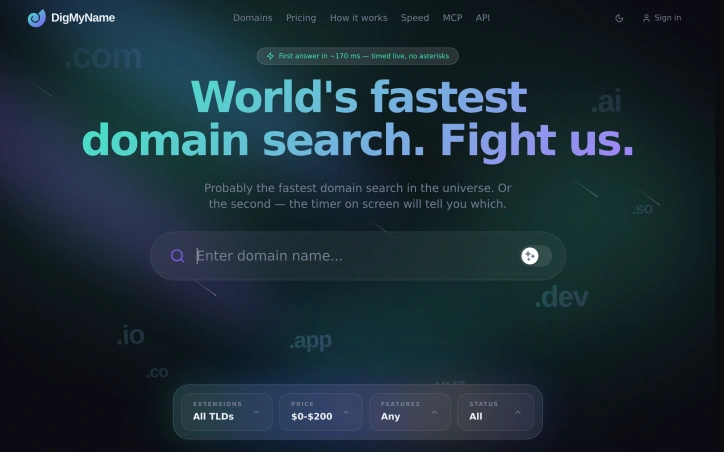
Domain acquisition remains a friction point for anyone launching a startup or brand. DigMyName targets the inefficiency that emerges when searchers need to check availability across multiple domain extensions and registrars simultaneously. Rather than bouncing between registrar websites or using disconnected tools, the platform consolidates the process by querying over 50 top-level domains and comparing pricing across multiple registration services in a single interface. The core value proposition hinges on speed. The site explicitly claims to offer the fastest domain search the company has measured, suggesting a direct response to the tedium of manual lookups. For someone trying to lock down a domain name quickly—whether for a business launch, personal brand, or creative project—this acceleration matters. The ability to see both availability and price variations across registrars and TLDs simultaneously eliminates the need for multiple searches and manual price tracking. The feature set focuses on breadth and comparison. By indexing 50+ TLDs rather than restricting users to the handful of most common extensions, the platform opens possibilities for finding available alternatives when a .com or .net is already taken. The instant price comparison across registrars addresses a real pain point: registrar pricing can vary significantly for the same domain, and discovering the best deal typically requires switching between sites. DigMyName consolidates this competitive pricing into a single view. The positioning suggests an audience spanning individual founders and small businesses who need to move quickly without getting bogged down in registrar navigation. The emphasis on speed and ease indicates the founders recognized that domain acquisition should be a solved problem—a quick decision rather than an hours-long research session. The company's narrative about simplifying domain discovery identifies a clear market frustration with existing workflows. The product spots a genuine gap between the importance of finding the right domain and the poor experience of actually doing so. Whether the search speed claim withstands comparison against dedicated registrar searches, and whether the tool integrates smoothly into actual purchase workflows, would shape real-world utility. But the core premise stands: domain hunting deserves better tools than the fragmented landscape currently offers.

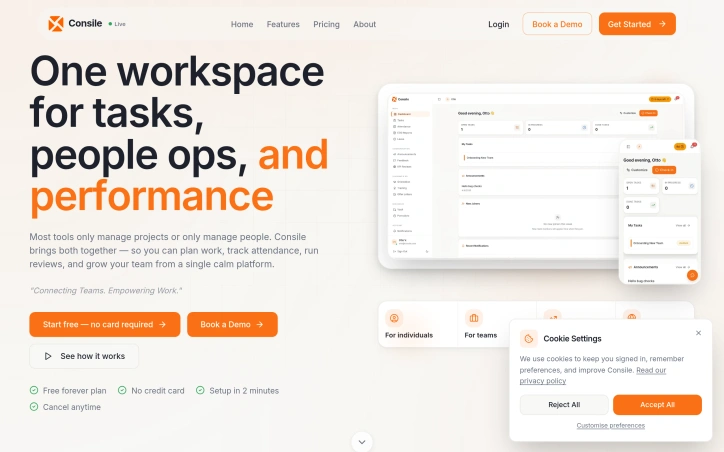
Growing companies waste enormous time coordinating operations through email, spreadsheets, and fragmented tools that rarely communicate with each other. Consile consolidates this sprawl into a single workspace, handling everything from task management and daily attendance tracking to leave approvals, payroll generation, and recruitment pipelines. The product targets expanding teams and individual professionals who have outgrown the chaos of ad-hoc coordination but haven't necessarily justified custom enterprise systems. It replaces the typical pattern where HR lives in one platform, tasks in another, attendance in a spreadsheet, and approvals happen via WhatsApp threads. Consile's architecture spans multiple operational domains. The task module offers Kanban and list views with recurring schedules and co-assignees. Attendance captures one-click check-ins with custom holiday calendars and exportable timesheets. Leave management handles delegation, half-day requests, and hierarchical approval flows. Beyond that, it includes KPI review cycles, onboarding workflows with verifiable certificates, an ATS for recruitment, and automated payslip generation. Otto, a role-aware AI assistant, sits across the platform alongside public APIs and MCP integrations for customization. What distinguishes Consile is its integrated approach to problems that typically require point solutions. Most companies string together a payroll tool, an HR system, a task tracker, and a time-tracking app, then manually thread data between them. Consile attempts to eliminate those handoffs. The blog content signals ambition beyond basic task management, covering employee self-service portals, performance improvement plans, job specifications, and compliance considerations for specific markets like South Africa and Nigeria. This suggests the team is thinking about deep operational workflows, not just surface-level coordination. On security, Consile emphasizes multi-tenant isolation, row-level security, TOTP MFA, IP allowlists, signed webhooks, and immutable audit logs. It offers SCIM provisioning for enterprise deployments, indicating it's designed to scale beyond small teams. The company offers a 14-day free trial with full feature access and no credit card required, though specific pricing details aren't exposed upfront. Multiple plan tiers exist, but pricing remains hidden until signup, a common pattern for vertically integrated platforms where configuration varies significantly across customer size. The core value proposition is consolidation: reducing tool fatigue and manual coordination. Whether Consile executes deeply enough across all these domains to truly replace specialized tools depends on implementation depth, but the scope is comprehensive.

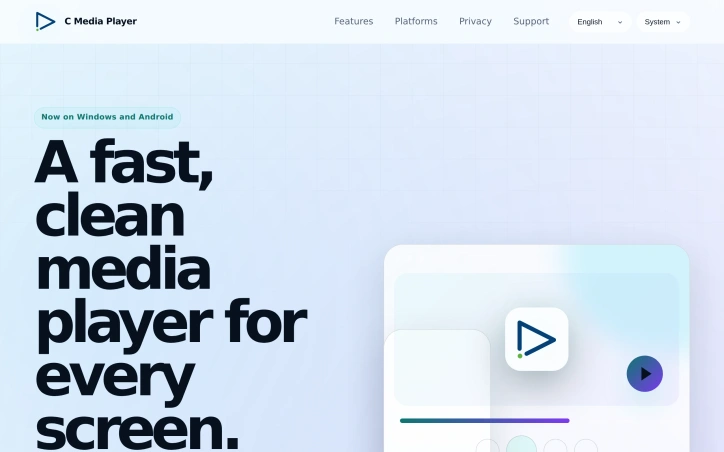
Developers seeking a distraction-free media solution have an increasingly rare option in C Media Player, which sidesteps feature bloat and monetization schemes in favor of straightforward playback. The cross-platform application—available on Windows and Android—delivers essential media capabilities without the advertising and telemetry tracking that encumber many consumer players. The feature set reflects practical design priorities. Users access standard codecs, subtitle handling through both embedded and external sources, multi-track audio selection, and customizable playback controls including variable-speed playback and aspect ratio modification. The inclusion of equalizer controls and video effects distinguishes it from minimalist competitors, while hardware acceleration addresses performance on resource-constrained devices. The philosophy prioritizes user agency over corporate data extraction. Network stream support and playlist functionality accommodate both casual consumption and demanding use cases. The development team explicitly acknowledges user input as a roadmap driver, positioning the project as responsive to community needs. Limitations warrant acknowledgment: platform availability remains restricted to two major operating systems, and the absence of published benchmarks leaves performance claims unverified. Furthermore, standalone media players face structural headwinds from bundled offerings in mainstream operating systems. Still, in a landscape increasingly dominated by surveillance-enabled alternatives, C Media Player's commitment to core functionality without data harvesting represents meaningful differentiation. Whether this positioning sustains commercial viability depends on cultivating sufficient user loyalty to overcome platform incumbency.

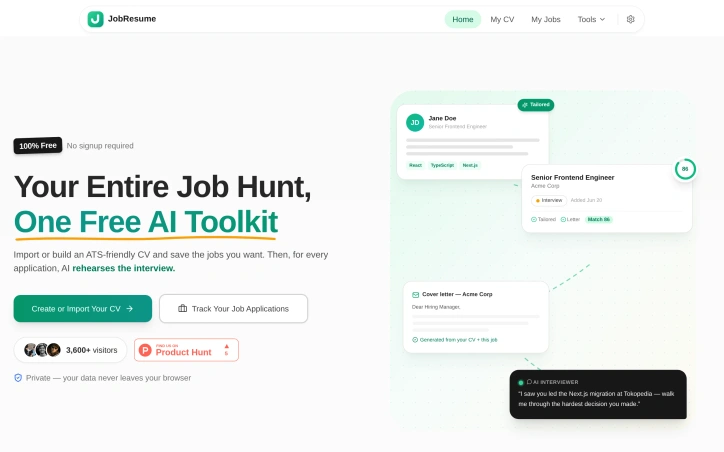
Managing multiple job applications without a coherent system creates friction that stalls career momentum. JobResume addresses this by consolidating the entire job search workflow into one free, browser-based toolkit that requires no account signup. The core value proposition centers on continuity. Rather than toggling between a resume editor, job board, email drafts, and interview prep materials, the platform treats your CV and job applications as interconnected data. Upload or build an ATS-optimized resume once, then feed it through a pipeline: save job postings to a tracking board, automatically tailor your CV to each posting's language and requirements, generate matching cover letters, and practice with an AI that simulates hiring manager questions. The AI tailoring function stands out as the primary differentiator. Instead of manually rewording your bullet points for each application, the system rewrites them to echo the job description's terminology while preserving accuracy. This addresses the practical reality that many resume-screening tools are keyword-sensitive. The matching score helps applicants gauge how well their background aligns with posted requirements. The platform spans job seekers across experience levels. Example outputs cover software engineers, marketing professionals, and fresh graduates. The sample materials demonstrate substantive output: tailored resumes reference specific accomplishments, cover letters tie achievements to job requirements, and the AI interviewer asks role-specific follow-up questions rooted in the candidate's resume. Privacy is built into the architecture. The marketing explicitly states that data remains in the browser and never reaches external servers, addressing concerns about resume data handling that plague many free career tools. This browser-native storage model removes a common barrier to adopting free career services. The no-signup, browser-based design removes friction at entry. Users can test the platform's output quality before deciding whether to trust it with sensitive career documents. Pricing is entirely free. The website does not detail how the service is funded or whether paid features are planned, raising questions about long-term sustainability that remain unanswered. The product targets a genuine pain point in job hunting. Whether the AI output quality and tailoring algorithms deliver on the promise of higher application success rates depends on results that the website cannot demonstrate without user testimonials or outcome data.

Managing a Pilates studio means juggling reservations, instructor schedules, payments, and last-minute cancellations across multiple disconnected apps. Tentare consolidates this fragmentation into a single platform purpose-built for studio operations, addressing a real operational crisis that studio owners face daily. The core problem Tentare solves is the chaos of last-minute instructor cancellations. The platform contrasts a typical crisis—40 minutes of phone calls, miscommunications in WhatsApp groups, and a class potentially being cancelled—with an automated resolution that takes minutes. When an instructor cancels, the system identifies available replacements based on their certified class types and availability, gets approval instantly, and notifies already-enrolled students without the studio owner lifting a finger. This single feature alone justifies the platform for many studios. What distinguishes Tentare is its granular understanding of Pilates operations. It manages capacity not just by class size but by individual reformer availability, preventing the common scheduling error where two classes overlap in the same room. It recognizes that Pilates classes require specific instructor certifications—reformer, mat, prenatal—and only suggests substitutes who are qualified. Most studio management software treats classes generically; Tentare is built by people who understand the industry. The platform integrates the full business workflow. Students reserve and cancel through their phones, triggering automatic waitlist promotions. Communication happens through the channel students prefer, with automated reminders and updates. Billing handles recurring memberships, single-class passes, and failed payment retries without manual intervention. Instructors log their hours directly. The studio owner sees daily metrics—revenue, occupancy, renewal rates—on the same interface on mobile or desktop. Payment processing runs through Stripe without additional commission from Tentare, keeping economics transparent. Invoicing is legal and compliant from the first transaction. The platform stores complete student history, class attendance, membership status, and communication in one place, eliminating the spreadsheet archaeology that plagues studios today. The platform targets mid-size studios—those large enough to need coordination but small enough to feel the pain of fragmentation acutely. Studios with a handful of instructors and 50 to 200 active students gain the most immediate relief from automating instructor substitution and student communication. Tentare is built iteratively with studio feedback, prioritizing practical workflow over feature sprawl.


Calculating the interest on a loan, converting currencies, or checking retirement savings shouldn't require creating accounts, tolerating advertisements, or worrying about personal data collection. Calculora eliminates these friction points by offering over a hundred calculators and converters that operate entirely within the user's browser, requiring no signup or tracking. The product spans multiple domains: financial planning tools like mortgage and loan calculators, scientific and engineering resources including resistor color codes and electrical calculations, health assessments such as BMI and sleep cycle tracking, and specialized Islamic tools for prayer times and Qibla direction. This breadth positions the platform as a catch-all solution for calculation needs rather than a specialized niche tool. What differentiates Calculora is its uncompromising stance on privacy and accessibility. Every calculator runs locally in the browser without transmitting data to external servers, and the service explicitly operates without advertisements, paywalls, or subscription tiers. The founder built the platform around a core philosophy: people deserve dependable calculation tools that remain free and private. This approach contrasts sharply with many online calculator sites that have become increasingly monetized through ads, premium tiers, or data harvesting. The breadth of offerings across categories like personal finance, mathematics, business tools, developer utilities, and even sustainability calculators suggests thoughtful curation beyond a generic toolkit. The inclusion of niche categories such as Islamic tools—with resources for prayer times, Zakat calculations, and Qibla direction—demonstrates attention to underserved user segments often overlooked by mainstream calculator applications. From a usability perspective, the reliance on browser-based computation means no lag from server requests and complete functionality for users with inconsistent internet. The absence of login requirements removes a common barrier to casual usage. The primary consideration for potential users is discovery: with such a large collection, finding the specific calculator needed isn't obvious from browsing. A search function or smarter categorization might help users navigate the catalog more efficiently. Additionally, while the free model is sustainable and admirable, details about the underlying technology stack and calculation methodologies would strengthen confidence in accuracy, particularly for financial or health-related tools where precision matters. Calculora represents a principled approach to online calculators: comprehensive, private, and genuinely free. It serves anyone from engineers to entrepreneurs to everyday users who simply need a reliable computation tool without the baggage modern web services typically demand.


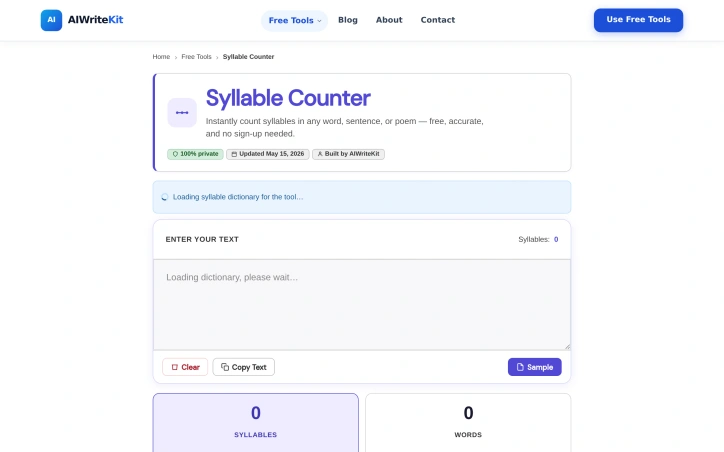
Poetry and language instruction share a common friction point: the tedious, error-prone work of counting syllables by hand. Whether a student is drafting a haiku, a teacher constructing readability-checked lesson materials, or a language learner parsing the phonetic structure of unfamiliar words, syllable counting interrupts the creative or instructional workflow. This free, account-free tool addresses that gap directly, offering instantaneous syllable counts across single words, full passages, or structured verse without requiring registration or payment. The product pairs a rule-based algorithm with a syllable dictionary, a deliberately hybrid approach that acknowledges a real linguistic problem: English orthography and pronunciation diverge sharply. Words like "comfortable" compress in natural speech; "poem" splits differently than its letters imply. By combining both methods rather than relying on pattern-matching alone, the tool targets reliability across standard vocabulary. The architecture is transparent about its constraints as well, noting that dialects, loanwords, and proper nouns may fall outside consistent coverage. That honesty distinguishes it from tools claiming universal accuracy. The interface centers on per-line syllable counts, a feature the maker emphasizes as structural rather than decorative. For poets working in meter-dependent forms, this granularity is not incidental; one syllable out of place in a stanza breaks the rhythm. The tool displays per-word syllable breakdowns inline as users type, allowing real-time feedback without submission delays. It also surfaces word and line counts, useful context for both poetic form verification and readability assessment. The target audience is broad: poets across formal verse traditions, students building English fluency, educators designing accessible materials, and content creators checking Flesch-Kincaid and similar readability formulas that hinge on syllable density. The makers position syllable counting as foundational for pronunciation intuition and grammar sense in language acquisition, a reasonable pedagogical claim. Practically, the tool operates without friction. No sign-up, no storage of user text, no watermarks, and no cost remove friction from a frequent task. The interface is lean enough to load instantly and stay responsive. For academic or publishing contexts where formal precision matters, the makers wisely suggest cross-checking against phonetic references. For everyday writing, learning, and poetry composition, the output is positioned as reliable enough to use directly. The result is a focused, no-nonsense utility that solves a specific problem well and acknowledges its limits candidly.

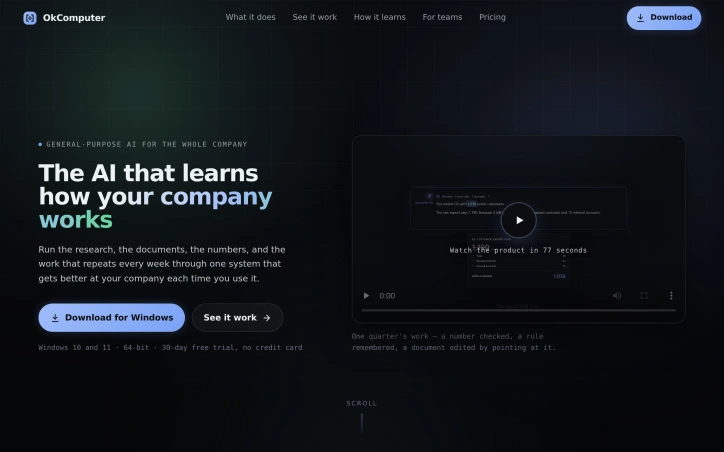
Corporate AI adoption remains stuck. Despite massive investments in artificial intelligence tools, most employees either ignore them or limit themselves to trivial tasks like social media drafts. The disconnect stems from two fundamental gaps: the absence of AI systems built for actual office work, and user confusion about how to employ them effectively. OkComputer addresses both problems head-on by building a workspace designed around how companies actually work rather than how chatbots interact. It's positioned as a general-purpose AI harness for professionals, handling research, documents, data analysis, planning, and operations within a single cohesive environment. Rather than forcing users to learn new interfaces for each task, the system presents familiar chat and document editing experiences alongside dedicated project organization and cloud agent infrastructure. The product's defining feature is its Company Brain: a shared organizational memory that captures policies, definitions, stylistic preferences, and accumulated knowledge. Unlike traditional AI memory systems, this learns continuously from corrections and decisions made by the team. When someone clarifies how revenue is calculated, where a billing export consistently errs, or what house style the company uses for memos, the system records these rules and applies them to future work without repeated explanation. This transforms AI from a tool that forgets each conversation into one that genuinely understands the organization's context. The scope of work OkComputer handles is notably broad. It manages market research and competitor analysis, reviews and redlines contracts, builds financial close packs and forecasts, drafts quarterly planning documents, generates weekly reports, triages email, and can schedule recurring work to run unattended. More importantly, it doesn't just describe how work might be done: it reads files, connects to systems, builds actual documents, verifies its own output, and can execute tasks autonomously. This moves it beyond the chatbot category into genuine infrastructure. The architecture supports collaborative use, with multiple team members working simultaneously within the same workspace. The system improves visibly over time as it absorbs organizational context, creating a feedback loop where each month's answers build on insights from prior months. OkComputer runs on Windows with a 30-day free trial. The company positions this equally for corporate teams and individual professionals, noting the system delivers value across both use cases.

Organizations selecting SOCKS5 proxy infrastructure face a fragmented market where vendor claims often lack independent verification. This comparison site addresses that gap by benchmarking major providers against standardized criteria rather than relying on marketing materials. The platform targets enterprises and mid-market teams conducting web scraping, data collection, or testing operations where proxy selection directly impacts both cost and reliability. It also serves developers and agencies evaluating solutions at various price points, from budget options under $2 per gigabyte to premium services at $8+ per gigabyte. What distinguishes this resource is its commitment to independent testing methodology. Rather than publishing vendor-supplied numbers, the site conducts its own benchmarks across 180 test runs per provider, measuring success rates, latency from multiple geographic probes (Frankfurt, Ashburn, Singapore), and throughput. The scoring framework weights five dimensions—success rate at 35 percent, latency and throughput at 25 percent, cost per IP/GB at 20 percent, pool quality at 12 percent, and support tooling at 8 percent. This transparency allows readers to understand trade-offs between competing priorities. The comparison table presents practical specifications: pool sizes ranging from 2 million to 150 million IPs, latency from 620 milliseconds to 1,300 milliseconds, and supported protocols. Scores cluster between 8.2 and 9.8, suggesting narrow performance differentials at the top tier. Top-ranked providers like Oxylabs and Bright Data offer pools exceeding 100 million IPs with sub-700 millisecond latency, while budget alternatives like IPRoyal deliver comparable SOCKS5 support at 1,100 milliseconds latency for fraction-of-the-price positioning. The site distinguishes datacenter SOCKS5 (for speed and consistency) from residential options, addressing different use cases. Provider reviews are keyed to specific personas—scraping teams needing scale get Oxylabs, agencies requiring granular targeting get Bright Data, and cost-conscious mid-market teams get Smartproxy. One notable gap: the site discloses affiliate relationships but doesn't articulate how those relationships are managed or whether they influence editorial placement. The methodology section mentions measuring HTTP 2xx success rates as-is without context about whether this metric equally applies across providers supporting different protocol stacks. For teams with limited proxy expertise, this resource reduces decision friction through structured comparison. The independent benchmarking claim is substantive, though readers should verify that test scenarios match their specific workload requirements—latency from Frankfurt probes doesn't necessarily predict performance for US-centric operations, for example.

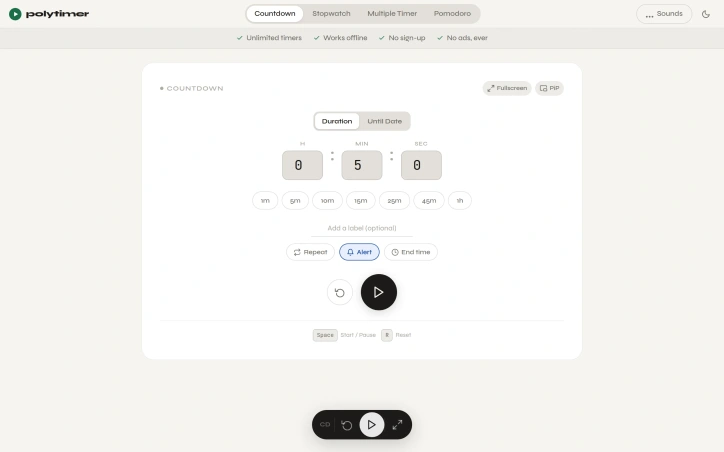
Finding the right timer tool online often means wading through cluttered interfaces, intrusive ads, and unnecessary features that distract rather than help. PolyTimer solves this by offering a distraction-free timer that runs entirely in the browser without requiring downloads, account creation, or subscriptions. The product targets anyone who needs reliable timing functionality: students managing study sessions, professionals working on time-blocked tasks, fitness enthusiasts tracking workouts, and anyone practicing productivity techniques like the Pomodoro method. What sets PolyTimer apart is its ruthless commitment to simplicity. The interface prioritizes speed and clarity over feature bloat. Users can start a timer in seconds using one-click preset durations ranging from one minute to one hour, or by entering custom times. The platform supports multiple timer modes: a standard countdown timer with customizable labels and repeat functionality, a digital stopwatch with lap timing and CSV export capabilities, a structured Pomodoro timer with adjustable phase durations, and a grid system for running multiple timers simultaneously. All modes include picture-in-picture and fullscreen options, making the tool adaptable to any workflow. Offline functionality ensures timers continue working without internet connectivity, while the browser-based architecture means immediate access across desktop, tablet, and mobile devices without installation. Users can customize their experience through alert sounds, ambient soundscapes like rain or ocean ambience, and time-until-completion displays showing the exact clock time when a timer will finish. The business model is refreshingly transparent: PolyTimer is entirely free with a firm commitment against advertisements. This approach reflects the founder's stated philosophy that the best tools handle one job exceptionally well rather than attempting to become sprawling productivity platforms. The product addresses a genuine pain point—the difficulty of finding a genuinely clean, fast timer online—with a focused solution that doesn't attempt to monetize through ads, paywalls, or feature gatekeeping. For anyone frustrated by the noise surrounding ordinary web-based tools, PolyTimer delivers exactly what its positioning promises: a functional, accessible timer that remains intentionally simple and perpetually free.

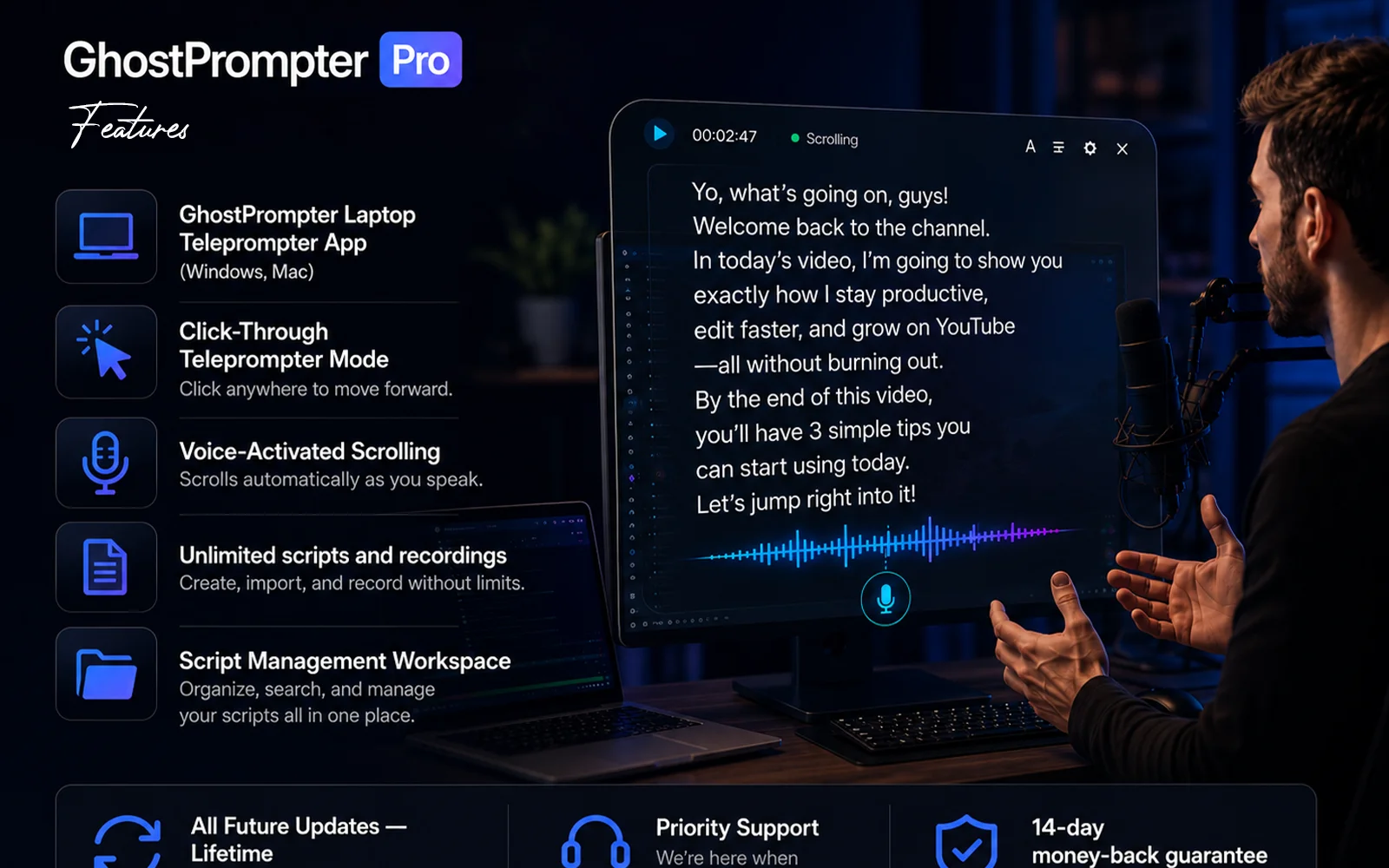
Recording on camera presents a paradox: you know what to say, but maintaining natural eye contact while reading notes proves nearly impossible. Most teleprompter applications claim to solve this by appearing in one form or another, whether as a blocking overlay that covers your interface, a tool that forces you to match its scroll speed, or software that crumbles the moment you need to click or type during a demonstration. This product addresses that frustration with a straightforward design philosophy—a transparent laptop teleprompter that reads your script while staying invisible to both you and your audience. The tool serves creators, educators, sales professionals, and anyone whose work involves recording or presenting on camera. Its core innovation is a click-through overlay that displays your script in a transparent layer, passing mouse clicks and keyboard input directly to whatever application sits behind it. This means you can read your notes while demonstrating software, navigating slides, or answering questions without the tool interfering with your work. Several features distinguish it from conventional teleprompter applications. Voice-activated scrolling lets the script advance automatically based on your speaking pace, pausing when you emphasize points and catching up when you speak quickly. The script remains invisible in screen shares and recordings regardless of your streaming platform, working seamlessly with Zoom, Loom, OBS, ScreenFlow, and Teams. Built-in script management lets you write, organize, and store multiple scripts within the application rather than juggling files elsewhere. The product supports Windows and Mac and offers a free trial. The positioning reflects a philosophy evident in its origin story: most existing teleprompter applications solve one problem but create another. By designing around a click-through overlay that genuinely gets out of your way, this solution attacks a frustration point in the creator economy. It recognizes that helping people remember their lines matters less than letting them maintain the composure and eye contact that distinguishes polished content from obviously scripted delivery. The bet is that most creators would rather invest in a purpose-built tool than waste countless hours re-recording takes until the delivery finally lands.

Finding the right information quickly remains a perennial friction point for engineers and learners. Knowledge exists everywhere—scattered across documentation, Stack Overflow threads, expired blog posts, and bookmarks from years ago—but rarely in a format designed for how people actually need to use it. CheatGrid addresses this by centralizing technical and professional knowledge across 1,300 topics into a single searchable platform organized around consistent principles. The core offering centers on structured cheat sheets formatted uniformly across every topic: a concept column, paired examples, and detailed descriptions arranged by frequency of use rather than alphabetical ordering. This consistency means users learn the layout once and navigate any subject without cognitive overhead. Each sheet includes a mind map and quick index for discovering what a topic contains, from fundamental techniques to advanced patterns most references gloss over. What distinguishes CheatGrid beyond the cheat sheets themselves is its investment in retention mechanisms. Spaced-repetition flashcards present beginner-friendly explanations with concrete examples, timed to resurface just before a user would typically forget them. Practice tests layer in active recall with realistic wrong answers, multiple study modes, and explanations grounding every question. For professionals pursuing certifications, the platform bundles these three formats together for specific exams including AWS, Azure, CISSP, Security+, PMP, CFA, and CPA, aligning content to official exam domains. The breadth is notable: coverage spans programming, cloud infrastructure, AI, DevOps, data systems, security, and professional development skills, unified under one subscription. Users can star rows for personal vaults, track progress through streaks and XP systems, and jump between related concepts through cross-referenced links. The product targets two distinct audiences. For practitioners who constantly reference half-remembered concepts, the platform consolidates what would otherwise require dozens of browser tabs and context-switching across incompatible sources. For learners—whether pursuing certifications or acquiring new technical skills—the spaced-repetition and practice test features transform it from a lookup tool into an active learning system, addressing the gap between passive reading and retention. The consistent table-based structure and integrated learning features address a real workflow problem: most reference materials optimize for completeness or searchability, not for how people actually learn or reference knowledge under time pressure. CheatGrid reorganizes around those practical constraints instead.