
Catalyst Healthspan Audit
Personal trainers typically sell training sessions. This startup reversed the equation by building assessment first, mak...
Launchory
We built Launchory to solve the discoverability problem for startups. Our platform offers instant approval, permanent do...
Best Scheduling software Startups & Tools
Scheduling software organizes appointments, syncs calendars, coordinates teams, and auto-creates events from messages.
Recently Listed
10 launches
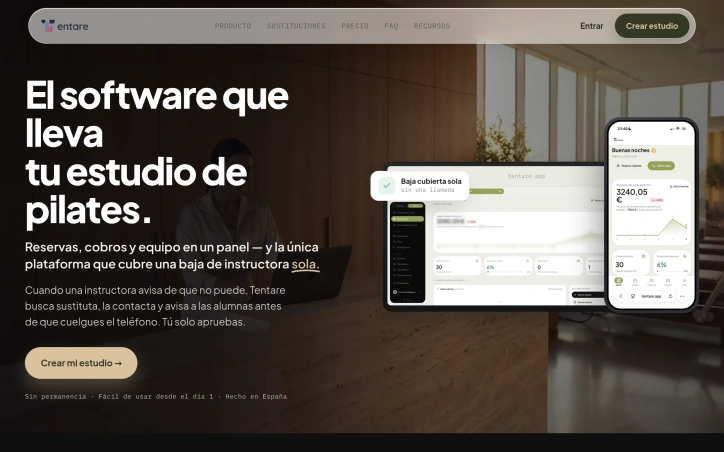
Managing a Pilates studio means juggling reservations, instructor schedules, payments, and last-minute cancellations across multiple disconnected apps. Tentare consolidates this fragmentation into a single platform purpose-built for studio operations, addressing a real operational crisis that studio owners face daily. The core problem Tentare solves is the chaos of last-minute instructor cancellations. The platform contrasts a typical crisis—40 minutes of phone calls, miscommunications in WhatsApp groups, and a class potentially being cancelled—with an automated resolution that takes minutes. When an instructor cancels, the system identifies available replacements based on their certified class types and availability, gets approval instantly, and notifies already-enrolled students without the studio owner lifting a finger. This single feature alone justifies the platform for many studios. What distinguishes Tentare is its granular understanding of Pilates operations. It manages capacity not just by class size but by individual reformer availability, preventing the common scheduling error where two classes overlap in the same room. It recognizes that Pilates classes require specific instructor certifications—reformer, mat, prenatal—and only suggests substitutes who are qualified. Most studio management software treats classes generically; Tentare is built by people who understand the industry. The platform integrates the full business workflow. Students reserve and cancel through their phones, triggering automatic waitlist promotions. Communication happens through the channel students prefer, with automated reminders and updates. Billing handles recurring memberships, single-class passes, and failed payment retries without manual intervention. Instructors log their hours directly. The studio owner sees daily metrics—revenue, occupancy, renewal rates—on the same interface on mobile or desktop. Payment processing runs through Stripe without additional commission from Tentare, keeping economics transparent. Invoicing is legal and compliant from the first transaction. The platform stores complete student history, class attendance, membership status, and communication in one place, eliminating the spreadsheet archaeology that plagues studios today. The platform targets mid-size studios—those large enough to need coordination but small enough to feel the pain of fragmentation acutely. Studios with a handful of instructors and 50 to 200 active students gain the most immediate relief from automating instructor substitution and student communication. Tentare is built iteratively with studio feedback, prioritizing practical workflow over feature sprawl.

Appointment scheduling doesn't sound like a business problem until you're a service professional hemorrhaging revenue because clients can't book you easily. FlowReserve targets exactly this friction point: the back-and-forth messaging, the spreadsheet chaos, the double-bookings, the no-shows that waste billable hours. The product positions itself as the operational backbone that lets service professionals stop managing calendars and start managing their business. The platform's core insight is straightforward but effective: make booking so frictionless and binding that it changes client behavior. Clients book through a dedicated link, not via DM threads or email chains. The system prevents double-bookings at the database level, eliminating the scheduling errors that damage reputation. By collecting deposits at booking time, FlowReserve acknowledges a behavioral reality: upfront payment correlates with show rates. Clients who commit financially show up. What sets FlowReserve apart is how it addresses the cascading problems of manual scheduling in one system. Cancellations automatically notify a waitlist, keeping calendar slots from going dark. Clients can reschedule themselves through a secure link, removing the need for renegotiation calls. The system surfaces analytics on demand patterns—busiest hours, top services, conversion data—giving professionals visibility into their business that manual scheduling never provided. The product launches with effective positioning focused on outcomes rather than features. The comparison between a chaotic Monday morning and one powered by automated booking resonates: wake up to six DMs versus three confirmed, paid bookings. The setup itself removes friction: no credit card required, two-minute onboarding, free to start. This aligns with FlowReserve's core philosophy of eliminating barriers to adoption. One meaningful gap: the marketing material concentrates on the emotional and financial costs of current workflows but remains vague on pricing structure, feature limits, and long-term economics. For professionals evaluating sustained adoption, the costs beyond the free tier remain opaque. That said, the zero-friction entry point is strategically sound for a scheduling tool targeting solopreneurs and small service businesses. The product itself addresses the exact problem it promises to solve: eliminate the friction between client intent and confirmed booking.


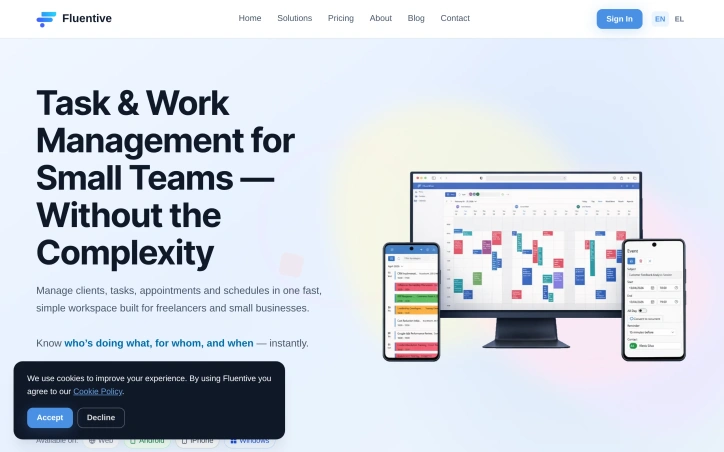
Small teams and freelancers often struggle with disorganized calendars, missed deadlines, and a lack of visibility into team activities. The complexity of traditional CRM and scheduling tools exacerbates these issues, as they are typically designed for larger companies with more resources. Fluentive addresses these pain points by providing a streamlined workspace for managing clients, tasks, appointments, and schedules in a single, intuitive platform. The product stands out for its focus on simplicity and clarity, eschewing the clutter and feature bloat that characterizes many CRM solutions. By integrating scheduling, client management, and team coordination into one place, Fluentive eliminates the need to juggle multiple apps, spreadsheets, and paper notebooks. Its flexible calendar allows teams to view schedules side-by-side, manage appointments, and avoid double-booking. Key features of Fluentive include its professional calendar, which adapts to the team's workflow and offers day, week, and month views, as well as timezone-aware scheduling for international teams. The platform also provides comprehensive client management capabilities, including contact profiles, rich text notes, and a complete history of tasks and events. Notably, Fluentive is built by the team behind Organizer, a product used by hundreds of businesses across multiple professions. This heritage is evident in Fluentive's design, which prioritizes the needs of small teams and freelancers. A free trial plan is available, with no credit card required, allowing potential customers to test the platform before committing. Overall, Fluentive offers a compelling solution for small teams seeking to simplify their job and scheduling management processes. Its intuitive design and robust feature set make it an attractive alternative to more complex and cumbersome CRM solutions.

Workforce scheduling has long been a time sink for managers, consuming hours weekly on tasks that should be routine. Staff Scheduling addresses this directly by condensing the scheduling workflow into minutes rather than hours, giving managers back time to focus on higher-value work. The platform targets growing teams, with particular emphasis on Canadian businesses, though its global presence across nine countries suggests broader appeal. The product handles the core scheduling functions: shift creation, employee availability tracking, leave request management, and team communication through real-time updates. Setup takes under ten minutes, removing friction for businesses that want to move quickly from sign-up to operational use. The standout element of Staff Scheduling's positioning is its Canadian foundation coupled with proven international traction. Rather than positioning as a global-first SaaS product, the company explicitly builds for Canadian businesses while serving teams worldwide. This suggests a strategy of deep regional expertise exported globally rather than generic internationalization. The platform consolidates multiple workflows into one interface. Rather than managing schedules in spreadsheets and leave requests through email, users handle both within the same system, reducing context switching and communication gaps. The inclusion of automatic time tracking bridges scheduling and payroll, two functions typically fragmented across tools. The free trial removes adoption friction: fifteen days with no credit card required. This is a reasonable trial length for managers to evaluate whether the tool meaningfully reduces their administrative load. On the business model side, the founder claims the platform cuts labor costs by eighteen percent. While unsupported by detailed case studies in the available material, the claim points toward a specific outcome: managers are expected to recoup the software cost through time savings and payroll efficiency. No pricing details are disclosed in the public messaging, suggesting the company may handle pricing through custom quotes or tiered plans typical of workforce management software. For managers juggling schedules across multiple channels or spreadsheets, Staff Scheduling offers consolidation and speed. The Canadian specificity is notable in a market where many competitors position as global platforms first, making it worth a closer look for teams in that region.


Sending meaningful messages to loved ones or one's future self can be a thoughtful and personal gesture, and iSent.co.uk provides a straightforward way to do just that. The platform caters to individuals seeking to schedule messages for future delivery, allowing users to write or record something meaningful today and have it delivered on a chosen date. What stands out about this product is its simplicity and the emotional value it offers. The service is designed for personal use and entertainment, suggesting that it is targeting individuals looking for a unique way to connect with others or reflect on their own thoughts and experiences over time. The platform allows users to compose a message and schedule it for delivery via email on a specific date. Users also have the option to upload an audio file to accompany their message, provided they own the rights to the content. The service is not without its limitations, however, as the company explicitly states that it does not guarantee timely or uninterrupted delivery due to factors outside its control, such as technical issues or problems with email providers. Each message requires a payment of £1, processed securely through Stripe, and payments are non-refundable except as required by law. This straightforward pricing model is clear and easy to understand. Overall, iSent.co.uk offers a novel way for individuals to send messages to themselves or others at a future date, making it a unique offering for those seeking a thoughtful and personal way to connect with others or reflect on their own experiences over time.


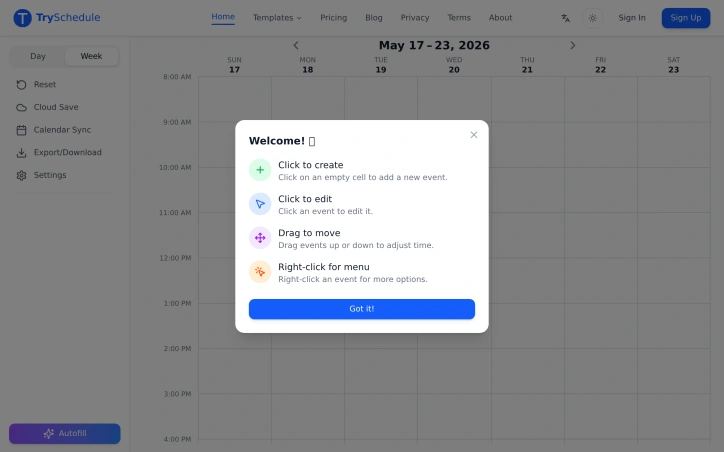
Weekly planning just got a lot simpler thanks to a free online schedule builder that eliminates the hassle of cumbersome scheduling tools. The creator of this tool identified a problem with existing solutions that require manual formatting or subscriptions, and set out to solve it with a drag-and-drop interface. The result is a user-friendly platform ideal for students, shift managers, fitness enthusiasts, and freelancers who need to organize their time effectively. What stands out about this schedule builder is its ease of use and flexibility. Users can create professional-looking weekly schedules in minutes without needing to sign up or worry about hidden fees. The drag-and-drop functionality allows for easy adjustments, and the ability to add colors and labels helps to organize the schedule. The tool also adapts to various needs, from class timetables to workout plans, making it a versatile solution. Key features worth noting include the ability to export schedules as high-resolution images or PDFs, ready to print or share, and the option to switch between day and week views. The schedule builder also outperforms other planning tools like Excel, calendar apps, and paper planners in terms of ease of use, weekly structure, and flexibility. Notably, this schedule builder is completely free, with no signup required and no limits on its features. Unlike premium tools that cost between $10 to $30 a month, this solution provides a full drag-and-drop experience at zero cost. With over 500 verified users rating it 4.7 out of 5, it's clear that this tool has hit the mark for those seeking a simple and effective weekly planning solution.

Event organizers and marketers often struggle to get their events onto attendees' calendars, resulting in low attendance rates. CalendarTap addresses this issue by providing a simple and effective solution. The tool is designed for a wide range of users, including event organizers, small businesses, email marketers, healthcare providers, educational institutions, and developers. What stands out about CalendarTap is its ease of use and versatility. It allows users to generate custom "add to calendar" buttons for various calendar services, including Google Calendar, Apple Calendar, Outlook, and Yahoo Calendar. The tool also enables users to create dedicated event details pages with fully customizable styling to match their brand identity. This level of customization is a significant advantage, as it allows users to seamlessly integrate CalendarTap into their existing branding. The key features of CalendarTap include individual buttons for each calendar service, email HTML templates, and a single button with a popup modal. Users can also create standalone event details pages and control various aspects of the button's appearance, such as icon size, colors, and borders. Additionally, the tool provides a live preview feature, allowing users to see their calendar buttons in real-time as they customize them. CalendarTap offers a free plan with no credit card required, and users can upgrade to a paid plan to unlock advanced features like RSVP tracking. The tool is designed to be easy to integrate into various platforms, including WordPress, Squarespace, and Wix. Overall, CalendarTap is a valuable resource for anyone looking to increase event attendance and streamline their calendar integration process.


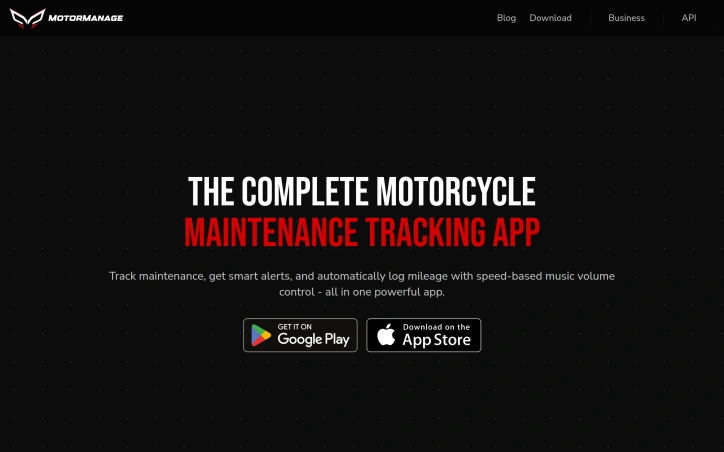
Motorcycle enthusiasts and owners often struggle to keep track of their bike's maintenance history, service intervals, and part wear, juggling scattered records across notebooks, receipts, and memory. MotorManage addresses this issue head-on, providing a comprehensive solution for riders to manage their motorcycle's health. The app is designed for DIY enthusiasts and professionals alike, including mechanics and fleet operators, offering a centralized platform to track maintenance, receive smart alerts, and log mileage. What sets MotorManage apart is its robust offline functionality, allowing users to access and update their bike's records even without internet connectivity, syncing data when back online. This feature is particularly useful for those with poor cell reception in their garage. The app also boasts an extensive database of over 600 motorcycle brands and 45,000 models, ensuring accurate tracking and customized maintenance schedules based on manufacturer recommendations. Notably, MotorManage offers a range of features, including the ability to track multiple bikes, with the free plan supporting up to two motorcycles. Users can also track part durability, log maintenance history, and share their bike's status with others via a web link. The app's Speedy feature provides speed-based music volume control, automatically updating mileage in the process. The app's ease of use is evident, with users able to get started in under five minutes, and its effectiveness is backed by testimonials from satisfied riders who have streamlined their maintenance tracking and caught potential issues early. MotorManage is available for both Android and iOS devices, with a generous free tier and no credit card required for download.
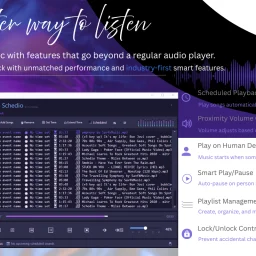
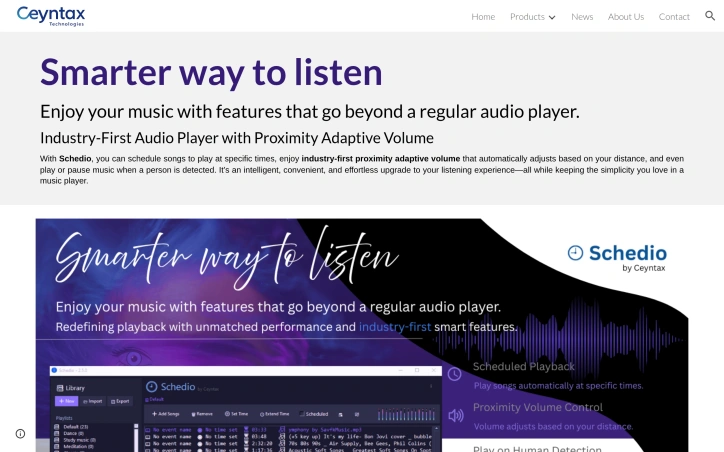
Automating audio playback based on presence and proximity, Schedio positions itself as an intelligent upgrade to standard media players for Windows users who want hands-free control over their listening environment. The application targets two distinct use cases: event organizers and presenters who need scheduled playback, and home or workspace users seeking ambient music that responds dynamically to occupancy. The product's core distinction lies in its sensor-driven features. Rather than requiring manual volume adjustments or playback commands, Schedio detects nearby movement via webcam and alters audio behavior accordingly. The proximity volume function continuously adjusts levels based on distance—playing softer as listeners approach and louder as they move away. This approach eliminates constant volume tweaking and creates a responsive listening experience that adapts in real time. The human detection feature automates play and pause entirely, starting playback when movement is detected and stopping when a space empties. For events or presentations, the scheduled playback capability lets users queue content to activate at predetermined times without oversight. The feature set extends beyond these core functions. Smart play/pause works as a persistent version of human detection, automatically resuming music when someone reenters a space. Playlist management provides standard organizational tools, while lock/unlock controls prevent accidental setting changes—useful in shared or public environments. An "extend scheduled time" feature allows single-click adjustments to ongoing playback, and the company emphasizes a professional audio engine tuned for clarity and depth. Schedio operates as a lightweight desktop application rather than a cloud-dependent service. It requires Windows 10 or 11 and needs internet connectivity only for initial setup; afterward, it functions entirely offline. A webcam and sound card are the only hardware prerequisites beyond the operating system itself. The product occupies a narrow but potentially valuable niche. Most audio players prioritize music discovery or library management. Schedio instead optimizes for environmental control and automation, making it suited for retail spaces, hospitality venues, presentation rooms, or homes where occupancy-responsive audio adds value. The execution strategy—offline-first architecture, minimal system overhead—suggests practical deployment considerations. What remains unclear from available information is pricing structure, licensing model, and whether the application serves individual consumers or targets businesses. The feature sophistication implies either paid or freemium positioning, though no details appear publicly documented.

Managing vehicle records shouldn't require juggling spreadsheets, receipts, and scattered maintenance notes. Car File addresses this problem directly by consolidating UK vehicle data, service history, and expense tracking into a single application, serving individual drivers, fleet managers, and anyone responsible for multiple vehicles. The product's core strength lies in its integration with the Driver and Vehicle Licensing Agency (DVLA). Rather than manually entering vehicle details, users input a registration number or VIN and retrieve official vehicle information instantly. This removes friction from onboarding and establishes a reliable data foundation. Beyond data retrieval, the app organizes the ongoing responsibilities of vehicle ownership. Users log fuel consumption to track efficiency patterns and identify cost optimization opportunities. Automated alerts notify owners of upcoming MOT tests and insurance renewals—critical compliance dates that are easy to overlook. A service history module consolidates maintenance records, parts, and provider information in one location. Expense tracking enables owners to categorize and report all vehicle-related costs, with built-in report generation for tax purposes and business analysis. The analytics component transforms scattered data into actionable insights. Rather than thinking in isolation about individual expenses, users can identify trends across their fleet and make informed decisions about vehicle usage and maintenance spending. Car File's approach to transparency is notable. The company publicly reports a 99.9% uptime figure and displays a 4.4 out of 5 rating on Trustpilot, with reviews highlighting the reduction in forgotten maintenance tasks and the practical benefits for fleet operators managing multiple vehicles. Pricing is straightforward and tiered. The entry-level Basic plan covers a single vehicle at £69 annually. The Pro tier scales to three vehicles for £149 yearly, while the Premium option unlocks unlimited vehicles for £279 annually. All plans include DVLA integration and core features, though Premium adds advanced analytics, CSV export, priority support, and multi-user family sharing for up to five people. The company offers a 14-day free trial at the Premium level and a 30-day money-back guarantee, reducing adoption friction. The platform succeeds by solving a genuine administrative burden—vehicle management across data retrieval, compliance, maintenance, and costs. Its DVLA integration and structured expense tracking differentiate it from generic note-taking solutions, positioning it as a specialized tool for a specific audience rather than a general-purpose application.