
Best Productivity Startups & Tools

Recently Listed

278 launches

Sort
CogniFocus

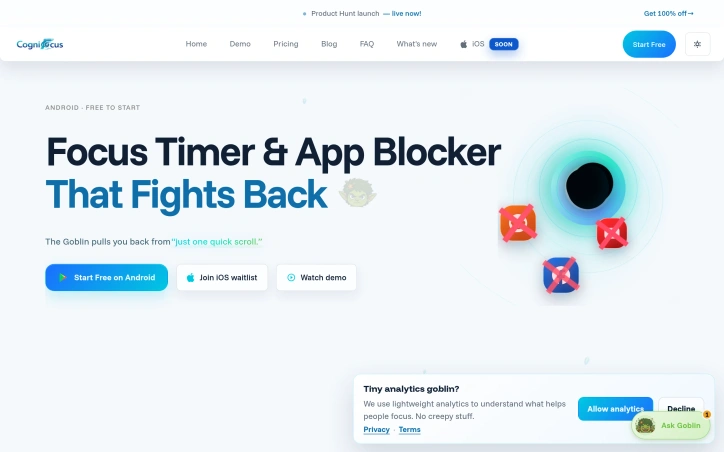
Distraction management has largely been a one-dimensional problem, with app blockers treating phone usage like an on-off switch. CogniFocus reframes the issue for Android users caught in compulsive social media loops, recognizing that technical barriers alone fail to address the psychological habit patterns that keep people scrolling for hours after a "quick check" of Instagram or TikTok. The product pivots around an anthropomorphic accountability system: a Goblin companion that reacts to your behavior during focus sessions. Rather than silently blocking apps, the Goblin responds visibly to distraction attempts, creating social pressure and a layer of real-time feedback. Early access users reported substantial behavioral shifts, moving from multiple distraction breaks per session to one or fewer, with the streak mechanics cited as primary motivation for maintaining clean focus windows. What distinguishes CogniFocus from conventional timer-plus-blocker combinations is its recovery framework. The system acknowledges that slipping back into blocked apps happens and reframes a single lapse as a recovery opportunity rather than session failure. Users earn progression currency—streaks, XP, Focus Shards, and companion affinity—that accumulates across sessions, turning focus maintenance into an ongoing progression loop with visible rewards. This gamification design addresses a core behavioral insight: people respond to measurable progress and social cues more reliably than punitive restrictions. The Shield component handles the technical enforcement, blocking designated apps before "one quick check" stretches into lost hours. A roadmap signals planned escalation through uninstall protection, Ghost Mode, Do Not Disturb integration, and stricter focus modes, suggesting the team is iterating toward making the Goblin's interventions progressively harder to circumvent. The companion expansion roadmap introduces Monk, Buddy, and Wizard variants, hinting that variety in accountability personalities may serve different user psychology or focus contexts. This signals awareness that one accountability archetype won't sustain long-term behavioral change. Pricing details remain sparse—the site advertises free access for Android launch with an iOS waitlist—suggesting either a freemium model or promotional entry pricing. The product is currently Android-only, making it inaccessible to the substantial iOS user base despite parallel demand. CogniFocus targets a specific subset of users: those whose distraction struggles stem from compulsive checking behaviors rather than external interruptions, and who respond to gamification and social accountability mechanics. For that audience, the psychological intervention layer adds meaningful differentiation to an otherwise crowded space.

Time-tracking-apps
C
CogniElevate

Distraction management has largely been a one-dimensional problem, with app blockers treating phone usage like an on-off switch. CogniFocus reframes the issue for Android users caught in compulsive social media loops, recognizing that technical barriers alone fail to address the psychological habit patterns that keep people scrolling for hours after a "quick check" of Instagram or TikTok. The product pivots around an anthropomorphic accountability system: a Goblin companion that reacts to your behavior during focus sessions. Rather than silently blocking apps, the Goblin responds visibly to distraction attempts, creating social pressure and a layer of real-time feedback. Early access users reported substantial behavioral shifts, moving from multiple distraction breaks per session to one or fewer, with the streak mechanics cited as primary motivation for maintaining clean focus windows. What distinguishes CogniFocus from conventional timer-plus-blocker combinations is its recovery framework. The system acknowledges that slipping back into blocked apps happens and reframes a single lapse as a recovery opportunity rather than session failure. Users earn progression currency—streaks, XP, Focus Shards, and companion affinity—that accumulates across sessions, turning focus maintenance into an ongoing progression loop with visible rewards. This gamification design addresses a core behavioral insight: people respond to measurable progress and social cues more reliably than punitive restrictions. The Shield component handles the technical enforcement, blocking designated apps before "one quick check" stretches into lost hours. A roadmap signals planned escalation through uninstall protection, Ghost Mode, Do Not Disturb integration, and stricter focus modes, suggesting the team is iterating toward making the Goblin's interventions progressively harder to circumvent. The companion expansion roadmap introduces Monk, Buddy, and Wizard variants, hinting that variety in accountability personalities may serve different user psychology or focus contexts. This signals awareness that one accountability archetype won't sustain long-term behavioral change. Pricing details remain sparse—the site advertises free access for Android launch with an iOS waitlist—suggesting either a freemium model or promotional entry pricing. The product is currently Android-only, making it inaccessible to the substantial iOS user base despite parallel demand. CogniFocus targets a specific subset of users: those whose distraction struggles stem from compulsive checking behaviors rather than external interruptions, and who respond to gamification and social accountability mechanics. For that audience, the psychological intervention layer adds meaningful differentiation to an otherwise crowded space.

CogniFocus preview

Key features

  • Goblin Accountability: An anthropomorphic companion that reacts visibly to distraction attempts, creating social pressure during focus sessions.
  • Focus Shield: Technical enforcement component that blocks designated apps to prevent compulsive checking.
See full listing
Aripsy

Converting textbooks and lecture notes into effective study materials consumes enormous time for students preparing for exams. Aripsy tackles this friction by using AI to instantly transform PDFs, pasted text, and lecture notes into structured study content: notes, flashcards, multiple-choice questions, and practice tests tailored to specific exam boards and curricula. The product targets students across educational tiers—GCSE, A-Level, IB Diploma, AP, SAT, and university students, including those in medical and law programs. Its curriculum-specific approach means the output respects the actual exam formats and content depth students encounter, rather than generic study aids. What distinguishes Aripsy from broader AI tools is its singular focus on exam preparation workflows. The interface accepts a single input (PDF or pasted text) and outputs multiple study formats, eliminating the need to prompt an AI repeatedly or copy-paste between tools. A student can upload a 500-page textbook and receive both searchable summary notes and a set of multiple-choice questions designed to identify knowledge gaps. The product offers mark schemes for practice exams, grounding self-assessment in actual curriculum standards. The design philosophy reinforces active recall over passive consumption—the core mechanism of effective learning. Rather than relying on gamification or engagement-maximizing dark patterns, Aripsy positions itself as a straightforward study aid. This restraint is notable in edtech, where many competitors drive engagement through reward systems or social competition. The technical implementation handles substantial documents efficiently. The product processes large PDFs in seconds and generates structured outputs that mirror how actual study notes are organized—by topic, concept, and difficulty level. The flashcard and MCQ generators produce multiple attempts from a single source, extending the utility of each upload. Pricing follows a freemium model. The free tier allows pasted text and free PDFs, making the service fully functional for basic use. Pro accounts cost $4.99 per month and unlock PDF uploads plus 300 monthly AI generations. The company explicitly positions Pro as optional, keeping the free tier genuinely useful for evaluating the service. Aripsy succeeds because it narrows scope ruthlessly. Rather than attempting to be a general study app with chat, note-taking, scheduling, and social features, it handles one job: converting source material into multiple exam-ready formats. For students drowning in reading materials and short on study time, that specificity has clear value.


Ai-notetakers
A
Amin Mudassir

Converting textbooks and lecture notes into effective study materials consumes enormous time for students preparing for exams. Aripsy tackles this friction by using AI to instantly transform PDFs, pasted text, and lecture notes into structured study content: notes, flashcards, multiple-choice questions, and practice tests tailored to specific exam boards and curricula. The product targets students across educational tiers—GCSE, A-Level, IB Diploma, AP, SAT, and university students, including those in medical and law programs. Its curriculum-specific approach means the output respects the actual exam formats and content depth students encounter, rather than generic study aids. What distinguishes Aripsy from broader AI tools is its singular focus on exam preparation workflows. The interface accepts a single input (PDF or pasted text) and outputs multiple study formats, eliminating the need to prompt an AI repeatedly or copy-paste between tools. A student can upload a 500-page textbook and receive both searchable summary notes and a set of multiple-choice questions designed to identify knowledge gaps. The product offers mark schemes for practice exams, grounding self-assessment in actual curriculum standards. The design philosophy reinforces active recall over passive consumption—the core mechanism of effective learning. Rather than relying on gamification or engagement-maximizing dark patterns, Aripsy positions itself as a straightforward study aid. This restraint is notable in edtech, where many competitors drive engagement through reward systems or social competition. The technical implementation handles substantial documents efficiently. The product processes large PDFs in seconds and generates structured outputs that mirror how actual study notes are organized—by topic, concept, and difficulty level. The flashcard and MCQ generators produce multiple attempts from a single source, extending the utility of each upload. Pricing follows a freemium model. The free tier allows pasted text and free PDFs, making the service fully functional for basic use. Pro accounts cost $4.99 per month and unlock PDF uploads plus 300 monthly AI generations. The company explicitly positions Pro as optional, keeping the free tier genuinely useful for evaluating the service. Aripsy succeeds because it narrows scope ruthlessly. Rather than attempting to be a general study app with chat, note-taking, scheduling, and social features, it handles one job: converting source material into multiple exam-ready formats. For students drowning in reading materials and short on study time, that specificity has clear value.

Aripsy preview

Key features

  • AI-Powered Conversion: Transforms PDFs and pasted text into study materials instantly
  • Curriculum-Specific Output: Generates content aligned to GCSE, A-Level, IB, AP, SAT, and university exam standards
See full listing
FlowReserve

Appointment scheduling doesn't sound like a business problem until you're a service professional hemorrhaging revenue because clients can't book you easily. FlowReserve targets exactly this friction point: the back-and-forth messaging, the spreadsheet chaos, the double-bookings, the no-shows that waste billable hours. The product positions itself as the operational backbone that lets service professionals stop managing calendars and start managing their business. The platform's core insight is straightforward but effective: make booking so frictionless and binding that it changes client behavior. Clients book through a dedicated link, not via DM threads or email chains. The system prevents double-bookings at the database level, eliminating the scheduling errors that damage reputation. By collecting deposits at booking time, FlowReserve acknowledges a behavioral reality: upfront payment correlates with show rates. Clients who commit financially show up. What sets FlowReserve apart is how it addresses the cascading problems of manual scheduling in one system. Cancellations automatically notify a waitlist, keeping calendar slots from going dark. Clients can reschedule themselves through a secure link, removing the need for renegotiation calls. The system surfaces analytics on demand patterns—busiest hours, top services, conversion data—giving professionals visibility into their business that manual scheduling never provided. The product launches with effective positioning focused on outcomes rather than features. The comparison between a chaotic Monday morning and one powered by automated booking resonates: wake up to six DMs versus three confirmed, paid bookings. The setup itself removes friction: no credit card required, two-minute onboarding, free to start. This aligns with FlowReserve's core philosophy of eliminating barriers to adoption. One meaningful gap: the marketing material concentrates on the emotional and financial costs of current workflows but remains vague on pricing structure, feature limits, and long-term economics. For professionals evaluating sustained adoption, the costs beyond the free tier remain opaque. That said, the zero-friction entry point is strategically sound for a scheduling tool targeting solopreneurs and small service businesses. The product itself addresses the exact problem it promises to solve: eliminate the friction between client intent and confirmed booking.


Scheduling-software
A
AutomyxAutomations

Appointment scheduling doesn't sound like a business problem until you're a service professional hemorrhaging revenue because clients can't book you easily. FlowReserve targets exactly this friction point: the back-and-forth messaging, the spreadsheet chaos, the double-bookings, the no-shows that waste billable hours. The product positions itself as the operational backbone that lets service professionals stop managing calendars and start managing their business. The platform's core insight is straightforward but effective: make booking so frictionless and binding that it changes client behavior. Clients book through a dedicated link, not via DM threads or email chains. The system prevents double-bookings at the database level, eliminating the scheduling errors that damage reputation. By collecting deposits at booking time, FlowReserve acknowledges a behavioral reality: upfront payment correlates with show rates. Clients who commit financially show up. What sets FlowReserve apart is how it addresses the cascading problems of manual scheduling in one system. Cancellations automatically notify a waitlist, keeping calendar slots from going dark. Clients can reschedule themselves through a secure link, removing the need for renegotiation calls. The system surfaces analytics on demand patterns—busiest hours, top services, conversion data—giving professionals visibility into their business that manual scheduling never provided. The product launches with effective positioning focused on outcomes rather than features. The comparison between a chaotic Monday morning and one powered by automated booking resonates: wake up to six DMs versus three confirmed, paid bookings. The setup itself removes friction: no credit card required, two-minute onboarding, free to start. This aligns with FlowReserve's core philosophy of eliminating barriers to adoption. One meaningful gap: the marketing material concentrates on the emotional and financial costs of current workflows but remains vague on pricing structure, feature limits, and long-term economics. For professionals evaluating sustained adoption, the costs beyond the free tier remain opaque. That said, the zero-friction entry point is strategically sound for a scheduling tool targeting solopreneurs and small service businesses. The product itself addresses the exact problem it promises to solve: eliminate the friction between client intent and confirmed booking.

FlowReserve preview

Key features

  • Frictionless Booking Link: Clients book through a dedicated link instead of DM threads or email chains
  • Double-Booking Prevention: Prevents double-bookings at the database level to eliminate scheduling errors
See full listing
PhotoProof

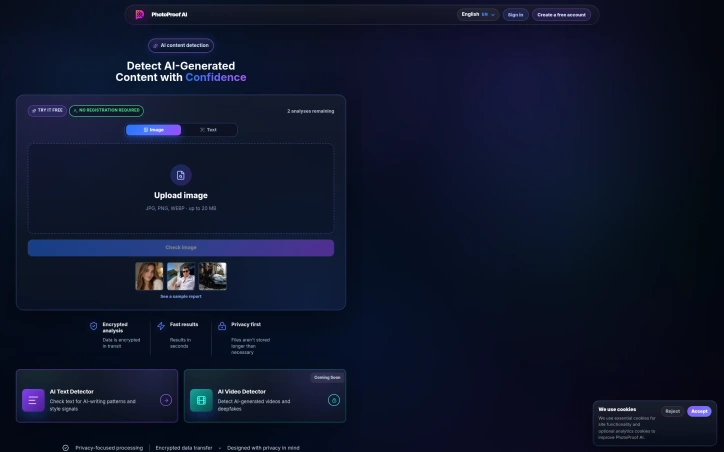
Distinguishing authentic photographs from AI-generated or manipulated content has become a critical challenge as synthetic media proliferates. PhotoProof addresses this need with an automated detection system that evaluates images for signs of artificial generation, editing, deepfaking, and other forms of manipulation. The platform targets a diverse audience: journalists and researchers verifying source material, marketplaces and platforms combating fraudulent listings, educators teaching media literacy, and individuals checking social media profiles or dating app photos. A text detector identifies AI-writing patterns, while video analysis is announced as forthcoming. What differentiates PhotoProof is its multi-layered analytical approach. Every image undergoes five complementary forensic checks: visual pattern analysis searching for synthetic textures and unnatural lighting, metadata inspection examining camera and software records, scene consistency evaluation to identify anatomical or compositional anomalies, source type classification to determine whether an image originated as a camera capture or screenshot, and recompression detection to find traces of editing or manipulation. The system trains on over ten generative models including Midjourney, DALL-E 3, Stable Diffusion, Adobe Firefly, and others. The platform prioritizes speed and privacy. Analysis completes in under 45 seconds. Files are not retained beyond necessity, and all data transfer is encrypted. Rather than presenting definitive verdicts, PhotoProof delivers probabilistic confidence scores with clear explanations of the forensic signals supporting each assessment. The company transparently acknowledges that no detection tool can identify every model with certainty, and that both false positives and false negatives occur. The business model follows a freemium structure. New users receive three free image or text checks without providing credit card information, lowering barriers to casual verification while establishing a path to paid tiers for regular users. This approach allows individuals and organizations to trial the service before committing financially. PhotoProof fills a genuine gap in digital verification for an era where synthetic media rivals authentic photography in quality and distribution speed. The service provides practical forensic analysis accessible to users without specialized expertise in digital forensics, making image verification a realistic task for journalists, investigators, marketplace operators, and concerned individuals alike.

Security-software
P
PhotoProof

Distinguishing authentic photographs from AI-generated or manipulated content has become a critical challenge as synthetic media proliferates. PhotoProof addresses this need with an automated detection system that evaluates images for signs of artificial generation, editing, deepfaking, and other forms of manipulation. The platform targets a diverse audience: journalists and researchers verifying source material, marketplaces and platforms combating fraudulent listings, educators teaching media literacy, and individuals checking social media profiles or dating app photos. A text detector identifies AI-writing patterns, while video analysis is announced as forthcoming. What differentiates PhotoProof is its multi-layered analytical approach. Every image undergoes five complementary forensic checks: visual pattern analysis searching for synthetic textures and unnatural lighting, metadata inspection examining camera and software records, scene consistency evaluation to identify anatomical or compositional anomalies, source type classification to determine whether an image originated as a camera capture or screenshot, and recompression detection to find traces of editing or manipulation. The system trains on over ten generative models including Midjourney, DALL-E 3, Stable Diffusion, Adobe Firefly, and others. The platform prioritizes speed and privacy. Analysis completes in under 45 seconds. Files are not retained beyond necessity, and all data transfer is encrypted. Rather than presenting definitive verdicts, PhotoProof delivers probabilistic confidence scores with clear explanations of the forensic signals supporting each assessment. The company transparently acknowledges that no detection tool can identify every model with certainty, and that both false positives and false negatives occur. The business model follows a freemium structure. New users receive three free image or text checks without providing credit card information, lowering barriers to casual verification while establishing a path to paid tiers for regular users. This approach allows individuals and organizations to trial the service before committing financially. PhotoProof fills a genuine gap in digital verification for an era where synthetic media rivals authentic photography in quality and distribution speed. The service provides practical forensic analysis accessible to users without specialized expertise in digital forensics, making image verification a realistic task for journalists, investigators, marketplace operators, and concerned individuals alike.

PhotoProof  preview

Key features

  • Multi-Layered Forensic Analysis: Evaluates images through five complementary checks including visual pattern analysis, metadata inspection, scene consistency evaluation, source type classification, and recompression detection.
  • AI Model Training: Trained on over ten generative models including Midjourney, DALL-E 3, Stable Diffusion, and Adobe Firefly.
See full listing
Noise Decibel Meter

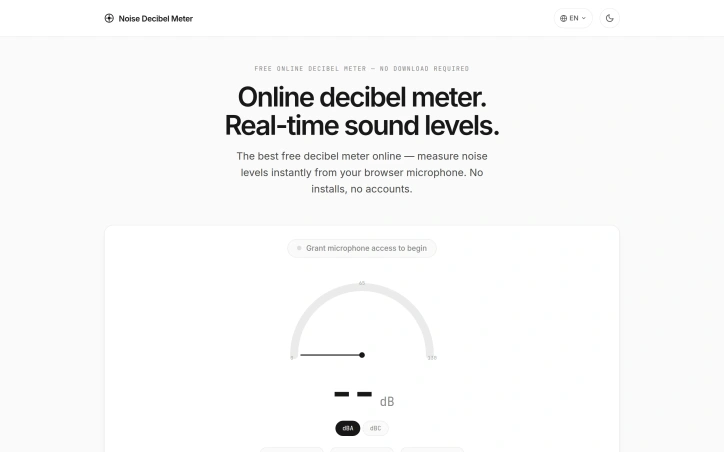
Sound level measurement traditionally requires expensive hardware or specialized applications, creating friction for anyone who simply needs a quick decibel reading. This free browser-based decibel meter addresses that gap by eliminating installation friction entirely—users open a webpage, grant microphone access, and begin measuring immediately. The tool targets a broad audience: homeowners investigating ambient noise, professionals conducting informal noise assessments, students exploring acoustics, and facility managers conducting quick environmental checks. While the website acknowledges that OSHA compliance work requires calibrated hardware, the tool serves as a practical first step for identifying noise problems before investing in professional-grade measurement. Several aspects distinguish this offering. Its privacy-first architecture processes all audio locally using the Web Audio API, never transmitting sound data to servers. This design choice eliminates both privacy concerns and the latency of cloud processing, delivering truly instantaneous readings. Cross-device compatibility extends functionality across laptops, desktops, tablets, and phones through any modern browser—no app ecosystem lock-in required. The feature set covers practical measurement needs. Users toggle between dBA weighting, which mimics human hearing sensitivity, and dBC weighting for capturing lower-frequency sounds. A 60-second historical graph reveals noise patterns and spikes rather than just snapshot values. Min, average, and maximum tracking provides statistical context for a measurement session. CSV export enables logging and analysis beyond the browser interface. Supplementing the tool itself, the website includes a reference chart mapping sound levels to real-world environments—from anechoic chambers at 0 dB through jets approaching 140 dB. This context helps users interpret whether measured levels are normal, concerning, or in the damage-risk zone typically above 85 dB. The pricing model requires no elaboration: the service is entirely free with no accounts, no upgrades, and no recorded data. This removes all barrier to trying the tool for the first time. The primary value proposition rests on convenience and accessibility. For environments where precise calibration matters, professional hardware remains necessary. For detecting whether a work environment exceeds reasonable thresholds, whether a venue is dangerously loud, or whether a neighbor's activity warrants attention, this tool provides an immediate answer without friction.

Productivity
A
Arijeet Singh

Sound level measurement traditionally requires expensive hardware or specialized applications, creating friction for anyone who simply needs a quick decibel reading. This free browser-based decibel meter addresses that gap by eliminating installation friction entirely—users open a webpage, grant microphone access, and begin measuring immediately. The tool targets a broad audience: homeowners investigating ambient noise, professionals conducting informal noise assessments, students exploring acoustics, and facility managers conducting quick environmental checks. While the website acknowledges that OSHA compliance work requires calibrated hardware, the tool serves as a practical first step for identifying noise problems before investing in professional-grade measurement. Several aspects distinguish this offering. Its privacy-first architecture processes all audio locally using the Web Audio API, never transmitting sound data to servers. This design choice eliminates both privacy concerns and the latency of cloud processing, delivering truly instantaneous readings. Cross-device compatibility extends functionality across laptops, desktops, tablets, and phones through any modern browser—no app ecosystem lock-in required. The feature set covers practical measurement needs. Users toggle between dBA weighting, which mimics human hearing sensitivity, and dBC weighting for capturing lower-frequency sounds. A 60-second historical graph reveals noise patterns and spikes rather than just snapshot values. Min, average, and maximum tracking provides statistical context for a measurement session. CSV export enables logging and analysis beyond the browser interface. Supplementing the tool itself, the website includes a reference chart mapping sound levels to real-world environments—from anechoic chambers at 0 dB through jets approaching 140 dB. This context helps users interpret whether measured levels are normal, concerning, or in the damage-risk zone typically above 85 dB. The pricing model requires no elaboration: the service is entirely free with no accounts, no upgrades, and no recorded data. This removes all barrier to trying the tool for the first time. The primary value proposition rests on convenience and accessibility. For environments where precise calibration matters, professional hardware remains necessary. For detecting whether a work environment exceeds reasonable thresholds, whether a venue is dangerously loud, or whether a neighbor's activity warrants attention, this tool provides an immediate answer without friction.

Noise Decibel Meter preview

Key features

  • Local Audio Processing: All sound analysis happens in your browser using the Web Audio API, with no data sent to servers.
  • Cross-Device Compatibility: Works on laptops, desktops, tablets, and phones through any modern browser without requiring an app.
See full listing
Compliance Chronicle

Navigating India's regulatory landscape—particularly the enforcement of the DPDP Act 2023 alongside requirements from the RBI, SEBI, and IRDAI—consumes significant time and expertise for founders and compliance teams across regulated industries. Compliance Chronicle addresses this friction by automating the compliance review process. The platform scans policies, contracts, and marketing materials against sector-specific regulatory requirements and delivers findings in under 30 seconds, identifying exactly what needs correction before regulators take notice. What distinguishes Compliance Chronicle from generic compliance tools is its precision focus on Indian regulations. Rather than relying on broad keyword matching, the platform operates from 70+ hand-mapped rule sets directly sourced from regulatory documents including the DPDP Act, RBI circulars, SEBI notifications, and IRDAI guidelines. Each flagged issue links directly to specific section references, removing ambiguity about what a business needs to fix and why. The product serves a defined set of Indian verticals—fintech and lending platforms, healthtech and telemedicine, insurtech, legaltech, edtech, and e-commerce. For each sector, the platform adjusts its rules and flagging logic to match that industry's specific compliance obligations. A fintech NBFC and an edtech platform receive fundamentally different scans, not a one-size-fits-all assessment. Operationally, the platform monitors regulatory publications continuously. When the RBI issues a new circular or the gazette updates DPDP rules, Compliance Chronicle updates its mappings automatically, ensuring scans remain current without manual reconfiguration by users. On the business model front, the platform offers a free tier with no credit card requirement, reducing friction for early-stage founders. Payment options include UPI and GST-compliant invoicing, tailoring the transaction experience for the Indian market. Support is founder-led, suggesting direct access to decision-makers rather than templated help systems. The platform remains in early access, onboarding founders selectively across its target verticals. For compliance teams drowning in regulatory complexity and startups facing tight DPDP enforcement deadlines, this represents a meaningful shortcut to baseline compliance coverage.


Compliance-software
S
Shubhankar Srivastava

Navigating India's regulatory landscape—particularly the enforcement of the DPDP Act 2023 alongside requirements from the RBI, SEBI, and IRDAI—consumes significant time and expertise for founders and compliance teams across regulated industries. Compliance Chronicle addresses this friction by automating the compliance review process. The platform scans policies, contracts, and marketing materials against sector-specific regulatory requirements and delivers findings in under 30 seconds, identifying exactly what needs correction before regulators take notice. What distinguishes Compliance Chronicle from generic compliance tools is its precision focus on Indian regulations. Rather than relying on broad keyword matching, the platform operates from 70+ hand-mapped rule sets directly sourced from regulatory documents including the DPDP Act, RBI circulars, SEBI notifications, and IRDAI guidelines. Each flagged issue links directly to specific section references, removing ambiguity about what a business needs to fix and why. The product serves a defined set of Indian verticals—fintech and lending platforms, healthtech and telemedicine, insurtech, legaltech, edtech, and e-commerce. For each sector, the platform adjusts its rules and flagging logic to match that industry's specific compliance obligations. A fintech NBFC and an edtech platform receive fundamentally different scans, not a one-size-fits-all assessment. Operationally, the platform monitors regulatory publications continuously. When the RBI issues a new circular or the gazette updates DPDP rules, Compliance Chronicle updates its mappings automatically, ensuring scans remain current without manual reconfiguration by users. On the business model front, the platform offers a free tier with no credit card requirement, reducing friction for early-stage founders. Payment options include UPI and GST-compliant invoicing, tailoring the transaction experience for the Indian market. Support is founder-led, suggesting direct access to decision-makers rather than templated help systems. The platform remains in early access, onboarding founders selectively across its target verticals. For compliance teams drowning in regulatory complexity and startups facing tight DPDP enforcement deadlines, this represents a meaningful shortcut to baseline compliance coverage.

Compliance Chronicle preview

Key features

  • Rapid Compliance Scanning: Delivers compliance findings for policies, contracts, and marketing materials in under 30 seconds.
  • Regulatory Rule Engine: Operates from 70+ hand-mapped rule sets sourced from the DPDP Act, RBI circulars, SEBI notifications, and IRDAI guidelines.
See full listing
Tools Network

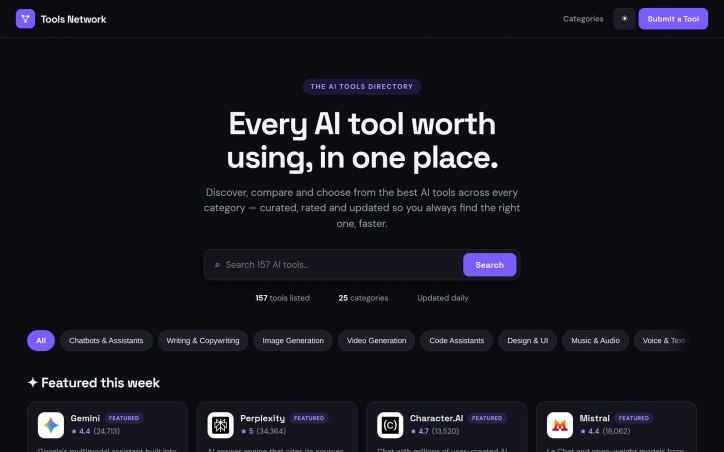
Finding the right AI tool has become genuinely difficult. With hundreds of options launching monthly, researchers and business teams waste considerable time evaluating scattered reviews, outdated comparisons, and fragmented recommendations across multiple sources. Tools Network consolidates the AI tool landscape into a searchable, regularly updated directory designed for rapid discovery and comparison. The product indexes 157 tools across 25 categories, spanning chatbots and code assistants to video generation and SEO platforms. What distinguishes Tools Network from a static list is its commitment to daily updates and user-generated ratings. Each tool carries star ratings alongside vote counts from thousands of reviews, creating both numerical assessment and market consensus signals. The featured and trending sections help users identify momentum in product development without needing to independently predict or evaluate emerging options. This curation layer saves time for teams overwhelmed by the sheer volume of launches. The interface emphasizes practical comparison. Users browse by category, search the directory, and review multiple tools side by side. Rating data across thousands of reviews per tool creates a filtering mechanism that surfaces genuinely popular options rather than marketing-driven positioning. Daily updates address a core pain point: the AI tools landscape shifts remarkably quickly as new capabilities launch and incumbent products evolve their positioning. Yesterday's cutting-edge becomes outdated within weeks. The business model remains unspecified in available materials, though users encounter no apparent paywall browsing tools or filtering by category. This accessibility reduces friction for discovery, particularly valuable for teams and creators evaluating tools for the first time. The primary trade-off is one of scale and curation. With 157 tools across 25 categories, the directory remains selective rather than exhaustive. This is arguably deliberate, since comprehensive coverage of every AI tool released daily would recreate the very discovery problem the product addresses. Teams seeking obscure or highly specialized tools may need to look elsewhere. Tools Network targets anyone experiencing decision fatigue in the AI tools market. For teams tired of scattered reviews and outdated comparisons, the consolidated, regularly updated directory offers a more efficient path to finding the right choice.

Finding the right AI tool has become genuinely difficult. With hundreds of options launching monthly, researchers and business teams waste considerable time evaluating scattered reviews, outdated comparisons, and fragmented recommendations across multiple sources. Tools Network consolidates the AI tool landscape into a searchable, regularly updated directory designed for rapid discovery and comparison. The product indexes 157 tools across 25 categories, spanning chatbots and code assistants to video generation and SEO platforms. What distinguishes Tools Network from a static list is its commitment to daily updates and user-generated ratings. Each tool carries star ratings alongside vote counts from thousands of reviews, creating both numerical assessment and market consensus signals. The featured and trending sections help users identify momentum in product development without needing to independently predict or evaluate emerging options. This curation layer saves time for teams overwhelmed by the sheer volume of launches. The interface emphasizes practical comparison. Users browse by category, search the directory, and review multiple tools side by side. Rating data across thousands of reviews per tool creates a filtering mechanism that surfaces genuinely popular options rather than marketing-driven positioning. Daily updates address a core pain point: the AI tools landscape shifts remarkably quickly as new capabilities launch and incumbent products evolve their positioning. Yesterday's cutting-edge becomes outdated within weeks. The business model remains unspecified in available materials, though users encounter no apparent paywall browsing tools or filtering by category. This accessibility reduces friction for discovery, particularly valuable for teams and creators evaluating tools for the first time. The primary trade-off is one of scale and curation. With 157 tools across 25 categories, the directory remains selective rather than exhaustive. This is arguably deliberate, since comprehensive coverage of every AI tool released daily would recreate the very discovery problem the product addresses. Teams seeking obscure or highly specialized tools may need to look elsewhere. Tools Network targets anyone experiencing decision fatigue in the AI tools market. For teams tired of scattered reviews and outdated comparisons, the consolidated, regularly updated directory offers a more efficient path to finding the right choice.

Tools Network preview

Key features

  • Searchable Directory: Indexes 157 AI tools across 25 categories for rapid discovery and comparison.
  • Daily Updates: Directory updates daily to keep pace with new capabilities and evolving product positioning.
See full listing
Kanban Pro

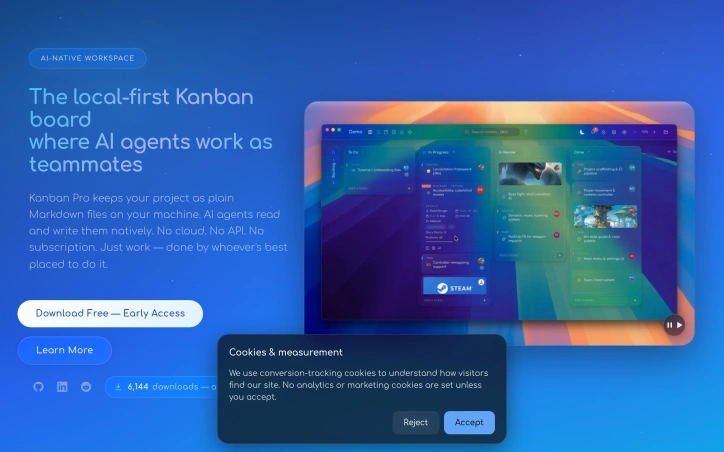
Distributed teams managing complex projects face a persistent friction point: project management tools force a choice between local ownership and AI integration. Kanban Pro sidesteps this tension by storing work as plain Markdown files on your machine while enabling AI agents and IDEs to read and modify tasks natively. The product targets small agile teams building sophisticated solutions, particularly those already working with AI assistants or considering it. Its core value proposition is simplicity and transparency. Unlike subscription-based competitors that hide data behind proprietary formats and APIs, Kanban Pro keeps everything accessible and portable. There is no cloud requirement, no vendor lock-in, and no recurring fees. Five distinct views—Board, List, Calendar, Notes, and Gantt—let teams visualize work without switching tools. The Kanban view offers familiar drag-and-drop columns. The Calendar view supports drag-to-schedule functionality, while the Gantt view handles timeline dependencies and drag-resizing. This multiplicity within a single file structure is genuinely useful for teams toggling between high-level planning and tactical execution. What makes Kanban Pro distinctive is its design philosophy. Rather than positioning AI as an afterthought or premium feature, the software treats agent collaboration as a first-class concern. Tasks remain human-readable Markdown, so AI can parse and modify them without API proxies. An embedded CLI reinforces this keyboard-first, automation-ready approach. Bulk operations and customizable shortcuts accelerate workflow. Custom fields, themes, color palettes, and user logos transform the interface from generic to personal. Collaboration happens through existing cloud drives—iCloud, Dropbox, network storage—avoiding a proprietary sync layer. This pragmatism extends to the native Markdown editor, which includes Prism.js syntax highlighting and live preview to compete with specialized alternatives. The early-access positioning suggests incomplete feature coverage, but the foundation is solid. For teams frustrated with bloated project managers or those seeking AI-ready infrastructure without complexity overhead, Kanban Pro offers a rare combination: powerful visualizations paired with radical simplicity, available across Mac, Windows, and Linux at no cost.

Project-management-software
B
Ben Evans

Distributed teams managing complex projects face a persistent friction point: project management tools force a choice between local ownership and AI integration. Kanban Pro sidesteps this tension by storing work as plain Markdown files on your machine while enabling AI agents and IDEs to read and modify tasks natively. The product targets small agile teams building sophisticated solutions, particularly those already working with AI assistants or considering it. Its core value proposition is simplicity and transparency. Unlike subscription-based competitors that hide data behind proprietary formats and APIs, Kanban Pro keeps everything accessible and portable. There is no cloud requirement, no vendor lock-in, and no recurring fees. Five distinct views—Board, List, Calendar, Notes, and Gantt—let teams visualize work without switching tools. The Kanban view offers familiar drag-and-drop columns. The Calendar view supports drag-to-schedule functionality, while the Gantt view handles timeline dependencies and drag-resizing. This multiplicity within a single file structure is genuinely useful for teams toggling between high-level planning and tactical execution. What makes Kanban Pro distinctive is its design philosophy. Rather than positioning AI as an afterthought or premium feature, the software treats agent collaboration as a first-class concern. Tasks remain human-readable Markdown, so AI can parse and modify them without API proxies. An embedded CLI reinforces this keyboard-first, automation-ready approach. Bulk operations and customizable shortcuts accelerate workflow. Custom fields, themes, color palettes, and user logos transform the interface from generic to personal. Collaboration happens through existing cloud drives—iCloud, Dropbox, network storage—avoiding a proprietary sync layer. This pragmatism extends to the native Markdown editor, which includes Prism.js syntax highlighting and live preview to compete with specialized alternatives. The early-access positioning suggests incomplete feature coverage, but the foundation is solid. For teams frustrated with bloated project managers or those seeking AI-ready infrastructure without complexity overhead, Kanban Pro offers a rare combination: powerful visualizations paired with radical simplicity, available across Mac, Windows, and Linux at no cost.

Kanban Pro preview

Key features

  • Multi-View Workspace: Board, List, Calendar, Notes, and Gantt views enable teams to visualize work without switching tools.
  • Markdown-Based Tasks: Work stored as plain Markdown files that AI agents and IDEs can read and modify natively.
See full listing
TKCORE AI

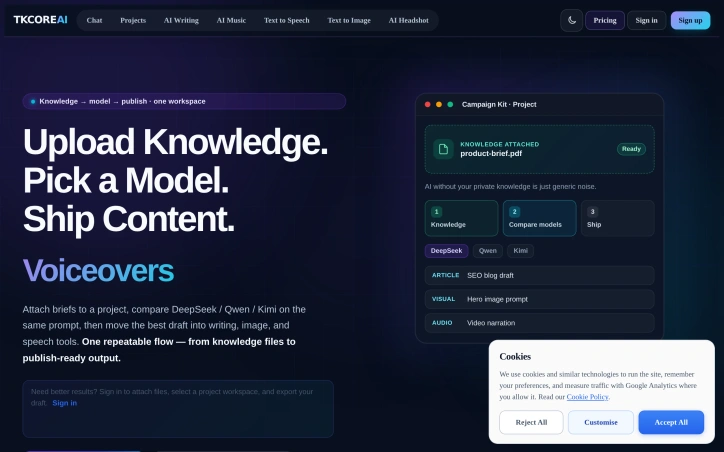
Fragmented AI workflows drain productivity more than the technology itself should. TKCORE AI consolidates what typically demands five browser tabs, three separate subscriptions, and endless copy-pasting into a single workspace—collapsing a two-hour content production cycle into ten minutes. The product targets content teams and marketing departments that produce articles, visuals, and narration from research materials. Rather than shuttling between ChatGPT for writing, a separate image tool, and another service for voiceovers, users attach knowledge files to a project, run prompts across multiple models simultaneously, and route the strongest output into integrated writing, image, and speech tools without ever leaving the platform. What distinguishes TKCORE AI is its explicit commitment to context persistence and privacy. Project knowledge remains attached to a single workspace rather than scattered across disconnected chats. The company promises not to use prompts or outputs for model training, processing content only to deliver service. Data moves over encrypted connections with contractual safeguards. This matters to organizations that cannot risk proprietary briefs or brand guidelines contaminating a training dataset or leaking across competing projects. The multi-model comparison engine stands out operationally. Rather than testing DeepSeek, Qwen, and Kimi sequentially in separate interfaces, users compare outputs from all three against the same prompt on a single screen, then promote the best draft downstream. This transforms model selection from guesswork into deliberate evaluation within a single workflow. The platform supports an expanding roster of models: TkCore-V5.5-Pro, DeepSeek-V4 variants, Qwen models including a vision-enabled version, Kimi K2.5, GLM-5.1, and MiniMax M2.5. This breadth avoids locking users into a single vendor's capabilities. A project generates a research PDF, then produces an SEO blog post, three social posts, and video narration in parallel—all derived from the same knowledge base, all contained within the project boundary. The comparison between traditional fragmented workflows and TKCORE's model is stark: longer, more error-prone, context-bleeding processes versus tighter, single-interface pipelines. For teams currently outsourcing content production or spending disproportionate time on tool switching rather than creation, the efficiency gain is tangible. The product does not claim to replace human editorial judgment, only to eliminate the logistical overhead that prevents teams from reaching content velocity. That's a narrower and more credible promise than most AI publishing tools make.

Ai-notetakers
X
Xiao Ming

Fragmented AI workflows drain productivity more than the technology itself should. TKCORE AI consolidates what typically demands five browser tabs, three separate subscriptions, and endless copy-pasting into a single workspace—collapsing a two-hour content production cycle into ten minutes. The product targets content teams and marketing departments that produce articles, visuals, and narration from research materials. Rather than shuttling between ChatGPT for writing, a separate image tool, and another service for voiceovers, users attach knowledge files to a project, run prompts across multiple models simultaneously, and route the strongest output into integrated writing, image, and speech tools without ever leaving the platform. What distinguishes TKCORE AI is its explicit commitment to context persistence and privacy. Project knowledge remains attached to a single workspace rather than scattered across disconnected chats. The company promises not to use prompts or outputs for model training, processing content only to deliver service. Data moves over encrypted connections with contractual safeguards. This matters to organizations that cannot risk proprietary briefs or brand guidelines contaminating a training dataset or leaking across competing projects. The multi-model comparison engine stands out operationally. Rather than testing DeepSeek, Qwen, and Kimi sequentially in separate interfaces, users compare outputs from all three against the same prompt on a single screen, then promote the best draft downstream. This transforms model selection from guesswork into deliberate evaluation within a single workflow. The platform supports an expanding roster of models: TkCore-V5.5-Pro, DeepSeek-V4 variants, Qwen models including a vision-enabled version, Kimi K2.5, GLM-5.1, and MiniMax M2.5. This breadth avoids locking users into a single vendor's capabilities. A project generates a research PDF, then produces an SEO blog post, three social posts, and video narration in parallel—all derived from the same knowledge base, all contained within the project boundary. The comparison between traditional fragmented workflows and TKCORE's model is stark: longer, more error-prone, context-bleeding processes versus tighter, single-interface pipelines. For teams currently outsourcing content production or spending disproportionate time on tool switching rather than creation, the efficiency gain is tangible. The product does not claim to replace human editorial judgment, only to eliminate the logistical overhead that prevents teams from reaching content velocity. That's a narrower and more credible promise than most AI publishing tools make.

TKCORE AI preview

Key features

  • Multi-Model Comparison: Compare outputs from multiple AI models simultaneously on a single screen instead of testing them sequentially in separate interfaces
  • Unified Workspace: Consolidates content production tools for writing, image generation, and speech synthesis into one platform eliminating tool switching
See full listing
Vehla

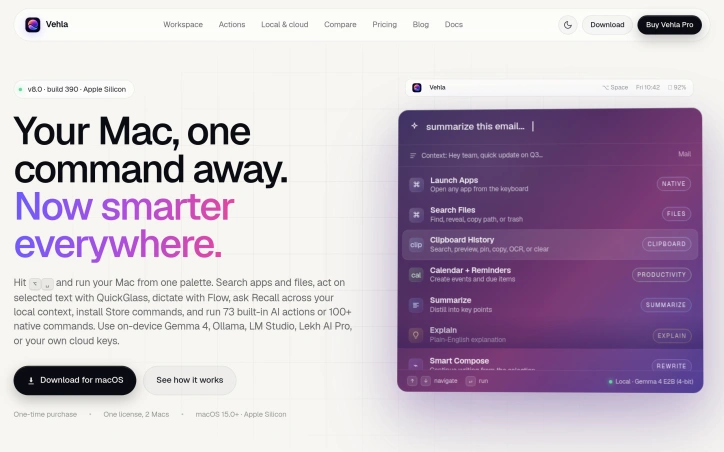
Streamlining workflows on Mac devices is a daunting task, especially when users have to juggle multiple utilities to accomplish various tasks. The solution lies in a comprehensive command center that integrates AI actions, dictation, and native commands, making it easier for users to manage their tasks efficiently. Vehla's product is designed to address this issue by providing a centralized platform that replaces the need for multiple Mac utilities. It is tailored for individuals who value productivity and are looking for a way to simplify their workflow. By doing so, it caters to professionals and power users seeking to maximize their efficiency on Mac devices. One of the standout aspects of Vehla is its integration of AI capabilities directly into the Mac command center. The product utilizes on-device AI models such as Gemma 4, Ollama, and LM Studio, among others, to enable advanced features like Recall, which builds a local search index across various sources, and Smart Compose, which assists in writing tasks. Key features worth noting include the ability to search for apps and files, act on selected text with QuickGlass, dictate with Flow, and access to 73 built-in AI actions or 100+ native commands. Additionally, the product offers functionalities like window management through Snap Wheel, note-taking, and task organization. The product is available for macOS 15.0+ on Apple Silicon devices, making it compatible with the latest Mac technology. The business model is straightforward, with a one-time purchase option that allows users to license the product for use on two Macs. Overall, Vehla presents a compelling solution for Mac users looking to simplify their workflow and enhance productivity. By integrating AI capabilities and native commands into a single command center, it effectively consolidates multiple utilities into one, making it an attractive option for those seeking to streamline their tasks.

Ai-workflow-automation
K
Kaila Consulting Inc

Streamlining workflows on Mac devices is a daunting task, especially when users have to juggle multiple utilities to accomplish various tasks. The solution lies in a comprehensive command center that integrates AI actions, dictation, and native commands, making it easier for users to manage their tasks efficiently. Vehla's product is designed to address this issue by providing a centralized platform that replaces the need for multiple Mac utilities. It is tailored for individuals who value productivity and are looking for a way to simplify their workflow. By doing so, it caters to professionals and power users seeking to maximize their efficiency on Mac devices. One of the standout aspects of Vehla is its integration of AI capabilities directly into the Mac command center. The product utilizes on-device AI models such as Gemma 4, Ollama, and LM Studio, among others, to enable advanced features like Recall, which builds a local search index across various sources, and Smart Compose, which assists in writing tasks. Key features worth noting include the ability to search for apps and files, act on selected text with QuickGlass, dictate with Flow, and access to 73 built-in AI actions or 100+ native commands. Additionally, the product offers functionalities like window management through Snap Wheel, note-taking, and task organization. The product is available for macOS 15.0+ on Apple Silicon devices, making it compatible with the latest Mac technology. The business model is straightforward, with a one-time purchase option that allows users to license the product for use on two Macs. Overall, Vehla presents a compelling solution for Mac users looking to simplify their workflow and enhance productivity. By integrating AI capabilities and native commands into a single command center, it effectively consolidates multiple utilities into one, making it an attractive option for those seeking to streamline their tasks.

Vehla preview

Key features

  • Search Capability: Search for apps and files
  • QuickGlass: Act on selected text
See full listing
Fluentive

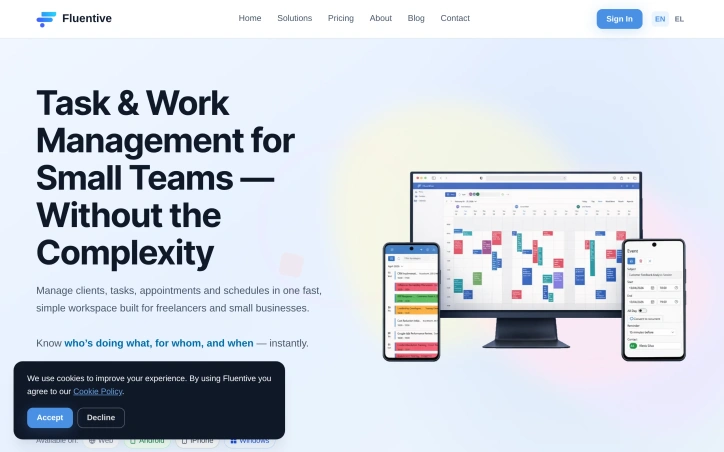
Small teams and freelancers often struggle with disorganized calendars, missed deadlines, and a lack of visibility into team activities. The complexity of traditional CRM and scheduling tools exacerbates these issues, as they are typically designed for larger companies with more resources. Fluentive addresses these pain points by providing a streamlined workspace for managing clients, tasks, appointments, and schedules in a single, intuitive platform. The product stands out for its focus on simplicity and clarity, eschewing the clutter and feature bloat that characterizes many CRM solutions. By integrating scheduling, client management, and team coordination into one place, Fluentive eliminates the need to juggle multiple apps, spreadsheets, and paper notebooks. Its flexible calendar allows teams to view schedules side-by-side, manage appointments, and avoid double-booking. Key features of Fluentive include its professional calendar, which adapts to the team's workflow and offers day, week, and month views, as well as timezone-aware scheduling for international teams. The platform also provides comprehensive client management capabilities, including contact profiles, rich text notes, and a complete history of tasks and events. Notably, Fluentive is built by the team behind Organizer, a product used by hundreds of businesses across multiple professions. This heritage is evident in Fluentive's design, which prioritizes the needs of small teams and freelancers. A free trial plan is available, with no credit card required, allowing potential customers to test the platform before committing. Overall, Fluentive offers a compelling solution for small teams seeking to simplify their job and scheduling management processes. Its intuitive design and robust feature set make it an attractive alternative to more complex and cumbersome CRM solutions.

Scheduling-software
P
Petros Manesis

Small teams and freelancers often struggle with disorganized calendars, missed deadlines, and a lack of visibility into team activities. The complexity of traditional CRM and scheduling tools exacerbates these issues, as they are typically designed for larger companies with more resources. Fluentive addresses these pain points by providing a streamlined workspace for managing clients, tasks, appointments, and schedules in a single, intuitive platform. The product stands out for its focus on simplicity and clarity, eschewing the clutter and feature bloat that characterizes many CRM solutions. By integrating scheduling, client management, and team coordination into one place, Fluentive eliminates the need to juggle multiple apps, spreadsheets, and paper notebooks. Its flexible calendar allows teams to view schedules side-by-side, manage appointments, and avoid double-booking. Key features of Fluentive include its professional calendar, which adapts to the team's workflow and offers day, week, and month views, as well as timezone-aware scheduling for international teams. The platform also provides comprehensive client management capabilities, including contact profiles, rich text notes, and a complete history of tasks and events. Notably, Fluentive is built by the team behind Organizer, a product used by hundreds of businesses across multiple professions. This heritage is evident in Fluentive's design, which prioritizes the needs of small teams and freelancers. A free trial plan is available, with no credit card required, allowing potential customers to test the platform before committing. Overall, Fluentive offers a compelling solution for small teams seeking to simplify their job and scheduling management processes. Its intuitive design and robust feature set make it an attractive alternative to more complex and cumbersome CRM solutions.

Fluentive preview

Key features

  • Professional Calendar: adapts to the team's workflow and offers day, week, and month views
  • Timezone-Aware Scheduling: allows international teams to manage appointments
See full listing
Staff Scheduling

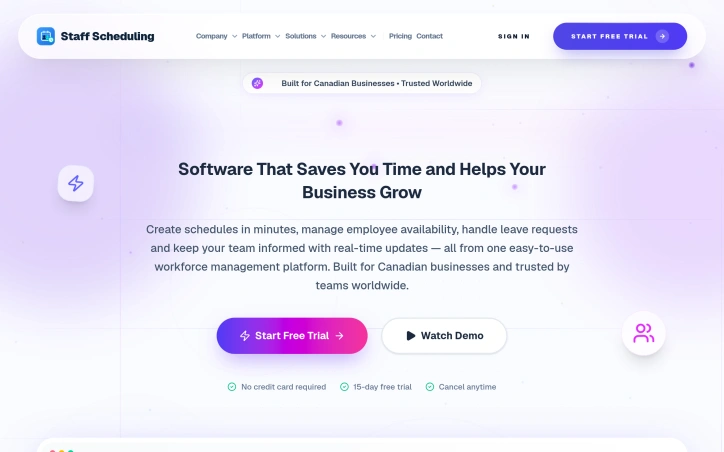
Workforce scheduling has long been a time sink for managers, consuming hours weekly on tasks that should be routine. Staff Scheduling addresses this directly by condensing the scheduling workflow into minutes rather than hours, giving managers back time to focus on higher-value work. The platform targets growing teams, with particular emphasis on Canadian businesses, though its global presence across nine countries suggests broader appeal. The product handles the core scheduling functions: shift creation, employee availability tracking, leave request management, and team communication through real-time updates. Setup takes under ten minutes, removing friction for businesses that want to move quickly from sign-up to operational use. The standout element of Staff Scheduling's positioning is its Canadian foundation coupled with proven international traction. Rather than positioning as a global-first SaaS product, the company explicitly builds for Canadian businesses while serving teams worldwide. This suggests a strategy of deep regional expertise exported globally rather than generic internationalization. The platform consolidates multiple workflows into one interface. Rather than managing schedules in spreadsheets and leave requests through email, users handle both within the same system, reducing context switching and communication gaps. The inclusion of automatic time tracking bridges scheduling and payroll, two functions typically fragmented across tools. The free trial removes adoption friction: fifteen days with no credit card required. This is a reasonable trial length for managers to evaluate whether the tool meaningfully reduces their administrative load. On the business model side, the founder claims the platform cuts labor costs by eighteen percent. While unsupported by detailed case studies in the available material, the claim points toward a specific outcome: managers are expected to recoup the software cost through time savings and payroll efficiency. No pricing details are disclosed in the public messaging, suggesting the company may handle pricing through custom quotes or tiered plans typical of workforce management software. For managers juggling schedules across multiple channels or spreadsheets, Staff Scheduling offers consolidation and speed. The Canadian specificity is notable in a market where many competitors position as global platforms first, making it worth a closer look for teams in that region.

Scheduling-software
G
Get Staff Scheduling App

Workforce scheduling has long been a time sink for managers, consuming hours weekly on tasks that should be routine. Staff Scheduling addresses this directly by condensing the scheduling workflow into minutes rather than hours, giving managers back time to focus on higher-value work. The platform targets growing teams, with particular emphasis on Canadian businesses, though its global presence across nine countries suggests broader appeal. The product handles the core scheduling functions: shift creation, employee availability tracking, leave request management, and team communication through real-time updates. Setup takes under ten minutes, removing friction for businesses that want to move quickly from sign-up to operational use. The standout element of Staff Scheduling's positioning is its Canadian foundation coupled with proven international traction. Rather than positioning as a global-first SaaS product, the company explicitly builds for Canadian businesses while serving teams worldwide. This suggests a strategy of deep regional expertise exported globally rather than generic internationalization. The platform consolidates multiple workflows into one interface. Rather than managing schedules in spreadsheets and leave requests through email, users handle both within the same system, reducing context switching and communication gaps. The inclusion of automatic time tracking bridges scheduling and payroll, two functions typically fragmented across tools. The free trial removes adoption friction: fifteen days with no credit card required. This is a reasonable trial length for managers to evaluate whether the tool meaningfully reduces their administrative load. On the business model side, the founder claims the platform cuts labor costs by eighteen percent. While unsupported by detailed case studies in the available material, the claim points toward a specific outcome: managers are expected to recoup the software cost through time savings and payroll efficiency. No pricing details are disclosed in the public messaging, suggesting the company may handle pricing through custom quotes or tiered plans typical of workforce management software. For managers juggling schedules across multiple channels or spreadsheets, Staff Scheduling offers consolidation and speed. The Canadian specificity is notable in a market where many competitors position as global platforms first, making it worth a closer look for teams in that region.

Staff Scheduling preview

Key features

  • Shift Management: Create and manage work shifts within the platform
  • Availability Tracking: Monitor and track employee availability across schedules
See full listing
EQIQs

Assessing human compatibility is a challenging task, particularly in professional settings where effective collaboration is crucial. EQIQs addresses this issue by providing a compatibility platform for founders, hiring teams, advisors, and individuals. The platform's core strength lies in its ability to synthesize 21 psychometric frameworks, including well-known models such as MBTI, Enneagram, and Big Five, to deliver actionable relationship intelligence. By combining emotional intelligence and analytical intelligence, EQIQs decodes any relationship and provides measurable fit in a remarkably short time - just 5 minutes. The platform caters to two primary user groups: professionals and individuals. Professionals, such as coaches, therapists, matchmakers, and recruiters, can utilize EQIQs to manage client compatibility at scale with features like branded reports, batch analysis, and API access. Individuals, on the other hand, can gain insights into their relationships through science-backed compatibility scores, behavioral predictions, and personalized coaching tips. Notably, the platform's patented scoring engine is a key differentiator, enabling it to deliver fast and accurate results. The availability of a live interactive demo and sample reports allows potential users to experience the platform's capabilities firsthand. Additionally, the platform offers a developer API, indicating a potential revenue stream through integrations with other services. The platform provides information on pricing, along with sample reports and a live interactive demo, giving users a comprehensive understanding of its capabilities and cost. Overall, EQIQs presents a compelling solution for those seeking to understand and improve their relationships, whether personal or professional.


Hiring-software
J
Jessica Baker

Assessing human compatibility is a challenging task, particularly in professional settings where effective collaboration is crucial. EQIQs addresses this issue by providing a compatibility platform for founders, hiring teams, advisors, and individuals. The platform's core strength lies in its ability to synthesize 21 psychometric frameworks, including well-known models such as MBTI, Enneagram, and Big Five, to deliver actionable relationship intelligence. By combining emotional intelligence and analytical intelligence, EQIQs decodes any relationship and provides measurable fit in a remarkably short time - just 5 minutes. The platform caters to two primary user groups: professionals and individuals. Professionals, such as coaches, therapists, matchmakers, and recruiters, can utilize EQIQs to manage client compatibility at scale with features like branded reports, batch analysis, and API access. Individuals, on the other hand, can gain insights into their relationships through science-backed compatibility scores, behavioral predictions, and personalized coaching tips. Notably, the platform's patented scoring engine is a key differentiator, enabling it to deliver fast and accurate results. The availability of a live interactive demo and sample reports allows potential users to experience the platform's capabilities firsthand. Additionally, the platform offers a developer API, indicating a potential revenue stream through integrations with other services. The platform provides information on pricing, along with sample reports and a live interactive demo, giving users a comprehensive understanding of its capabilities and cost. Overall, EQIQs presents a compelling solution for those seeking to understand and improve their relationships, whether personal or professional.

EQIQs preview

Key features

  • Patented Scoring Engine: delivers fast and accurate results
  • Branded Reports: allows professionals to manage client compatibility at scale
See full listing
count.live — Free shareable countdown timer for any date

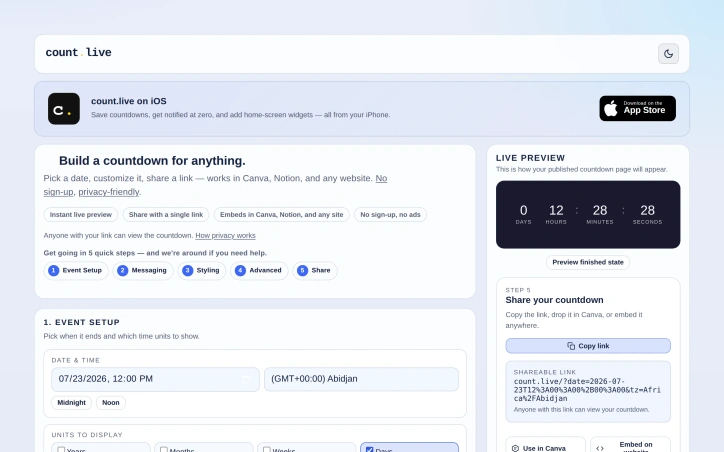
Creating engaging and shareable content is a challenge many event organizers, marketers, and individuals face. Count.live offers a straightforward solution to this problem with its free shareable countdown timer for any date. The platform is designed for users who need to count down to a specific event or deadline and share it across various platforms. What stands out about count.live is its ease of use and flexibility. Users can set up a countdown in five quick steps, customizing the date, time units, title, subtitle, and end message. The platform also offers styling options, including themes, colors, fonts, and background images, allowing users to tailor the countdown's appearance to their brand or event. Advanced features such as recurrence, celebrations, redirects, and progress tracking further enhance the product's versatility. The platform is particularly user-friendly, with features like instant live preview and the ability to share the countdown via a single link or embed it in Canva, Notion, or any website. This makes it an ideal tool for a wide range of users, from event organizers and marketers to individuals looking to count down to a personal milestone. The absence of ads and trackers on the shared countdown links is also a notable benefit, ensuring a clean and distraction-free user experience. Notably, count.live operates on a free model with no sign-up required, making it accessible to anyone. The platform does, however, ask users to help cover server costs, suggesting a reliance on user contributions to sustain its operations. Overall, count.live is a valuable resource for anyone looking to create a customizable and shareable countdown timer without the hassle of sign-ups or ads.
Calendar-apps
C
Can Koecher

Creating engaging and shareable content is a challenge many event organizers, marketers, and individuals face. Count.live offers a straightforward solution to this problem with its free shareable countdown timer for any date. The platform is designed for users who need to count down to a specific event or deadline and share it across various platforms. What stands out about count.live is its ease of use and flexibility. Users can set up a countdown in five quick steps, customizing the date, time units, title, subtitle, and end message. The platform also offers styling options, including themes, colors, fonts, and background images, allowing users to tailor the countdown's appearance to their brand or event. Advanced features such as recurrence, celebrations, redirects, and progress tracking further enhance the product's versatility. The platform is particularly user-friendly, with features like instant live preview and the ability to share the countdown via a single link or embed it in Canva, Notion, or any website. This makes it an ideal tool for a wide range of users, from event organizers and marketers to individuals looking to count down to a personal milestone. The absence of ads and trackers on the shared countdown links is also a notable benefit, ensuring a clean and distraction-free user experience. Notably, count.live operates on a free model with no sign-up required, making it accessible to anyone. The platform does, however, ask users to help cover server costs, suggesting a reliance on user contributions to sustain its operations. Overall, count.live is a valuable resource for anyone looking to create a customizable and shareable countdown timer without the hassle of sign-ups or ads.

count.live — Free shareable countdown timer for any date preview

Key features

  • Customization Options: Users can customize the date, time units, title, subtitle, and end message.
  • Styling Options: The platform offers themes, colors, fonts, and background images.
See full listing
Version Tracker

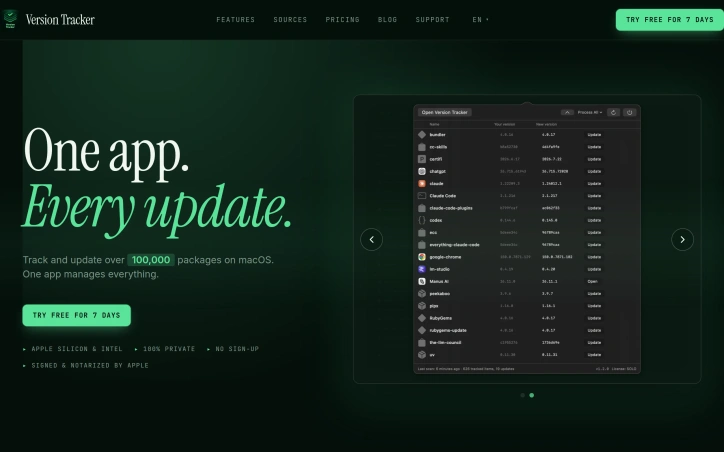
Managing numerous software packages on macOS can be a daunting task, with multiple updates to track and install across various sources. Version Tracker addresses this challenge by providing a unified solution to monitor and update over 100,000 packages, ensuring users stay current with the latest software versions. The developer's primary goal is to simplify the update process, catering to individuals who value staying up-to-date with the latest software releases. By doing so, Version Tracker brings efficiency and security to the forefront, verifying code signing, notarization, and known vulnerabilities for every app. One of the standout aspects of Version Tracker is its comprehensive coverage of various package sources, including package managers, development runtimes, and app updaters. The app integrates data from 47 sources, encompassing Adobe Creative Cloud, npm, pip, Cargo, and many more. This breadth of coverage allows users to manage their entire software ecosystem within a single dashboard. Key features of Version Tracker include a real-time dashboard displaying outdated counts, charts, and categories, as well as one-click updates with progress tracking and auto-removal from the outdated list. The app also prioritizes security, with Apple code signing verification, notarization validation, and CVE database enrichment. Users can try Version Tracker free for 7 days, with no sign-up required. The app is signed and notarized by Apple, ensuring a secure user experience. The developer also highlights that Version Tracker is a natural replacement for MacUpdater, which is now discontinued. Overall, Version Tracker offers a robust solution for managing software updates on macOS, making it an attractive option for individuals seeking to streamline their update process.

Security-software
J
Jean-Paul Florencio

Managing numerous software packages on macOS can be a daunting task, with multiple updates to track and install across various sources. Version Tracker addresses this challenge by providing a unified solution to monitor and update over 100,000 packages, ensuring users stay current with the latest software versions. The developer's primary goal is to simplify the update process, catering to individuals who value staying up-to-date with the latest software releases. By doing so, Version Tracker brings efficiency and security to the forefront, verifying code signing, notarization, and known vulnerabilities for every app. One of the standout aspects of Version Tracker is its comprehensive coverage of various package sources, including package managers, development runtimes, and app updaters. The app integrates data from 47 sources, encompassing Adobe Creative Cloud, npm, pip, Cargo, and many more. This breadth of coverage allows users to manage their entire software ecosystem within a single dashboard. Key features of Version Tracker include a real-time dashboard displaying outdated counts, charts, and categories, as well as one-click updates with progress tracking and auto-removal from the outdated list. The app also prioritizes security, with Apple code signing verification, notarization validation, and CVE database enrichment. Users can try Version Tracker free for 7 days, with no sign-up required. The app is signed and notarized by Apple, ensuring a secure user experience. The developer also highlights that Version Tracker is a natural replacement for MacUpdater, which is now discontinued. Overall, Version Tracker offers a robust solution for managing software updates on macOS, making it an attractive option for individuals seeking to streamline their update process.

Version Tracker preview

Key features

  • Real-Time Dashboard: Displays outdated package counts, charts, and categories in a single interface.
  • One-Click Updates: Enables users to update software with progress tracking and automatic removal from the outdated list.
See full listing
Taskyard

Managing tasks efficiently is a challenge that solo entrepreneurs and teams face daily. The complexity of task management often increases as a solo operation grows into a team, requiring a shift to more sophisticated tools. Taskyard addresses this issue by providing a task management system designed to work seamlessly for both solo users and teams, eliminating the need for migration as the user base expands. At its core, Taskyard offers a kanban board that integrates with Large Language Models (LLMs) through the MCP protocol, allowing users to manage tasks via conversational interfaces. This integration enables a high degree of automation, where tasks can be created, updated, and completed without manual intervention. The platform's strength lies in its ability to scale from a simple, personal task manager to a team-oriented tool with granular roles and permissions, ensuring that each team member has the appropriate level of access and responsibility. One of Taskyard's standout features is its automation capability, which goes beyond basic task management. Users can set up workflows with triggers, conditions, and actions that automate task assignments, status updates, and interactions with other tools, all without requiring human intervention. Additionally, Taskyard's compatibility with various LLMs through a single API key provides flexibility and avoids vendor lock-in. The platform also offers smart reminders, offline capability as a Progressive Web App, and maintained task management through AI-driven updates and cleanups. Taskyard caters to both solo operators and teams by providing a free tier that covers most solo use cases, with the option to upgrade to more comprehensive plans that support unlimited workflows for teams. This tiered approach makes it accessible to a wide range of users, from individuals looking for a personal task manager to teams requiring more advanced collaboration and automation features.


Ai-workflow-automation
S
ScaleUp

Managing tasks efficiently is a challenge that solo entrepreneurs and teams face daily. The complexity of task management often increases as a solo operation grows into a team, requiring a shift to more sophisticated tools. Taskyard addresses this issue by providing a task management system designed to work seamlessly for both solo users and teams, eliminating the need for migration as the user base expands. At its core, Taskyard offers a kanban board that integrates with Large Language Models (LLMs) through the MCP protocol, allowing users to manage tasks via conversational interfaces. This integration enables a high degree of automation, where tasks can be created, updated, and completed without manual intervention. The platform's strength lies in its ability to scale from a simple, personal task manager to a team-oriented tool with granular roles and permissions, ensuring that each team member has the appropriate level of access and responsibility. One of Taskyard's standout features is its automation capability, which goes beyond basic task management. Users can set up workflows with triggers, conditions, and actions that automate task assignments, status updates, and interactions with other tools, all without requiring human intervention. Additionally, Taskyard's compatibility with various LLMs through a single API key provides flexibility and avoids vendor lock-in. The platform also offers smart reminders, offline capability as a Progressive Web App, and maintained task management through AI-driven updates and cleanups. Taskyard caters to both solo operators and teams by providing a free tier that covers most solo use cases, with the option to upgrade to more comprehensive plans that support unlimited workflows for teams. This tiered approach makes it accessible to a wide range of users, from individuals looking for a personal task manager to teams requiring more advanced collaboration and automation features.

Taskyard preview

Key features

  • Kanban Board: visual task management
  • Conversational Interface: manage tasks via conversation
See full listing
FRANS

Outdated attendance tracking methods, such as punch cards and manual logs, are being replaced by more modern and secure solutions. FRANS is a solution for businesses looking to streamline their attendance management. It is designed for organizations with multiple locations or teams on the move, as well as those with fixed setups. The product stands out for its AI-powered facial recognition technology, which provides accurate and secure attendance tracking. It eliminates the need for physical contact, enhancing hygiene in environments like offices and hospitals. The system's GPS-based attendance verification feature ensures that attendance is logged only from approved locations, preventing off-site fraud. Key features of FRANS include real-time monitoring and analytics, secure and compliant data storage, and seamless integration with existing HR and payroll systems. The system's gesture control feature allows for intuitive use, making it accessible even in hands-free scenarios. The product is available in two flexible options: Mobile and Camera, catering to different workplace needs. By implementing FRANS, businesses can improve productivity, strengthen compliance, and manage their workforce with greater ease. The system's advanced security protocols protect sensitive biometric data from breaches, and its compliance with data protection regulations provides peace of mind. While the pricing and business model details are not explicitly stated, the company encourages potential customers to "Book A Demo" and "Get A Proposal", suggesting a tailored approach to meeting the needs of different organizations. Overall, FRANS is a robust attendance management solution that addresses the needs of modern workplaces.
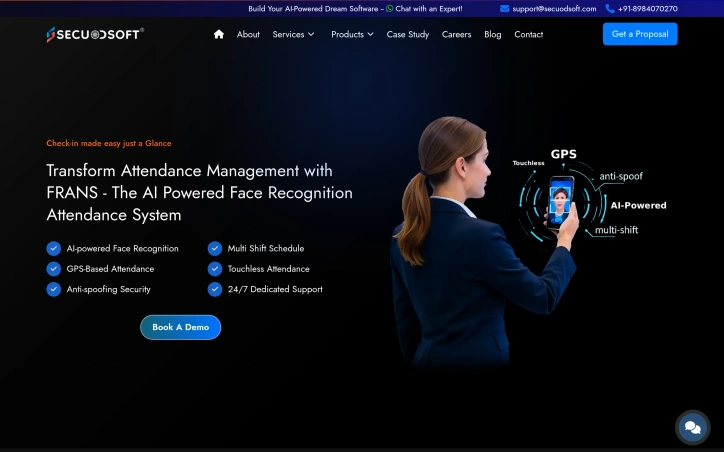

Time-tracking-apps
S
Secuodsoft

Outdated attendance tracking methods, such as punch cards and manual logs, are being replaced by more modern and secure solutions. FRANS is a solution for businesses looking to streamline their attendance management. It is designed for organizations with multiple locations or teams on the move, as well as those with fixed setups. The product stands out for its AI-powered facial recognition technology, which provides accurate and secure attendance tracking. It eliminates the need for physical contact, enhancing hygiene in environments like offices and hospitals. The system's GPS-based attendance verification feature ensures that attendance is logged only from approved locations, preventing off-site fraud. Key features of FRANS include real-time monitoring and analytics, secure and compliant data storage, and seamless integration with existing HR and payroll systems. The system's gesture control feature allows for intuitive use, making it accessible even in hands-free scenarios. The product is available in two flexible options: Mobile and Camera, catering to different workplace needs. By implementing FRANS, businesses can improve productivity, strengthen compliance, and manage their workforce with greater ease. The system's advanced security protocols protect sensitive biometric data from breaches, and its compliance with data protection regulations provides peace of mind. While the pricing and business model details are not explicitly stated, the company encourages potential customers to "Book A Demo" and "Get A Proposal", suggesting a tailored approach to meeting the needs of different organizations. Overall, FRANS is a robust attendance management solution that addresses the needs of modern workplaces.

FRANS preview

Key features

  • AI-Powered Facial Recognition: provides accurate and secure attendance tracking
  • GPS-Based Attendance Verification: ensures attendance is logged only from approved locations
See full listing
Devpalettes

Designers and developers often face a multitude of everyday tasks that slow them down, from creating harmonious color schemes to converting between different color formats. Devpalettes addresses this issue by providing a suite of free, instantly accessible online utilities that cater to the needs of designers, developers, students, and creators. What stands out about Devpalettes is its commitment to simplicity, speed, and privacy. The platform offers a range of professional-grade tools that work directly in the browser, eliminating the need for sign-ups or payments for basic features. The color palette generator, for instance, allows users to create stunning color combinations with a single click, while also providing features like automatic contrast checking to ensure compliance with WCAG contrast requirements. Key features worth noting include the interactive palette generator, CSS gradient builder, and image picker, which can extract dominant colors from any image. The platform also provides developer-ready code exports in various formats, including CSS, SCSS, JSON, and Tailwind config. Furthermore, Devpalettes offers practical resources and tutorials on color theory, accessibility, and design best practices. Notably, Devpalettes is entirely free to use, with no sign-up required, and the founder's goal is to continue expanding the platform into a comprehensive productivity hub. With its focus on speed, simplicity, and privacy, Devpalettes is poised to become a go-to destination for designers and developers looking to streamline their workflow and improve their productivity. Overall, Devpalettes is a valuable resource for anyone involved in digital design and development.


Productivity
A
Ashish Kekaan

Designers and developers often face a multitude of everyday tasks that slow them down, from creating harmonious color schemes to converting between different color formats. Devpalettes addresses this issue by providing a suite of free, instantly accessible online utilities that cater to the needs of designers, developers, students, and creators. What stands out about Devpalettes is its commitment to simplicity, speed, and privacy. The platform offers a range of professional-grade tools that work directly in the browser, eliminating the need for sign-ups or payments for basic features. The color palette generator, for instance, allows users to create stunning color combinations with a single click, while also providing features like automatic contrast checking to ensure compliance with WCAG contrast requirements. Key features worth noting include the interactive palette generator, CSS gradient builder, and image picker, which can extract dominant colors from any image. The platform also provides developer-ready code exports in various formats, including CSS, SCSS, JSON, and Tailwind config. Furthermore, Devpalettes offers practical resources and tutorials on color theory, accessibility, and design best practices. Notably, Devpalettes is entirely free to use, with no sign-up required, and the founder's goal is to continue expanding the platform into a comprehensive productivity hub. With its focus on speed, simplicity, and privacy, Devpalettes is poised to become a go-to destination for designers and developers looking to streamline their workflow and improve their productivity. Overall, Devpalettes is a valuable resource for anyone involved in digital design and development.

Devpalettes preview

Key features

  • Color Palette Generator: create stunning color combinations with a single click
  • CSS Gradient Builder: build gradients directly in the browser
See full listing
CookingCalcs

Kitchen experimentation becomes tedious when you're constantly context-switching between different conversion tools. CookingCalcs consolidates the scattered calculators that home cooks typically rely on into a single, no-friction platform. The core problem it solves is straightforward: reducing friction between having a recipe and executing it by eliminating the need to hunt across multiple websites or apps. The product targets anyone who cooks regularly enough to encounter measurement conversions, recipe scaling challenges, or questions about cooking temperatures and times. This includes casual home cooks, meal preppers, and anyone following recipes outside their native measurement system. The founder's motivation—frustration with existing fragmentation—directly translates into the product's value proposition. What stands out immediately is the complete absence of barriers to entry. There are no required sign-ups, no paywalls, and no freemium model pushing users toward premium tiers. The commitment to being free forever is stated explicitly. With 18 tools available, CookingCalcs covers the primary pain points: unit conversions, temperature conversions, recipe scaling, and meal cost calculations. The breadth indicates thoughtful scope—comprehensive enough to handle most kitchen scenarios without bloat from rarely used features. The tool selection reveals attention to specific use cases beyond basic conversions. Features like the egg size converter, fresh-to-dried herb converter, and slow cooker time converter indicate a product designed with actual cooking scenarios in mind, not generic measurement math. The inclusion of cooking time calculators and meat temperature guides moves the product beyond simple conversion into practical kitchen guidance. The raw-to-cooked weight converter and weekly meal prep cost calculator demonstrate understanding of different cooking contexts. This is software built by someone thinking about how people actually cook, not treating cooking math as an abstract problem. The minimalist feature set—no accounts, no complex workflows, no social sharing—keeps the interface focused on immediate utility. Users navigate directly to their needed tool and get results without friction or cognitive overhead. CookingCalcs fills a genuine gap in kitchen software. Rather than attempting to be a full recipe management platform or meal planning suite, it focuses tightly on calculation and conversion. For home cooks who want kitchen math solved quickly and without barriers, the product delivers exactly what it promises. The execution matches the problem statement: one focused tool instead of many scattered ones.

Spreadsheets
C
canghun13

Kitchen experimentation becomes tedious when you're constantly context-switching between different conversion tools. CookingCalcs consolidates the scattered calculators that home cooks typically rely on into a single, no-friction platform. The core problem it solves is straightforward: reducing friction between having a recipe and executing it by eliminating the need to hunt across multiple websites or apps. The product targets anyone who cooks regularly enough to encounter measurement conversions, recipe scaling challenges, or questions about cooking temperatures and times. This includes casual home cooks, meal preppers, and anyone following recipes outside their native measurement system. The founder's motivation—frustration with existing fragmentation—directly translates into the product's value proposition. What stands out immediately is the complete absence of barriers to entry. There are no required sign-ups, no paywalls, and no freemium model pushing users toward premium tiers. The commitment to being free forever is stated explicitly. With 18 tools available, CookingCalcs covers the primary pain points: unit conversions, temperature conversions, recipe scaling, and meal cost calculations. The breadth indicates thoughtful scope—comprehensive enough to handle most kitchen scenarios without bloat from rarely used features. The tool selection reveals attention to specific use cases beyond basic conversions. Features like the egg size converter, fresh-to-dried herb converter, and slow cooker time converter indicate a product designed with actual cooking scenarios in mind, not generic measurement math. The inclusion of cooking time calculators and meat temperature guides moves the product beyond simple conversion into practical kitchen guidance. The raw-to-cooked weight converter and weekly meal prep cost calculator demonstrate understanding of different cooking contexts. This is software built by someone thinking about how people actually cook, not treating cooking math as an abstract problem. The minimalist feature set—no accounts, no complex workflows, no social sharing—keeps the interface focused on immediate utility. Users navigate directly to their needed tool and get results without friction or cognitive overhead. CookingCalcs fills a genuine gap in kitchen software. Rather than attempting to be a full recipe management platform or meal planning suite, it focuses tightly on calculation and conversion. For home cooks who want kitchen math solved quickly and without barriers, the product delivers exactly what it promises. The execution matches the problem statement: one focused tool instead of many scattered ones.

CookingCalcs preview

Key features

  • Unit Conversions: Convert between different measurement systems used in recipes
  • Temperature Conversions: Convert between Celsius, Fahrenheit, and other cooking temperature scales
See full listing
C

Encrypted file access loss represents a genuine problem for individuals and businesses storing sensitive data in compressed or password-protected formats. Catpasswd targets users who have forgotten passwords or lost access to RAR, ZIP, Microsoft Office, and Excel files—a surprisingly common scenario that often leaves people believing their data is permanently inaccessible. The core value proposition centers on cloud-based password recovery without requiring technical expertise. The platform maintains a database of tens of millions of password combinations, which it uses to attempt recovery matches against users' encrypted files. This crowdsourced password collection approach increases recovery success rates compared to brute-force alternatives, though it also raises implicit trust questions about how these password collections were sourced and secured. The product's standout features are its accessibility and speed. The recovery process appears straightforward enough for non-technical users, with testimonials indicating the service succeeds where other password-cracking tools fail. The existence of a free recovery mode acknowledges users in genuine need, differentiating it from competitors who monetize all recovery attempts. The platform claims to serve over 100,000 users globally, suggesting meaningful product-market fit in an underserved niche. A notable limitation is the scope restriction to specific file formats. Users needing recovery for database files, disk images, or other encrypted containers fall outside Catpasswd's coverage. The reliance on password database matching also means recovery depends on whether the password exists in the company's collection—unusual or recently created passwords may never be recovered, leaving users unaware of this constraint upfront. Pricing details remain absent from available materials. The 100,000-user metric indicates growth, though without churn or retention context it is unclear whether these represent active users or cumulative accounts created. The platform occupies a defensible position in the legitimate password recovery space, distinct from malicious credential-cracking tools. For users facing genuine file access loss, particularly with common passwords, Catpasswd offers a practical alternative to data resignation.
Security-software
E
EloneDon

Encrypted file access loss represents a genuine problem for individuals and businesses storing sensitive data in compressed or password-protected formats. Catpasswd targets users who have forgotten passwords or lost access to RAR, ZIP, Microsoft Office, and Excel files—a surprisingly common scenario that often leaves people believing their data is permanently inaccessible. The core value proposition centers on cloud-based password recovery without requiring technical expertise. The platform maintains a database of tens of millions of password combinations, which it uses to attempt recovery matches against users' encrypted files. This crowdsourced password collection approach increases recovery success rates compared to brute-force alternatives, though it also raises implicit trust questions about how these password collections were sourced and secured. The product's standout features are its accessibility and speed. The recovery process appears straightforward enough for non-technical users, with testimonials indicating the service succeeds where other password-cracking tools fail. The existence of a free recovery mode acknowledges users in genuine need, differentiating it from competitors who monetize all recovery attempts. The platform claims to serve over 100,000 users globally, suggesting meaningful product-market fit in an underserved niche. A notable limitation is the scope restriction to specific file formats. Users needing recovery for database files, disk images, or other encrypted containers fall outside Catpasswd's coverage. The reliance on password database matching also means recovery depends on whether the password exists in the company's collection—unusual or recently created passwords may never be recovered, leaving users unaware of this constraint upfront. Pricing details remain absent from available materials. The 100,000-user metric indicates growth, though without churn or retention context it is unclear whether these represent active users or cumulative accounts created. The platform occupies a defensible position in the legitimate password recovery space, distinct from malicious credential-cracking tools. For users facing genuine file access loss, particularly with common passwords, Catpasswd offers a practical alternative to data resignation.

Catpasswd preview
C

Key features

  • Cloud-Based Recovery: Uses a database of tens of millions of password combinations to recover access to encrypted files
  • Multi-Format Support: Recovers passwords for RAR, ZIP, Microsoft Office, and Excel files
See full listing
