ScreenGlimpse

- No match
Machine translation — the English original is authoritative.
The Story
Trying to find quick screen recording tool that I don't have to use with MS Teams or other VOIP apps but unable to find one that is budget friendly , feature rich and respect my privacy. Time to develop my own tool and here it is. I bet this tool has far more features than any other competing tools and at the same time budget friendly. Even free offering is something to cheer.
AI Overview
AI-generatedFor anyone tired of recording screens with tools that either demand subscriptions, steal your data, or integrate only with bloated communication platforms, ScreenGlimpse offers a focused alternative built on a refreshingly simple premise: privacy-first recording that happens entirely on your device.
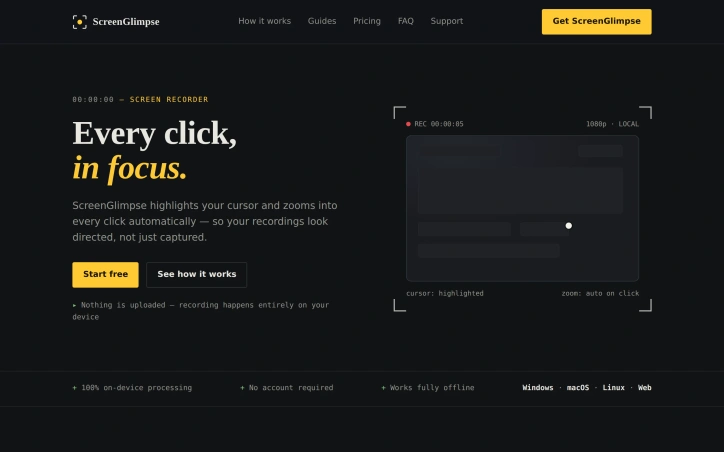
The tool targets creators, educators, and teams who need to produce polished screen recordings without friction. Its core innovation centers on cursor visibility and automatic zoom-on-click—features that transform raw screen captures into directed, viewer-friendly content. Every cursor movement gains a soft highlight, and double-clicking triggers an automatic zoom that keeps viewers locked on the relevant action rather than lost in a sea of screen real estate.
ScreenGlimpse stands apart through its commitment to local processing. Nothing leaves your computer. Recording, encoding, and export all happen on-device, eliminating both the privacy concerns that plague cloud-dependent tools and the upload delays that plague most competitors. Export happens immediately upon stopping the recording—no render queues, no waiting bars. Users can choose between MP4 and WebM formats at various quality levels before recording even starts.
The feature set extends beyond basic recording. The app supports simultaneous capture of screen, microphone, webcam, and system audio in any combination. A draggable webcam bubble keeps your face present without consuming the entire frame. Beyond video, ScreenGlimpse includes screenshot capabilities with markup tools, a freeform whiteboard mode, and the ability to export recordings as animated GIFs. A custom watermark feature allows teams to add branding without the intrusive stamps common in competing tools.
Distribution reaches across platforms. Windows, macOS, and Linux each get native installers, while a browser version accommodates one-off recordings or users unwilling to install software.
The pricing structure rewards flexibility. A free tier, called Glimpse, offers unlimited local recordings with 720p export and basic features. Focus, the paid tier at five dollars monthly or fifty dollars annually, unlocks 4K export and advanced screenshot markup capabilities. A Forever option provides a one-time purchase of one hundred dollars for permanent access with a year of included updates—a model designed for users skeptical of subscriptions.
The absence of required account creation for free use removes friction at the entry point. Paid tiers use license keys rather than tracking usage, respecting the privacy pledge that anchors the entire product philosophy.
Founder Diary
DevlogThe maker hasn't posted a diary entry yet.
Key Features
Privacy-First Recording
All processing happens locally on-device with no cloud uploads or data collection.
Cursor Highlighting and Auto-Zoom
Soft cursor highlights and automatic zoom-on-click direct viewer attention to relevant actions.
Multi-Source Capture
Simultaneously record screen, microphone, webcam, and system audio in any combination.
Multiple Export Formats
Export as MP4, WebM, or animated GIF at various quality levels including 4K.
Screenshot and Markup Tools
Built-in screenshot capabilities with markup features for annotations and editing.
Custom Watermarking
Add branded watermarks to recordings without intrusive stamps.
Use Cases
-
1
Creators
Produce polished screen recordings for content without subscriptions or data privacy concerns.
-
2
Educators
Create instructional tutorials with cursor visibility and zoom features to guide student attention.
-
3
Teams
Require privacy-first recording with custom branding and local-only processing for confidential content.
-
4
Quick Recordings
Browser version accommodates one-off recordings without software installation.
FAQ
Is ScreenGlimpse free to use? ▾
Does ScreenGlimpse store recordings in the cloud? ▾
Can I record my webcam and screen together? ▾
What are the pricing options? ▾
Pricing
Free tier (Glimpse) offers 720p export; paid Focus tier ($5/mo or $50/yr) includes 4K export; Forever option ($100 one-time) for perpetual access.
Tech Stack & Tags
Discussion (1)

What tool(s) you use for your screen recordings or demos ??
Join the conversation — sign up to comment.
Sign up freeCommunity Support
Boost this project on Sell With boost