Catalyst Healthspan Audit
Personal trainers typically sell training sessions. This startup reversed the equation by building assessment first, mak...
Launchory
We built Launchory to solve the discoverability problem for startups. Our platform offers instant approval, permanent do...
Best Podcasting Tools Startups & Tools
Create, host, edit, transcribe, and distribute podcasts.
Recently Listed
1 launches
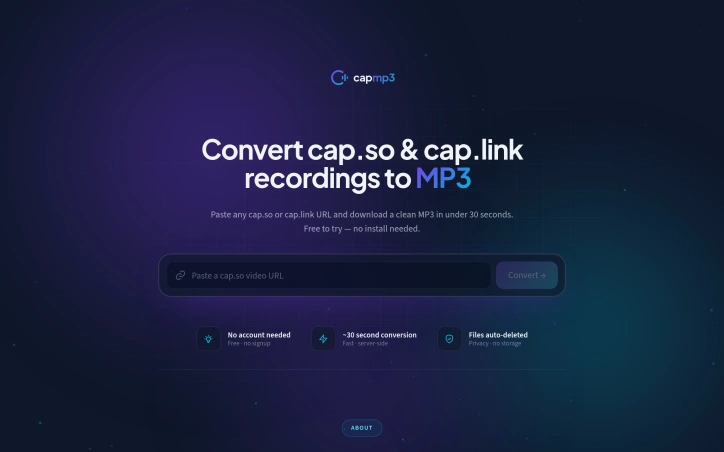
For those who regularly use cap.so or cap.link for screen recordings, extracting the audio can be a tedious task, involving downloading the full video and manually converting it. CapMP3 addresses this need by providing a straightforward online solution that converts these recordings into downloadable MP3 files. The tool is designed with product teams, engineers, and individuals who frequently share screen recordings in mind, catering to their needs for transcription, archiving, or offline playback of the audio content. What stands out about CapMP3 is its simplicity and efficiency. By simply pasting the URL of the cap.so or cap.link recording, users can obtain the audio in high-quality MP3 format without requiring any software installation. The process is server-side, meaning the audio extraction and conversion happen on the server, and the resulting MP3 is delivered directly to the user's browser. The key features of CapMP3 include its ability to extract the audio track from the specified URLs, convert it to MP3 at 190 kbps, and ensure the files are deleted immediately after download, emphasizing a commitment to user privacy. The service is free for one download, with no credit card required, making it easily accessible. Overall, CapMP3 offers a convenient, privacy-first solution for users looking to extract audio from their cap.so or cap.link recordings. Its straightforward functionality and lack of upfront costs make it an attractive option for those seeking a simple, effective tool for audio conversion.