Best Product add-ons Startups & Tools

Recently Listed

22 launches
Sort
Tabme

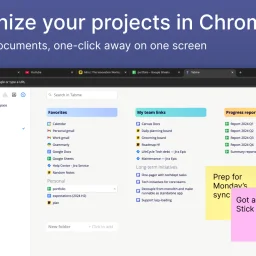
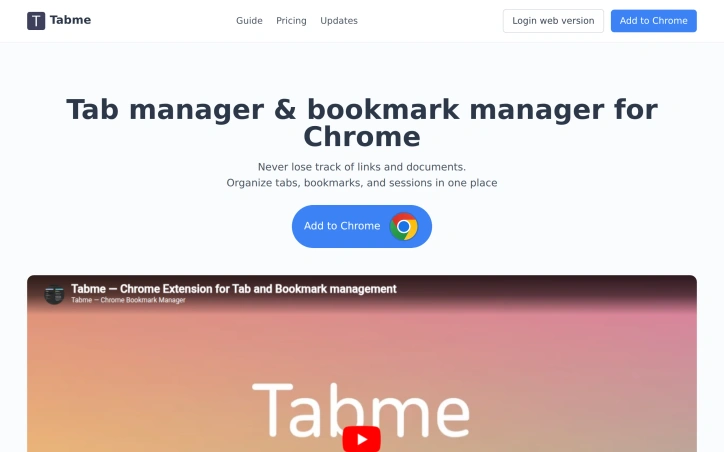
Organizing browser tabs has long been a point of friction for users who accumulate dozens of open pages and bookmarks scattered across multiple locations. Tabme, a Chrome extension, addresses this by consolidating tab management, bookmarking, and note-taking into a single interface with straightforward drag-and-drop controls. The extension handles several common browser headaches. Users can save individual tabs or entire sessions into folders with a single drag-and-drop action, reducing friction compared to manual bookmarking. Duplicate tab detection removes redundant pages with one click, directly addressing browser memory bloat that slows performance. Search functionality spans across open tabs, saved bookmarks, and recently closed tabs, eliminating the need to manually scroll through dozens of entries. A sticky notes feature lets users attach quick annotations directly to projects or collections. The product operates on a straightforward freemium model. The free tier maintains all data locally on the device, preserving privacy for users who prefer to avoid cloud dependencies. The Pro plan enables cross-device cloud synchronization and includes a web application for accessing bookmarks from any browser or phone. This structure caters to both casual users managing tabs on a single device and power users working across multiple machines. The "Mini" variant offers all features without overriding the new tab page, giving users control over how prominently the extension integrates with their workflow. User reviews emphasize simplicity and effectiveness. Comments praise the ease of organization, clean interface design, and productivity improvements. Reddit mentions suggest organic adoption and word-of-mouth traction. The extension maintains a top rating in the Chrome Store, reflecting consistent positive reception. Dark mode support and web-based access round out the feature set. Tabme serves both light organizers managing a handful of bookmarks and power users juggling dozens of projects across multiple devices.
Chrome-extensions
O
Oleg Plotnikov

Organizing browser tabs has long been a point of friction for users who accumulate dozens of open pages and bookmarks scattered across multiple locations. Tabme, a Chrome extension, addresses this by consolidating tab management, bookmarking, and note-taking into a single interface with straightforward drag-and-drop controls. The extension handles several common browser headaches. Users can save individual tabs or entire sessions into folders with a single drag-and-drop action, reducing friction compared to manual bookmarking. Duplicate tab detection removes redundant pages with one click, directly addressing browser memory bloat that slows performance. Search functionality spans across open tabs, saved bookmarks, and recently closed tabs, eliminating the need to manually scroll through dozens of entries. A sticky notes feature lets users attach quick annotations directly to projects or collections. The product operates on a straightforward freemium model. The free tier maintains all data locally on the device, preserving privacy for users who prefer to avoid cloud dependencies. The Pro plan enables cross-device cloud synchronization and includes a web application for accessing bookmarks from any browser or phone. This structure caters to both casual users managing tabs on a single device and power users working across multiple machines. The "Mini" variant offers all features without overriding the new tab page, giving users control over how prominently the extension integrates with their workflow. User reviews emphasize simplicity and effectiveness. Comments praise the ease of organization, clean interface design, and productivity improvements. Reddit mentions suggest organic adoption and word-of-mouth traction. The extension maintains a top rating in the Chrome Store, reflecting consistent positive reception. Dark mode support and web-based access round out the feature set. Tabme serves both light organizers managing a handful of bookmarks and power users juggling dozens of projects across multiple devices.

Tabme preview

Key features

  • Tab Management: Consolidates tab management, bookmarking, and note-taking into a single interface with drag-and-drop controls
  • Duplicate Detection: Removes redundant pages with one click to reduce browser memory bloat
See full listing
CSS Inspector Pro

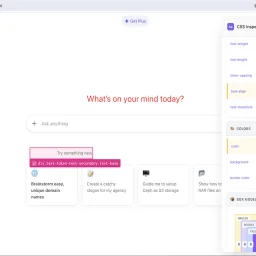
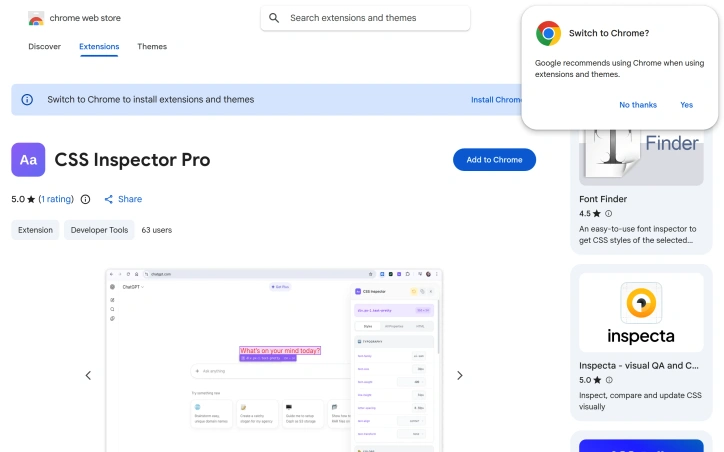
Debugging CSS issues on unfamiliar websites presents a familiar challenge for web developers and designers: how to quickly understand styling structure without struggling through the browser's default developer tools. CSS Inspector Pro addresses this need with a lightweight Chrome extension that layers an intuitive inspection interface over the inspection workflows most developers already use. The extension centers on three core workflows. First, it provides visual element selection through hover highlighting and click-to-select functionality, displaying element dimensions and selector information in real-time. Once an element is selected, developers can edit its CSS properties live with instant visual feedback, supported by color pickers and dropdown suggestions for common values. A granular revert system then allows undoing individual property changes or clearing all modifications at once, with visual indicators showing which properties have been modified. What distinguishes CSS Inspector Pro from existing inspection tools is its focus on immediate usability and simplicity. The interface organizes CSS properties by category—typography, colors, layout—rather than presenting an overwhelming flat list. A dedicated search function filters through computed properties as users type. The extension also includes a box model visualization that dynamically updates with the current element's dimensions, and tabs for viewing organized styles, all properties, or the underlying HTML source. The product appeals to a broad audience: web developers troubleshooting inherited styles on third-party sites, designers experimenting with aesthetic changes before committing to code, and students building foundational CSS understanding. The developer emphasizes privacy as a differentiator—the extension operates entirely locally, requires no signup, and collects no telemetry or usage data. All modifications remain temporary and disappear upon page refresh. The 50-user adoption rate and single five-star review suggest the extension is early in its lifecycle. Version 1.2.2, updated in February 2026, indicates ongoing maintenance. For developers who find themselves frequently inspecting unfamiliar CSS or iterating on styling without touching their editor, the extension offers a faster feedback loop than traditional browser developer tools allow.
Chrome-extensions
J
J A

Debugging CSS issues on unfamiliar websites presents a familiar challenge for web developers and designers: how to quickly understand styling structure without struggling through the browser's default developer tools. CSS Inspector Pro addresses this need with a lightweight Chrome extension that layers an intuitive inspection interface over the inspection workflows most developers already use. The extension centers on three core workflows. First, it provides visual element selection through hover highlighting and click-to-select functionality, displaying element dimensions and selector information in real-time. Once an element is selected, developers can edit its CSS properties live with instant visual feedback, supported by color pickers and dropdown suggestions for common values. A granular revert system then allows undoing individual property changes or clearing all modifications at once, with visual indicators showing which properties have been modified. What distinguishes CSS Inspector Pro from existing inspection tools is its focus on immediate usability and simplicity. The interface organizes CSS properties by category—typography, colors, layout—rather than presenting an overwhelming flat list. A dedicated search function filters through computed properties as users type. The extension also includes a box model visualization that dynamically updates with the current element's dimensions, and tabs for viewing organized styles, all properties, or the underlying HTML source. The product appeals to a broad audience: web developers troubleshooting inherited styles on third-party sites, designers experimenting with aesthetic changes before committing to code, and students building foundational CSS understanding. The developer emphasizes privacy as a differentiator—the extension operates entirely locally, requires no signup, and collects no telemetry or usage data. All modifications remain temporary and disappear upon page refresh. The 50-user adoption rate and single five-star review suggest the extension is early in its lifecycle. Version 1.2.2, updated in February 2026, indicates ongoing maintenance. For developers who find themselves frequently inspecting unfamiliar CSS or iterating on styling without touching their editor, the extension offers a faster feedback loop than traditional browser developer tools allow.

CSS Inspector Pro preview

Key features

  • Visual Element Selection: Hover highlighting and click-to-select functionality displaying element dimensions and selector information in real-time
  • Live CSS Editing: Edit CSS properties with instant visual feedback, supported by color pickers and dropdown suggestions for common values
See full listing